Apple opened the Siri AI Developer Preview to every developer on 3 November 2026, starting with the iOS, iPadOS, macOS and visionOS 27.3 betas and Xcode 27.3. Apps take part through App Intents, and App Store submission for it opens in the spring. For a Mac utility the takeaway is short: model each running app as an AppEntity with a live query, write one intent per action (“quit everything except Xcode”, “quit apps using more than 1 GB”), quit with terminate() so apps can still save, and publish phrases through an AppShortcutsProvider. The code below is a sketch built from Apple’s documentation; treat it as a starting point and compile it against your own target.
Why we did this: our Mac app OneClick QuitAll lists running apps with their memory and CPU and quits the ones you do not keep. Voice is an obvious way in for that kind of tool, so we worked out how the same actions map onto App Intents. This is a design exercise, not a shipping feature of QuitAll.
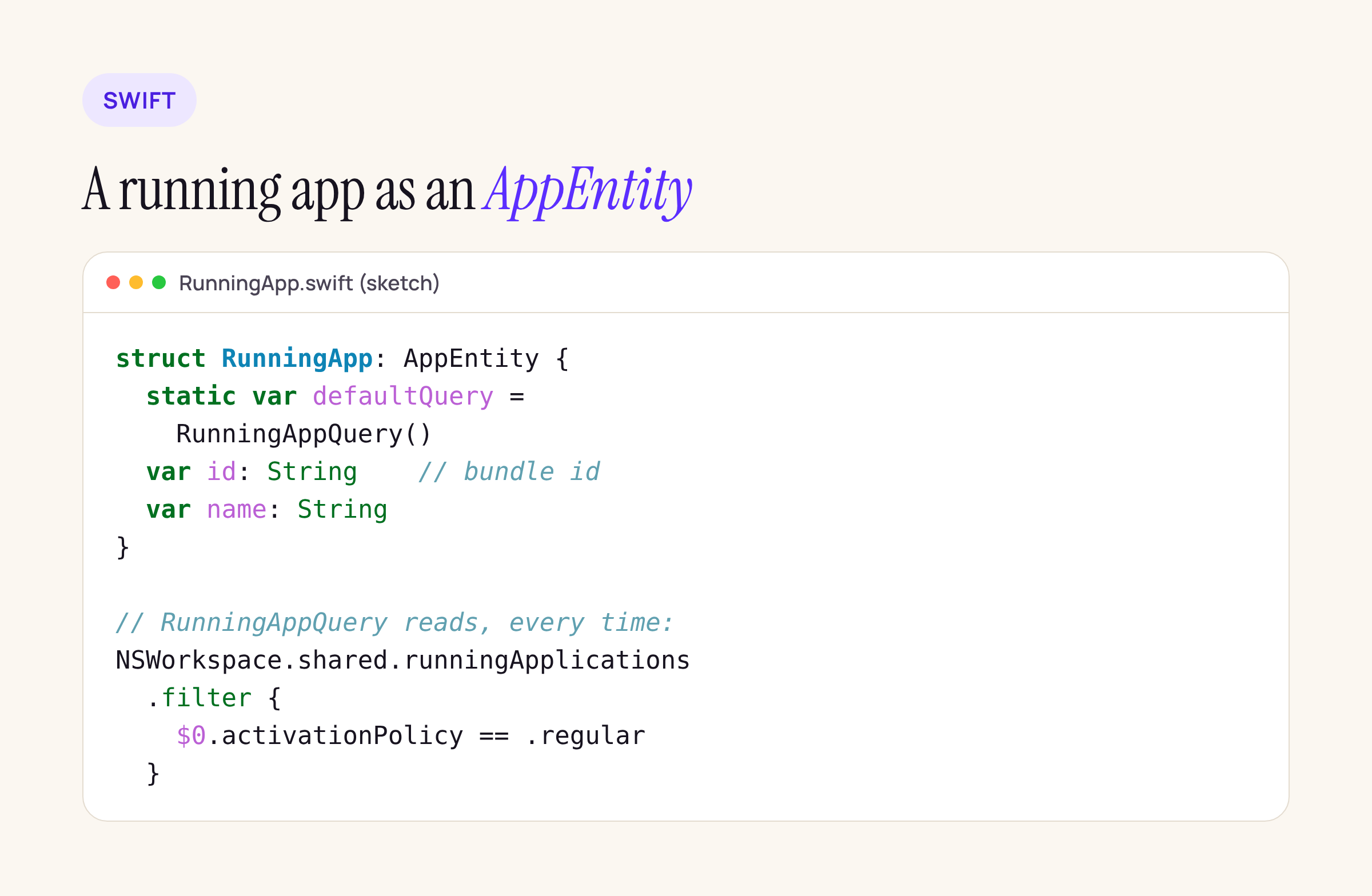
The entity that Siri AI and Shortcuts see: one per regular app that is running.
What the preview gives a Mac app
- App Intents: the actions and content an app exposes to Siri AI (Siri AI Developer Preview).
- Skills: multi-step requests that chain several intents (Apple news, 3 Nov).
@AppIntentand@AppEntitymacros: preview-era ways to declare intents and entities, with traits and schemas (Siri AI Developer Preview).AppShortcutsProvider: static phrases that work without setup (App Shortcuts).- Siri Integration Advisor and
SiriEvaluations: checking and scripting requests in Xcode (Siri AI Developer Preview).
Apple warns that during the preview “the App Intents API and Siri functionality may change”. The sketch therefore sticks to the long-standing AppIntent and AppEntity protocols, which the new macros build on, so it is easy to move across when the API settles.
The entity: a running app
Siri needs a noun before it can act: “Xcode”, “Safari”, “everything except Mail”. The entity is a running app identified by its bundle identifier, and the query reads NSWorkspace.shared.runningApplications every time it is asked, so it never holds a stale list.
import AppIntents
import AppKit

struct RunningApp: AppEntity {
    static var typeDisplayRepresentation: TypeDisplayRepresentation = "Running App"
    static var defaultQuery = RunningAppQuery()

    var id: String          // bundle identifier
    var name: String

    var displayRepresentation: DisplayRepresentation {
        DisplayRepresentation(title: "\(name)")
    }
}

struct RunningAppQuery: EntityQuery {
    @MainActor
    func entities(for identifiers: [String]) async throws -> [RunningApp] {
        current().filter { identifiers.contains($0.id) }
    }

    @MainActor
    func suggestedEntities() async throws -> [RunningApp] {
        current()
    }

    @MainActor
    private func current() -> [RunningApp] {
        let me = Bundle.main.bundleIdentifier
        return NSWorkspace.shared.runningApplications
            .filter { $0.activationPolicy == .regular }
            .compactMap { app in
                guard let id = app.bundleIdentifier, id != me,
                      let name = app.localizedName else { return nil }
                return RunningApp(id: id, name: name)
            }
    }
}
Two filters matter. activationPolicy == .regular keeps the list to apps with a Dock icon, so menu bar helpers and background processes of other apps are not offered as quit targets. Leaving out the app’s own bundle identifier stops a “quit everything” request from quitting the tool halfway through.
Intent 1: quit everything except
struct QuitAllExceptIntent: AppIntent {
    static var title: LocalizedStringResource = "Quit All Apps Except"

    @Parameter(title: "Keep running")
    var keep: [RunningApp]

    @MainActor
    func perform() async throws -> some IntentResult & ProvidesDialog {
        let keepIDs = Set(keep.map(\.id))
        let me = Bundle.main.bundleIdentifier
        let targets = NSWorkspace.shared.runningApplications.filter {
            $0.activationPolicy == .regular
                && $0.bundleIdentifier != me
                && $0.bundleIdentifier != "com.apple.finder"
                && !keepIDs.contains($0.bundleIdentifier ?? "")
        }
        let asked = targets.filter { $0.terminate() }.count
        return .result(dialog: "Asked \(asked) apps to quit.")
    }
}
The dialog says “asked”, not “quit”, on purpose. Apple documents terminate() as an attempt to “quit the receiver normally”, and it returns Bool for whether the request was sent. An app with unsaved work can show its save sheet and stay open, which is the behaviour a careful quit tool wants. forceTerminate() exists too; it does not belong behind a voice command, where a misheard name could cost someone a document. Finder is excluded because it relaunches anyway.
Apple’s first app intent guide also notes that when Siri AI runs an intent, the system might not show IntentDialog or a snippet view. So the dialog is a courtesy, not the only feedback: the apps closing is the result.
Intent 2: quit apps above a memory size
NSRunningApplication has no memory figure. The process footprint comes from libproc, which we compared with NSWorkspace in listing and quitting apps on macOS.
import Darwin

func footprintBytes(_ pid: pid_t) -> UInt64? {
    var info = rusage_info_v4()
    let rc = withUnsafeMutablePointer(to: &info) {
        $0.withMemoryRebound(to: rusage_info_t?.self, capacity: 1) {
            proc_pid_rusage(pid, RUSAGE_INFO_V4, $0)
        }
    }
    return rc == 0 ? info.ri_phys_footprint : nil
}

struct QuitHeavyAppsIntent: AppIntent {
    static var title: LocalizedStringResource = "Quit Apps Using More Memory Than"

    @Parameter(title: "Memory (GB)", default: 1.0)
    var gigabytes: Double

    @MainActor
    func perform() async throws -> some IntentResult & ProvidesDialog {
        let limit = UInt64(gigabytes * 1_073_741_824)
        let me = Bundle.main.bundleIdentifier
        let heavy = NSWorkspace.shared.runningApplications.filter {
            $0.activationPolicy == .regular && $0.bundleIdentifier != me
                && (footprintBytes($0.processIdentifier) ?? 0) > limit
        }
        let names = heavy.compactMap(\.localizedName)
        try await requestConfirmation(
            result: .result(dialog: "Quit \(names.joined(separator: ", "))?"))
        let asked = heavy.filter { $0.terminate() }.count
        return .result(dialog: "Asked \(asked) apps to quit.")
    }
}
This one asks for confirmation first, because the user did not name the apps. “Quit apps using more than 1 GB” might match a virtual machine or a render in progress, and reading the list back costs one sentence.
Phrases and App Shortcuts
App Shortcuts make the intents available as soon as the app is installed, with no setup in the Shortcuts app.
struct QuitShortcuts: AppShortcutsProvider {
    static var appShortcuts: [AppShortcut] {
        AppShortcut(
            intent: QuitAllExceptIntent(),
            phrases: ["Quit everything with \(.applicationName)",
                      "Use \(.applicationName) to quit all apps"],
            shortTitle: "Quit All Except",
            systemImageName: "xmark.circle")
        AppShortcut(
            intent: QuitHeavyAppsIntent(),
            phrases: ["Quit heavy apps with \(.applicationName)"],
            shortTitle: "Quit Heavy Apps",
            systemImageName: "memorychip")
    }
}
With Siri AI the fixed phrases matter less, since the model maps free speech onto intents and their parameters: “close everything but Xcode and Music” should land on the first intent with two entities. The phrases still serve classic Siri, Spotlight and the Shortcuts app.
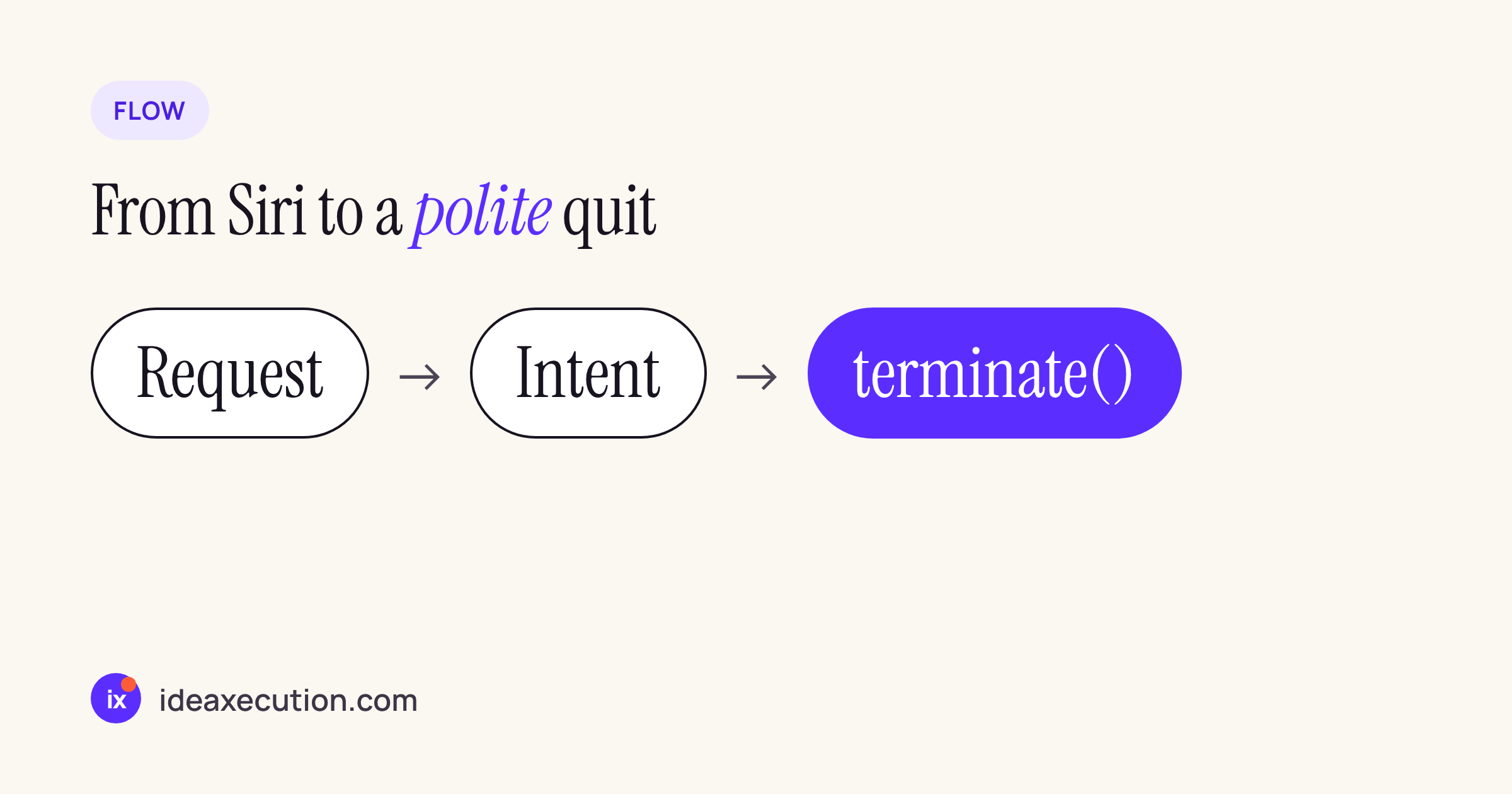
From a spoken request to terminate(), with the app’s own save prompts intact.
Design choices worth copying
- Quit politely, report honestly. Use
terminate(), count requests rather than claiming success, and let apps with unsaved work stay open. - Confirm when the user did not name the targets. Memory thresholds, “everything” and future Skills that chain intents all fall here.
- Never offer the tool itself, Finder or background helpers as targets.
- Keep the entity query live. Running apps change by the second; never cache the list in the entity.
- Mind the macOS 27.3 permission changes. Controlling other apps now sits under new privacy panes with a transparency indicator; we covered what a Mac utility checks in macOS 27.3 app control permissions.
What to check on your own app
The preview has limits that shape testing. Apple’s documentation says it is not available to external TestFlight testers or App Store builds, only to internal testers and development-signed builds. Siri AI needs an Apple Intelligence device set to a supported language (English, French, Japanese, Korean, Portuguese or Spanish at launch), has daily usage limits, and is not available to users under 13. Apple’s EU note covers iOS, iPadOS and watchOS.
- Build with Xcode 27.3 beta against the macOS 27.3 SDK and run the Siri Integration Advisor on the target.
- Ask for each intent in plain speech, with and without app names, and with a name that is not running.
- Try a document app with unsaved changes as a target and confirm the save sheet appears and the app stays open.
- Use
SiriEvaluationsto script the requests, so the same set runs on every beta. - Keep the
AppIntentcode free of preview-only macros until the API is final, or isolate them in one file.
For the bigger picture of what an app exposes to AI assistants on both platforms, see our post on App Intents and AppFunctions for a bank app, and for the ways to quit apps without any code, how to quit all apps on Mac at once.