If your Mac app quits, scripts or drives other apps, plan for two things before macOS 27.3 ships in December: users can now set your app to “ask every time”, and the permission that used to cover app control is being split in two. So check consent at the moment of every action, not once at launch, and make every action survive a “no”. Apple’s own advice in its 16 Nov 2026 developer news post is that apps should “gracefully handle having access to only a limited set of folders or apps”.
This is a documentation review of the macOS 27.3 beta 2 release notes, Apple’s 16 Nov 2026 news post and the AppKit, Apple Events and CoreGraphics reference pages, all read on 21 Nov 2026. It is written from beta 2, and Apple says “additional entitlement details will be available soon”.
Why we did this: our OneClick QuitAll lists running apps and quits the ones you did not tick, so they get the chance to save. It ships on the Mac App Store, inside the App Sandbox. Every path one app uses to act on another is exactly what 27.3 changes, so this is the checklist we work through for it.
What macOS 27.3 beta 2 changes
From the Privacy & Security section of the release notes (feature 192585326). Beta 2 “introduces increased transparency and more granular options for two APIs: Device Control and Data Access, and Full Disk Access.” For app control that means:
- A split. Device Control and Data Access becomes two settings: “System & App Protection Override” and “Accessibility”.
- Ask every time. “The option for users to configure apps to ask every time they require access.”
- A visible indicator. “A transparency indicator when a requesting app is controlling another app using System & App Protection Override.”
- One way to grant. “A single method for granting permissions by selecting the requesting app from a list.”
- Nothing is revoked. “All app permissions previously granted by users will remain in effect.” Users see the new flow when they approve new requests.
- Entitlements. Apps that use the new Accessibility settings to provide assistive technologies can request an entitlement to keep the pre-27.3 experience for new installs. For now “known apps aren’t affected”, and more details are promised.
Full Disk Access gets the same treatment (per-folder grants). That is a separate topic and not covered here.
Each control path, mapped
Which API falls under which of the two new settings is not spelled out in the beta 2 notes. The table below sticks to what Apple’s pages say.
| Control path | Apple’s docs today | 27.3 beta 2 |
|---|---|---|
terminate() and forceTerminate() on NSRunningApplication |
“Sandboxed applications can’t use this method to terminate other applications”; returns false from a sandboxed app (terminate, forceTerminate) | Not mentioned |
| Apple events to another app (for example a quit event) | The Apple Events entitlement lets the app “prompt the user for permission to send Apple events to other apps”; NSAppleEventsUsageDescription “is required” | Not mentioned by name |
| Accessibility API (AXUIElement) | Trusted accessibility client, checked with AXIsProcessTrustedWithOptions |
Part of the split; not affected by known issue 192728601 |
| Posting input events with CoreGraphics | CGPreflightPostEventAccess and CGRequestPostEventAccess, macOS 10.15+ | Known issue 192728601: such apps “might not display a live activity properly” |
| Listening event taps | CGPreflightListenEventAccess, macOS 10.15+ | Not affected by 192728601 |
| Any app granted System & App Protection Override, acting on WebKit apps | n/a | Known issue 192510863: may “encounter issues interacting with Safari and other applications that use WebKit” |
Two things stand out. First, for a sandboxed quitter the polite AppKit path is closed anyway, which we covered in NSWorkspace vs libproc: listing and quitting apps on macOS. Second, the known issues name CoreGraphics event posting and WebKit targets, so a utility that sends synthetic keystrokes or drives Safari has the most to re-check on 27.3.
Check consent at the moment you act
“Ask every time” means a permission your app saw at launch may be gone, or pending, by the time the user presses the button. For Apple events, AEDeterminePermissionToAutomateTarget (macOS 10.14 and later) answers without showing a prompt when you pass false for askUserIfNeeded:
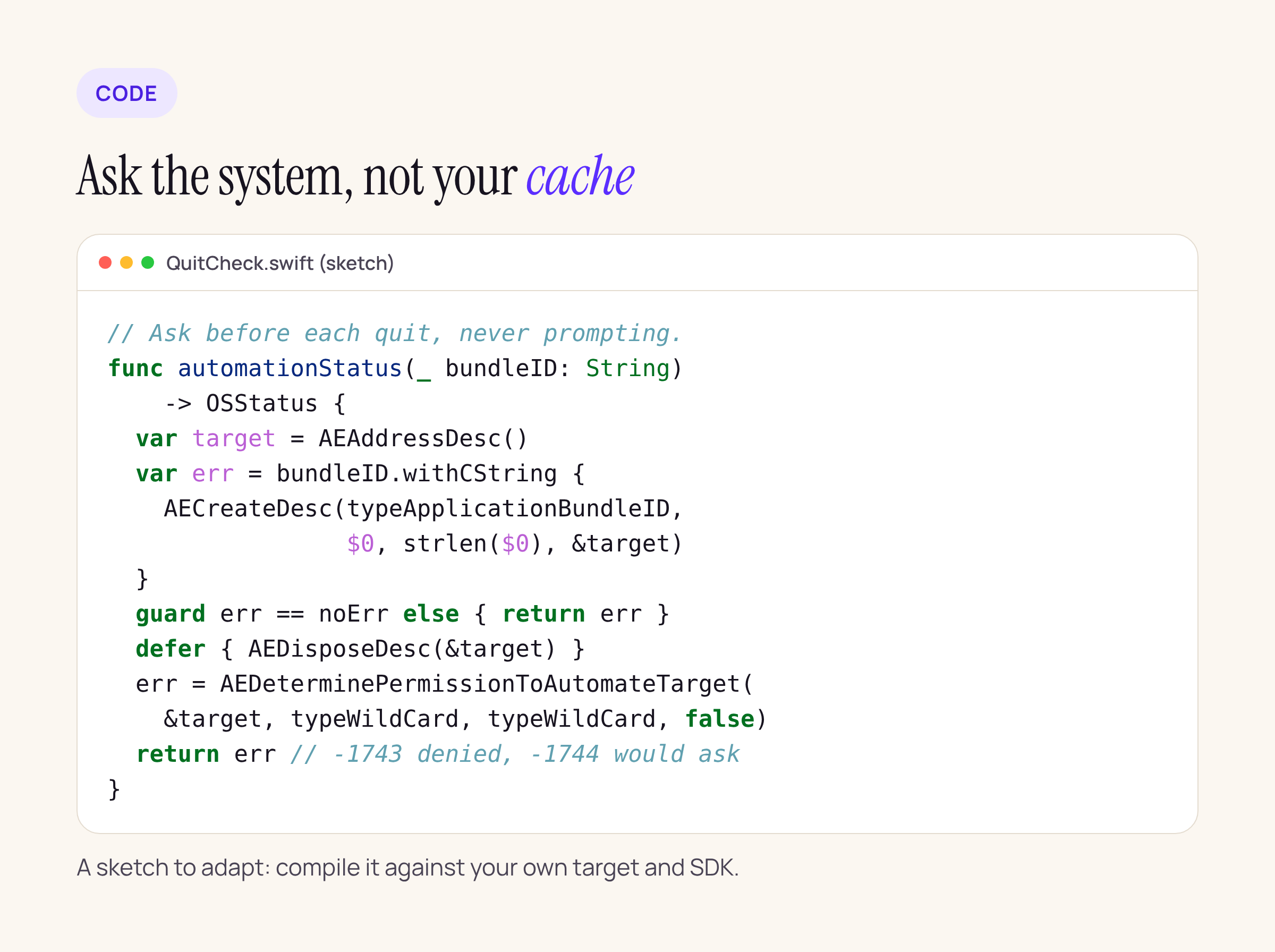
A sketch to adapt; compile it against your own target and SDK.
The three results to handle:
noErr: you may send the event now.-1743(errAEEventNotPermitted): the user said no. Show which app was skipped and how to change it in System Settings. Do not retry in a loop.-1744(errAEEventWouldRequireUserConsent): sending will show the system prompt. Say why before you trigger it, so the prompt is not a surprise.
procNotFound (-600) means the target already quit, which for a quit tool is a success, not an error.
Confirm the quit actually happened
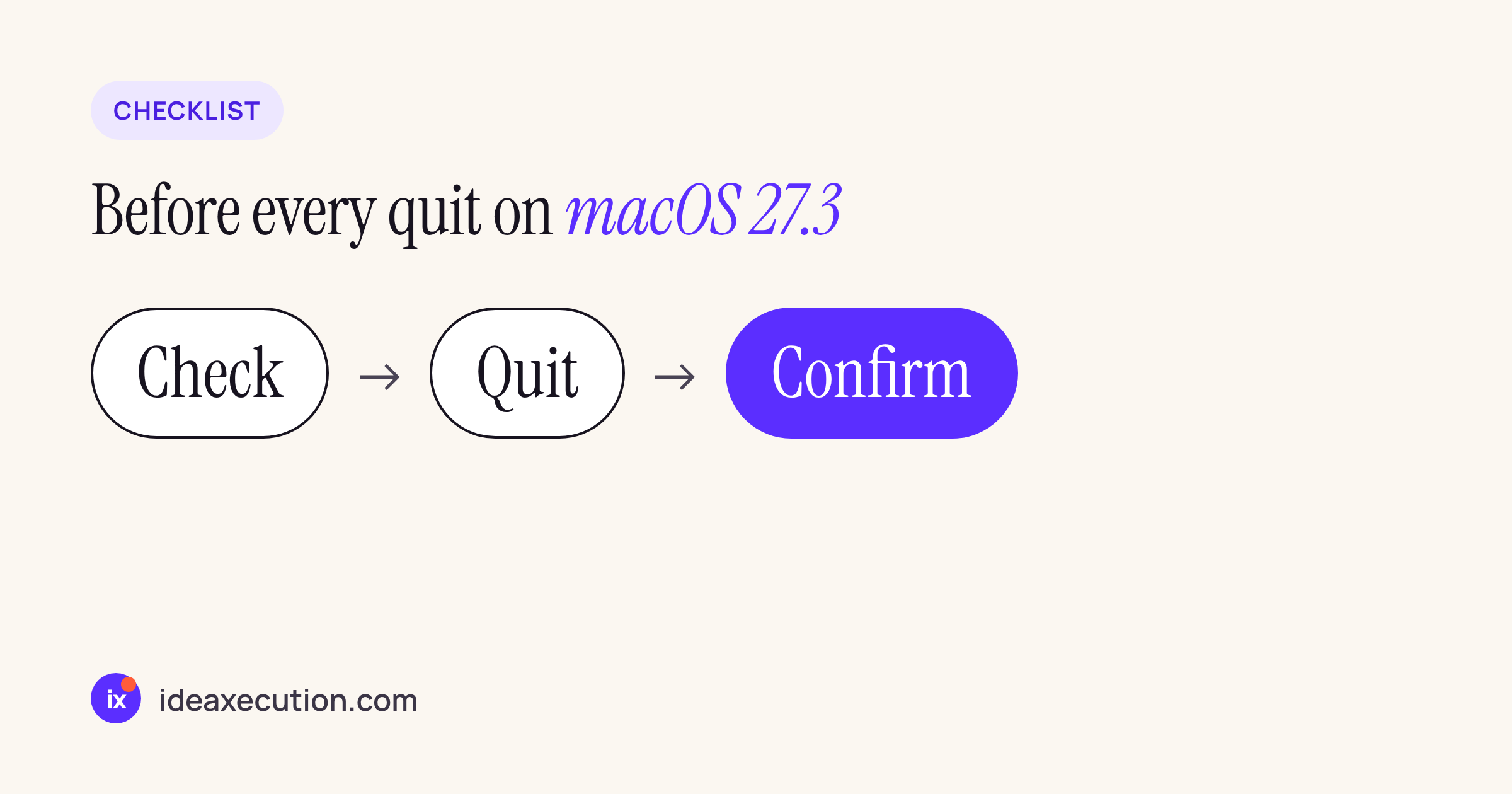
The order we use for every app in a batch.
A quit request is a request: the target can show a save dialog, refuse, or take its time. Apple’s terminate() page already says the call “may return before the receiver exits; you should observe the terminated property”. Whatever path you use to ask, confirm with isTerminated on the NSRunningApplication (it is key-value observable) and report the apps that are still running instead of assuming success. With “ask every time”, one app in a batch can be allowed while the next is waiting on a prompt, so per-app status in the UI matters more than it did.
What to check before 27.3 ships
- List every path your app uses to act on another app: Apple events, AXUIElement calls, CGEvent posting, event taps. Each one is now a separate thing the user can say no to.
- Move permission checks from launch to the moment of action. Cache nothing about consent.
- Handle “denied” and “would ask” as normal outcomes with their own UI text, not as errors.
- Re-read your usage strings (
NSAppleEventsUsageDescriptionand any Accessibility onboarding copy). With a single “pick the app from a list” grant flow, users decide from that text. - If you post keyboard or mouse events with CoreGraphics, or act on Safari or another WebKit app, re-test those paths on the 27.3 beta and file feedback if you see the known issues.
- If your app is an assistive technology, watch Apple’s developer news for the entitlement details and request it.
- On CI Macs, expect new prompts too: see macOS 27.3 beta: automationmodetool now prompts on CI Macs.
Sources
- macOS 27.3 beta 2 release notes (Privacy & Security: 192585326; known issues 192510863, 192728601)
- Updates to Device Control and Data Access, and Full Disk Access in macOS, Apple Developer News, 16 Nov 2026
- Apple reference: NSRunningApplication.terminate(), Apple Events entitlement, NSAppleEventsUsageDescription, CGRequestPostEventAccess