From April 2027, Apple says “any apps or games submitted will need to include screenshots for iPhone Duo.” There are four accepted sizes: 1398 x 2034 and 2034 x 1398 for the outer display, 2007 x 2853 and 2853 x 2007 for the inner display. If you upload with fastlane, you need deliver 2.241.1 or later (15 Oct 2026) to recognise them, and frameit 2.242.0 (16 Nov 2026) if you add device frames. Update fastlane, add a Duo simulator to your capture list, and run a size check before the April deadline rather than during it.
This is a source and docs review: we read Apple’s announcement of 5 Oct 2026 and the App Store Connect screenshot specifications, and diffed the fastlane repository at commit 3a9429c (18 Nov 2026) to see exactly when and how the Duo display type arrived.
Why we did this: our banking app and Peepal ship their App Store screenshots from a fastlane lane. The first update we submit after April needs Duo images, and a lane that silently skips an unknown size is worse than one that fails.
What Apple announced
Apple’s news item Prepare and submit your apps for iPhone Duo (5 Oct 2026) has four lines that matter for screenshots:
- “Recompile existing apps with Xcode 27.1, which adds development support for iPhone Duo.”
- “Updated screenshot and app preview specifications are now available for the latest Apple devices, including iPhone Duo.”
- “Starting April 2027, any apps or games submitted will need to include screenshots for iPhone Duo.”
- “When you submit iPhone Duo screenshots in App Store Connect, your App Store product page will display a badge to let people know your app is optimized for iPhone Duo.”
The same item mentions a new preview tool in App Store Connect that shows how screenshots and product page headers look on iPhone Duo. Use it before you upload a full set.
The four sizes
| Display | Portrait | Landscape |
|---|---|---|
| iPhone Duo outer | 1398 x 2034 | 2034 x 1398 |
| iPhone Duo inner | 2007 x 2853 | 2853 x 2007 |
| Dynamic Island large (compare) | 1320 x 2868 | 2868 x 1320 |
| Dynamic Island medium (compare) | 1206 x 2622 | 2622 x 1206 |
Sizes from fastlane’s deliver/lib/deliver/app_screenshot.rb, which match the iPhone Duo outer and inner display rows on Apple’s screenshot specifications page. Apple’s page labels them “outer display” and “inner display”; it does not say folded or unfolded.
Two things stand out. In fastlane both displays share one display type, APP_IPHONE_DUO (the comparison rows are APP_IPHONE_67 and APP_IPHONE_61), so outer and inner shots go into the same set. And neither Duo size is a scaled version of an existing iPhone size: the inner display is close to 1:1.4, so screenshots made for the large Dynamic Island size will not fit by resizing. Plan new compositions, not crops.
What fastlane changed, and when
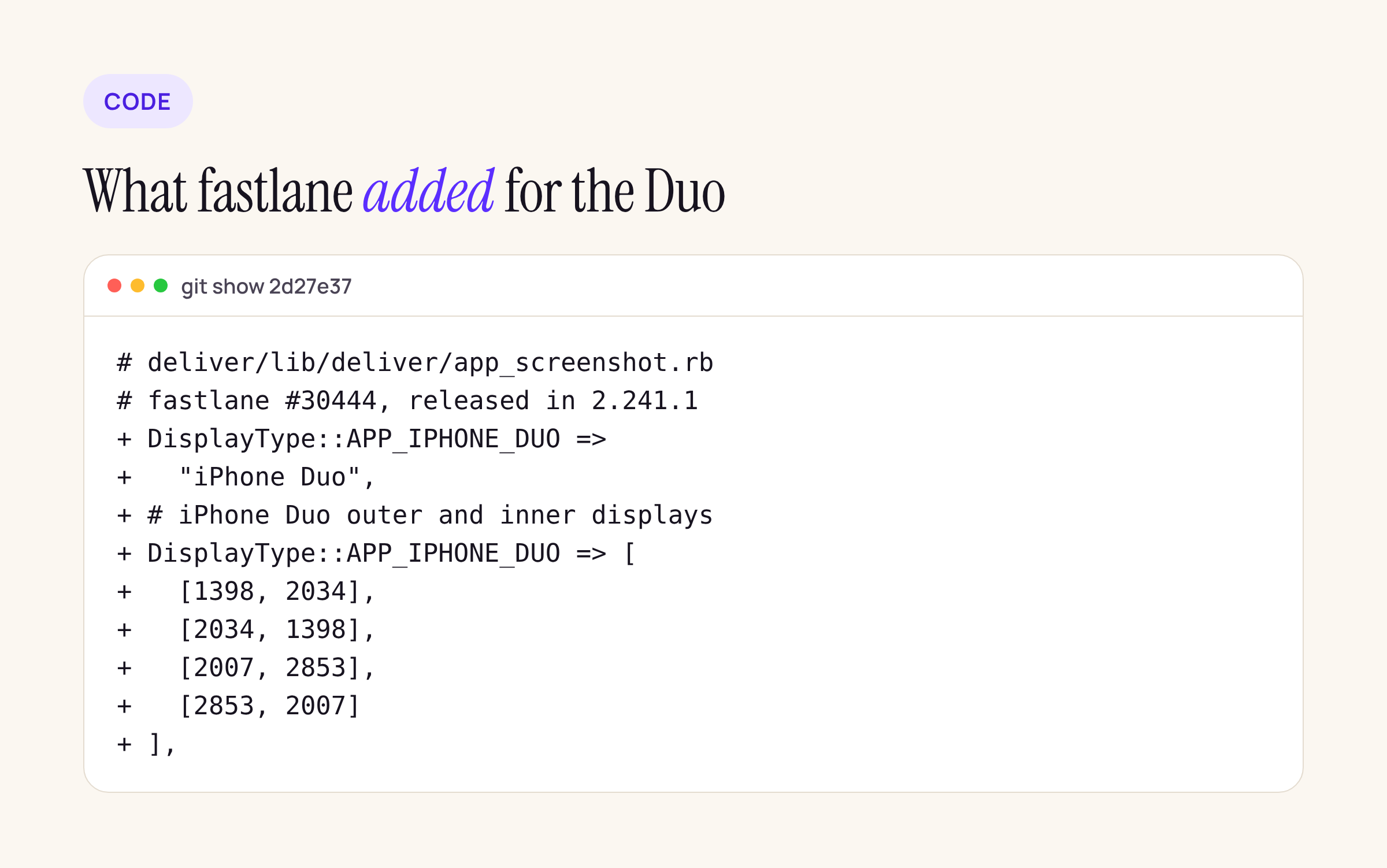
The deliver and spaceship change, from git show 2d27e37.
We walked the fastlane history for the Duo work:
| Change | Pull request | Release |
|---|---|---|
spaceship: new display type APP_IPHONE_DUO |
#30444, 14 Oct | 2.241.1, 15 Oct |
| deliver: the four Duo sizes, named “iPhone Duo” | #30444 | 2.241.1, 15 Oct |
frameit: iphone-duo-outer and iphone-duo-inner frames |
#30458, 14 Nov | 2.242.0, 16 Nov |
| snapshot: nothing Duo-specific | n/a | n/a |
snapshot does not need a change: it drives whatever simulator name you give it. There is also no IMESSAGE_APP_IPHONE_DUO type in spaceship yet, so iMessage extensions have no Duo slot through fastlane at this commit.
If your Gemfile.lock pins fastlane below 2.241.1, deliver does not know the Duo sizes. Update first:
bundle update fastlane
bundle exec fastlane --version
The capture plan
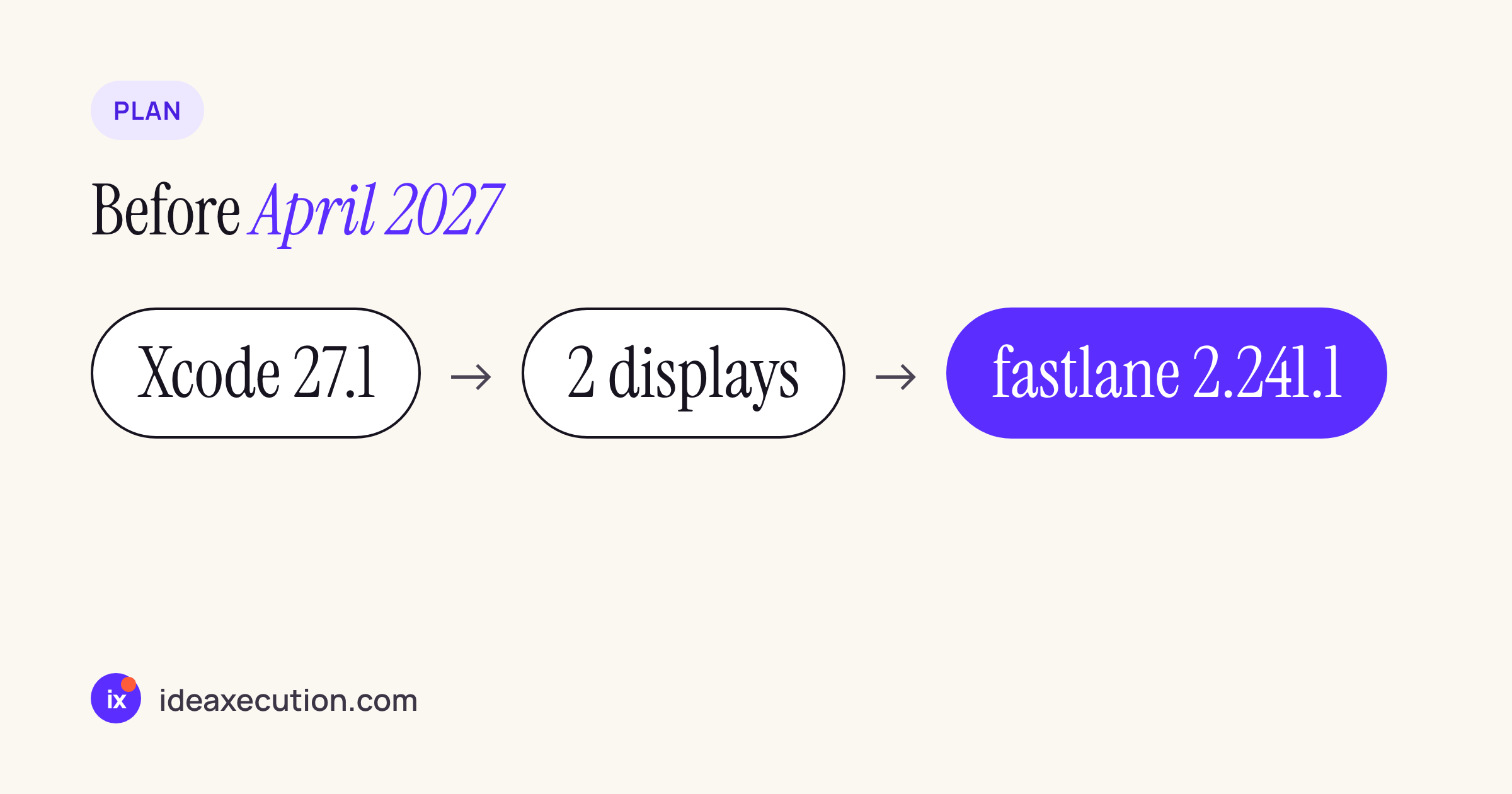
Xcode 27.1 for the simulator, both displays captured, a fastlane release that knows the sizes.
Add the Duo simulator to your snapshot device list. Use the name exactly as xcrun simctl list devicetypes prints it on your Xcode 27.1 install; the entry below is a sketch to adapt, not a name to copy:
# Snapfile
devices([
  "iPhone 17 Pro Max",
  "<iPhone Duo name from simctl list devicetypes>"
])
languages(["en-US"])
output_directory("./fastlane/screenshots")
The open question for every team is how to get both the outer and the inner display into the set. Our earlier post on iPhone Duo arrangements and reserved regions covers how the app’s layout changes between them; the UI test that takes the screenshots has to put the simulator in each state before it calls snapshot(). Write that as two separate test methods, one per display, so a failure in one does not hide the other.
A size check before upload
App Store Connect accepts only the listed sizes, and without a local check a wrong export is found at upload time. We wrote a 14-line Python checker that reads fastlane’s own size table and sorts every PNG in a folder into a display type, so a wrong export shows up locally.
#!/usr/bin/env python3
"""Sort screenshots by App Store display type, using fastlane's size table."""
import re, sys, pathlib
from PIL import Image
src = open(sys.argv[1]).read()            # deliver/lib/deliver/app_screenshot.rb
block = src.split("DEVICE_RESOLUTIONS = {")[1].split("\n    }")[0]
table = {}
for name, body in re.findall(r"DisplayType::(\w+) => \[(.*?)\n      \]", block, re.S):
    for w, h in re.findall(r"\[(\d+), (\d+)\]", body):
        table[(int(w), int(h))] = name
for p in sorted(pathlib.Path(sys.argv[2]).glob("*.png")):
    w, h = Image.open(p).size
    t = table.get((w, h), "NO MATCH")
    print(f"{p.name:<22} {w}x{h:<5} {t}")
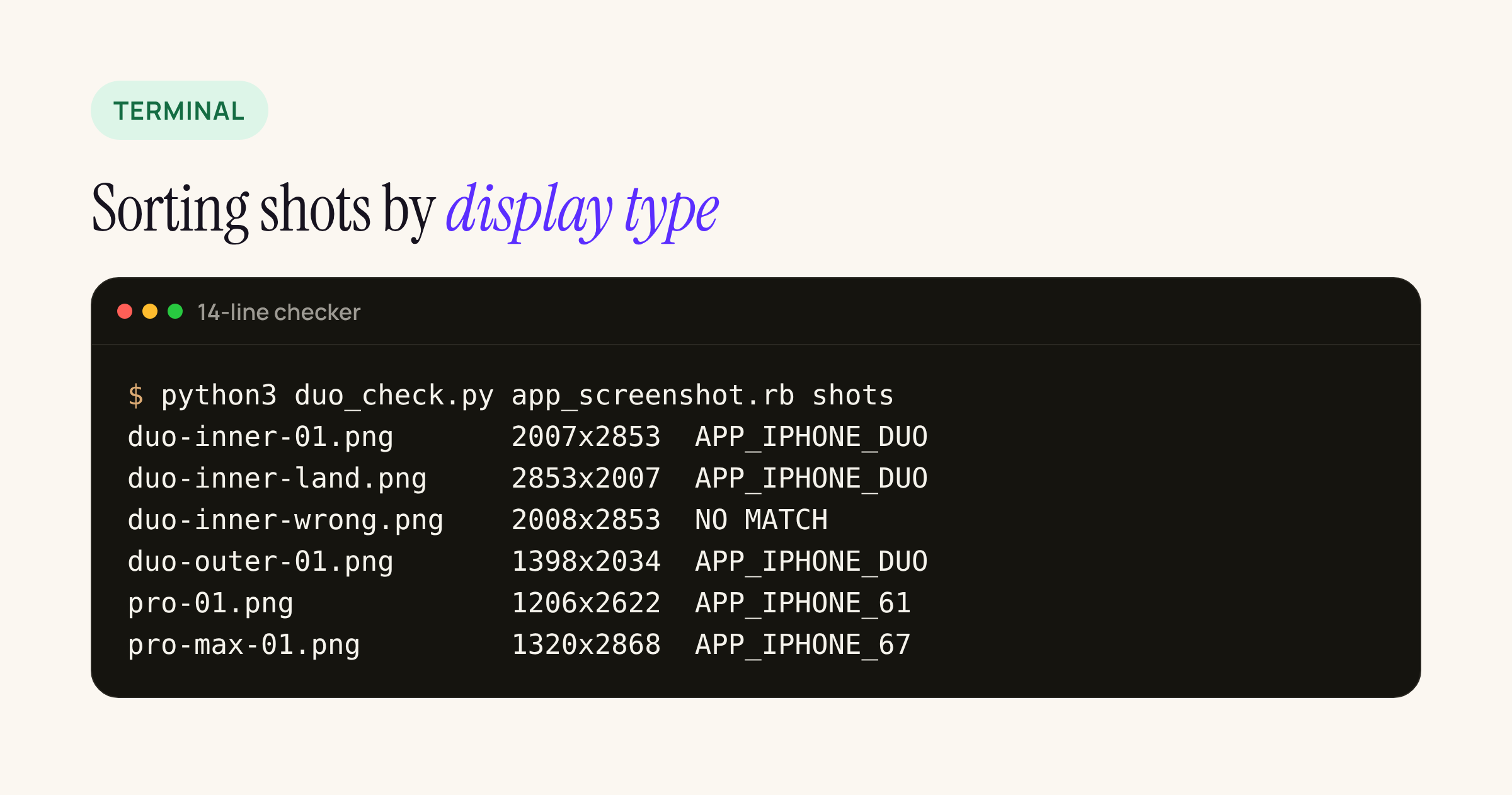
Real output from our test server, run on blank PNGs at each size, including one deliberately one pixel too wide.
Because the checker reads the table from the installed fastlane source, it also tells you when your fastlane is too old: on a version before 2.241.1, every Duo file comes back as NO MATCH.
What to do this month
- Update fastlane to 2.241.1 or later (2.242.0 if you use frameit), and commit the new
Gemfile.lock. - Add the Duo simulator to the Snapfile and two UI test methods, one per display.
- Run the size checker in CI after
snapshotand beforedeliver. - Design new screenshot compositions for the inner display; do not resize the existing iPhone set.
- Check the set in App Store Connect’s new preview tool before the first submission after April 2027.
For the Android side of the same problem, our post on Google Play foldable screenshots covers the sizes and ratios Play asks for, and the App Store Connect API 4.6 diff covers the API side.