From April 2027, Google Play asks every new app and every update for three foldable screenshots on top of the usual two phone screenshots (games: three foldable plus one phone). The upload slots opened in Play Console on 18 Nov 2026, under Grow > Store presence > Store listings. The short version: capture one 1:1 unfolded inner screen, one 4:3 unfolded inner screen and one 10:16 portrait outer screen, all at exact ratios. Play Console’s own error message asks for “at least 1 screenshot in each of the 1:1, 4:3, and 10:16 aspect ratios”, so plan for all three, not one of them.
This post puts every Play screenshot slot in one table, built from Google’s two announcement posts of 18 Nov 2026, the Android CLI screenshot guide (last updated 17 Nov 2026) and the Play Console help page on preview assets. It ends with the capture commands from Google’s guide and a 30-line Python checker we wrote to sort a folder of PNGs into Play slots before upload.
Why we did this: the store listings for Peepal, Shopkeeper and the BMDB TV app all need the new set, and we wanted one page the whole studio could work from instead of three tabs of Google docs.
What changes in April 2027
Google’s app post, “Google Play adaptive quality standards” (18 Nov 2026), says: “Beginning in April 2027, you will be required to provide 3 foldable screenshots in addition to the standard 2 phone screenshots.” Its milestone list for April 2027 reads “New apps and updates are required to include dedicated foldable screenshots at submission” and “Existing un-updated apps will remain downloadable.”
The games post, “Elevating game quality on foldables and large screens” (same day), asks for “at least 3 foldable screenshots, in addition to the standard 1 phone screenshot, in your games primary orientation.” Games also get a little more freedom: 3:4 instead of 4:3 and 16:10 instead of 10:16 are accepted, to match the game’s main orientation.
The screenshots are a listing rule. The Tier 3 adaptive quality bar that both posts announce alongside it is a separate rule about how the app behaves on large screens; we covered that one in Google Play Tier 3 by April 2027.
Which foldable ratios you need
The two blog posts describe two kinds of foldable:
- 1:1 inner display (the posts name the Pixel 11 Pro Fold and the Galaxy Z Fold8 Ultra): at least one unfolded inner screenshot at 1:1. The outer screen has phone proportions, so phone screenshots cover it.
- 4:3 inner display (the Galaxy Z Fold8): at least one unfolded inner screenshot at 4:3 and at least one folded outer screenshot at 10:16 portrait. A 16:10 landscape outer screenshot is optional.
Read alone, the blog bullets could suggest “either kind”. Google’s CLI screenshot guide is stricter: it marks the 1:1, 4:3 and 10:16 rows “At least 1 (when uploading 3 to 8 foldable screenshots)”, and its troubleshooting table quotes the Play Console rejection “Upload at least 1 screenshot in each of the 1:1, 4:3, and 10:16 aspect ratios”. We plan for all three.
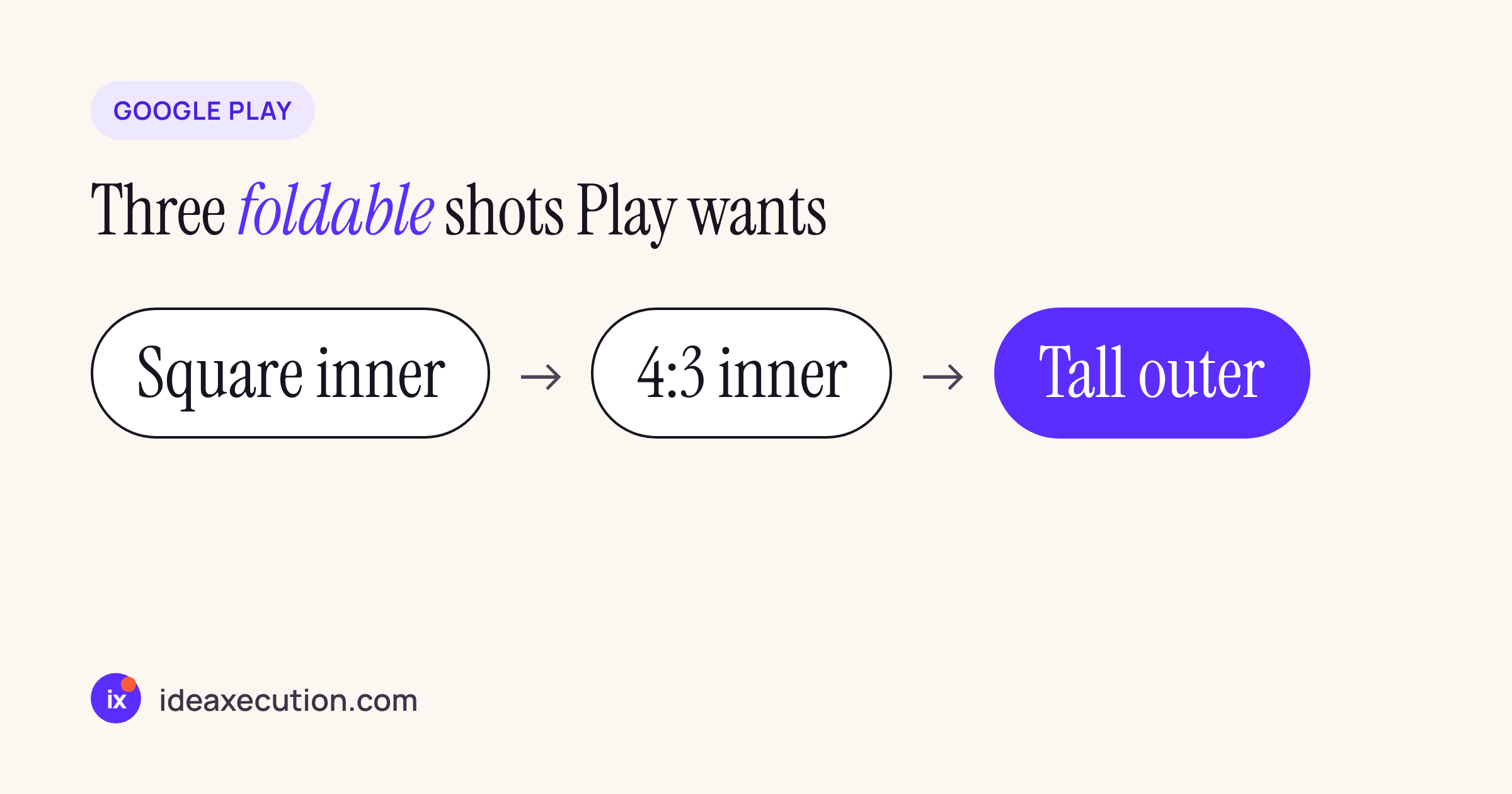
The minimum set: one 1:1 (square) inner, one 4:3 inner and one 10:16 (tall) outer screenshot.
Every Play screenshot slot in one table
Sizes and ratios below come from the table in Google’s CLI screenshot guide; the general rules (up to 8 per device type, JPEG or 24-bit PNG without alpha) come from the Play Console help page on preview assets. “Output” is the size Google’s emulator profiles produce.
| Slot | Count | Ratio and size |
|---|---|---|
| Phone | 2 to 8 | up to 2.3:1, 320 to 3,840 px; output 1080×2400 |
| Foldable, 1:1 unfolded | at least 1 | exact 1:1, 320 to 3,840 px; output 2106×2106 |
| Foldable, 4:3 unfolded | at least 1 | exact 4:3, width 427 to 3,840; output 2688×2016 |
| Foldable, 10:16 folded | at least 1 | exact 10:16, width 320 to 2,400; output 1260×2016 |
| Foldable, 16:10 folded | optional | exact 16:10, width 512 to 3,840; output 2016×1260 |
| Tablet 7 and 10 inch | up to 8 each | up to 2.3:1, 1,080 to 3,840 px; output 2560×1600 |
| Chromebook | 4 to 8 | exact 16:9 or 9:16; output 1920×1080 |
Foldable screenshots are 3 to 8 per listing, and the guide gives an 8 MB limit per file.
Three things in Google’s own pages do not agree, so check them in Play Console when you upload:
- The help page says the long side may be at most twice the short side; the CLI guide allows phone screenshots up to 2.3:1 (20:9).
- The help page lists tablets as 16:9 and 9:16 with a minimum of 4; the CLI guide accepts 16:10 and 10:16 and says “up to 8 each”.
- The help page gives large screens up to 7,680 px; the CLI guide caps tablets at 3,840 px.
When in doubt, the CLI guide’s output sizes (1080×2400 for phones, 2560×1600 for tablets) sit inside every version of the rules.
Play next to the App Store
If you ship the same app on iOS, both stores now have a folding phone to design for; our post on what iPhone Duo changes in a UIKit or React Native app covers Apple’s side of the layout work. The difference that matters for planning: Play wants exact ratios per slot and rejects a listing with a ratio missing, so a single “big screen” capture cannot be reused for all three foldable slots.
The capture plan, from Google’s guide
Google’s Android CLI screenshot guide creates one emulator per slot. It needs Android Emulator 37.3.10 or newer. Treat the commands as a starting point and adjust the APK path to your build.
Set up the folders and the emulator profiles:
android sdk update emulator
android update
mkdir -p play_screenshots/phone play_screenshots/foldable play_screenshots/tablet
android emulator create medium_phone
android emulator create foldable_1_1
android emulator create foldable_4_3
android emulator create medium_tablet
The 4:3 foldable is the one with two required shots, inner and outer. The guide reads the display IDs from SurfaceFlinger, because a plain capture would only take the default display:
android emulator start foldable_4_3
android run ./app/build/outputs/apk/debug/app-debug.apk
# keep the screen on when the emulator is folded
adb shell settings put system fold_lock_behavior_setting stay_awake_on_fold_key

# 4:3 unfolded inner display
adb emu unfold
adb shell wm user-rotation lock 0
sleep 2
adb shell screencap -d "$(adb shell dumpsys SurfaceFlinger --display-id | awk 'NR==1 {print $2}')" -p > play_screenshots/foldable/foldable_4_3_unfolded_landscape.png

# 10:16 folded outer display
adb emu fold
adb shell input keyevent KEYCODE_WAKEUP
adb shell wm dismiss-keyguard
sleep 2
adb shell screencap -d "$(adb shell dumpsys SurfaceFlinger --display-id | awk 'NR==2 {print $2}')" -p > play_screenshots/foldable/foldable_4_3_folded_portrait.png
android emulator stop foldable_4_3
The 1:1 profile is the same pattern with foldable_1_1 and only the unfolded capture is needed for the foldable section; the guide saves its folded outer shot into the phone folder, because a 1:1 device’s outer screen counts as a phone screenshot.
Three details from the guide that save a retake:
- Leave out
--annotate(or-a) onandroid screen capture: it “draws bounding boxes and numeric labels onto the PNG file.” - With several emulators running, pass
--device=<serial>toandroidand-s <serial>toadb. android emulator create large_desktopcreates an AVD with the IDdesktop_large, so that is the name to start.
Check the set before you upload
Play Console rejects a foldable set with a ratio missing only after the upload. We wrote a small checker that sorts a folder of screenshots into Play slots using the table above, flags alpha channels and files over 8 MB, and says whether the 1:1, 4:3 and 10:16 foldable shots are all there.
#!/usr/bin/env python3
"""Sort a folder of store screenshots into Google Play slots and check the foldable set."""
import sys, os, pathlib
from fractions import Fraction
from PIL import Image
EXACT = {  # slot: (w:h, min width, max width), from Google's Play screenshot table
    "foldable 1:1 unfolded": (Fraction(1, 1), 320, 3840),
    "foldable 4:3 unfolded": (Fraction(4, 3), 427, 3840),
    "foldable 10:16 folded": (Fraction(10, 16), 320, 2400),
    "foldable 16:10 folded": (Fraction(16, 10), 512, 3840),
}
def slots(w, h):
    found = [s for s, (r, lo, hi) in EXACT.items() if Fraction(w, h) == r and lo <= w <= hi]
    long, short = max(w, h), min(w, h)
    if long / short <= 2.3 and 320 <= short and long <= 3840:
        found.append("phone")
        if short >= 1080: found.append("tablet")
    return found
seen = set()
for f in sorted(pathlib.Path(sys.argv[1]).glob("*.*")):
    im = Image.open(f); w, h = im.size
    problems = []
    if os.path.getsize(f) > 8 * 1024 * 1024: problems.append("over 8 MB")
    if im.mode in ("RGBA", "LA") or "transparency" in im.info: problems.append("has alpha")
    s = slots(w, h); seen.update(s)
    best = s[0] if s else "no slot"  # most specific slot first
    print(f"{f.name:<16} {w}x{h:<5} {best}" + (f"  [{'; '.join(problems)}]" if problems else ""))
need = ["foldable 1:1 unfolded", "foldable 4:3 unfolded", "foldable 10:16 folded"]
missing = [n.split()[1] for n in need if n not in seen]
print("foldable set:", "complete" if not missing else "missing " + ", ".join(missing))
We ran it on our Linux test server (Python 3, Pillow) against a folder of blank PNGs at the output sizes Google’s emulator profiles produce, with one tablet image saved with an alpha channel on purpose:
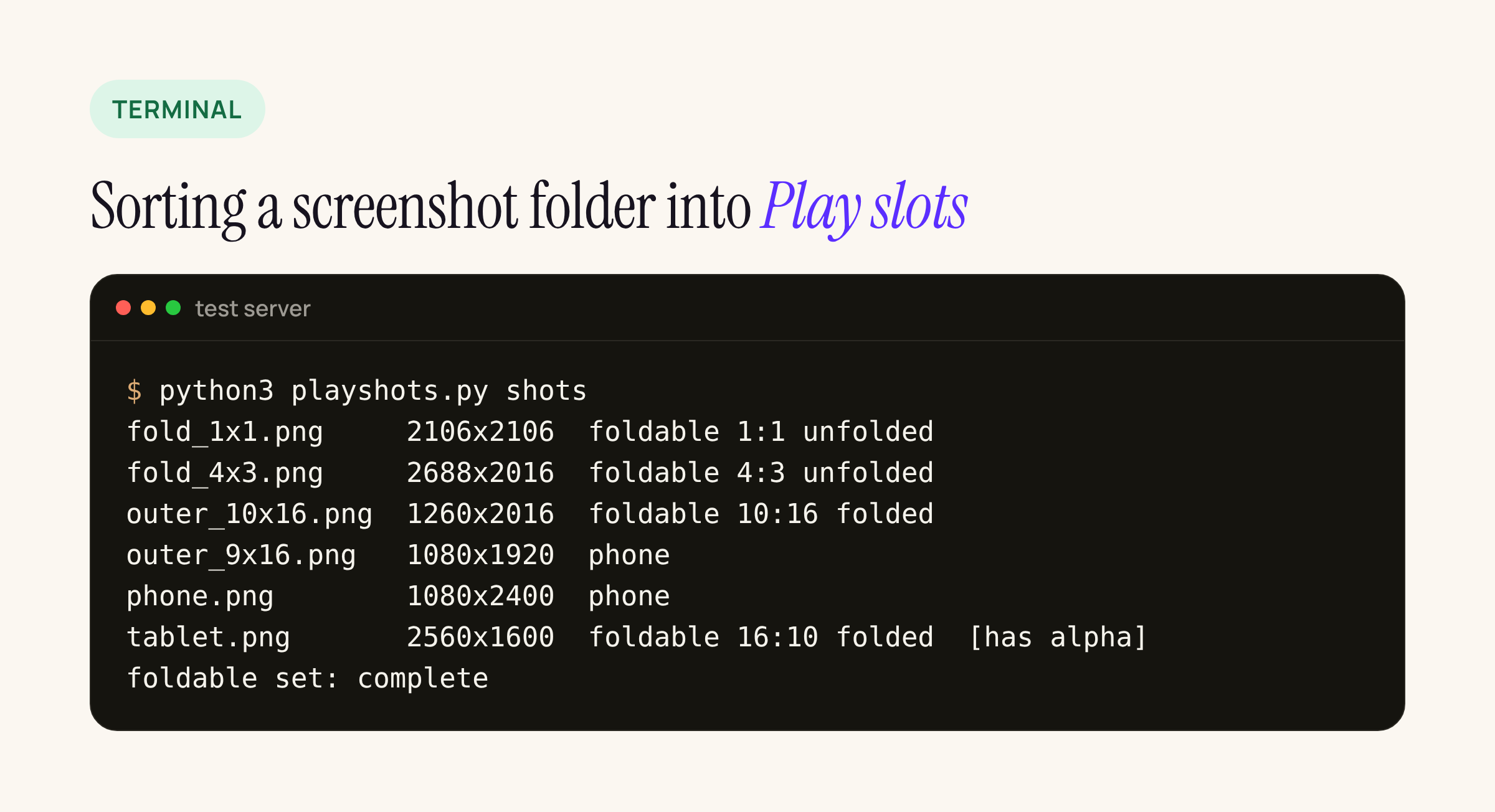
Real output from our test server. The 2560×1600 tablet image also fits the optional 16:10 outer slot, which is why it is listed there; the alpha warning is the one Play would reject. A second run without the 10:16 file prints foldable set: missing 10:16.
The checker only reads pixel sizes and file headers; it cannot tell whether the screenshot shows the right screen. That part stays a human review.
What to check on your own listing
- Open Play Console > Grow > Store presence > Store listings and look for the new foldable section on each listing and each custom store listing.
- Capture on both foldable profiles: the 1:1 inner shot, the 4:3 inner shot and the 10:16 outer shot. Use the screen that looks best on a large display, not a stretched phone layout.
- Export as JPEG or 24-bit PNG without alpha; many design tools add an alpha channel by default.
- If your app letterboxes or locks orientation on the inner screen, the screenshot will show it. Fix that first: it is also what the Tier 3 quality bar checks.
- Put the capture steps in your release checklist now, so the first update after April 2027 does not stall at submission.