If your iOS app sells an auto-renewable subscription through StoreKit 2, it can be sold to a group this winter without you shipping anything: Apple turns group and volume purchasing on by default. The one change to make before launch is in your entitlement check. Invited members arrive with their own transaction whose ownershipType is .assigned, and a removed member’s transaction comes back revoked with revocationType set to .assignmentRevocation. Code that only trusts .purchased locks members out; code that ignores revocations keeps them in.
This post is a table we built from Apple’s StoreKit, App Store Server API and App Store Connect documentation (read 24 Nov 2026), the October developer news post and WWDC26 session 391. The new purchase and sheet APIs need the iOS 27.3 SDK and Xcode 27.3; Product.PurchaseOption.seats(_:) is back-deployed to iOS 15.
Why we did this: subscription screens are a standard part of the apps we build, from Peepal to Beacon-type banking apps for clients, and a feature that is switched on by default is one we want mapped before it goes live. We covered the Mac purchase call in our macOS 27.3 multiseat post; this one is about everything after the purchase, on iOS and on the server.
What Apple has announced, and when
Apple’s developer news post of 22 Oct 2026 splits the feature in two. Volume purchasing, where an organisation buys seats in Apple Business or Apple School Manager, started that day. Group purchases inside your app can be configured and tested in sandbox from November 2026, and “this winter, group purchases will be available on the App Store”. Apple has not given an exact date yet.
The rules that matter for code, from Supporting multiseat purchases in your app:
- A group subscription uses the same product ID as the individual one. There is no new product to create.
- The purchaser pays for every seat; invited members are never billed. A group holds up to 100 people, purchaser included.
- All seats renew together. Seats can be added at any time; reductions take effect at the next renewal.
- Offers work for group purchases except offer codes. Volume purchases take no offers.
- With Family Sharing, only the purchaser’s own seat is shared with their family. In App Store Connect, turning Family Sharing on for a subscription sets multiseat to disabled.
An Apple product manager added in the developer forums that group subscriptions renew “at the price of the total number of seats”, that added seats are charged pro rata for the rest of the period, and that the initial purchaser is the only administrator of a group plan.
The table: what reports a group, and what to change
Every row is from Apple’s pages; the last column is our reading of what an existing StoreKit 2 app has to do.
| API or field | What it reports for a group | What to change | Source |
|---|---|---|---|
Product.supportsMultiSeatPurchase (iOS 27.3) |
true when the subscription can be sold with seats |
Show a seat picker only when it is true |
Apple |
Product.PurchaseOption.seats(_:) (iOS 15+, back-deployed) |
Total seats after the purchase, not the number added: 8 seats plus 4 means you pass 12 | Send the new total; a lower total fails | Apple |
Product.PurchaseError.multiSeatPurchaseDisabled, .seatReductionNotAllowed |
Product has multiseat off; or the total is below the current seats | Handle both; send reductions to Manage Subscriptions | Apple |
Transaction.purchasedQuantity |
Seat count on the purchaser’s transaction | Show it on your account screen | Apple |
Transaction.multiSeatInfo, .invitationManagement |
Price tiers and who runs invitations (Apple or you) | Branch your invite UI on it | Apple |
Transaction.ownershipType == .assigned |
An invited member or an organisation seat | Grant access, as for .purchased |
Apple |
Transaction.revocationType == .assignmentRevocation |
Seat removed or taken back | Remove access on Transaction.updates |
Apple |
Transaction.appAccountToken on assigned transactions |
Empty for invited members; each has its own originalID |
Do not map members to your users by token | Apple |
PurchaseOption.multiSeatInvitationSheetSuppressed(_:) |
Hides the system invitation sheet after purchase (honoured on 27.3+) | Use it only if you show your own sharing step | Apple |
multiSeatInfo, additionalTransactionReason on JWSTransactionDecodedPayload; renewalQuantity on renewal info |
Seat data on the server side (API 1.23, 3 Nov 2026) | Store seats from the signed payload, not from the app | Apple |
inAppOwnershipType ASSIGNED, revocationType ASSIGNMENT_REVOKE |
Server spelling of the two cases above (API 1.22, 28 Sep 2026) | Add both to your server enums | Apple |
| Get Customer Groups, Get Group Members | A customer’s groups (groupId, groupType) and their members |
Optional: show a member list | Apple |
multiSeatStatus, marketSettings (App Store Connect API) |
ENABLED by default on every auto-renewable subscription |
Set DISABLED if you do not want to sell seats |
Apple |
Two rows decide most of the work. A common StoreKit 2 entitlement loop checks ownershipType == .purchased to tell a buyer from a family member, and anything else gets reduced access. With groups, .assigned is a paying seat, so it needs full access. And because each member’s transaction has no appAccountToken, a server that links App Store transactions to user accounts by that token will see members as unknown purchases.
The entitlement check, rewritten
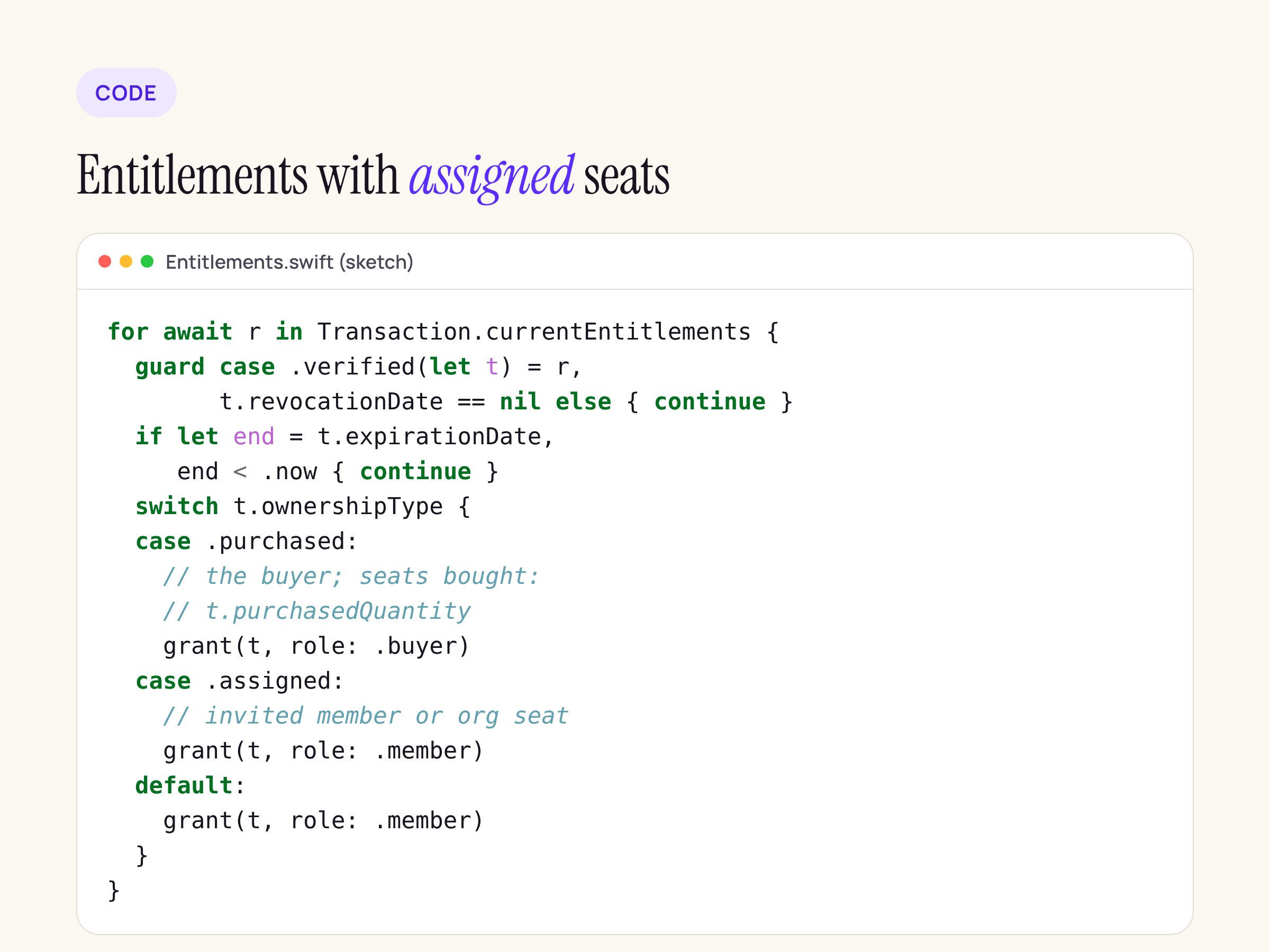
A sketch of the loop with the new case. Compile it against your target and adapt grant.
The same in text, so you can copy it:
for await r in Transaction.currentEntitlements {
  guard case .verified(let t) = r,
        t.revocationDate == nil else { continue }
  if let end = t.expirationDate, end < .now { continue }
  switch t.ownershipType {
  case .purchased:
    grant(t, role: .buyer)   // seats: t.purchasedQuantity
  case .assigned:
    grant(t, role: .member)  // invited member or org seat
  default:
    grant(t, role: .member)  // familyShared
  }
}
Run the same check inside your Transaction.updates listener. That is where a member who is removed from a group shows up: Apple’s testing guide says the member’s transaction arrives revoked with assignmentRevocation, and the app should take access away there and then.
The purchase call changes only if you want to sell seats yourself. Add .seats(total) to the options you already pass when product.supportsMultiSeatPurchase is true:
var opts: Set<Product.PurchaseOption> = [.appAccountToken(userID)]
if product.supportsMultiSeatPurchase {
  opts.insert(.seats(total))  // the total after purchase
}
let result = try await product.purchase(options: opts)
Who runs the invitations
There are two models, set per app in App Store Connect (groupPurchaseInvitationMode: APPLE_HOSTED by default, or DEVELOPER_HOSTED); a change applies to new purchases only.
- Apple-hosted: after the purchase the system shows an invitation sheet; members accept on Apple devices with an Apple Account in the purchaser’s storefront, and each gets an
.assignedtransaction. You can show the sheet again withmultiSeatInvitationSheet(isPresented:subscriptionGroupID:oncompletion:)in SwiftUI orAppStore.presentMultiSeatInvitationSheet(from:subscriptionGroupID:)in UIKit. - Developer-hosted: you invite people your own way, on any platform and in any storefront. Members get no App Store transaction, so your server grants access and keeps seat records current with the Claim Seat, Associate Seat and Unclaim Seat endpoints (sandbox only so far, API 1.23). Apple’s page also makes you responsible for age checks and parental consent in this mode.
For most apps the Apple-hosted model is the smaller change: the only new code is the .assigned case above.
Server notifications to handle
Apple’s testing guide lists the App Store Server Notifications V2 a group produces. If your server switches on notification type, these need a case:
SUBSCRIBEDwithINITIAL_BUYorRESUBSCRIBEwhen a member accepts a seat.DID_CHANGE_RENEWAL_PREFwithINCREASE_QUANTITYorDECREASE_QUANTITY; readrenewalQuantityfrom the renewal info.REVOKEwhen a seat is taken back, andUNCLAIM_SEATS.REFUNDwith subtypeSEATSfor a partial refund. A partial refund removes the most recent seats first: unclaimed seats, then the most recently added members, then the purchaser’s own seat.
Some endpoints reject assigned transactions: Send Consumption Information, Set App Account Token and Extend a Subscription Renewal Date. If your support tooling extends renewal dates as a goodwill gesture, it needs to use the purchaser’s transaction.
Testing it in sandbox
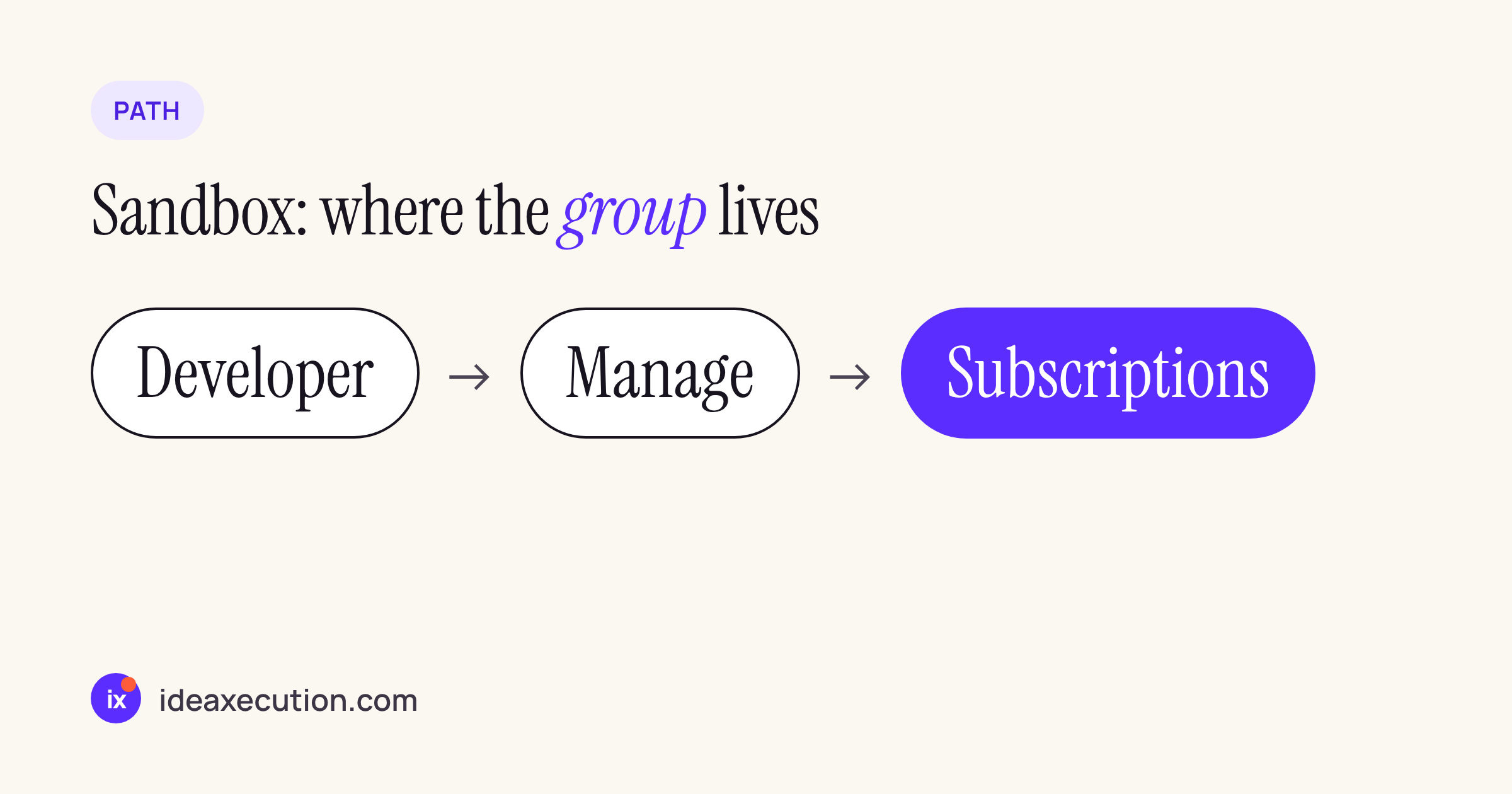
The group page sits under Settings, Developer, the purchaser’s sandbox account, Manage, Account Settings, Subscriptions.
From the testing guide:
- In sandbox, every subscription allows multiseat, whatever App Store Connect says. Check that
supportsMultiSeatPurchaseistruebefore you start. - Each sandbox account picks its invitation model under Account Settings, Group Subscriptions: “Invitations Provided by Apple” (default) or “Invitations Provided by Developer”.
- Sandbox accounts cannot open invitation links. Add members from the purchaser’s group page instead (comma-separated sandbox emails), in the same country or region as the purchaser.
- The same page has Change Group Size, Refund Group Subscription (partial or full), Remove Member and Leave Subscription, so you can trigger every notification above.
beginRefundRequest(in:)returns an error for group subscriptions. - Renewals are accelerated to minutes, so a seat reduction shows up at the next renewal within the test session.
TestFlight testers who buy with their own Apple Account cannot reach these settings; use sandbox accounts.
What to check on your own app
- Search your code for
ownershipTypeand.purchased, and make.assignedgrant access. - Make sure the
Transaction.updateslistener removes access onassignmentRevocation. - On the server, add
ASSIGNED,ASSIGNMENT_REVOKEand the notification subtypes above, and stop assuming every transaction carries yourappAccountToken. - If you do not want to sell seats, set multiseat to “No” in App Store Connect under the subscription’s purchase options before launch. Existing subscribers keep renewing.
- If you sell seats, put the seat count from
purchasedQuantityon the account screen and link reductions to Manage Subscriptions.
Group purchases are on by default, so the safest moment to make these changes is before Apple names the launch date.