
The short version: Leanback is formally deprecated (“Use Compose for TV instead”, says the Leanback release page), and on 30 October 2026 Google deleted all of its Leanback samples from android/tv-samples. If your TV app still extends BrowseSupportFragment, port one screen at a time, start with a settings screen, and plan the focus handling before the layout: Compose has no ListRowPresenter that remembers focus for you, so every row needs focusRestorer. The current libraries are tv-material 1.1.0 and tv-foundation 1.0.0, both stable since 6 May 2026.
This is a source review, not a device test: we checked out the last commit that still had the three Leanback samples (15ac8df, 22 July 2026), counted which Leanback classes they use, and matched each one to what Google’s Compose sample, JetStream (c2987fd, 18 November 2026), does instead.
Why we did this: our BMDB app on Android TV browses a film catalogue with Leanback fragments. With the samples gone, the Leanback reference code we used to copy from is now only in Git history, so this is the map we are porting from.
What Google removed, and what is left
The commit message is plain: “Remove deprecated Leanback and Views-based TV samples”. It deleted 1,633 files: Leanback, LeanbackShowcase, ReferenceAppKotlin, ClassicsKotlin and AccessibilityDemo, plus their CI workflows. What remains is JetStreamCompose (a full catalogue app) and TvMaterialCatalog (the components one by one).
Two dates frame the move:
- Compose for TV release notes: tv-material 1.1.0 and tv-foundation 1.0.0 shipped on 6 May 2026, with no newer alpha or beta listed.
- Leanback release notes: the last stable is leanback 1.2.0, and 1.3.0-alpha02 appeared on 17 June 2026. Deprecated does not mean frozen, but new work goes to Compose.
Note that JetStream itself still pins tv-material = "1.0.0", Kotlin 2.1.0 and targetSdk 35 in its version catalog, so the sample is behind the library. Read it for patterns, not for versions.
We wrote a 20-line counter that walks a source tree and counts androidx.leanback imports, androidx.tv imports and the three focus APIs a Compose TV screen depends on (focusRestorer, FocusRequester, onPreviewKeyEvent):
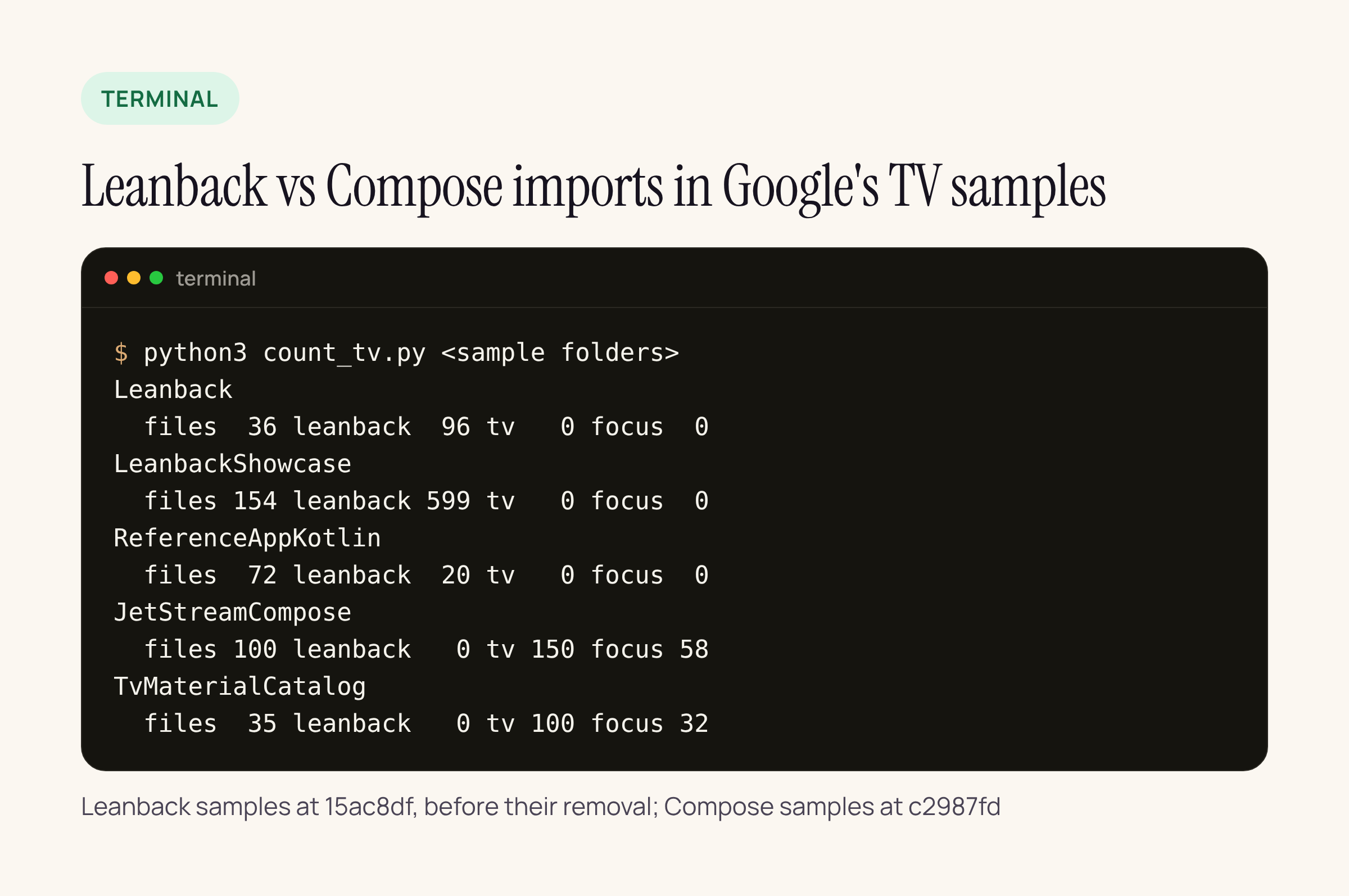
Real output from our test server, on the two checkouts named in the caption.
The last column is the point. The Leanback samples contain zero calls to those focus APIs because Leanback handles focus inside its presenters. JetStream has 58. That is the work a port moves into your own code.
import re, sys, pathlib
LB = re.compile(r"\bimport androidx\.leanback\.")
TV = re.compile(r"\bimport androidx\.tv\.")
FOCUS = re.compile(r"\b(focusRestorer|FocusRequester|onPreviewKeyEvent)\b")
for root in sys.argv[1:]:
    files = [p for p in pathlib.Path(root).rglob("*")
             if p.suffix in (".kt", ".java")]
    lb = tv = focus = 0
    for p in files:
        s = p.read_text(errors="ignore")
        lb += len(LB.findall(s))
        tv += len(TV.findall(s))
        focus += len(FOCUS.findall(s))
    print(pathlib.Path(root).name, len(files), lb, tv, focus)
Run it on your own app module to see how much Leanback you have before you plan anything.
The Leanback classes, mapped to Compose for TV
Google’s migration guide (updated 3 September 2026) gives the steps but names no Leanback class and no replacement. So we built the mapping from the code: the left column counts how often each class appears across the three deleted Leanback samples; the right column is what JetStream does for the same job, with the file.
| Leanback (mentions in the samples) | JetStream instead |
|---|---|
Array (117), List (71), List (40), Header (55) |
A Lazy of Lazys with stable keys: Movies |
Presenter (110), Image (69) |
tv-material Standard, Compact, Classic: Movie |
Browse (9) and its headers dock |
A top Tab: Dashboard |
Background (28) |
The sample’s own immersive list, a private composable that draws the focused film behind the row: Top10Movies |
| Featured rows and banners | tv-material Carousel with Carousel: Featured |
Details (8), Full (20) |
A plain screen: Movie |
Playback (14), Video (4) |
Media3 Exo with Player from media3-ui-compose and its own controls: Video |
Search (5) |
A Basic screen: Search |
Vertical (2) |
Lazy: Category |
Guided (7) |
tv-material List rows: Profile |
Three things in that table surprised us.
The immersive list is yours to build. The tv-material 1.0.0-beta01 notes say: “The ImmersiveList component has been removed.” JetStream’s ImmersiveList is a private function in its own file, not a library import. If your Leanback screen leans on BackgroundManager for the big backdrop, budget for writing that composable.
There are no TV lazy layouts any more. tv-foundation 1.0.0-alpha11 deprecated TvLazyRow and TvLazyColumn, and alpha12 removed them. JetStream uses the ordinary LazyRow, LazyColumn and LazyVerticalGrid from Compose foundation, and its 150 androidx.tv imports are all from androidx.tv.material3. It does not use tv-foundation at all.
focusRestorer is not a TV API. It comes from androidx.compose.ui.focus, the same as on phones. That matters when you search the TV docs for it and find nothing.
Focus: the part Leanback did for you
In Leanback, a row remembered which card had focus, and pressing up and down between rows came back to the right column. Here is the same browse row in both toolkits:
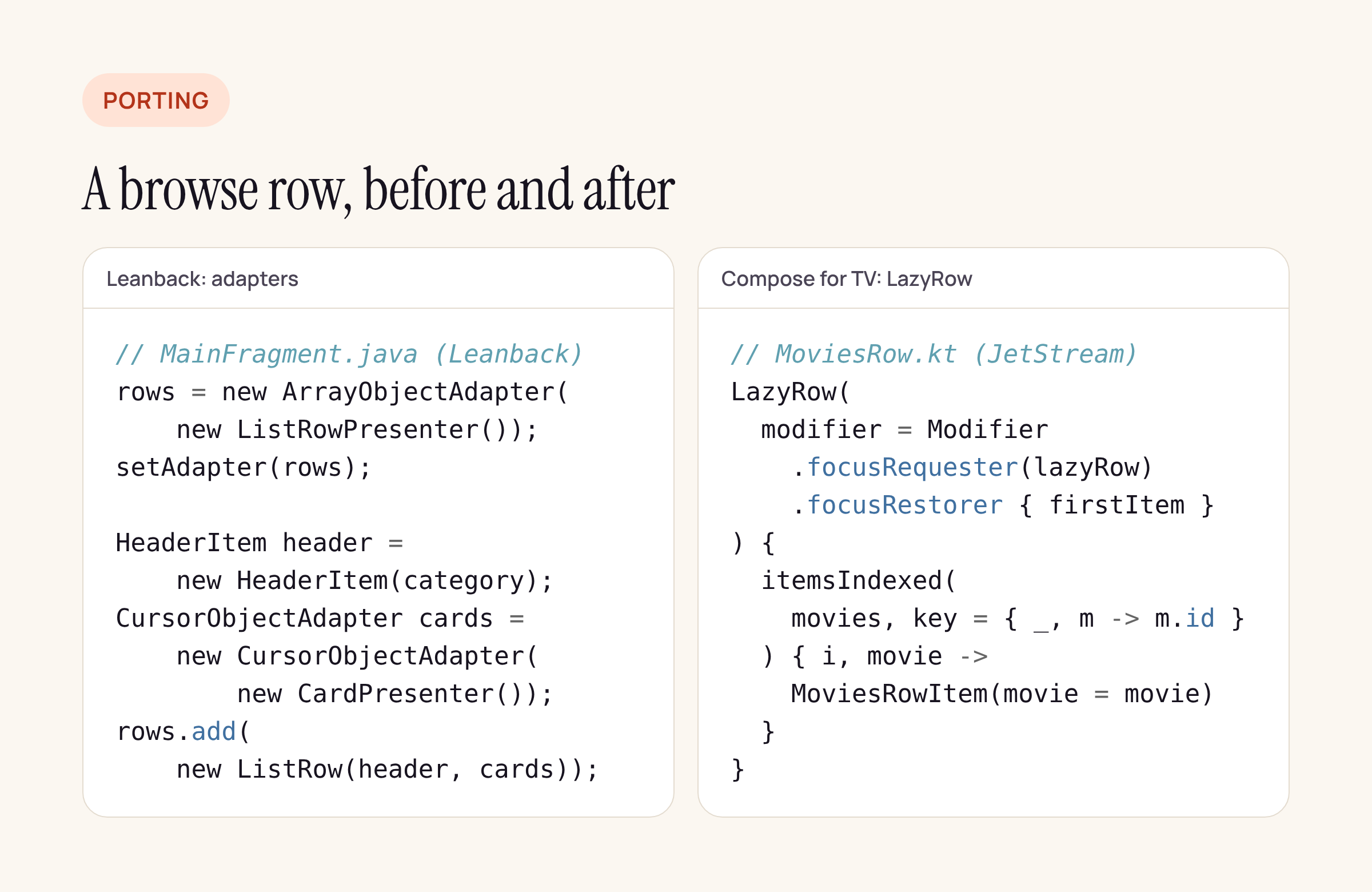
Leanback code from the deleted sample at 15ac8df; Compose code from JetStream at c2987fd, shortened.
What JetStream adds per row:
- A
FocusRequesteron theLazyRowand another on the first item. .focusRestorer { firstItem }, so focus entering the row returns to the last focused card, or to the first one the first time.lazyRow.saveFocusedChild()before navigating to the details screen, so Back lands on the same card.- A
handleDPadKeyEventsmodifier inutils/ModifierUtils.kt, built ononPreviewKeyEvent, that consumes left, right and centre presses “so that the focus doesn’t accidentally move to another element”, in the sample’s own words.
LazyRow(
    modifier = Modifier
        .focusRequester(lazyRow)
        .focusRestorer { firstItem }
) {
    itemsIndexed(movies, key = { _, m -> m.id }) { index, movie ->
        val itemModifier =
            if (index == 0) Modifier.focusRequester(firstItem) else Modifier
        MoviesRowItem(
            modifier = itemModifier,
            movie = movie,
            onMovieSelected = {
                lazyRow.saveFocusedChild()
                onMovieSelected(it)
            }
        )
    }
}
Trimmed from JetStream’s MoviesRow.kt. Treat it as a starting point and compile it against your own tv-material and Compose BOM versions.
Our porting order for BMDB
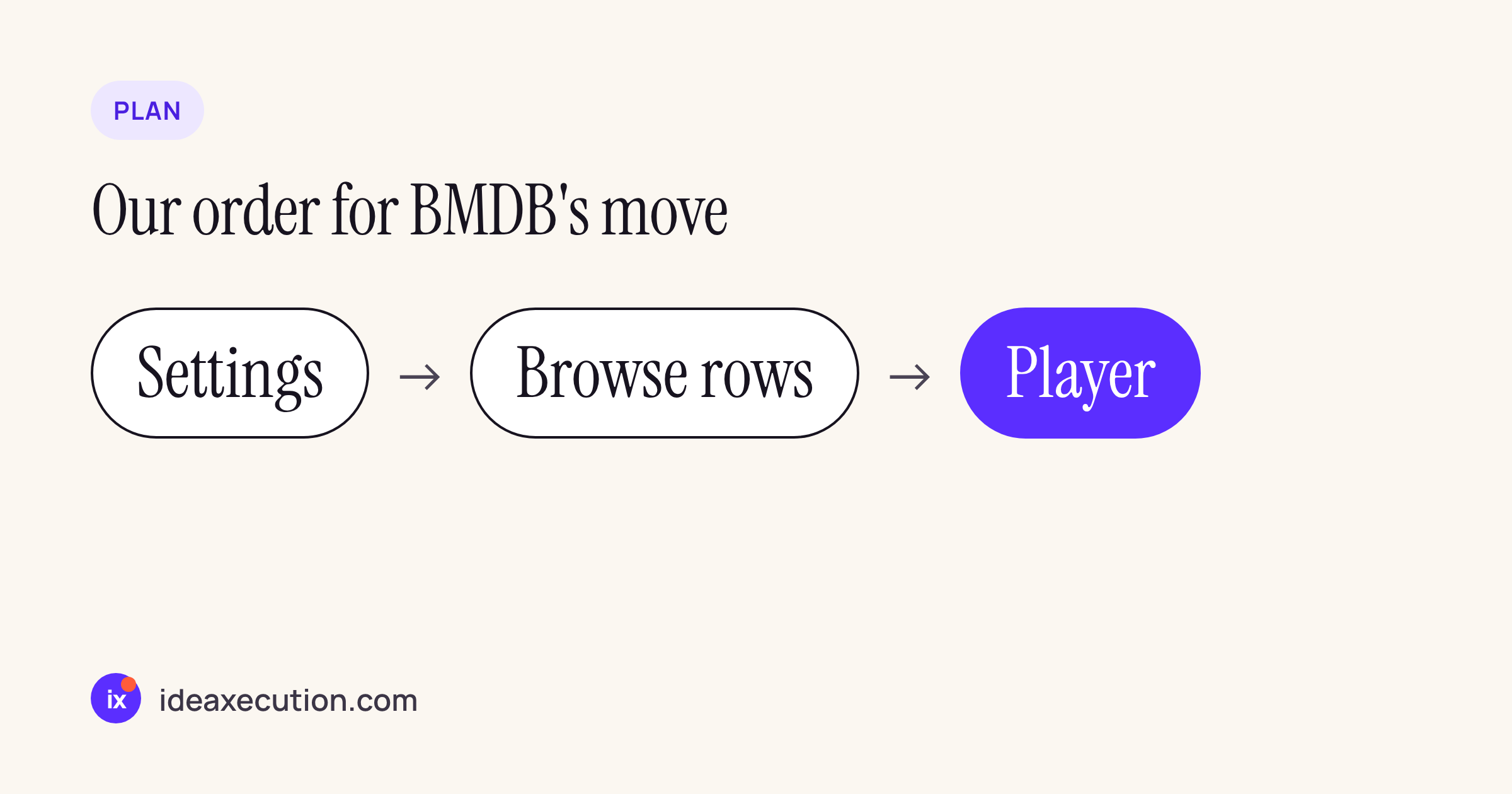
Google’s guide says to “begin by replacing entire fragments at a time with a goal of converting your TV application into a single activity”, and to start with “settings or account screens”. We follow that, then do the heavy screens last:
- Settings:
ListItemrows, no images, little focus logic. This is where the team learns tv-material theming. - Browse rows: one
LazyColumnofLazyRows,focusRestoreron every row, stable keys from our catalogue IDs, and the immersive backdrop written as our own composable. - Details and player: the playback glue becomes Media3 with
PlayerSurface. This is the biggest rewrite because transport controls, seek and the progress bar are now our own composables.
Between steps the app keeps both toolkits; Leanback fragments and Compose screens can sit in the same app during the move.
Android 17 and TV: what a rewrite has to respect
On the Android 17 behaviour changes page (updated 11 November 2026) nothing names TV or Leanback. The one change that could reach a TV app is the large-screen rule: for apps targeting API 37, “orientation, resizability, and aspect ratio restrictions no longer apply on displays whose smallest width is greater than 600dp” (details). The exceptions are games, a user opting back in, and screens below sw600dp. TV is not excluded by name.
Whether it applies depends on the display your box reports, not on the word TV. A 1920 x 1080 panel at xhdpi (320 dpi) works out to 960 x 540 dp, a smallest width under 600. Check yours with adb shell wm size and adb shell wm density before you assume either way. The same rule applies to phones and tablets running the same APK; we covered that in our Android 17 orientation lock post.
What to check on your own app
- Run the counter above on your app module. The number of
androidx.leanbackimports is your porting backlog. - List every
BackgroundManagerandFullWidthDetailsOverviewRowPresenteruse: those have no drop-in composable. - Search for
TvLazyRoworTvLazyColumnif you started a port in 2024; they are gone from tv-foundation 1.0.0. - Keep
android.software.leanbackas auses-featurein the manifest. JetStream still declares it (withrequired="false"); the toolkit and the TV feature flag are different things. - On a real TV box, walk every row with the D-pad, go into details and press Back. If focus jumps to the first card, a
saveFocusedChild()is missing.






