From April 2027, apps on Google Play must meet at least Tier 3 (Adaptive ready) of Android’s adaptive app quality guidelines for foldables, or they “will no longer be able to publish or update on Google Play, and may have reduced visibility on the store” (Google, 18 Nov 2026). For a phone-only app the work is mostly three things: remove android:screenOrientation locks and android:resizeableActivity="false", keep scroll position, typed text and playback across rotation, fold and resize, and make the app work in split screen. Start with a 25-line static check (below) that finds the first two in your manifests and Compose code, then test on a foldable emulator.
Why we did this: Peepal, Shopkeeper and the Beacon-type banking apps we build are portrait phone apps, exactly the kind this rule is aimed at. This post is a docs review of Google’s announcement and the Tier 3 guideline page (last updated 13 November 2026), plus a static check we ran on four Google sample repositories and a portrait-locked test project.
What Google announced on 18 November
The post by Mekka Okereke (GM, Google Play Apps) sets three dates:
| When | What changes |
|---|---|
| November 2026 | “Apps that meet Tier 2 and Tier 1 support for adaptive quality can apply for badging and enhanced merchandising.” Foldable screenshots can be uploaded in Play Console. |
| April 2027 | Tier 3 becomes the baseline for foldables: below it, no new publishes or updates. Three foldable screenshots become required next to the two phone screenshots. “Existing un-updated apps will remain downloadable.” |
| August 2027 | “New and updated apps are required to target API level 37 (Android 17)”, which removes the developer opt-outs for orientation and resizability restrictions on large screens. |
Games have their own large-screen requirements post; this post covers standard apps. Google says the framework will later expand to Tier 2 and Tier 1 “across foldables, tablets, Googlebooks, and Android XR”, so Tier 3 is the floor, not the end.
The August date connects to what we covered in Android 17 ignores orientation locks: fix and test on a fold: once you target API 37, the system ignores your orientation lock on large screens anyway. Tier 3 moves the deadline for a layout that copes with that up to April.
The Tier 3 checklist, requirement by requirement
Google’s Tier 3 page lists ten guidelines, each with a test ID. Every row below quotes or summarises that page; the right column is what typically fails it in a phone app, and the usual fix.
| Guideline | What fails it, and the fix |
|---|---|
| Config_ |
App “is not letterboxed; it does not run in compatibility mode”, and keeps scroll position, typed text and the keyboard, and media position across rotation, fold and resize. Fails on: screenOrientation=, resizeableActivity=, aspect-ratio caps, and UI state held in plain remember. Fix: remove the locks, keep state in rememberSaveable, TextFieldState or a SavedStateHandle. Test: T-Config_Orientation, T-Config_State. |
| Config_ |
Same, for chains such as resize then rotate, or rotate then unfold. Fails when state survives one recreation but a second change resets it (state restored from a one-shot argument, say). Test: T-Config_Combinations. |
| Multi-Window_ |
“App is fully functional in multi-window mode.” Fails on layouts that assume a full-height phone screen: fixed heights, bottom sheets taller than a split-screen window. Fix: size from the window, not the display. |
| Multi-Resume | App keeps updating when not focused and handles losing the camera or microphone. Fails when playback or progress stops in onPause. Fix: pause in onStop, and listen for the camera becoming unavailable. Test: T-Multi-Window_Focus, T-Multi-Window_Resources. |
| Camera_ |
Preview “properly proportioned and in the correct orientation” in both orientations, folded, unfolded and in multi-window. Our KYC capture screens are the risk here. |
| Media_ |
Same rule for screen projection. |
| Keyboard_ |
Text input from an external keyboard, switching to the on-screen keyboard “without relaunching the app”. Fails when keyboard|keyboardHidden changes recreate a screen that loses its state. |
| Mouse_ |
Click, select and scroll with a mouse or trackpad. Fails on custom gesture views that only read touch events. |
| Stylus_ |
Select, manipulate and scroll with a stylus. |
| Stylus_ |
On Android 14 and later, handwriting into text fields. Fails on custom text inputs that are not real EditText or Compose text fields. |
One detail on the test setup is worth knowing. The T-Config_Orientation note says to test “on a large screen device (sw >= 600 dp) running Android 12 (API level 31) or higher”, because such a device shows “all device orientations regardless of orientation restrictions set with the android:screenOrientation app manifest element” and multi-window “even for apps that have specified android:resizeableActivity=”false””. In other words, a portrait lock does not protect you from the test: the tester sees your app in landscape either way, so the layout and state handling have to be right.
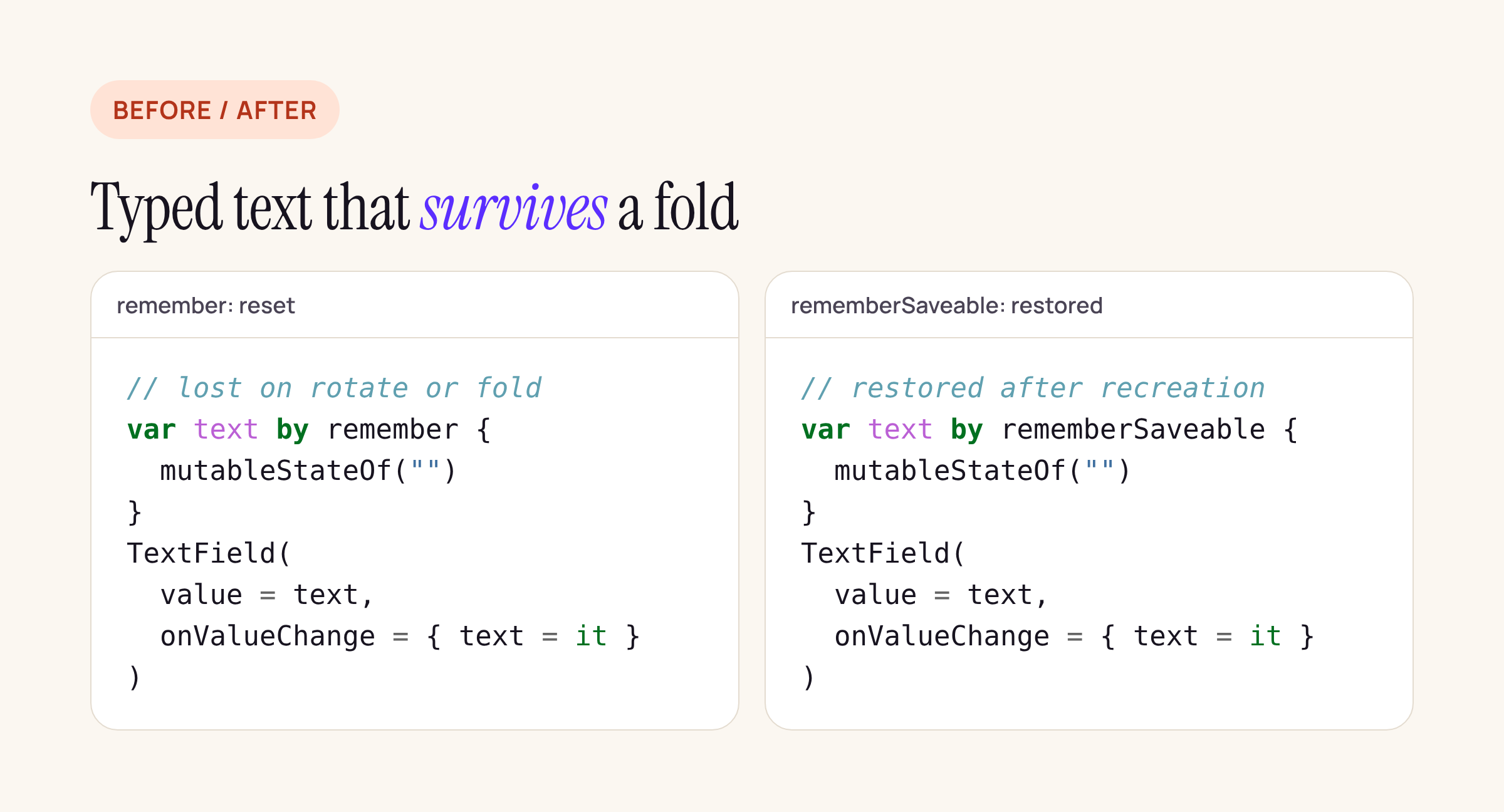
Plain remember is cleared when the activity is recreated; rememberSaveable is restored.
A static check you can run today
Most of the Tier 3 tests need a device or emulator. Two kinds of failure can be found by reading the code: manifest locks, and screen state that is not saved. We wrote a 25-line Python script that counts, per project, the manifest attributes that cause letterboxing and the Compose and ViewModel state patterns that decide whether state survives:
FLAGS = {
  "screenOrientation lock": (r'android:screenOrientation="(?!unspecified|user|fullUser|fullSensor|sensor)\w+"', "xml"),
  "resizeableActivity=false": (r'android:resizeableActivity="false"', "xml"),
  "max/minAspectRatio": (r'android:(max|min)AspectRatio', "xml"),
  "requestedOrientation in code": (r'\b(set)?[rR]equestedOrientation\b', "code"),
  "remember { mutableStateOf": (r'\bremember\s*\{\s*mutableStateOf', "code"),
  "rememberSaveable": (r'\brememberSaveable\b', "code"),
  "SavedStateHandle": (r'\bSavedStateHandle\b', "code"),
  "window size class APIs": (r'\b(currentWindowAdaptiveInfo|calculateWindowSizeClass|WindowSizeClass)\b', "code"),
}
The loop around it walks every AndroidManifest.xml and .kt/.java file outside build/ and prints a count and the first hit per flag. A hit for remember { mutableStateOf is not a bug by itself: a loading flag or a hover state may well reset. It is the list to read through, looking for anything the user typed, picked or scrolled to.
We ran it first on a small portrait-locked project we set up the way many phone apps start: a portrait-only activity and a transfer screen whose amount field uses plain remember.
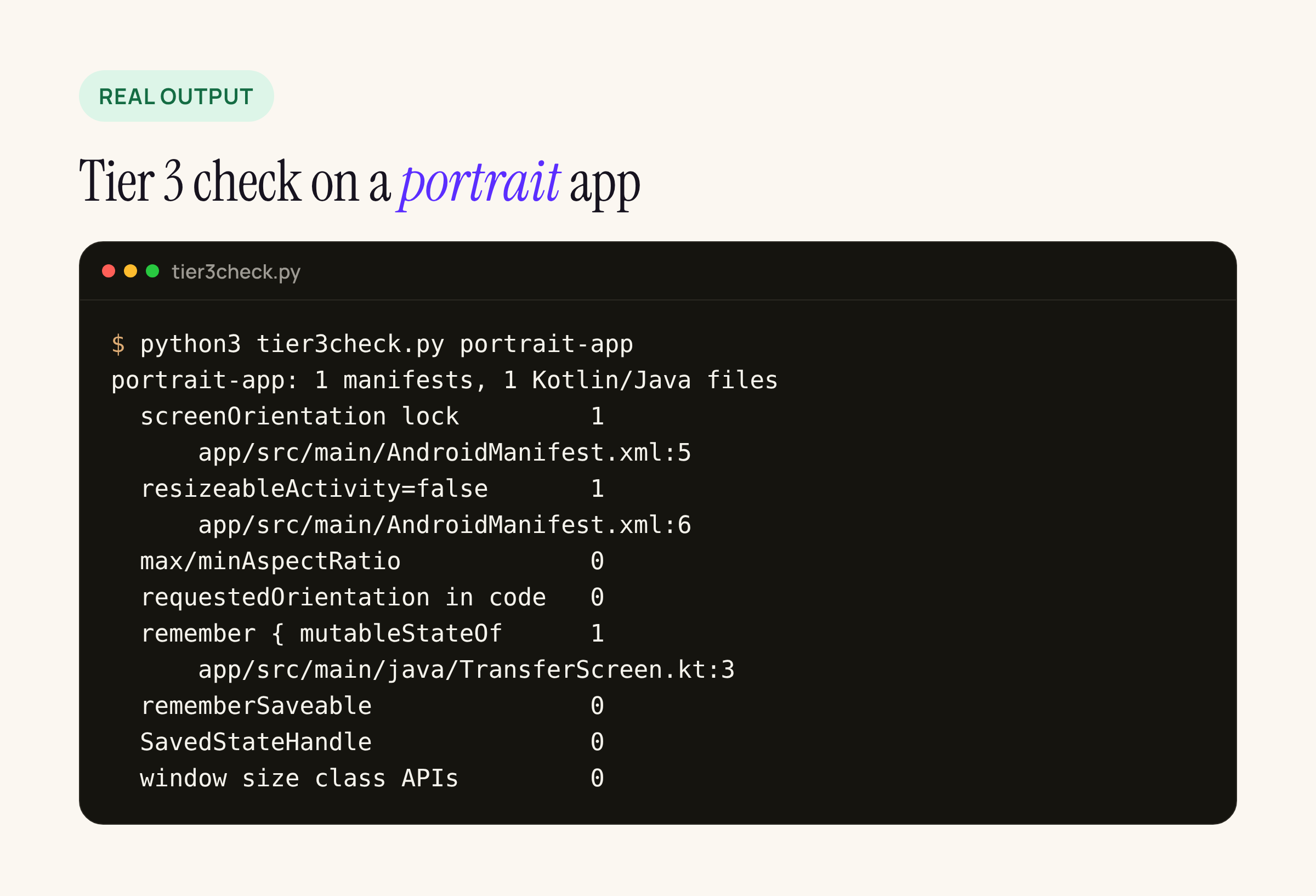
All three Tier 3 problems in a typical phone app show up in one run.
What it found in Google’s own samples
We then ran it on four of Google’s open-source sample repositories, at the commits listed. None of them has an orientation lock, a resizeableActivity=false or an aspect-ratio cap:
| Repository (commit) | Plain remember |
Saveable / saved state / window size |
|---|---|---|
| nowinandroid (2982e63) | 8 | 11 / 14 / 11 |
| compose- |
19 | 21 / 10 / 44 |
| sunflower (2a357a3) | 1 | 0 / 8 / 0 |
| architecture- |
2 | 0 / 25 / 0 |
No sample locks orientation or resizing, which is the first half of Tier 3. Reading the 30 remember { mutableStateOf } hits, almost all are transient UI flags (isLoading, expanded, hasFocus, scrollbar drag offsets) that are fine to reset. One is the kind of thing Tier 3 tests for: the docked search bar in Reply keeps the typed query in plain remember:
// compose-samples Reply, ReplyAppBars.kt, line 58
var query by remember { mutableStateOf("") }
Reply’s MainActivity declares no configChanges, so a rotation or fold recreates the activity, and by reading the code the typed query would be reset. T-Config_State asks for exactly the opposite: “Previously entered text is retained in input fields.” The fix is one word, rememberSaveable, or a TextFieldState from rememberTextFieldState(), which is saved for you. A Jetsnack filter sort choice (FilterScreen.kt, line 78) is in the same pattern, with a lower stake.
The sunflower and architecture samples use no window size APIs at all. That is allowed at Tier 3, which asks that the app fills the window and works, not that the layout changes. It is the gap to close for Tier 2.
What to change in a portrait phone app
In the order we would do it in our own apps:
- Remove the locks. Delete
android:screenOrientation(or set it tounspecified),android:resizeableActivity="false"and anymaxAspectRatio, and everysetRequestedOrientationcall. If a single screen truly needs one orientation, such as a camera capture step, rethink that screen rather than locking the app. - Save the state the tests check. Anything typed goes in
rememberSaveable,TextFieldStateor the ViewModel’sSavedStateHandle; list positions inrememberLazyListState()(saveable already); media position in the player’s own saved state. - Do not hide behind
configChanges. HandlingscreenSize|orientationyourself avoids recreation, but the layout still has to fit the new window, and you lose the system’s resource reloading. Use it only where you already handle resizing properly. - Size from the window. Replace fixed heights and display-size maths with the window size (
currentWindowAdaptiveInfo()in Compose). - Fix the input basics. Test text fields with a hardware keyboard and a mouse; replace custom touch-only views where clicks and scrolls do nothing.
Treat any code here as a starting point to adapt and compile against your own project.
How to test it
The Tier 3 tests are manual, and the guideline names the test devices, including a foldable at 841 x 701 dp. A practical pass for one app:
- Create a foldable virtual device in Android Studio’s Device Manager and a tablet one, both on Android 12 or later.
- Run T-Config_Orientation and T-Config_State on every screen with a list, a text field or playback: type, scroll or play, then rotate, fold, unfold and resize in split screen.
- Run T-Config_Combinations: two changes in a row.
- Put the app in split screen next to a video app and check it still updates when not focused.
- Capture the three foldable screenshots Play will ask for in April while you are there.
If you build in React Native, the template’s configChanges line changes the picture; our React Native audit of Android 17 orientation locks covers the libraries that still force an orientation.