Apple’s original Developer ID Certification Authority expires on 1 February 2027. If you ship a Mac app outside the Mac App Store, check which authority issued your Developer ID certificates this week: anything issued from the original Sub-CA must be replaced with a G2 certificate, and every .pkg installer signed with an old Developer ID Installer certificate has to be re-signed before that date, because Apple says those packages “will no longer install” from 1 February. Notarized apps that carry a secure timestamp keep working.
The catch: the old and new authorities have the same Common Name. A signing log that prints Authority=Developer ID Certification Authority looks identical for both. The difference sits in the Organizational Unit field and the fingerprint, which is what this post shows.
This is a review of Apple’s notice of 1 October 2026 and its replacement guide, plus our own inspection of both intermediate certificates with OpenSSL 3 on a Linux test server (Ubuntu 24.04). The macOS commands at the end are the checks to run on your build Mac.
Why we did this: we build Mac utilities (Nix and QuitAll) and sign Mac builds for client work, and a signing change that only bites on one date is the kind of thing that turns into a full support inbox the morning after.
What Apple announced
Apple’s developer news item Upcoming expiration of Developer ID Certification Authority (Sub-CA) (1 October 2026) and the guide Replacing Developer ID certificates issued from the previous Sub-CA say:
| What | What Apple says | Source |
|---|---|---|
| The date | “The original Developer ID Certification Authority (Sub-CA) expires on February 1, 2027. Certificates issued by this authority will stop working on that date.” | News, 1 Oct 2026 |
| Installer packages | “Starting February 1, 2027, .pkg files signed with an affected certificate will no longer install. Re-sign all packages with your new certificate before this date.” | News, 1 Oct 2026 |
| Apps | Previously signed and notarized Mac software with a secure timestamp keeps working; sign future updates with the new certificate and a secure timestamp. | News, 1 Oct 2026 |
| New certificates | “Certificates issued from G2 are valid for one year and must be renewed annually.” | Replace guide |
| How many you can hold | Up to five Developer ID Application and five Developer ID Installer certificates at a time, so you can create and test a replacement first. | Replace guide |
| Which intermediary to pick | “G2 Sub-CA (Xcode 11.4.1 or later)”. Any other option may issue a certificate from the expiring authority. | Replace guide |
| How to tell them apart | Check the issuer’s Organizational Unit: “Apple Certification Authority” means the old Sub-CA, “G2” means no action. The expiry date alone does not prove which authority issued it. | Replace guide |
One thing to know: Apple’s older certificates overview still says users can install packages signed with an expired certificate “as long as the package includes a trusted timestamp”. The October notice is stricter and names the date. Howard Oakley at The Eclectic Light Company (16 October 2026) also notes it is not clear whether every signed installer package is affected. Plan for the stricter reading: re-sign every .pkg you still distribute.
The two intermediates, side by side
We took the public PEM copies of both Developer ID intermediates and both Apple roots from the open-source signing tool anchore/quill (quill/pki/apple/certs/), and read them with OpenSSL. Both intermediates verify against the same root, Apple Root CA (2006 to 2035); the G2 intermediate does not chain to Apple Root CA – G2.
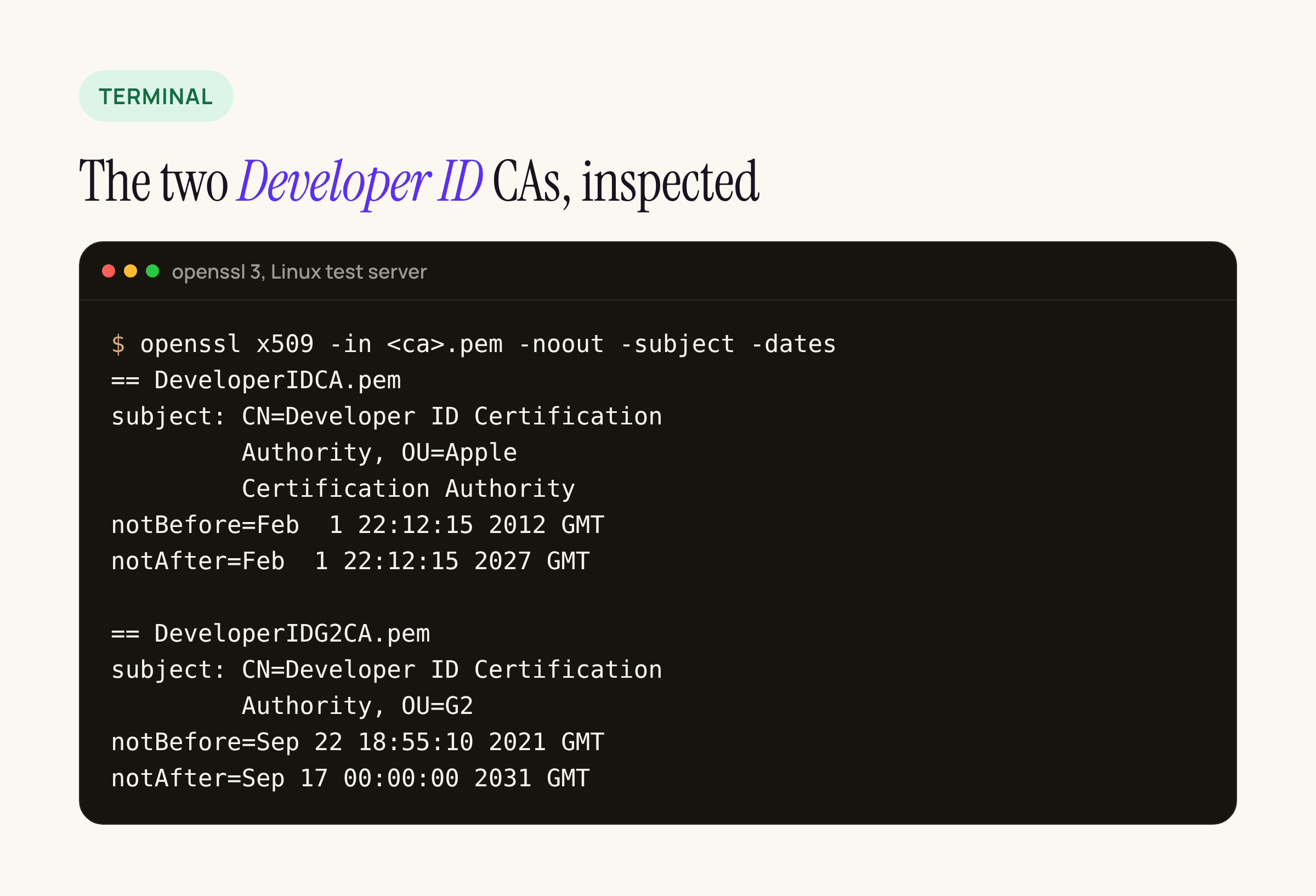
Real output from our test server, trimmed to the subject and dates and wrapped to fit.
| Field | Original Sub-CA | G2 Sub-CA |
|---|---|---|
| Subject CN | Developer ID Certification Authority | Developer ID Certification Authority |
| Subject OU | Apple Certification Authority | G2 |
| Issuer | Apple Root CA | Apple Root CA |
| Not before | 1 Feb 2012, 22:12:15 GMT | 22 Sep 2021, 18:55:10 GMT |
| Not after | 1 Feb 2027, 22:12:15 GMT | 17 Sep 2031, 00:00:00 GMT |
| Path length | not set | 0 (it can only issue leaf certificates) |
| SHA-256 | 7A:FC:9D:01:A6:2F:03:A2:...:BA:63:58:7F |
F1:6C:D3:C5:4C:7F:83:CE:...:06:43:D2:DF:3A |
Two details from the table matter in practice. The certificate itself runs until 22:12 GMT on 1 February, which is already 2 February in India and the rest of Asia; Apple only gives the date, so treat 1 February as the deadline wherever your users are. And because the CN is the same, a CI log or a codesign summary that only shows names cannot tell you which one you used.
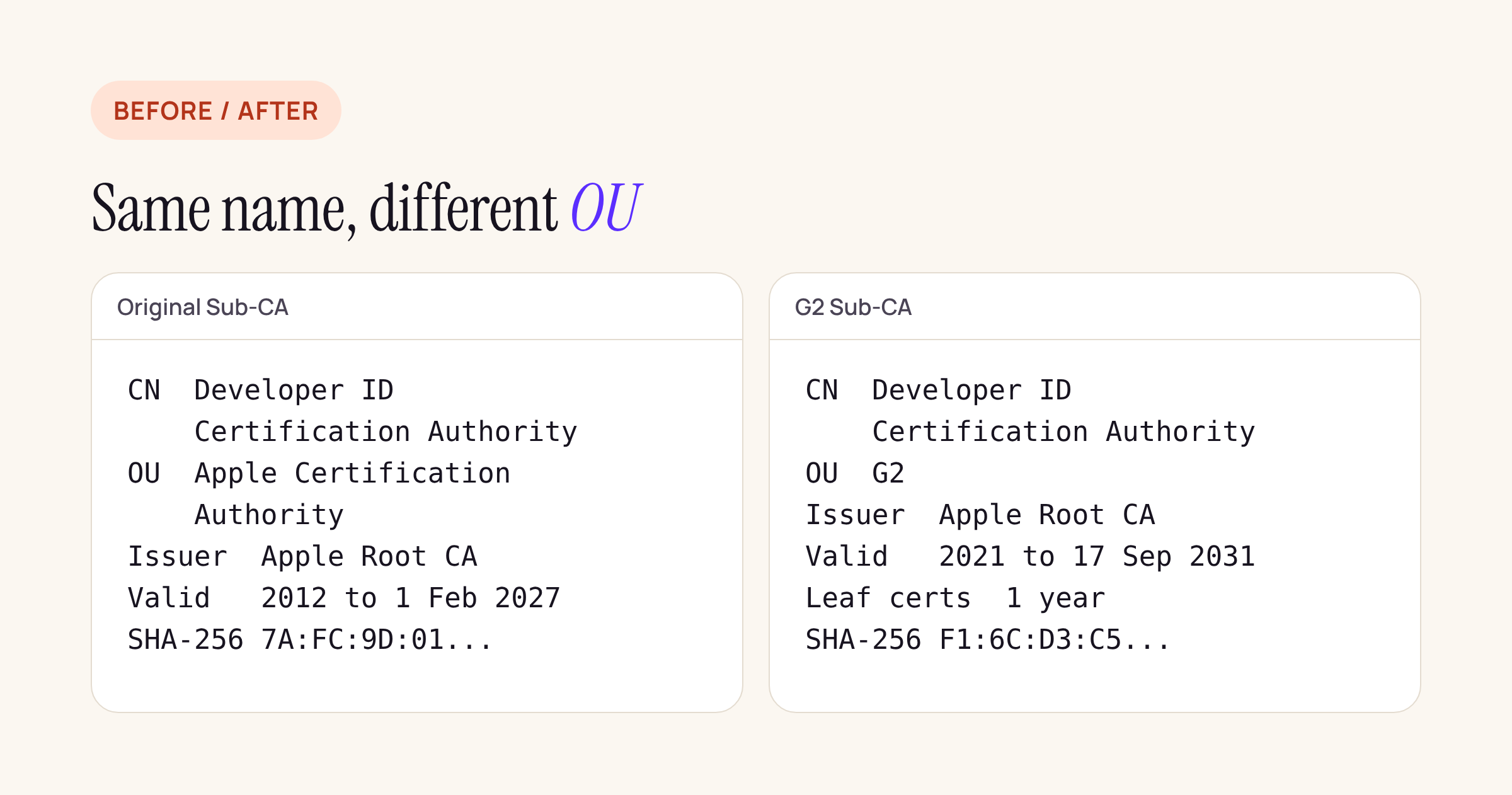
The fields that differ: the OU, the validity and the fingerprint. The one-year leaf lifetime comes from Apple’s guide, not from the intermediate.
Check what you sign with today
On the Mac that signs your builds, these show the issuer of your own certificates. Use your own certificate name, and do not look at the “Developer ID Certification Authority” entry itself, as Apple’s guide warns.
# Every signing identity on this Mac
security find-identity -v -p codesigning

# Issuer and expiry of your Developer ID Installer certificate
security find-certificate -c "Developer ID Installer" -p \
  | openssl x509 -noout -issuer -enddate
An issuer that contains OU=G2 is fine. An issuer with OU=Apple Certification Authority is from the expiring authority. If find-certificate matches several certificates, it prints the first; add -a and split the output to see all of them.
For something you already shipped, check the artefact rather than the keychain:
# A signed installer package: prints the chain with SHA-256 fingerprints
pkgutil --check-signature MyApp.pkg

# A signed app: extract the chain, then read the intermediate's OU
codesign -d --extract-certificates=chain- MyApp.app
openssl x509 -inform der -in chain-1 -noout -subject
Compare the intermediate’s fingerprint from pkgutil with the two in the table above: 7A:FC:9D:01... is the original authority, F1:6C:D3:C5... is G2.
What to re-sign, and what can wait
| Artefact | Before 1 Feb 2027 |
|---|---|
.pkg installers signed with an old Developer ID Installer certificate, still offered for download |
Re-sign with a G2 Installer certificate, notarize again, staple, replace the download |
| Notarized apps with a secure timestamp already on users’ Macs | Nothing; Apple says they keep working |
| Your next app update | Sign with a G2 Developer ID Application certificate, with a secure timestamp |
| Mac App Store builds | Not affected: these are not signed with Developer ID |
| Disk images | Apple’s notice does not mention them; sign the DMG with the new certificate on your next release so the question never comes up |
QuitAll comes from the Mac App Store, so this change does not touch it. Anything distributed directly, as a .pkg or a DMG, is where the work is.
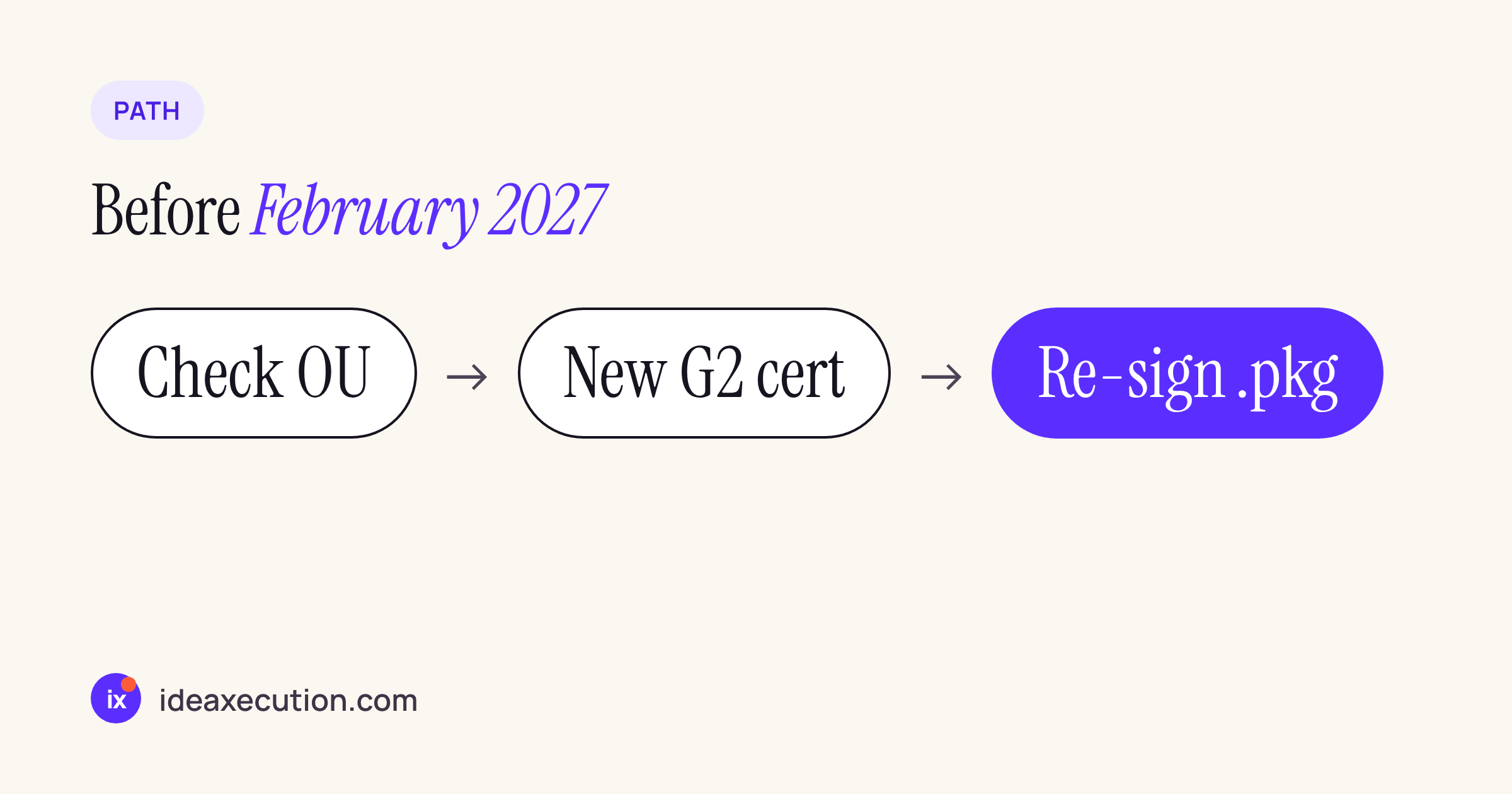
The order that avoids surprises: you can hold five of each type, so create the G2 certificate first and keep the old one until the new builds are out.
Re-signing an installer package
After creating the G2 Developer ID Installer certificate in Certificates, Identifiers & Profiles (choose “G2 Sub-CA (Xcode 11.4.1 or later)” when asked) and installing it, re-sign the existing package and send it through notarization again. Treat this as a starting point and adapt names and profiles to your setup:
productsign --timestamp \
  --sign "Developer ID Installer: Your Name (TEAMID)" \
  MyApp-unsigned.pkg MyApp.pkg

xcrun notarytool submit MyApp.pkg \
  --keychain-profile "notary" --wait
xcrun stapler staple MyApp.pkg

pkgutil --check-signature MyApp.pkg
Run productsign on the unsigned package your pkgbuild or productbuild step produces, so keep that unsigned output in your pipeline. Then check the result with pkgutil --check-signature and look for the G2 fingerprint before you replace the download.
The yearly part
G2 leaf certificates last one year. That turns certificate renewal from a five-year surprise into a calendar item: put the expiry of each Developer ID certificate in the team calendar a month ahead, and keep the commands above in your release checklist so the issuer check runs on every release, not once.
What to check on your own setup
- Every Developer ID certificate in your team account: issuer OU, expiry, who holds the private key.
- Every
.pkgstill linked from a website, an update feed or a client’s intranet:pkgutil --check-signatureand the fingerprint of the intermediate. - CI: which certificate the signing step imports, and whether its log prints the fingerprint rather than only the name.
- After 1 February 2027, an install of an old package on a clean Mac is the quickest way to see whether it is one you missed.