From April 2027, App Store Connect only accepts iOS apps “built with the iOS 27 & iPadOS 27 SDK or later” (Apple, 9 Sep 2026). Today the floor is still Xcode 26 with the iOS 26 SDK. The short version of the move: install Xcode 27.2 (it needs macOS Tahoe 26.6 on an Apple silicon Mac), make sure your app has a launch screen and a scene delegate, and then re-check every UIKit screen that leaned on default layout margins. Those three are the changes that stop an app from launching or quietly move its layout. Everything else below is a deprecation you can schedule.
This is a review of Apple’s iOS 27.0 and 27.2 release notes and the Xcode 27.0 to 27.3 beta notes, cross-checked against the native sources of React Native 0.88.1, 0.89.0-rc.1, react-native-screens 4.30.1 and react-native-safe-area-context 5.11.1, which we unpacked and searched.
Why we did this: our Beacon-type banking apps and the iOS targets of our TV apps all ship on the iOS 26 SDK today, and each of them has one rebuild ahead of it before April. We wanted one list, not five sets of release notes.
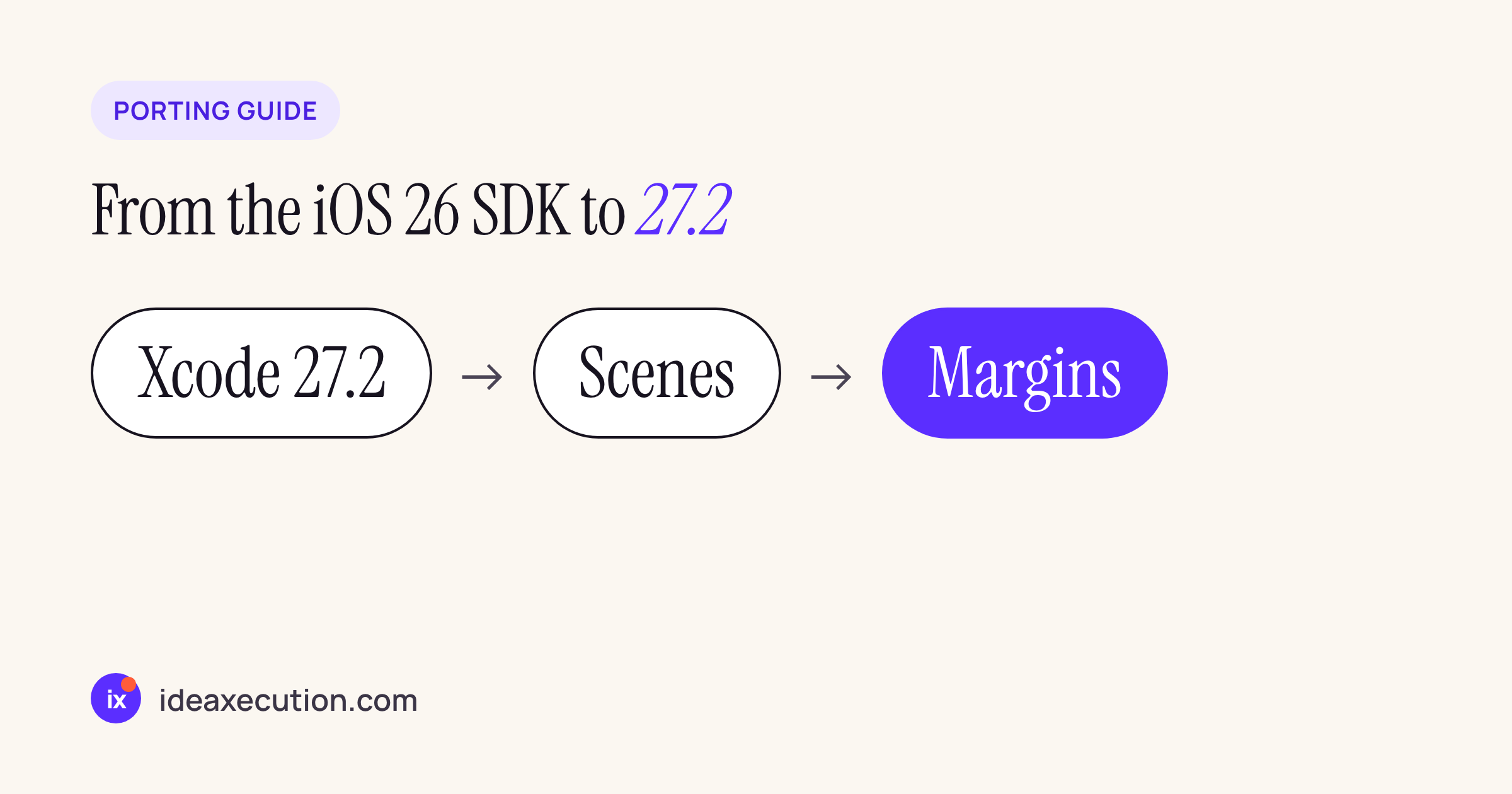
The order we use for the move: tools first, then the two launch blockers, then layout.
Step 1: Xcode 27.2 and what it needs
Xcode 27.2 “includes Swift 6.4 and SDKs for iOS 27.2, iPadOS 27.2, tvOS 27.2, watchOS 27.2, macOS 27.2, and visionOS 27.2”. Three requirements carry over from Xcode 27.0 and catch build machines first:
| Requirement | What the notes say | Where |
|---|---|---|
| Host macOS | “Xcode 27 requires a Mac running macOS Tahoe 26.6 or later.” | Xcode 27.0 |
| Host chip | Xcode 27 installs and runs on Apple silicon Macs only | Xcode 27.0, Deprecations |
| Linker | “The ld64 linker has been removed and the -ld_classic option is no longer supported.” |
Xcode 27.0, Deprecations |
| Debugging floor | on-device debugging in “iOS 17 and later, tvOS 17 and later, watchOS 10 and later” | Xcode 27.0 |
| Swift | Swift 6.4 in 27.0, 27.1, 27.2 and the 27.3 beta | Xcode 27.2 |
| Storyboards | New toolchain compile mode for UIKit documents, “Enabled by default”; opt out with IBC_COCOATOUCH_COMPILER_MODE = simulator |
Xcode 27.0 |
If a storyboard stack view loses its spacing after the upgrade, that is a known toolchain bug that 27.2 lists as fixed (“incorrectly encoded standard/system UIStackView.spacing as 0“), one more reason to go straight to 27.2 rather than stopping at 27.0.
Two practical consequences. An Intel CI runner cannot do this upgrade at all, so check your CI image before anything else. And if OTHER_LDFLAGS still carries -ld_classic (a common workaround from the Xcode 15 era for some prebuilt frameworks), the link step fails until you remove it:
# from the ios/ folder of the app
grep -rn "ld_classic" --include=project.pbxproj --include=*.xcconfig --include=Podfile .
Also note for the build fleet: Xcode 27.3 beta ships as an Apple Encrypted Archive (.aea) and says “Xcode 27.3 is the final release supporting the .xip format”. Scripts that download and unpack Xcode will need archiveutil extractXcodeAEA after that.
Step 2: the two changes that stop an app from launching
Both are in the UIKit section of the iOS 27.0 release notes and both are tied to building with the new SDK:
- Launch screen: “iOS and iPadOS apps built with the 27.0 SDK or later are required to include a launch screen.” The
Info.plistmust contain one ofUILaunchStoryboardName,UILaunchStoryboards,UILaunchScreenorUILaunchScreens. - Scene life cycle: “Apps built with the latest SDK must adopt the scene-based life cycle or they fail to launch.” Apple links its guide, Transitioning to the UIKit scene-based life cycle.
A quick check on any project:
plutil -p ios/YourApp/Info.plist | grep -E "UILaunch|UIApplicationSceneManifest|UISceneDelegateClassName"
If the scene manifest is missing, the app needs a SceneDelegate that creates the window, and window setup has to move out of application(_:didFinishLaunchingWithOptions:).
For React Native apps the good news is in the template. The @react-native-community/template 0.88.1 package already ships both pieces: its Info.plist has UIApplicationSceneManifest with UISceneDelegateClassName set to $(PRODUCT_MODULE_NAME).SceneDelegate, it has UILaunchStoryboardName set to LaunchScreen, and the template includes a SceneDelegate.swift. An app created from an older template, or one that was upgraded by bumping versions without merging the template changes, may still be AppDelegate-only. The Upgrade Helper diff for your versions shows exactly which files to bring across.
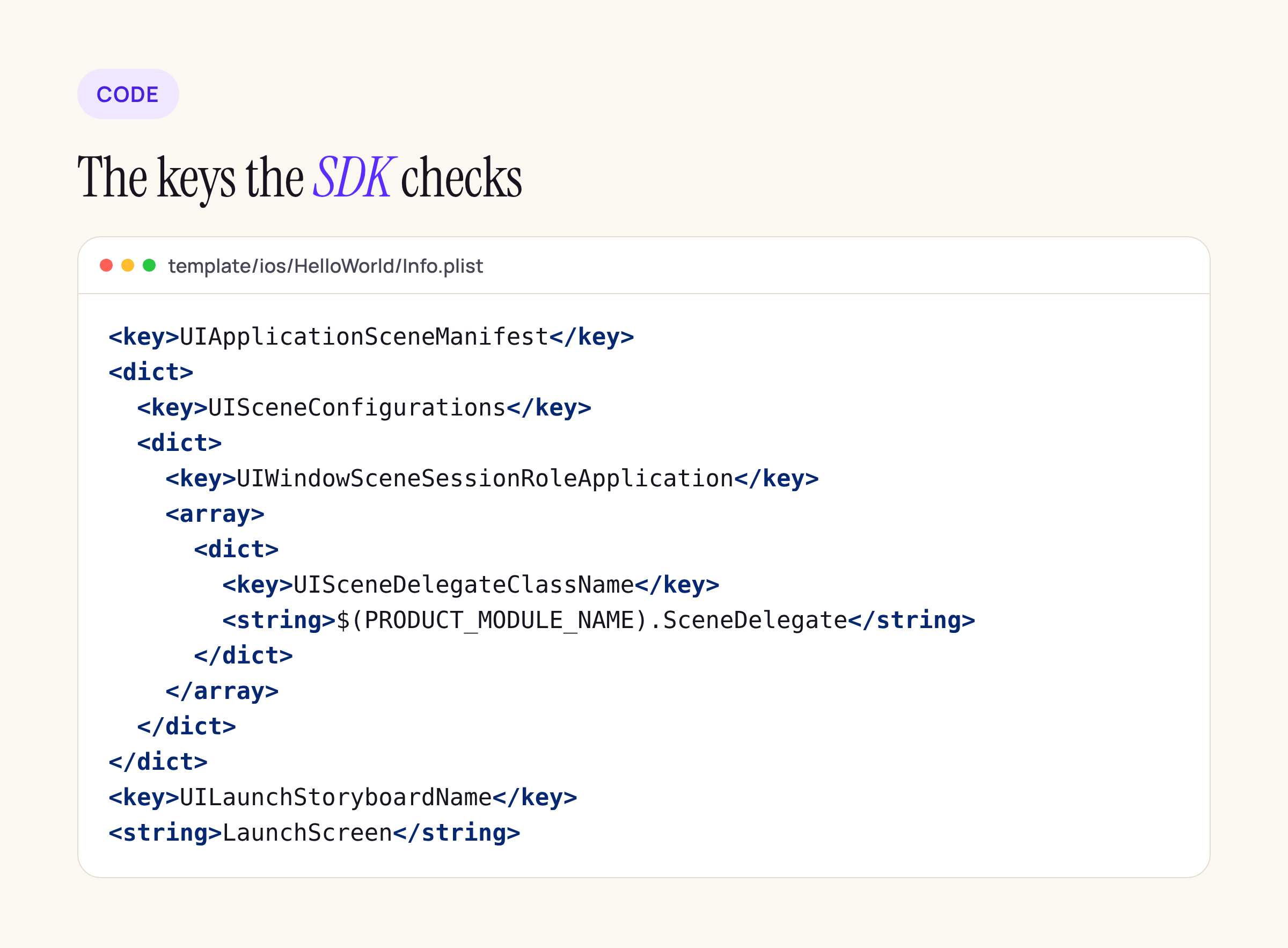
The template’s Info.plist, trimmed to the keys the iOS 27 SDK checks.
Step 3: layout margins are zero on iOS 27.1
This is the change that will not crash anything and will still be noticed by users. The iOS 27.2 release notes say:
“On iOS 27.1 and later, the default layout margins for a
UIVieware zero.”
and: “A view controller continues to provide its view with systemMinimumLayoutMargins, which vary depending on the presentation context.” To get those margins on a subview, set preservesSuperviewLayoutMargins = true on it.
Note the wording: Apple ties this to the OS version (“on iOS 27.1 and later”), not to the SDK you link. So it can show up on devices that update before you rebuild. Any constraint anchored to layoutMarginsGuide of a plain subview, and any custom cell or header that relied on the old 8 pt default, can end up flush against its container.
Two ways to fix a screen:
// Option 1: inherit the view controller's margins again
contentView.preservesSuperviewLayoutMargins = true

// Option 2: stop depending on a default at all
contentView.directionalLayoutMargins = NSDirectionalEdgeInsets(
    top: 8, leading: 16, bottom: 8, trailing: 16)
Option 2 is what we prefer for branded screens such as a bank’s PIN pad, because the spacing then comes from the design spec and not from the OS. Treat both as a starting point and compile them against your own target.
To find candidates in a codebase:
grep -rn --include=*.swift --include=*.m --include=*.mm \
  -E "layoutMarginsGuide|readableContentGuide|layoutMargins\b" ios/
What React Native does with layout margins
We searched the iOS sources of react-native 0.88.1 and 0.89.0-rc.1, react-native-screens 4.30.1 and react-native-safe-area-context 5.11.1 for layoutMargins, layoutMarginsGuide, directionalLayoutMargins, preservesSuperviewLayoutMargins and readableContentGuide.
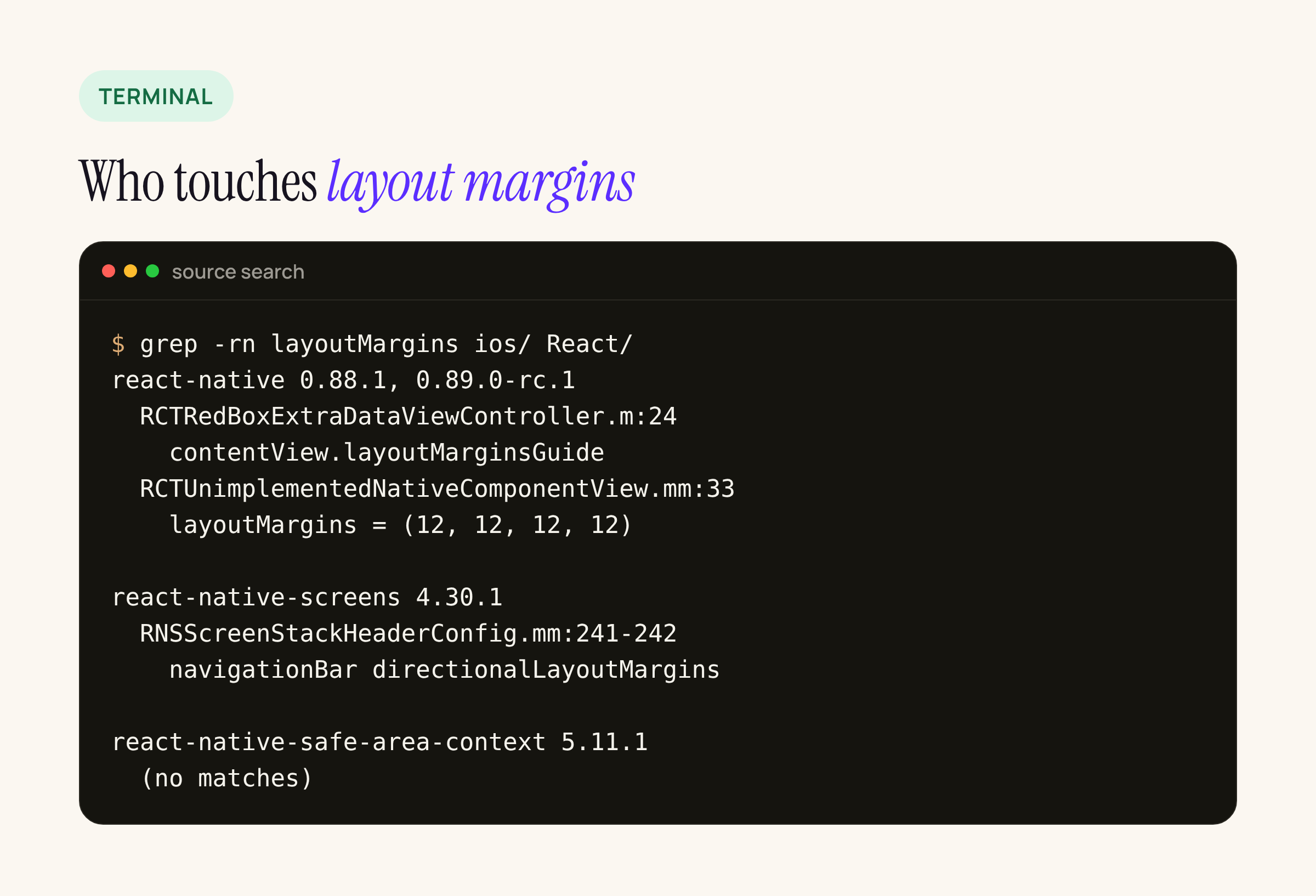
Five hits in four packages; the layout of normal React Native views does not use UIKit margins at all.
React Native lays out its own views with Yoga and does not use UIKit margins for them. The only two hits in core are a dev-only RedBox cell (RCTRedBoxExtraDataViewController.m anchors to contentView.layoutMarginsGuide, so the red error screen may lose its inset) and the placeholder for unimplemented native components, which sets its margins explicitly to 12 pt and is unaffected. react-native-safe-area-context has no hits. react-native-screens reads the navigation bar’s directionalLayoutMargins in RNSScreenStackHeaderConfig.mm to place custom header items, so native-stack headers with custom left or right views are worth a look on iOS 27.1. Your own native modules and any UIKit screens you present from JavaScript (biometric prompts, document scanners, custom keyboards) are where this change actually lands.
Step 4: deprecations and SDK-linked behaviour to schedule
None of these stops a build today, but each one is a line in the upgrade ticket. All rows are from the iOS 27.0 release notes unless marked.
| Area | Change, in Apple’s words | What to do |
|---|---|---|
| UIKit | “canOpenURL: is deprecated. Attempt to open the URL and handle any failure instead of validating it first.” |
Call open(_:) and handle the false result; prefer universal links |
| UIKit | In apps built with the iOS 27.0 SDK, the deprecated UIApplication status bar accessors, “including statusBarFrame, statusBarOrientation, statusBarStyle, and isStatusBarHidden“, “might return NaN or null values” |
Read windowScene.statusBarManager instead |
| SwiftUI | In apps built with the iOS 27.0 SDKs, “a TabView enforces that its selection is set to a visible tab” | Check selection state against hidden tabs |
| SwiftUI | “By default, SwiftUI now hides all menu item symbol images in most contexts” | .labelStyle(.titleAndIcon) where the icon matters |
| Foundation | “+[NSURL URLWithString:] no longer double-encodes the % of valid percent-escape sequences” |
Re-test URL building code that pre-encodes |
| Resources | “On Demand Resources and the NSBundleResourceRequest API are deprecated. Use Background Assets instead.” |
Plan the move to Background Assets |
| MetricKit | ScrollHitchTimeMetric: “Recompile your app with the latest SDK to avoid a missing symbol crash” |
Rebuild any MetricKit consumer |
| App Intents | “The calendar.deleteEvents schema has been renamed to calendar.deleteEvent.” |
Rename in intent code |
| ATT | requestTrackingAuthorization(preferExpandedInterface:) is renamed (iOS 27.2) |
Update the call if you adopted the 27.0 name |
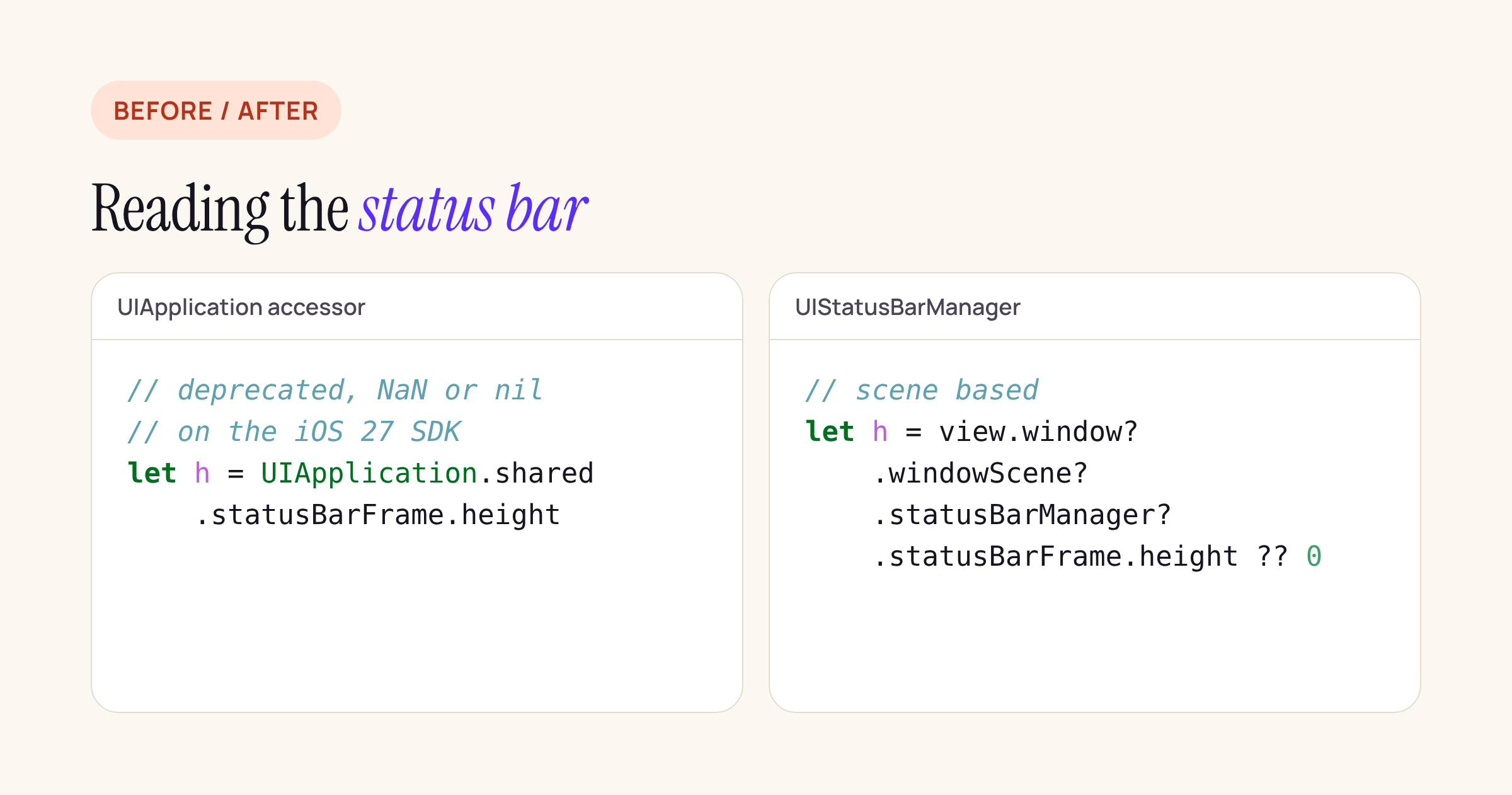
The scene-based read is the one React Native already uses.
Two of these rows have a React Native angle we checked in the source:
- Status bar.
RCTStatusBarManagerin 0.88.1 and 0.89.0-rc.1 reads the height throughRCTUIStatusBarManager(), which inRCTUtils.mmreturnsRCTKeyWindow().windowScene.statusBarManager. That is the scene-based API, not the deprecatedUIApplicationaccessor, so theStatusBarmodule is on the right side of this change. Linking.canOpenURL.RCTLinkingManager.mmstill calls[RCTSharedApplication() canOpenURL:URL]in both 0.88.1 and 0.89.0-rc.1 (the 0.89 diff of that file only moveslaunchOptionsoff the bridge). The method is deprecated, not removed, so it keeps working, but JavaScript code that gatesLinking.openURLoncanOpenURLis following exactly the pattern Apple now advises against. CallopenURLdirectly and catch the rejection.
What to check on your own app
- On the build Mac or CI image: macOS Tahoe 26.6 or later, Apple silicon, Xcode 27.2 selected with
xcode-select. - Remove any
-ld_classicfrom linker flags, pods and xcconfig files. Info.plisthas a launch screen key and a scene manifest with a delegate class.- Build for the iOS 27.2 simulator and go through every native UIKit screen, side by side with an iOS 26 simulator, looking for content that now touches its container edge.
- Replace
canOpenURLchecks and the deprecated status bar accessors in native code. - Search for the APIs in the table above and open a ticket for each hit.
If you are on React Native, the same checklist applies to the ios/ folder; the framework itself already uses scenes in the 0.88.1 template and reads the status bar through the scene. For the JavaScript side of the same release train, see our post on React Native 0.89 RC: what changes and what breaks.