Media3 1.12.0-beta01 shipped on 11 November 2026, after 1.12.0-alpha01 (21 October) and alpha02 (26 October). The current stable is 1.11.1 from 10 September. For a TV catalogue app the move to 1.12 comes down to three things: the library now needs minSdk 24, ProgressiveMediaSource and DefaultMediaSourceFactory now load only the selected tracks by default, and a set of TV fixes (Dolby Vision Profile 7, DTS-HD passthrough, CEA-608 in DASH, AC-3 on Fire TV) are reasons to test on 1.12 before it goes stable.
The table below is built from Google’s Media3 release notes, filtered to what a TV player touches. We also unpacked react-native-video 6.19.0, 6.19.3 and 7.0.0-beta.12 from npm to see which Media3 a React Native TV app actually ships with.
Why we did this: BMDB on Android TV plays trailers and catalogue video through Media3, and its next player update will target 1.12 once it is stable.
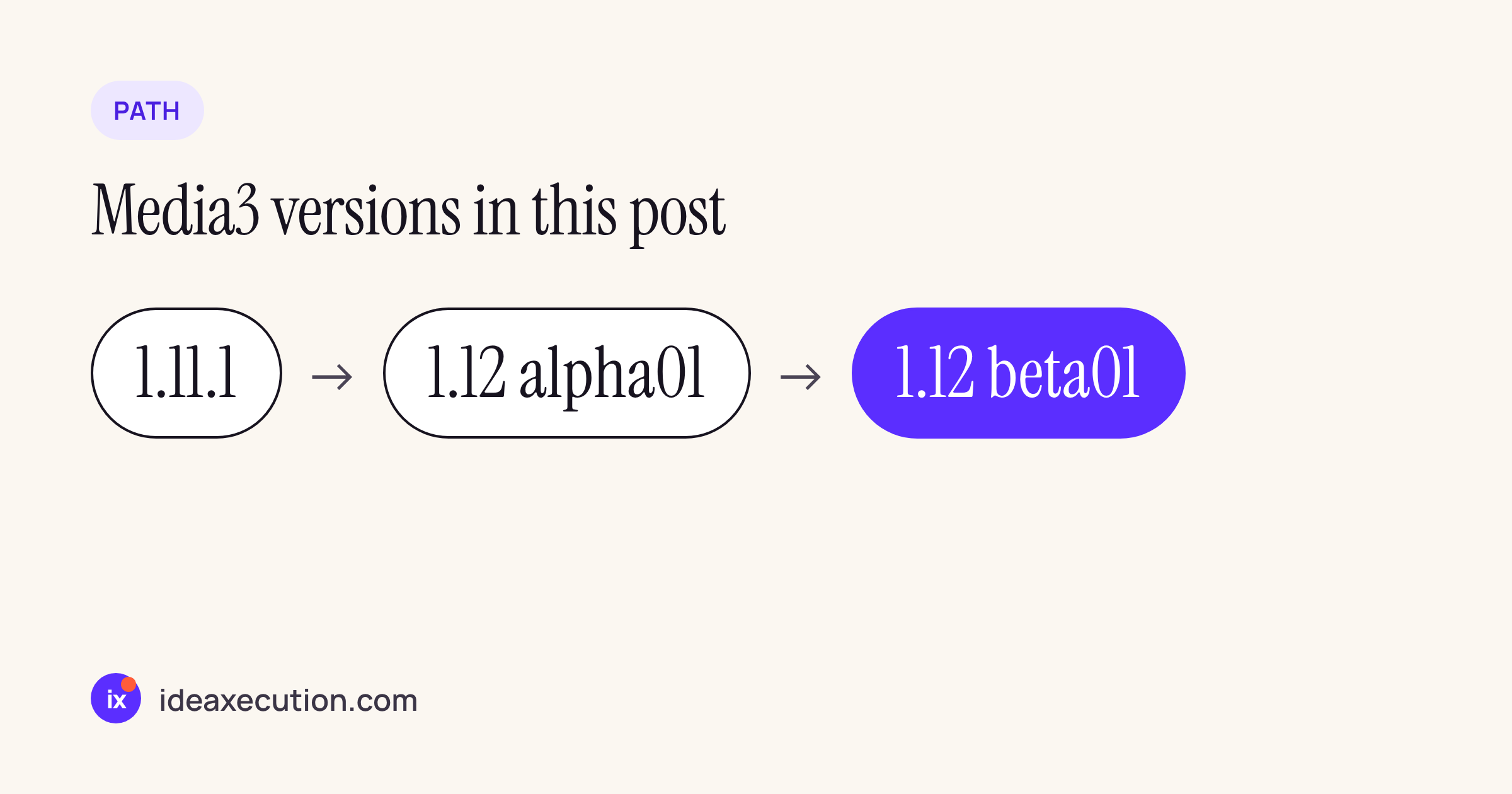
The three releases compared in this post.
The changes that matter on a TV, in one table
| Change | Version | Module | Why a TV player cares |
|---|---|---|---|
Gradle minSdk raised to 24 |
1.12.0-alpha01 | Build | Older Android TV boxes on API 21 to 23 can no longer get new Media3 releases |
setLoadOnlySelectedTracks(true) is the default on ProgressiveMediaSource and DefaultMediaSourceFactory (unselected video and image tracks only) |
1.12.0-alpha01 | ExoPlayer | Less data loaded for progressive files with several video tracks; check any code that switches video tracks mid-play |
VIDEO-RANGE (PQ, HLG) parsed from EXT-X-STREAM-INF and EXT-X-I-FRAME-STREAM-INF into Format.colorInfo |
1.12.0-alpha01 | HLS | HDR variants in HLS ladders are now identified, so track selection can match the display |
| Workaround for AC-3 audio freezing during period transitions on Amazon Fire TV sticks | 1.12.0-alpha01 | Audio | Fire TV playback of playlists and ad breaks |
| Falls back to an HEVC decoder for backward-compatible Dolby Vision Profile 7 streams; no AV1 fallback for Profile 10 | 1.12.0-beta01 | Video | Dolby Vision content on TVs without a Profile 7 decoder |
AudioTrack initialisation retries no longer skipped, which made DTS-HD passthrough fail on devices with limited audio memory |
1.12.0-beta01 | Audio | Soundbars and AV receivers fed by low-memory TV boxes |
| Fix for duplicated or garbled CEA-608 subtitles when a stream has several embedded caption tracks | 1.12.0-beta01 | DASH | Broadcast-style DASH streams with more than one 608 track |
MediaPeriod.supportsStreamPrerollFlags() (default false), plus fixes for renderer pre-warming during period transitions |
1.12.0-beta01 | ExoPlayer | Only custom MediaPeriod implementations need to act; gapless playlists benefit from the fixes |
| Media button preferences APIs stabilised | 1.12.0-beta01 | Session | Remote-control buttons in a MediaSession no longer need opt-in to unstable APIs |
subtitles slot on Compose ContentFrame and Player, default rendering in media3-ui-compose-material3 |
1.12.0-beta01 | UI | A Compose for TV player can now draw subtitles without falling back to SubtitleView |
SubtitleView.setTextDirectionHeuristic |
1.12.0-beta01 | UI | Mixed-direction subtitle text (Urdu or Arabic with English) wraps correctly |
Every row is from the Media3 release notes for the version named. 1.12.0-alpha02 added only the new media3-effect-play-services module, which a playback app does not need.
Removals and deprecations to search for
1.12 removes some long-deprecated symbols. Search your player code for these before bumping the version:
grep -rn "DashUtil.buildDataSpec\|setAsyncCryptoSynchronizationEnabled\|setVideoFrameMetadataListener\|parseEventStream\|TextureAssetLoader" app/src
- Removed in alpha01: both
DashUtil.buildDataSpec(...)overloads, and the experimentalDefaultMediaCodecAdapterFactory.setAsyncCryptoSynchronizationEnabled(boolean). - Removed in beta01:
TextureAssetLoader(useRawAssetLoader) and seven more symbols listed in the same “Remove deprecated symbols” group of the notes. - Deprecated, still present:
ExoPlayer.setVideoFrameMetadataListenerandDashManifestParser.parseEventStream(XmlPullParser)(alpha01), andImaAdsLoader.requestAds(DataSpec, Object, ViewGroup)(beta01). - The Cast extension moves to
play-services-cast-framework23.0.0 (beta01).
What a React Native TV app actually runs
If the TV app is built with React Native, the Media3 version is whatever react-native-video pins, not what Google last released. We unpacked three versions with npm pack and read android/gradle.properties:
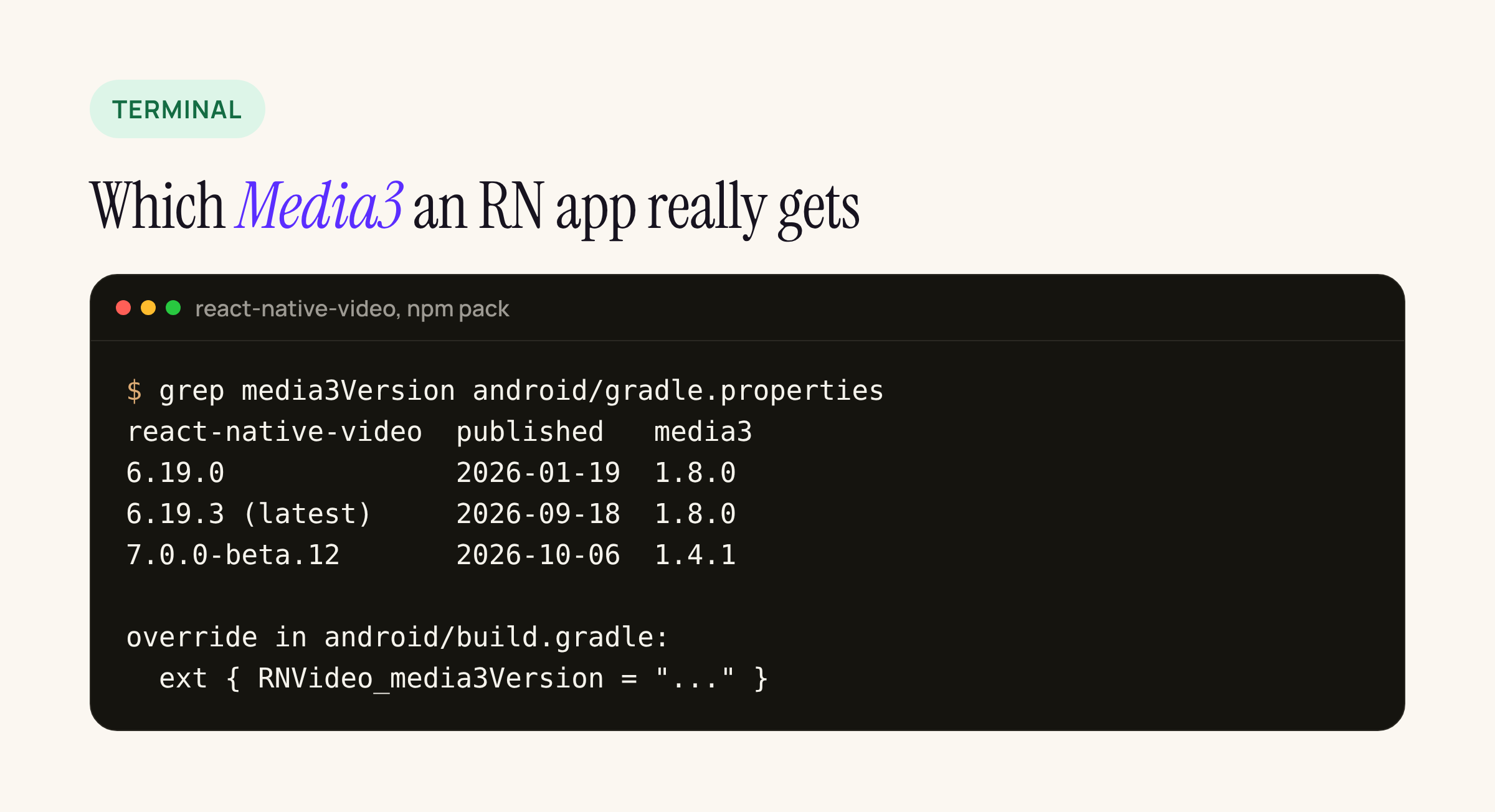
From the published npm packages.
- 6.19.3, the current
latesttag (published 18 Sep 2026), pins Media3 1.8.0, the same as 6.19.0 from January. Its defaults areminSdk24,targetSdkandcompileSdk35. - 7.0.0-beta.12 (6 Oct 2026, the
betatag) pins Media3 1.4.1.
So an app on react-native-video’s defaults is four minor versions behind 1.12, and none of the TV fixes above reach it. The library reads the version through safeExtGet('media3Version'), which looks for media3Version or RNVideo_media3Version in the root project’s ext block before falling back to its own gradle.properties. That makes the override one line:
// android/build.gradle (root)
ext {
    RNVideo_media3Version = "1.12.0-beta01"
}
Treat a jump from 1.8.0 to 1.12 as an upgrade to test, not a version bump. We checked react-native-video 6.19.3’s Android sources against the removal list above: it uses DashUtil.loadManifest, which is not removed, and builds sources with DefaultMediaSourceFactory and ProgressiveMediaSource.Factory, so the new track-loading default applies to it. It calls none of the removed methods. Everything between 1.8 and 1.11 also changes underneath it, and that range is outside this post.
What to check before moving a TV player to 1.12
- Confirm your
minSdkis 24 or higher, and decide what happens to installs on older boxes. - Run the
grepabove for removed and deprecated symbols. - If you switch video tracks during playback (quality menus, angle switching), test with progressive files now that unselected video tracks are not loaded.
- Play an HLS ladder with HDR and SDR variants and check which variant is selected on an SDR panel.
- On a Fire TV stick, play a playlist with AC-3 audio across a period boundary.
- For React Native apps, set
RNVideo_media3Versionon a branch and run the full playback test pass there first.
1.12.0-beta01 is a beta. When the stable 1.12.0 appears on the release notes page, re-read its notes for anything added after beta01 before shipping.