If your app’s minimum is iOS 17 or later, you can move every ObservableObject view model to the @Observable macro with five mechanical swaps, and your views stop redrawing for properties they never read. We ported a small wallet view model, then wrote Swift Testing tests that pin down what actually triggers a change, and ran them with Xcode 26.2 and Swift 6.2.3 (Swift 6 language mode) on our M1 lab Mac, both on macOS and on an iPhone 17 Pro Simulator with iOS 26.3. All four tests pass on both. Two things surprised us along the way: Swift 6 will not let you count changes with a plain var, and assigning a property its current value does not fire a change.
Why we did this: Cardigami is SwiftUI from top to bottom, and the bank-app screens we build for clients still carry ObservableObject view models from the iOS 15 days. With iOS 17 now a safe floor for most of them, this is the port we keep repeating.
The five swaps
Apple’s guide, Migrating from the Observable Object protocol to the Observable macro, covers iOS 17, iPadOS 17, macOS 14, tvOS 17 and watchOS 10 and later. In short:
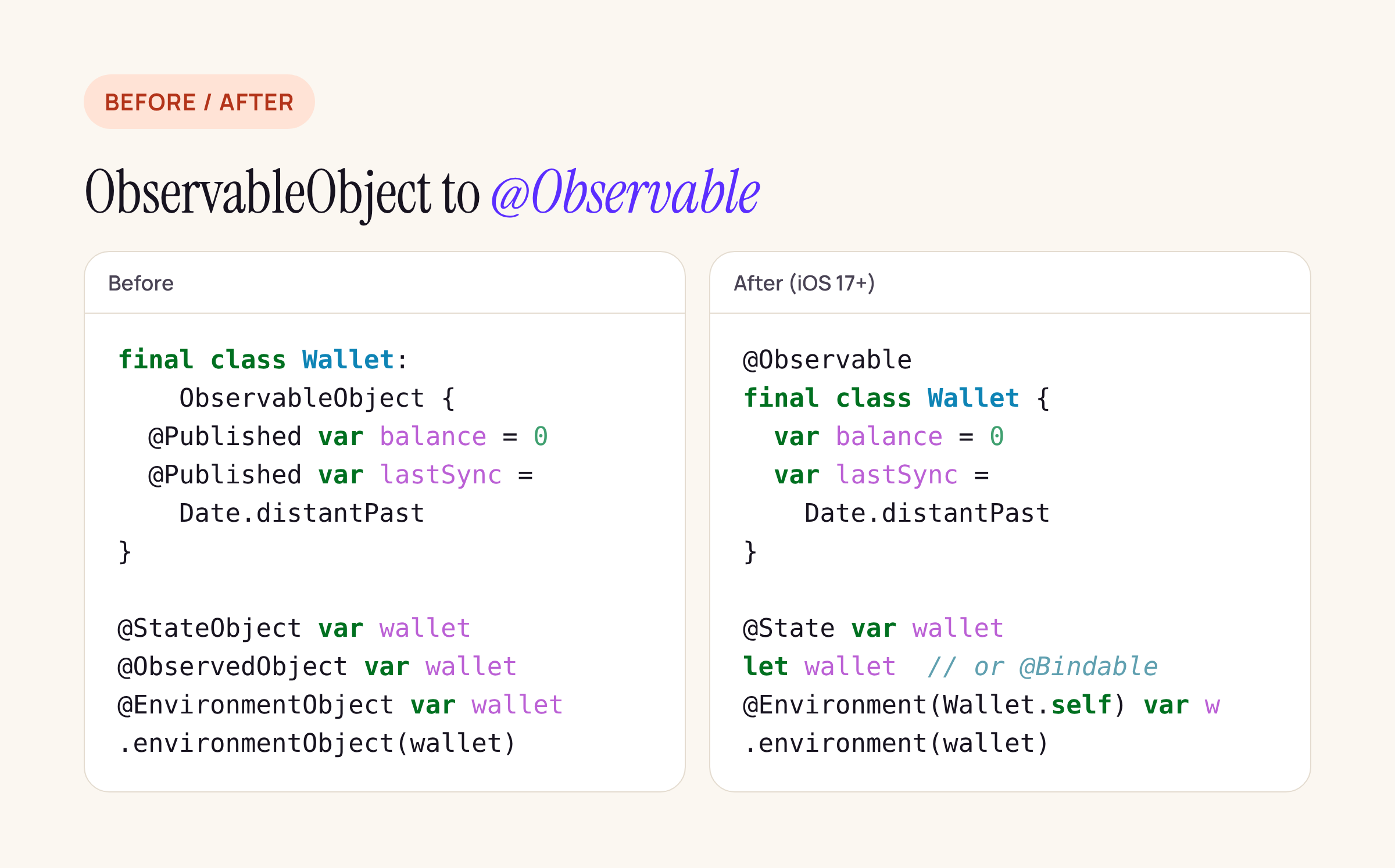
The whole port on one screen.
class Wallet: ObservableObjectbecomes@Observable class Wallet(withimport Observation).@Published var balancebecomes plainvar balance: “Observation doesn’t require a property wrapper”.@StateObject var wallet = Wallet()becomes@State var wallet = Wallet(); the view still owns it.@ObservedObject var walletbecomeslet wallet, or@Bindable var walletwhen you need$wallet.x.@EnvironmentObject var walletbecomes@Environment(Wallet.self) var wallet, injected with.environment(wallet).
Here is the ported model and the four views that use it, exactly as we built them for both platforms:
import Observation
import SwiftUI

@MainActor
@Observable
final class Wallet {
    var balance: Int = 0
    var lastSync: Date = .distantPast
    var nickname: String = ""
    @ObservationIgnored var cache: [String: Int] = [:]
}

struct BalanceView: View {
    @State private var wallet = Wallet()
    var body: some View {
        VStack {
            Text("\(wallet.balance)")
            RefreshButton(wallet: wallet)
            NicknameField(wallet: wallet)
            Footer()
        }
        .environment(wallet)
    }
}

struct RefreshButton: View {
    let wallet: Wallet          // was @ObservedObject
    var body: some View { Button("Sync") { wallet.lastSync = .now } }
}

struct NicknameField: View {
    @Bindable var wallet: Wallet   // needed for $wallet.nickname
    var body: some View { TextField("Name", text: $wallet.nickname) }
}

struct Footer: View {
    @Environment(Wallet.self) private var wallet   // was @EnvironmentObject
    var body: some View { Text(wallet.lastSync, style: .time) }
}
@MainActor on the class is our choice, not something the macro needs: under Swift 6 language mode it keeps every mutation on the main actor, which is where SwiftUI reads it anyway. The package compiled cleanly in Swift 6 mode for macOS 14 and for the iOS 17 Simulator target.
What invalidates a view now
The practical gain is in Apple’s own words: “SwiftUI updates a view only when an observable property changes and the view’s body reads the property directly.” With ObservableObject, a change to any @Published property sends objectWillChange, and every view holding the object hears it.
We did not want to take that on trust, so we tested the two mechanisms side by side. For the old model we counted objectWillChange events; for the new one we used withObservationTracking, the Observation API that reports changes to the properties a closure read, and read only balance inside it, the way a balance label would.
@Test func objectWillChangeFiresForEveryPublishedProperty() {
    let wallet = LegacyWallet()
    var fired = 0
    let sub = wallet.objectWillChange.sink { fired += 1 }
    wallet.lastSync = .now      // a balance-only view still hears this
    wallet.balance = 10
    wallet.cache["x"] = 1       // not @Published: no signal
    #expect(fired == 2)
    sub.cancel()
}

@Test func trackingFiresOnlyForPropertiesThatWereRead() {
    let wallet = Wallet()
    let fired = OSAllocatedUnfairLock(initialState: 0)
    withObservationTracking {
        _ = wallet.balance
    } onChange: {
        fired.withLock { $0 += 1 }
    }
    wallet.lastSync = .now      // not read: no callback
    wallet.nickname = "Shop"    // not read: no callback
    #expect(fired.withLock { $0 } == 0)
    wallet.balance = 10         // read: fires
    #expect(fired.withLock { $0 } == 1)
    wallet.balance = 20         // one-shot: no second call
    #expect(fired.withLock { $0 } == 1)
}
Both pass, and the second test also shows that withObservationTracking fires once: after the first change you have to track again. SwiftUI does that for you on every body evaluation, but code outside SwiftUI that uses the API directly has to re-register in onChange.
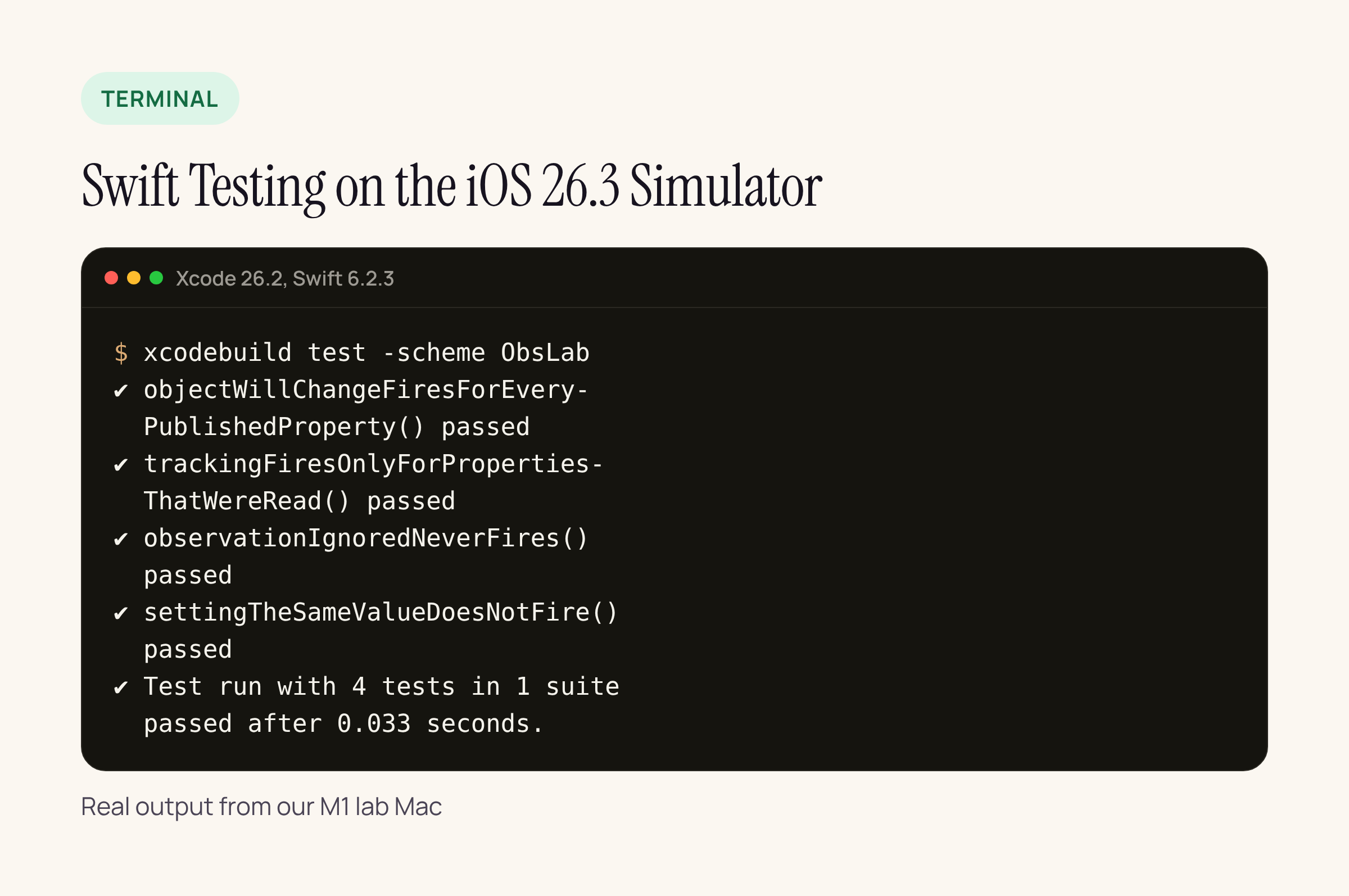
All four tests on the iPhone 17 Pro Simulator; swift test on macOS gave the same result.
Swift 6 surprise 1: you cannot count in onChange
Our first version of the tests used var fired = 0 in the tracking tests too, as in the Combine test. In Swift 6 language mode that does not compile:
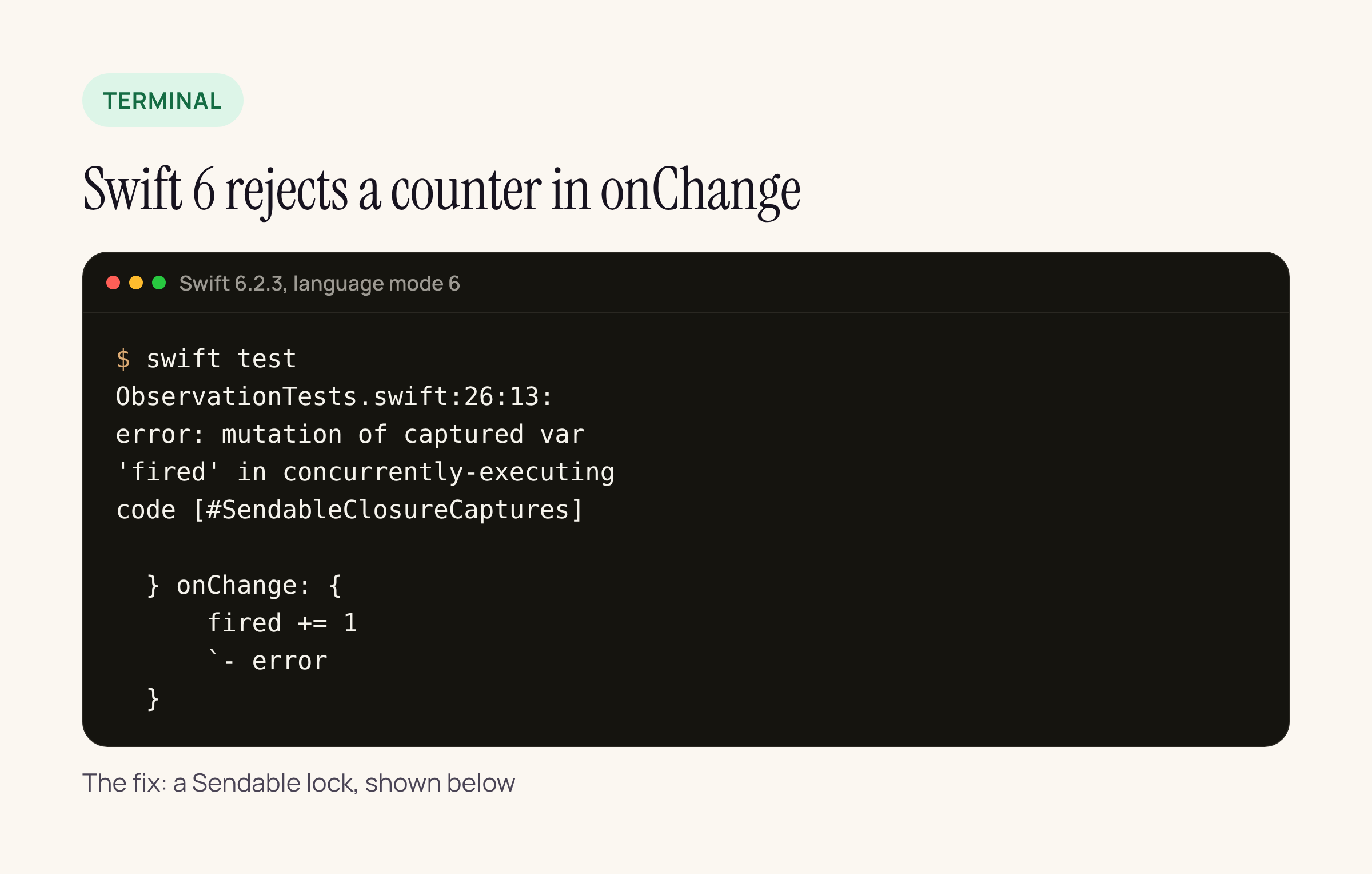
The Combine sink closure is fine with a captured var; the onChange closure is not.
The reason is in the signature: onChange is @autoclosure () -> @Sendable () -> Void. A @Sendable closure may run on another thread, so it cannot mutate a captured local. Anything you do in onChange has to be Sendable-safe. We used OSAllocatedUnfairLock from the os module (iOS 16 and macOS 13 or later), which is Sendable and keeps the test readable. In app code the usual answer is to hop back to the main actor (Task { @MainActor in ... }) and do the work there.
Swift 6 surprise 2: assigning the same value does not fire
We also expected that writing wallet.balance = 0 when balance was already 0 would count as a change, as it does for @Published. It does not. Our first test asserted one callback and failed with (fired.withLock { $0 } → 0) == 1, on macOS and on the Simulator alike. With Swift 6.2.3 the macro skipped the notification for an equal value of an Equatable property, so the test now reads:
@Test func settingTheSameValueDoesNotFire() {
    let wallet = Wallet()
    let fired = OSAllocatedUnfairLock(initialState: 0)
    withObservationTracking {
        _ = wallet.balance
    } onChange: {
        fired.withLock { $0 += 1 }
    }
    wallet.balance = 0          // same value as before
    #expect(fired.withLock { $0 } == 0)
    wallet.balance = 5          // a real change
    #expect(fired.withLock { $0 } == 1)
}
This is usually what you want, but check any code that used a same-value assignment as a “refresh” signal, for example re-setting a lastSync date or a status enum to force a redraw. After the port that write does nothing. Give it a real change, or call the refresh directly.
@ObservationIgnored behaved as documented: tracking a read of cache and then mutating it produced no callback.
Porting checklist
- Raise the deployment target to iOS 17 (or macOS 14) if it is not there yet; Observation has no back-deployment.
- Per class: replace
ObservableObjectwith@Observable, delete@Published, and add@ObservationIgnoredto caches, formatters and anything the UI should not react to. - Per view:
@StateObjectto@State,@ObservedObjecttolet(or@Bindablewhere you use$),@EnvironmentObjectto@Environment(Type.self),.environmentObject(x)to.environment(x). - Search for
objectWillChangeandsinkon view models. Combine subscribers to a view model have no direct replacement; move that logic into the model or usewithObservationTracking, re-registering after every change. - Search for same-value writes used as refresh triggers (see the second surprise above).
- In Swift 6 mode, keep
onChangeclosures free of captured mutable state. - Build for each platform you ship and run your tests on a Simulator as well as on macOS.
For the test side of a Swift 6 project, our XCTest to Swift Testing porting guide covers the @Test and #expect basics used above.