The short version: react-native-screens 5.0.0-beta.2 (published to npm on 24 Nov 2026) adds an axisBehavior option to header bar button items. It maps straight onto UIKit’s new UIBarButtonItem.axisBehavior from the iOS 27.1 SDK, which decides whether an item may move into the vertical bar that iPhone Duo shows when it is open. The native code sits behind a compile-time SDK check, so the option does nothing unless you build with an Xcode that ships the iOS 27.1 SDK. If your app has a camera, filter or edit item that belongs on the side of the open Duo screen, set axisBehavior: 'verticalPreferred' on it; for an item that only makes sense in the top bar, use 'horizontalOnly'.
This post is a source diff: we ran npm pack on react-native-screens 5.0.0-beta.1 and 5.0.0-beta.2, unpacked both and compared the ios/, android/ and src/ folders. The UIKit behaviour below comes from Apple’s UIKit reference for iOS 27.1, which still marks the API as beta.
Why we did this: our React Native banking and TV apps use native-stack headers, and Cardigami’s card editor on iPhone Duo has exactly the kind of toolbar this property is for. We wanted to know what the RN layer passes to UIKit before we decide where each header item should live on the open device.
What Apple added in iOS 27.1
UIBarButtonItem gained one property in the iOS 27.1 SDK, listed in Apple’s reference under “Customizing placement in a toolbar”:
var axisBehavior: UIBarButtonItem.AxisBehavior { get set }
Apple’s UIBarButtonItem reference describes it as “the bar axis behavior of the item”, with a default of .automatic. The enum has three cases:
| Case | What Apple’s documentation says |
|---|---|
automatic |
The system infers the supported axes from the contents of the item. The default. |
horizontalOnly |
The item only supports horizontal bars. If no horizontal bar is present, the item is not shown. |
verticalPreferred |
The item supports both, and prefers a vertical placement when both horizontal and vertical bars are present. |
The availability is iOS and iPadOS 27.1, flagged beta in the documentation as of 27 Nov 2026. The second row is the one to read twice: an item marked horizontalOnly disappears when the layout has no horizontal bar, so do not put the only route to a feature there.
What changed in react-native-screens between beta.1 and beta.2
The two tarballs differ in 56 entries under ios/, 21 under android/, 20 under common/ and 77 under src/ (counted with diff -rq, which also lists added and removed files). Most of that is internal reorganisation: the form-sheet folders were renamed to sheet, and the split-view and stack containers gained new coordinator and observer classes. The axisBehavior change itself is small and lives in one file.
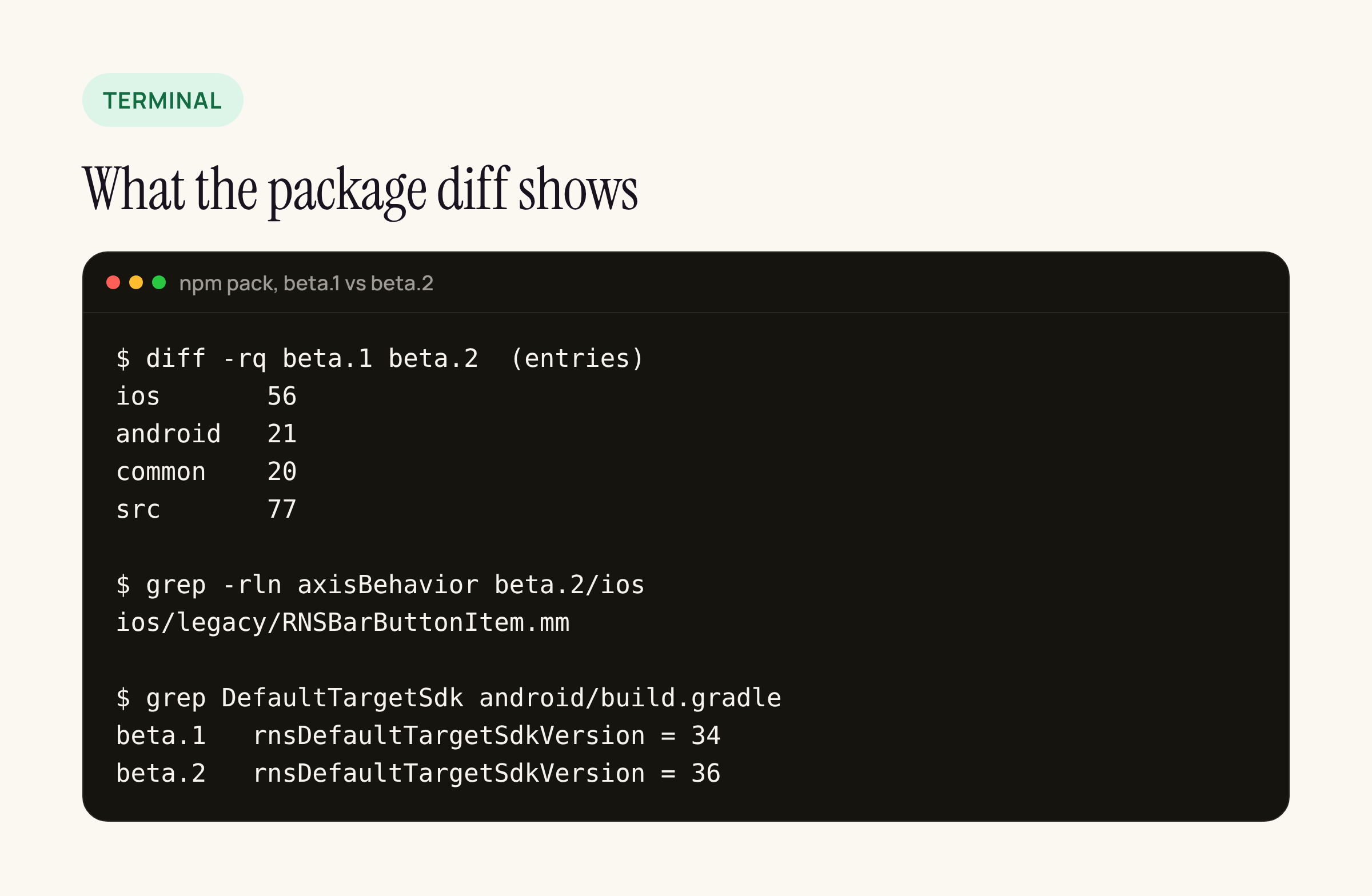
The diff in numbers, plus the one file that reads axisBehavior and the Android default SDK change.
In ios/legacy/RNSBarButtonItem.mm, beta.2 adds a block right after the iOS 27.0 visibilityPriority handling:
#if RNS_IPHONE_OS_VERSION_AVAILABLE(27_1) && !TARGET_OS_TV && !TARGET_OS_VISION
  if (@available(iOS 27.1, *)) {
    NSString *axisBehavior = dict[@"axisBehavior"];
    if ([axisBehavior isEqualToString:@"horizontalOnly"]) {
      self.axisBehavior = UIBarButtonItemAxisBehaviorHorizontalOnly;
    } else if ([axisBehavior isEqualToString:@"verticalPreferred"]) {
      self.axisBehavior = UIBarButtonItemAxisBehaviorVerticalPreferred;
    } else if ([axisBehavior isEqualToString:@"automatic"]) {
      self.axisBehavior = UIBarButtonItemAxisBehaviorAutomatic;
    }
  }
#endif
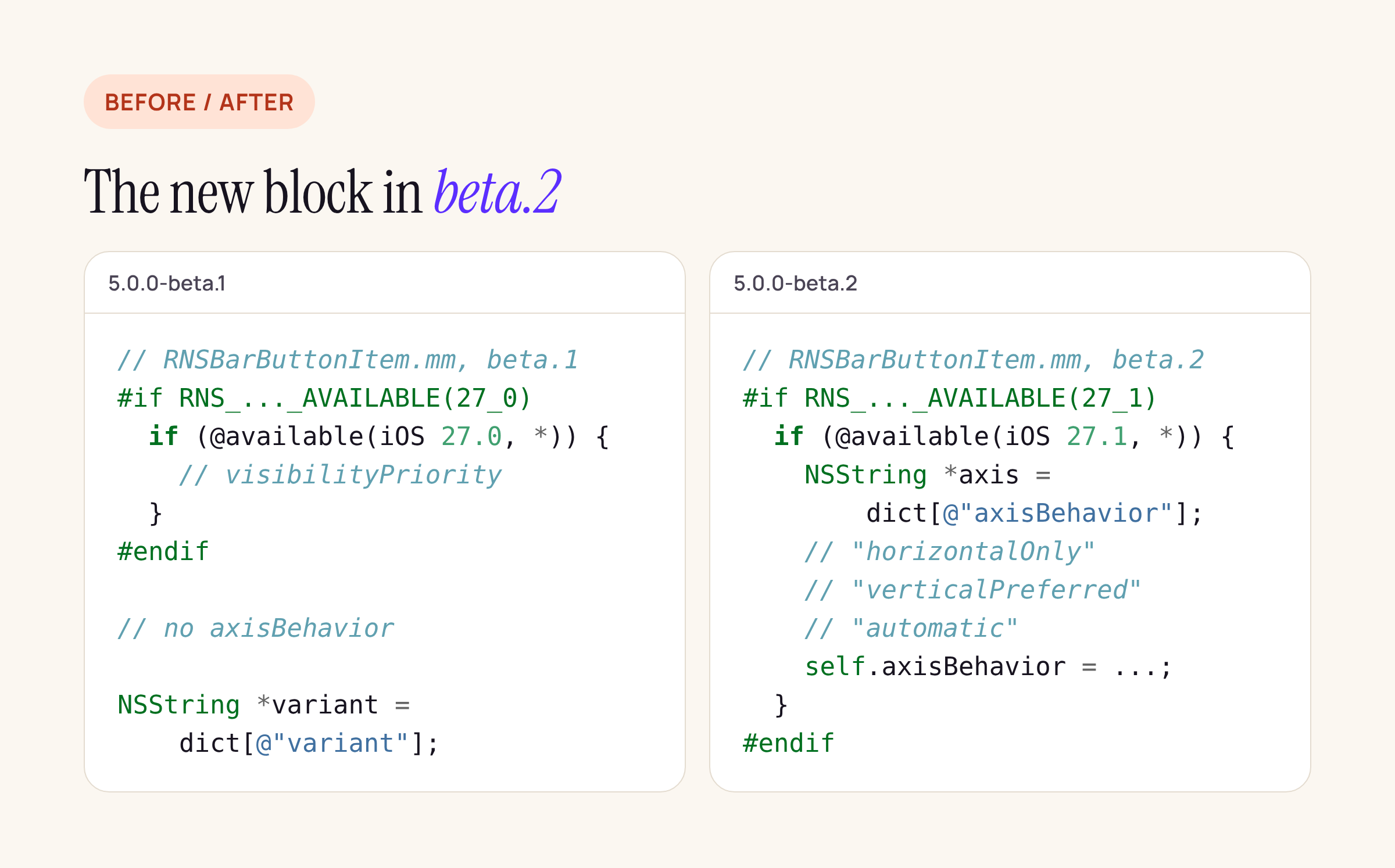
beta.1 stops at visibilityPriority (iOS 27.0); beta.2 reads axisBehavior from the item’s props.
There are two guards, and they do different jobs:
RNS_IPHONE_OS_VERSION_AVAILABLE(27_1)is defined inios/core/utils/RNSDefines.has a check that__IPHONE_OS_VERSION_MAX_ALLOWEDis at least__IPHONE_27_1. That is the SDK you compile against, not the device. Build with the iOS 26 or 27.0 SDK and the whole block is removed by the preprocessor: no warning, the prop is simply ignored.@available(iOS 27.1, *)is the runtime check. On a device running iOS 27.0 or older, the app built with the 27.1 SDK skips the block and the item keeps UIKit’s default.
The block is also compiled out for tvOS and visionOS, so a shared RN codebase with an Apple TV target needs no extra handling.
The JavaScript side
The TypeScript types in src/legacy/types.ts add the option to SharedHeaderBarButtonItem, the base type of every item you pass in headerRightBarButtonItems and headerLeftBarButtonItems:
axisBehavior?:
  | 'automatic'
  | 'horizontalOnly'
  | 'verticalPreferred'
  | undefined;
The doc comment in the package explains it in iPhone Duo terms: “When the open iPhone Duo display shows both a horizontal and a vertical bar, the system can move an item with an icon into the vertical bar.” It is marked @platform ios >= 27.1 with a default of 'automatic'.
On the screen’s header config that looks like this:
<ScreenStackHeaderConfig
  title="Card"
  headerRightBarButtonItems={[
    {
      type: 'button',
      icon: { type: 'sfSymbol', name: 'camera.filters' },
      axisBehavior: 'verticalPreferred',
      onPress: openFilters,
    },
    {
      type: 'button',
      title: 'Share',
      axisBehavior: 'horizontalOnly',
      onPress: share,
    },
  ]}
/>
Treat it as a starting point to adapt. If you use React Navigation’s native stack rather than the screens components directly, check which header item options your installed version forwards to react-native-screens before relying on the new field.
The same property in a plain UIKit app
For a UIKit screen such as an editor toolbar, the change is two lines per item, wrapped in an availability check so the app still builds for older deployment targets:
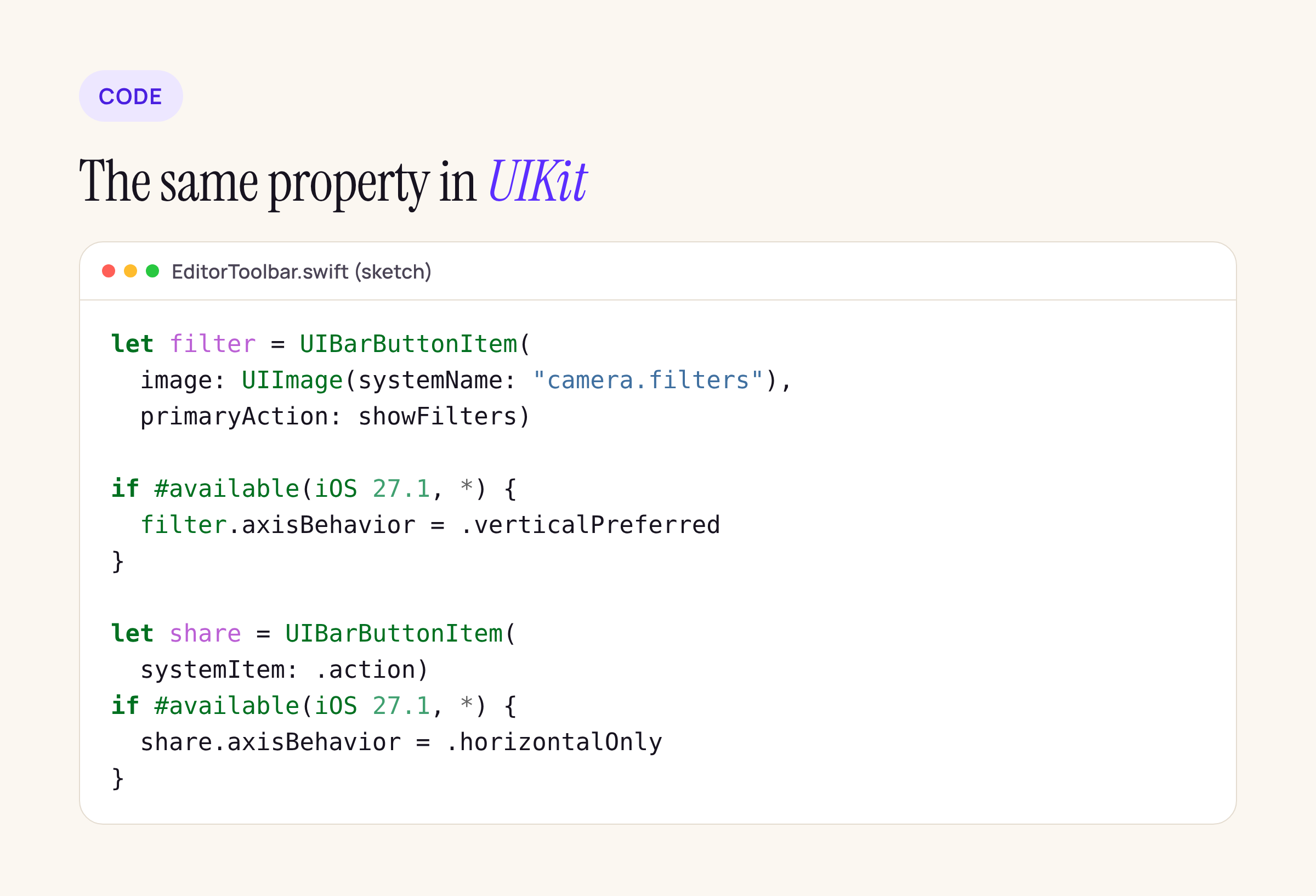
A sketch to adapt: one item that prefers the side bar, one that stays in the top bar.
let filter = UIBarButtonItem(
  image: UIImage(systemName: "camera.filters"),
  primaryAction: showFilters)
if #available(iOS 27.1, *) {
  filter.axisBehavior = .verticalPreferred
}

let share = UIBarButtonItem(systemItem: .action)
if #available(iOS 27.1, *) {
  share.axisBehavior = .horizontalOnly
}
Compile this against the iOS 27.1 SDK; with an older SDK the axisBehavior symbol does not exist and the build fails, which is the same reason react-native-screens wraps its block in a preprocessor check. For the bigger picture of how the open Duo screen is arranged, see our earlier post on iPhone Duo arrangements and reserved regions in UIKit.
The rest of beta.2 worth knowing
- Letter spacing in headers. Header titles, large titles, back titles and bar button item titles accept a letter spacing value. On iOS it becomes
NSKernAttributeNameon top of the font’s own kerning;0turns kerning off. - iOS 26 back button restyle. The header config now resets the back button title when only its appearance changes, with a comment in the source explaining that on iOS 26 and later UIKit otherwise keeps the old title attributes and width.
- Android defaults.
android/build.gradleraisesrnsDefaultTargetSdkVersionandrnsDefaultCompileSdkVersionfrom 34 to 36. These defaults apply only when your root project does not setcompileSdkVersionandtargetSdkVersion; an app on React Native 0.88 sets them, so this matters mainly for library test apps. - Folder renames.
formsheetbecamesheeton both platforms. Nothing in your app imports these native folders directly, but patches you keep with patch-package against beta.1 will not apply.
What to check in your own app
- Upgrade to
react-native-screens@5.0.0-beta.2only on a branch: it is a beta, and the 5.0 line reorganises the native folders. - List every header item and decide its axis: tools that act on the content (filters, drawing, crop) are candidates for
verticalPreferred; account, share and overflow items usually stayautomatic. - Use
horizontalOnlysparingly and never for the only way to reach a feature, since the item is hidden when no horizontal bar is shown. - Confirm your Xcode ships the iOS 27.1 SDK before you expect any effect: with an older SDK the option compiles out silently.
- Look at the open iPhone Duo layout in the Simulator or on a device with both bars visible, and with the device closed, before you ship the change.