From February 2027, Google Play will require any app upload with more than 10 MB of DEX code to reach at least 25% optimization, 25% obfuscation and 25% shrinking. If your release build has R8 switched on with the default rules, you are almost certainly fine. If it does not, you are almost certainly not. We built Google’s open-source Now in Android sample (commit 2982e63, AGP 9.3.2, Gradle 9.7.1, Kotlin 2.3.0) three ways on our M1 lab Mac with JDK 17: R8 off, its DEX was 60.2 MB in six files; R8 on in full mode, 5.7 MB, under the 10 MB line altogether. The takeaway: check isMinifyEnabled (or the new optimization block on AGP 9.3+) in every release build type and flavour before Play Console starts warning you.
Why we did this: our Android work spans the BMDB TV app, Peepal, Shopkeeper and React Native banking apps, and each has its own release config history. After Google’s 29 October policy announcement confirmed the February 2027 deadline, we wanted a reference build with numbers, not a guess.
What Play will check from February 2027
The thresholds live on Play’s technical quality requirements page. There are two parts, and only one of them is about your build.
DEX optimization. “You will need to achieve a minimum of 25% optimization, obfuscation and shrinking for any app uploads to Play Console.” It applies to apps with more than 10 MB of DEX code and games with more than 50 MB, across all form factors, and Google says “you can use any tool, such as R8 or another app shrinker.” App bundle explorer in Play Console shows the DEX size and the percentages for each upload.
Memory. Play reads the last 28 days of field data from Android 13 and later, at the 90th percentile, on phones and tablets only. For apps the foreground limit runs from 2 GB on 4 GB devices to 4.25 GB on 16 GB devices; bitmap memory is capped at 200 MB in the background and 400 MB when cached. These numbers come from real users’ devices, so no build can show them; Android vitals is where you watch them.
| Device RAM (apps) | Foreground | User-perceived service | Background |
|---|---|---|---|
| 4 GB | 2 GB | 1 GB | 1 GB |
| 6 GB | 2.25 GB | 1.25 GB | 1.25 GB |
| 8 GB | 2.25 GB | 1.5 GB | 1.5 GB |
| 12 GB | 3.25 GB | 1.75 GB | 1.75 GB |
| 16 GB | 4.25 GB | 2 GB | 2 GB |
Memory usage at P90 (anonymous RSS plus swap), from Play’s technical quality requirements. Games have higher limits on the same page.
The rest of this post is about the DEX side, which you control at build time.
Three builds of Now in Android
Now in Android already ships a switch for this: its release build type reads a minifyWithR8 Gradle property and defaults to true, with proguard-android-optimize.txt plus the app’s own rules. So the three builds needed no edits to the project:
# R8 off
./gradlew -PminifyWithR8=false :app:assembleDemoRelease
# R8 on, full mode (the default since AGP 8.0)
./gradlew :app:assembleDemoRelease
# R8 on, compat mode
./gradlew -Pandroid.enableR8.fullMode=false :app:assembleDemoRelease
Each ran after ./gradlew clean, with --no-build-cache, after one warm-up build had downloaded every dependency. We read the DEX headers of each APK with a short Python script (method and class counts come from the method_ids_size and class_defs_size fields).
| Build | APK | DEX | Methods | Classes |
|---|---|---|---|---|
| R8 off | 19.4 MB | 60.2 MB | 248,585 | 40,875 |
| R8 full | 4.6 MB | 5.7 MB | 35,002 | 6,201 |
| R8 compat | 5.1 MB | 7.0 MB | 46,075 | 11,215 |
The R8-off DEX came in six files, the R8 builds in two. Clean build times were 3 min 9 s with R8 off, 2 min 23 s in full mode and 2 min 24 s in compat mode.
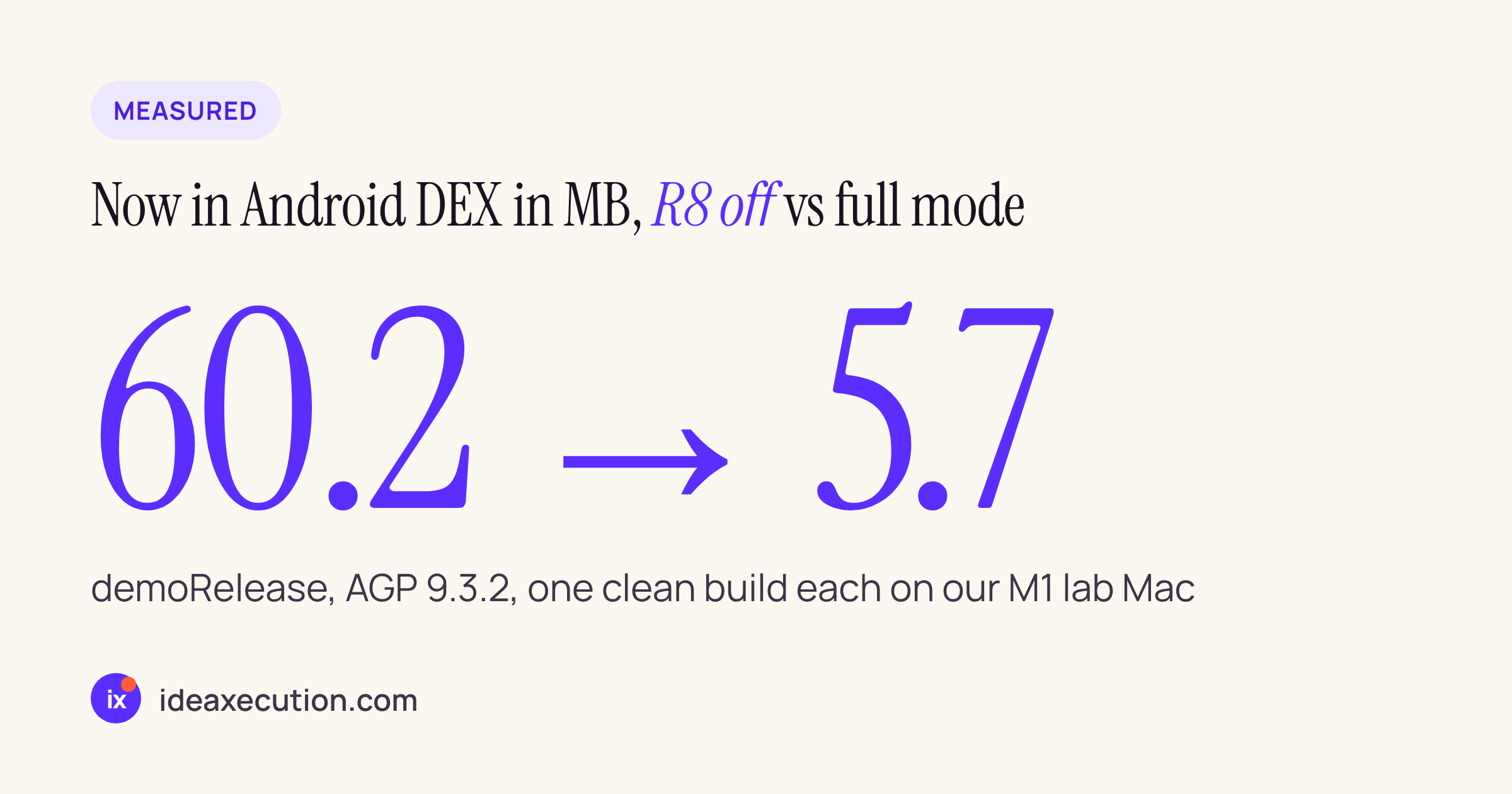
Real numbers from our lab builds: 60.2 MB of DEX with R8 off, 5.7 MB with R8 in full mode.
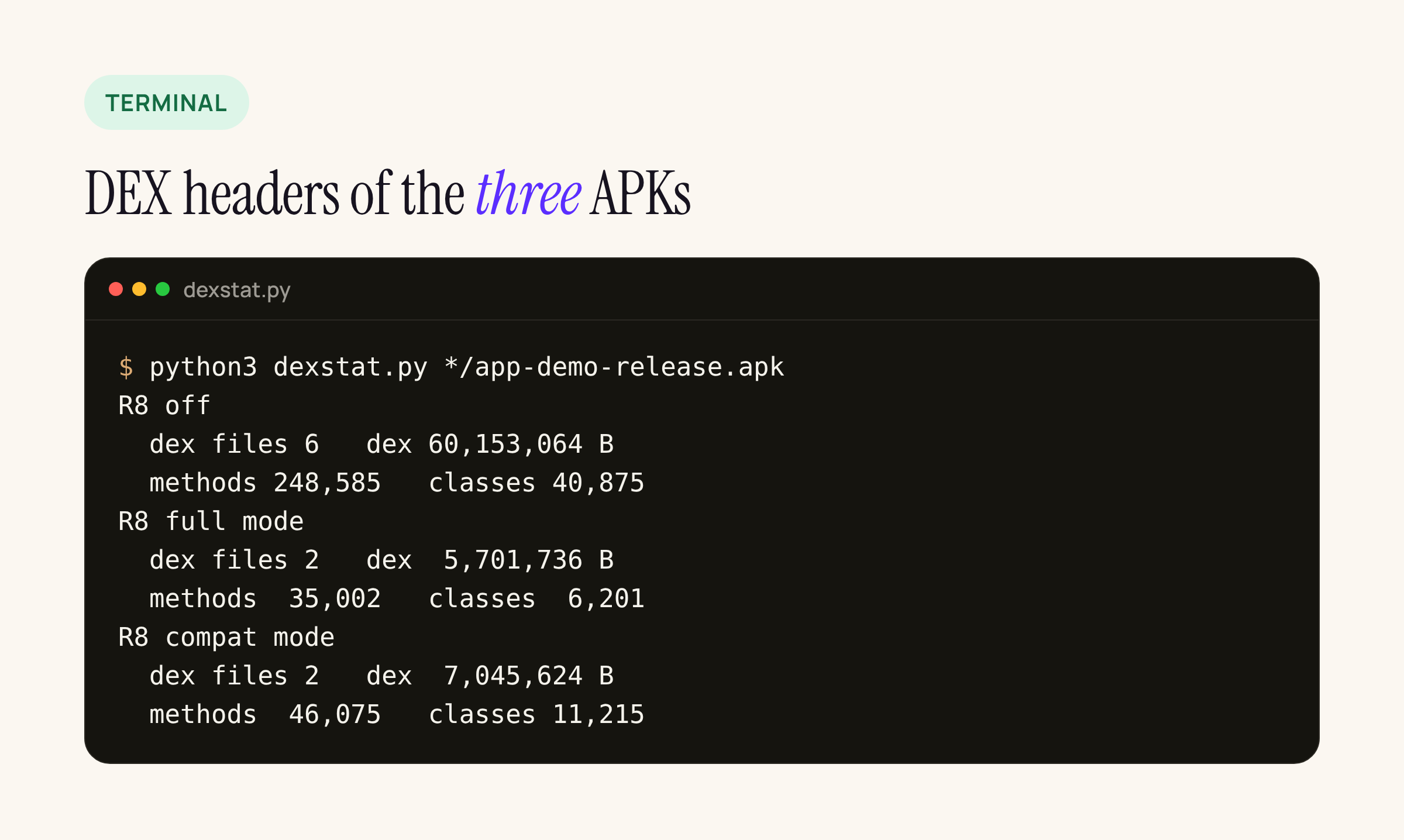
Output of our DEX header script on the three demoRelease APKs.
The build times are one clean run each on one Mac, so read them only as “R8 does not make this build slower in practice”. The R8-off build was the first after the warm-up, which may account for some of its extra time. The second DEX file in the R8 builds is 253 KB of desugared Java library code, the same in both.
What the numbers mean for the threshold
Three things stand out.
R8 off puts a mid-sized app far over the line. 60.2 MB of DEX is six times the 10 MB trigger, and with nothing renamed, inlined or removed, all three percentages would sit at or near zero. A release build type that lost isMinifyEnabled = true somewhere in a refactor, or a flavour that overrides it, is the most likely way to fail this rule.
R8 with defaults takes this app under the trigger. With full mode, Now in Android’s DEX is 5.7 MB, below the 10 MB size where the 25% rule applies at all. R8’s mapping file has 7,364 class entries, and 7,193 of them (97.7%) map to a new, shorter name. Play computes its own percentages from the uploaded bundle, so check app bundle explorer for the real figure, but there is a lot of headroom.
Compat mode costs size and is on its way out. Switching off full mode added 1.3 MB of DEX (23% more), 11,073 more method references and nearly twice the classes. The build also printed WARNING: The option setting 'android.enableR8.fullMode=false' is deprecated. If an old gradle.properties still carries that line, remove it now.
Where the keep rules came from
R8 writes the merged configuration it used to build/outputs/mapping/<variant>/configuration.txt. For Now in Android’s demoRelease it holds 198 -keep lines from 102 sources. The biggest single source is the rules AAPT generates for classes referenced from resources and the manifest (52 lines); then Play services basement (17), the default proguard-android-optimize.txt (15) and Retrofit (9). Only one source used a package-wide wildcard with { *; }: androidx versionedparcelable 1.1.1, with -keep public class androidx.**Parcelizer { *; }.
That is a clean result, and it is the kind of rule Google’s 17 November post on keep rules asks library authors to narrow: no package-wide keeps, codegen over reflection, rules shipped as consumer rules. A React Native app is a different story: our audit of 35 React Native libraries found several shipping broad rules that keep whole packages. The same build now also writes an R8 Configuration Analyzer report (configanalyzer.html) next to configuration.txt; open it from that folder to see which rules block shrinking, optimization or obfuscation.
The Gradle settings to check
On AGP below 9.3, a release build type needs both switches, as Android’s app optimization guide recommends:
android {
    buildTypes {
        release {
            isMinifyEnabled = true
            isShrinkResources = true
            proguardFiles(
                getDefaultProguardFile("proguard-android-optimize.txt"),
                "proguard-rules.pro"
            )
        }
    }
}
On AGP 9.3 and later, the same guide says to “set enable = true in the optimization block in your release build’s app-level build script”; the new block turns on both code and resource optimization with default rules equivalent to proguard-android-optimize.txt. Treat this as a starting point and check it against your AGP version:
android {
    buildTypes {
        release {
            optimization {
                enable = true
            }
        }
    }
}
A checklist before February
- Build every release variant you upload and confirm
minify<Variant>WithR8appears in the task list. - Search
gradle.propertiesforandroid.enableR8.fullMode=falseand remove it. - Look for flavours or build types that set
isMinifyEnabled = falsefor a reason nobody remembers. - Open
configuration.txtfor your release variant and search for.**followed by{ *; }; each hit is a rule to question. - After your next upload, read DEX size and the three percentages in app bundle explorer.
- For memory, watch the Android vitals overview from now on: the data window is 28 days, so January’s numbers are the ones that count.