The short version: expo 58.1.0 (published 26 Nov 2026) depends on expo-modules-core ~58.2.0, which ships expo-modules-macros 0.33.0. If an iOS module in your app uses the Expo Modules API 2.0 macros, check three things before you upgrade: replace @Event(sync: true) with @Event(.inline) or @Event(.blocking), make every @ExpoModule and @SharedObject class public, and move any static or extension-declared @JS members into the class body as instance members. Modules written with the older definition() DSL are not touched by any of this.
This is a source diff of the npm packages expo-modules-core 58.0.30 (the newest version an expo 58.0.x app resolves to) and 58.2.0, plus expo-modules-macros 0.29.0 and 0.33.0, read against the package changelogs.
Why we did this: our Beacon-type banking apps carry small native modules on iOS (a haptics wrapper, a biometric prompt), and we are moving new ones to the macro syntax. We wanted the list of things that stop compiling before the first npx expo install --fix.
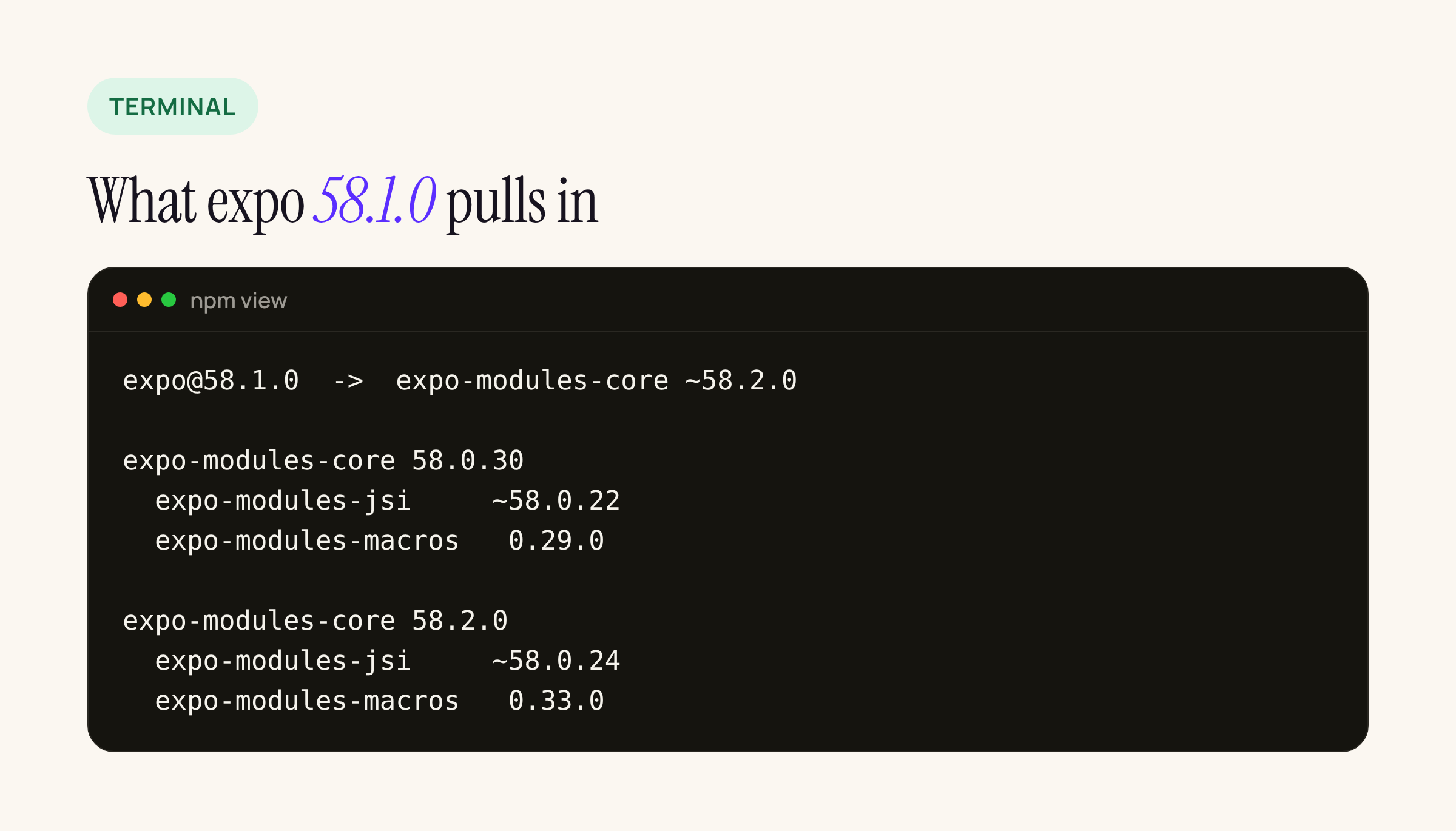
Real npm view output for the three packages.
What moved between the two versions
| Package | expo 58.0.x app | expo 58.1.0 app |
|---|---|---|
expo-modules-core |
58.0.30 | 58.2.0 |
expo-modules-macros (Swift macro plugin) |
0.29.0 | 0.33.0 |
expo-modules-jsi |
~58.0.22 | ~58.0.24 |
expo-modules-core 58.1.0 came out on 11 Nov but no expo release pointed at it until 58.1.0 on 26 Nov, so most apps jump straight from 58.0.30 to 58.2.0 and get both minor releases at once. The changelog entries quoted below are in the expo-modules-core CHANGELOG.
The breaking one: @Event lost its sync: argument
In 58.0.30, ios/Core/ExpoModulesMacros.swift declares the event macro like this:
public macro Event(_ name: String? = nil, sync: Bool = false) =
  #externalMacro(module: "ExpoModulesMacros", type: "EventMacro")
In 58.2.0 the sync: parameter is gone. There are now two overloads that take a new EventOptions enum:
public macro Event(_ name: String? = nil, _ options: EventOptions...) =
  #externalMacro(module: "ExpoModulesMacros", type: "EventMacro")

public macro Event(_ options: EventOptions...) =
  #externalMacro(module: "ExpoModulesMacros", type: "EventMacro")
So @Event(sync: true) no longer matches any declaration and the module stops compiling. The replacement depends on what you needed sync for:
.inline: when the event is emitted on the JavaScript thread (for example from a synchronous@JSfunction), the listeners run before the call returns. From any other thread it is scheduled as usual and never blocks..blocking: the listeners run before the call returns on any thread. A call from another thread waits for the JavaScript thread. The doc comment in the source warns that from the main thread this freezes the UI while JavaScript is busy, that it can deadlock if the JavaScript thread is waiting on the caller, and that it must not be used from anasyncfunction.
The source says to prefer .inline unless the caller has to wait for the listeners, and so do we: in a module that only reports back to JavaScript, .inline is the direct replacement. Passing both options is a compile error in macros 0.33.0 (“@Event can’t be both ‘.inline’ and ‘.blocking’”).
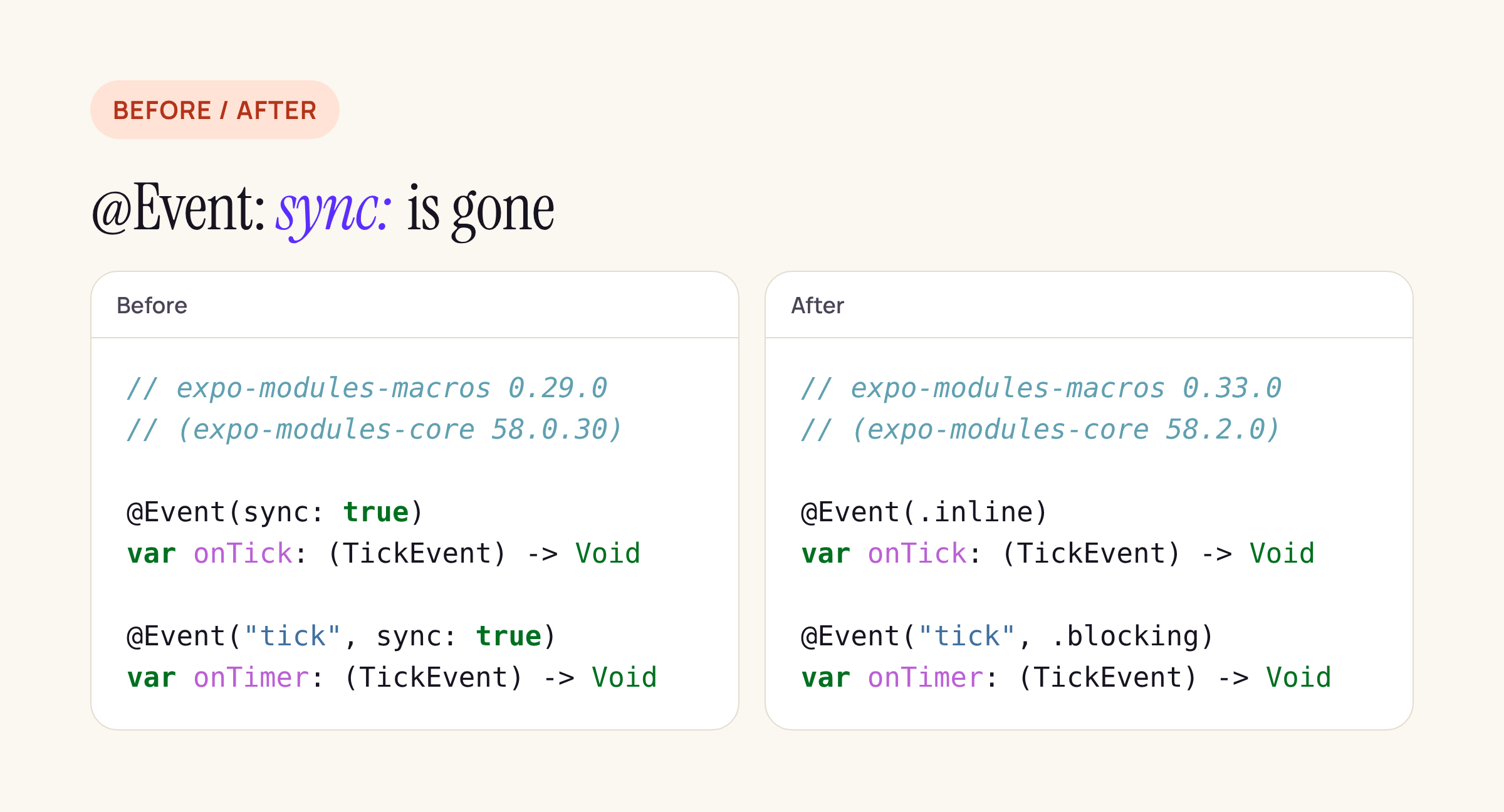
The same two event properties declared for macros 0.29.0 and 0.33.0.
Under the hood, EventEmitter gained emitInline(event:payload:) and emitBlocking(event:payload:), which the generated code calls. If you emit events by hand from a 2.0 module, those are the methods to use.
New build errors in expo-modules-macros 0.33.0
The 58.1.0 changelog says the macros “report more mistakes as build errors”. We compared the diagnostic strings in the macro plugin sources of 0.29.0 and 0.33.0. These are the ones that are new and most likely to hit an existing module:
| You wrote | 0.33.0 says |
|---|---|
a non-public @ExpoModule or @SharedObject class |
it “should be public or open, so that the modules provider that autolinking generates in the app target can” reach it (a warning) |
@JS static func or @JS class var in an @ExpoModule class |
error: JavaScript gets one module object, so make it an instance member |
a @JS member in an extension of the module |
error: only @JS members in the class body are bound; move it into the declaration |
a @SharedObject class with no superclass |
error: it must inherit from SharedObject, directly or through a class such as SharedRef |
two @Event properties with the same JavaScript name |
error: a listener could not tell them apart |
| a JavaScript name the runtime reserves | error: rename it with @JS("otherName") |
The changelog also says the ExpoModulesMacrosPlugin Swift package product “no longer breaks iOS builds in Xcode”. If you had pinned the macros or removed the plugin product to get Xcode builds through, that workaround can go.
Types that now cross the bridge without a wrapper
58.1.0 adds JavaScriptDecodable and JavaScriptEncodable conformances for URL, UIColor, CGColor and SwiftUI Color (new files JavaScriptCodable+URL.swift and JavaScriptCodable+Color.swift). They can be @JS arguments, return values, @Record fields and event payloads. In the URL file, a string is decoded through the same helper the old Convertible path used, so file paths without a scheme still become file URLs, and a URL is encoded back as its absolute string.
For us this removes a common chore: a @Record with var link: String and a manual URL(string:) in the function body can now be var link: URL.
What the module looks like after the upgrade
Here is the haptics wrapper in the 2.0 syntax, written against the 58.2.0 macro declarations. Treat it as a starting point and compile it against your own target:
import ExpoModulesCore
import UIKit

@Record
struct PlayedEvent {
  var style: String
}

@ExpoModule("Haptics")
public final class HapticsModule: Module {
  @Event(.inline)
  var onPlayed: (PlayedEvent) -> Void

  @JS
  func impact(style: String) {
    let heavy = style == "heavy"
    DispatchQueue.main.async {
      UIImpactFeedbackGenerator(
        style: heavy ? .heavy : .light
      ).impactOccurred()
    }
    onPlayed(PlayedEvent(style: style))
  }
}
A few details from the macro sources that matter here:
@ExpoModule("Haptics")sets the JavaScript name. Without it the class name is used, and there is noName(...)call any more.- The macro adds an
@unchecked Sendableconformance to the class when it is notSendableyet, because native code can call the module from more than one thread. Shared mutable state still needs a lock or an actor. @Recordtakes every stored, non-private property as a field (no@Fieldwrapper). A property with a default value is optional, an optional type is nullable, anything else is required. Since 58.0.30 a@Recordcan no longer be built from a native dictionary:from(dictionary:appContext:)throwsRecordDictionaryConversionException.- A
@JSfunction runs on the JavaScript thread, so UIKit work goes to the main queue. Because the event is emitted from the JavaScript thread,.inlineruns the listener beforeimpactreturns.
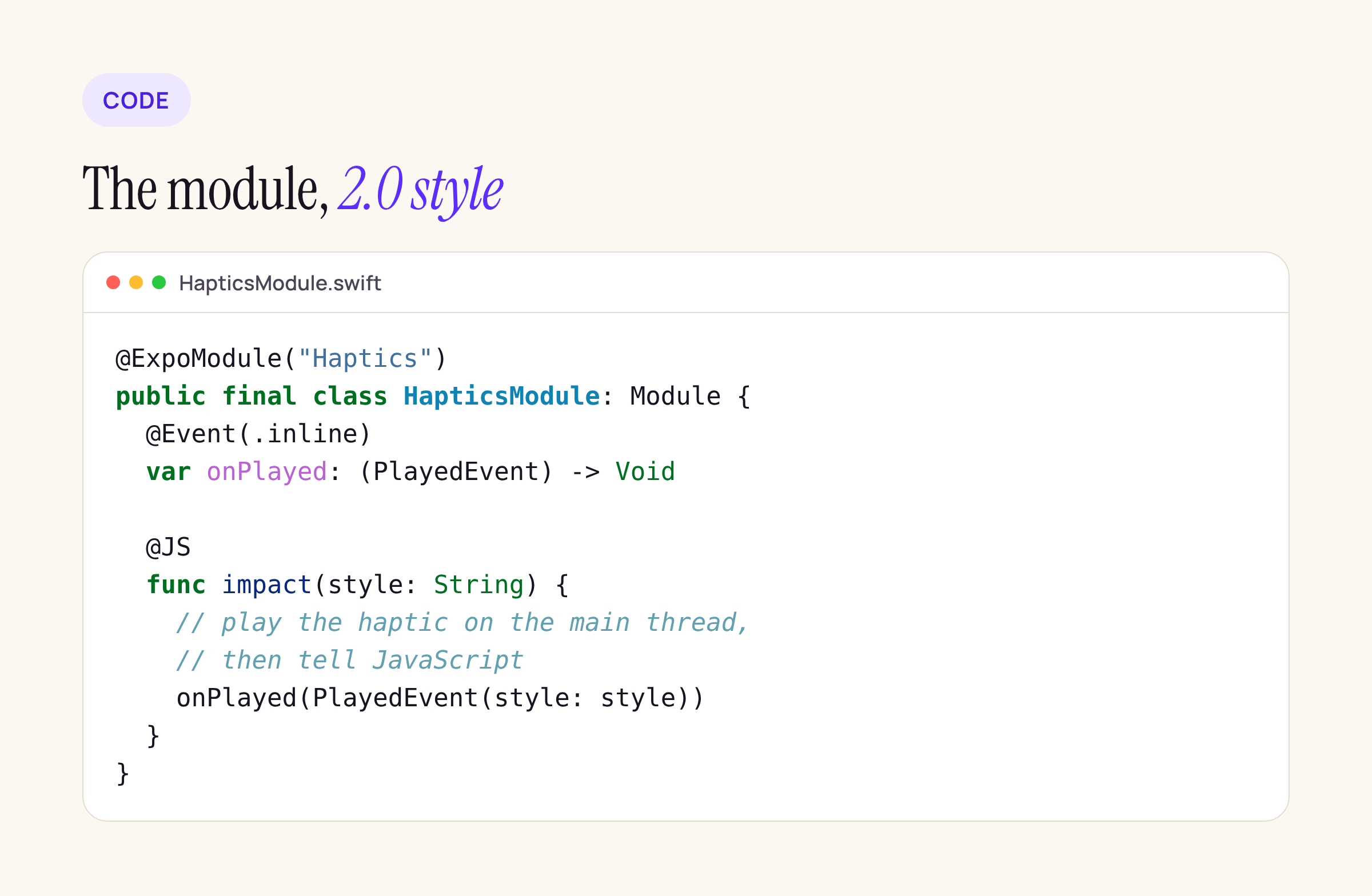
The same module, trimmed to its shape.
Smaller changes worth knowing
- Module packages on iOS. The generated modules provider now also lists 2.0 modules grouped by npm package in a new
packagesproperty (ExpoPackage), with local and inline modules under$local. Registration does not change: every module is still ingetModuleClasses(). - Android bridge. 58.2.0 adds
legacyAppContextandlegacyAppContextOrNull, so an Android module or shared object written for API 2.0 can still reach the oldAppContext. - Concurrency fixes on iOS. A crash when several functions read
appContext.fileSystemorappContext.permissionsfor the first time at once is fixed (the changelog names parallelopenDatabaseAsynccalls inexpo-sqlite). - SwiftUI hosting. SwiftUI views mounted outside any view controller, for example inside react-native-screens’
FullWindowOverlay, no longer render blank, and React Native content in a SwiftUIListrow no longer goes blank.
Upgrade checklist for an app with 2.0 modules
npx expo install expo@58.1.0 --fix, thennpm ls expo-modules-core expo-modules-macrosand confirm 58.2.0 and 0.33.0.- Search your modules for
sync:inside@Event(...)and replace it with.inline(or.blockingif a caller really must wait). - Make
@ExpoModuleand@SharedObjectclassespublicoropen. - Move
@JSmembers out of extensions and turnstaticones into instance members. - Replace
Stringfields that only held URLs or colours withURLorUIColorwhere it simplifies the code. - Run
pod installand a clean Xcode build; the macro diagnostics show up in the build log against your own declarations.
Modules that still use definition() with Name, Function and Events need none of the steps above.