
Every React Native Android app made from the community template still sets android:usesCleartextTraffic in its manifest. Android’s own reference now says the attribute “is getting deprecated and will be ignored for apps targeting API levels 38 and above”. The fix is small: replace the attribute with android:networkSecurityConfig, add one XML file for release and one for each debug build type. The second debug file is the part people miss: React Native’s Gradle plugin creates a debugOptimized build type that does not read src/debug.
We unpacked the npm packages of @react-native-community/template 0.86.3, 0.87.2, 0.88.1 and 0.89.0-rc.2, @react-native/gradle-plugin 0.88.1 and 0.89.0-rc.2, and expo-template-bare-minimum 58.0.35, then ported the 0.89 template and checked both versions with a short script (below).
Why we did this: our banking apps pin certificates and must never allow cleartext in a release build. The template default works, but it hides the decision in a Gradle placeholder, and that placeholder is on its way out.
What Android says, and when
The Android 17 behaviour page for all apps (updated 9 Nov 2026) puts it plainly: “In a future release, we plan to deprecate the usesCleartextTraffic element. Apps that need to make unencrypted (HTTP) connections should migrate to using a network security configuration file”. The <application> reference gives the version: ignored for apps targeting API 38 and above. It also says the flag is already “ignored on Android 7.0 (API level 24) and above if an Android Network Security Config is present”, so the two cannot fight once you add the file.
| What | Detail | Source |
|---|---|---|
| Deprecation plan | The attribute will be deprecated: move to a config file | All apps |
| When it stops working | Ignored for apps targeting API 38 and above | Manifest |
| minSdk below 24 | Keep the attribute set to true and add a config file | All apps |
| minSdk 24 or higher | Config file only, the attribute is not needed | All apps |
| Default without a config | Cleartext off for targetSdk 28 and up | Config docs |
| Localhost on API 37 | Implicit config: cleartext allowed, no CT, no pinning | Config docs |
| CT on API 37 | Certificate transparency on by default | Target 37 |
The template’s minSdkVersion is 24 in every version we unpacked, so a React Native app made from it needs only the config file.
What the template ships today
The manifest line is identical in 0.86.3, 0.87.2, 0.88.1 and 0.89.0-rc.2:
android:usesCleartextTraffic="${usesCleartextTraffic}"
The value comes from AgpConfiguratorUtils.kt in @react-native/gradle-plugin, unchanged between 0.88.1 and 0.89.0-rc.2:
getByName("debug").apply {
  manifestPlaceholders["usesCleartextTraffic"] = "true"
}
getByName("release").apply {
  manifestPlaceholders["usesCleartextTraffic"] = "false"
}
maybeCreate("debugOptimized").apply {
  manifestPlaceholders["usesCleartextTraffic"] = "true"
  initWith(debug)
  matchingFallbacks += listOf("release")
}
Three build types, three values. Debug builds allow HTTP so the app can reach Metro; release does not. No version of the template ships a network_security_config.xml.
Two more details from the same packages. The 0.89.0-rc.2 template raises targetSdkVersion from 36 to 37, so a fresh 0.89 app gets certificate transparency by default. And the Expo bare template 58.0.35 does it differently: no attribute in the main manifest, usesCleartextTraffic="true" in separate src/debug and src/debugOptimized manifests. That confirms the second debug build type is real in Expo projects too.
We also unpacked 14 common libraries (webview 14.0.1, screens 4.30.1, safe-area-context 5.11.1, reanimated 4.7.2, gesture-handler 3.5.0, svg 15.16.1, mmkv 4.3.2, Firebase app 27.1.1, device-info 15.0.2, vision-camera 5.2.4, async-storage 3.1.1, ssl-public-key-pinning 1.2.6, expo-dev-client and expo-dev-launcher 58.0.21). None of them sets usesCleartextTraffic or a network security config in its XML, so the merged manifest takes the app’s own setting.
The port, step by step
1. Swap the manifest attribute
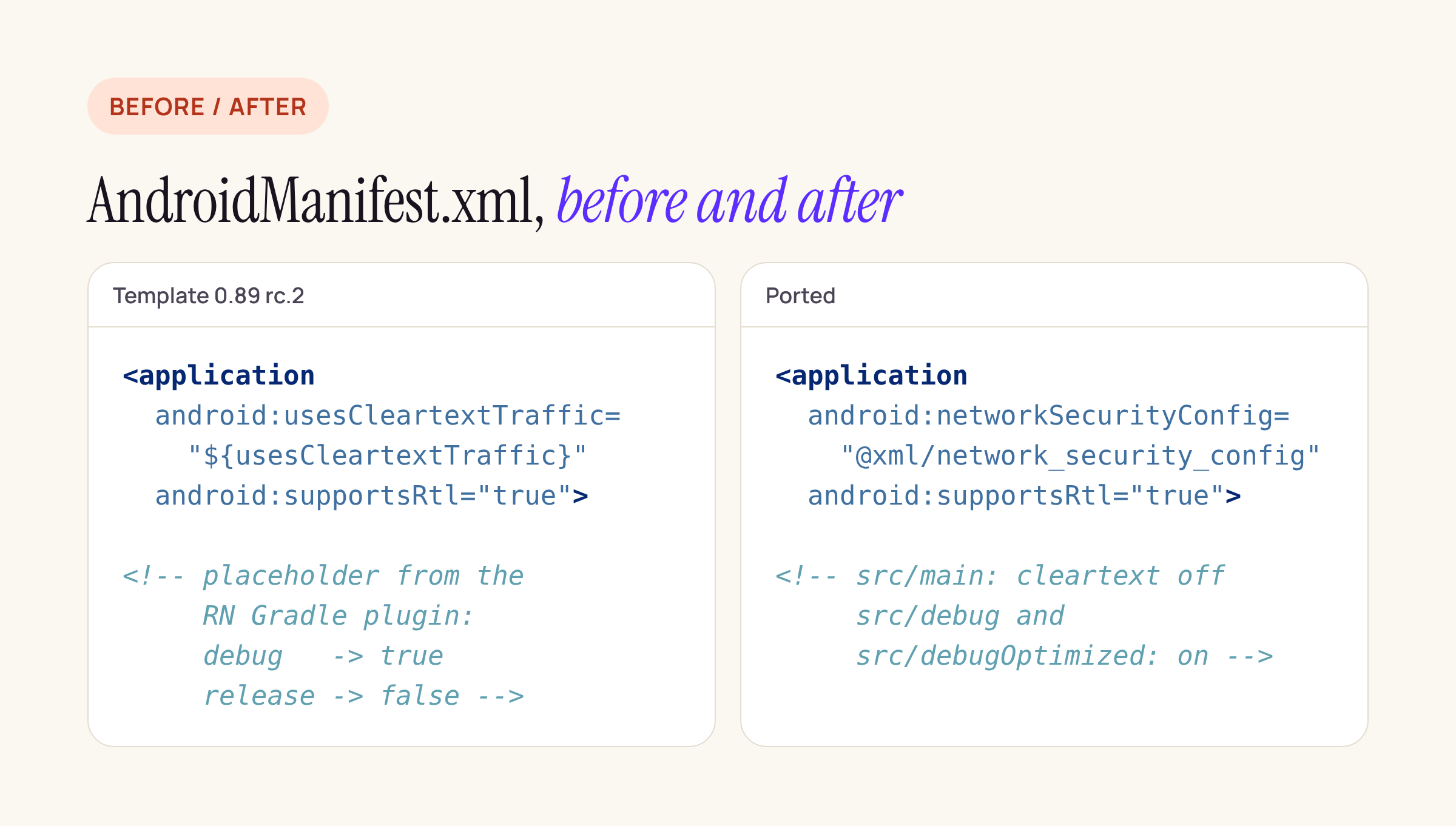
The only manifest change: one attribute out, one in.
In android/app/src/main/AndroidManifest.xml:
<application
  ...
  android:networkSecurityConfig="@xml/network_security_config"
  android:supportsRtl="true">
The Gradle plugin still sets the usesCleartextTraffic placeholder. With nothing in the manifest reading it, it does nothing, and you do not need to touch Gradle.
2. Release: cleartext off, said out loud
android/app/src/main/res/xml/network_security_config.xml:
<?xml version="1.0" encoding="utf-8"?>
<network-security-config>
    <base-config cleartextTrafficPermitted="false" />
</network-security-config>
This matches the platform default for targetSdk 28 and up, but writing it down means a reviewer sees the decision. If a release build really must reach an HTTP host, add a domain-config for that host only, as in Google’s sample:
<domain-config cleartextTrafficPermitted="true">
    <domain includeSubdomains="true">insecure.example.com</domain>
</domain-config>
3. Debug and debugOptimized: cleartext on
Create the same file name in two more source sets, so each build type gets its own copy of the resource:
android/app/src/debug/res/xml/network_security_config.xml
android/app/src/debugOptimized/res/xml/network_security_config.xml
<?xml version="1.0" encoding="utf-8"?>
<network-security-config>
    <!-- debug builds only: Metro on the emulator host or LAN -->
    <base-config cleartextTrafficPermitted="true" />
</network-security-config>
Why not <debug-overrides>? Google’s page describes it for trust anchors used only when android:debuggable is true; it is not where cleartext is switched. A per-build-type resource is the clean way to keep release strict.
Why not rely on the new localhost rule? On API 37 an implicit config allows cleartext to localhost, ip6-localhost and loopback addresses such as 127.0.0.1. That covers Metro through adb reverse on Android 17. It does not cover the emulator’s 10.0.2.2 host address, a Metro server on your LAN, or devices on older Android versions, so keep the debug files.
4. Check it
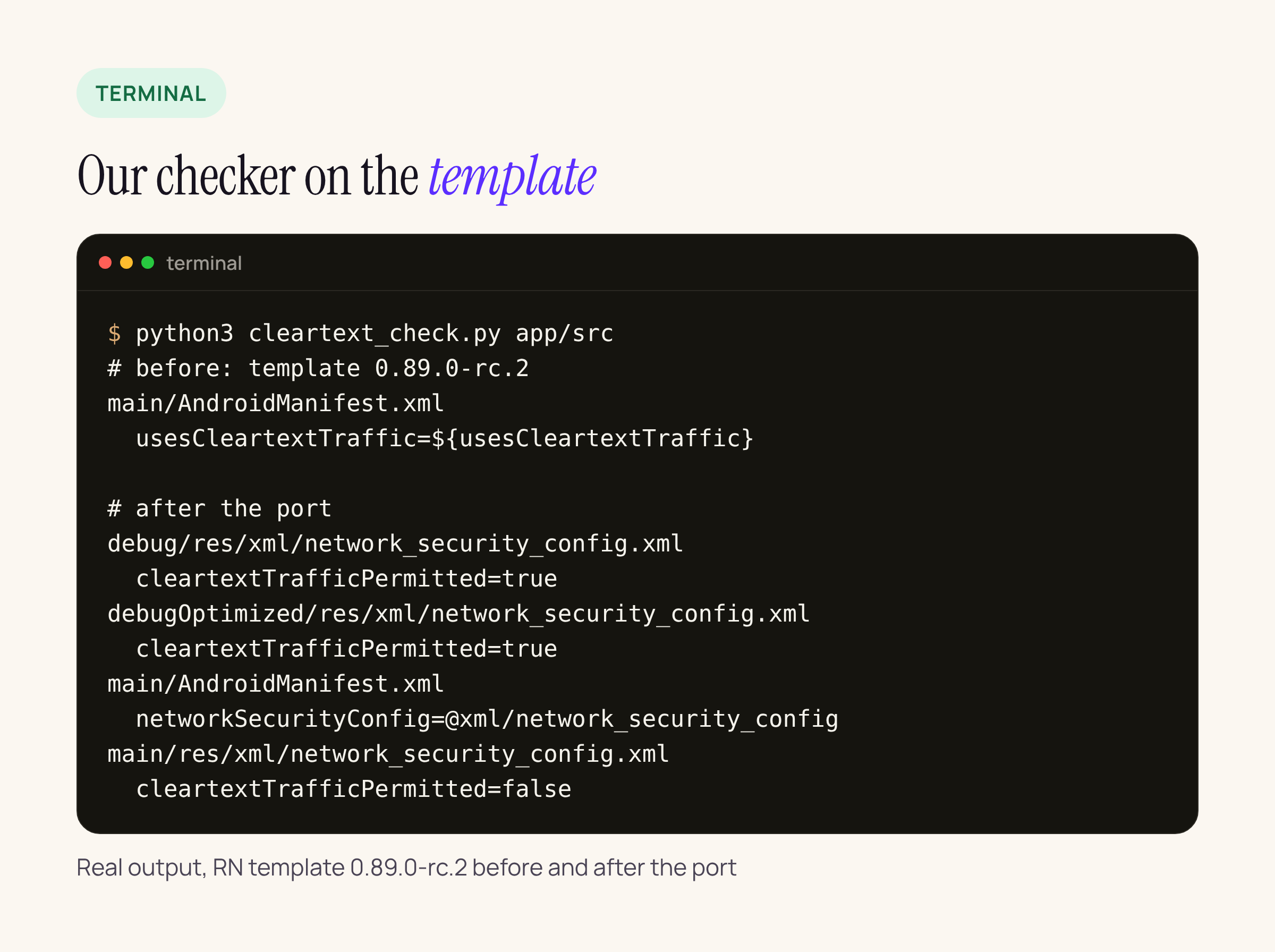
The template before and after the port, listed by our script.
The script we used is 13 lines and only reads files:
#!/usr/bin/env python3
"""List cleartext settings in an Android app module."""
import re, sys, pathlib
root = pathlib.Path(sys.argv[1])
for p in sorted(root.rglob("*")):
    if p.suffix not in (".xml", ".gradle", ".kts") or "build" in p.parts:
        continue
    t = p.read_text(errors="ignore")
    rel = p.relative_to(root)
    for key in ("usesCleartextTraffic", "networkSecurityConfig",
                "cleartextTrafficPermitted"):
        for m in re.finditer(key + r'="([^"]+)"', t):
            print(f"{rel}\n  {key}={m.group(1)}")
Run it on android/app/src. A finished port shows no usesCleartextTraffic, a config file in main with false, and one in each debug build type with true.
While you are in the file: certificate transparency
From targetSdk 37, certificate transparency is on by default, and the 0.89 template targets 37. Google’s page notes that CT is not checked on connections that use custom trust anchors, and lets you opt a domain out:
<domain-config>
    <domain includeSubdomains="true">secure.example.com</domain>
    <certificateTransparency enabled="false"/>
</domain-config>
For our banking apps we keep CT on: the API hosts use public certificates, and pinning sits on top of that. Only opt out for a host you can name and a reason you can write in the pull request.
What to check on your own app
- Run the script on
android/app/srcand on any custom build types or flavours: each one that talks to Metro needs its own debug config file. - Search
android/for a hand-writtenusesCleartextTraffic="true"in the main manifest. That is a release build allowing HTTP everywhere. - If
minSdkVersionis below 24, keep the attribute as well, as Android’s page says. - Build a debug variant and a
debugOptimizedvariant and confirm Metro still loads before you merge.






