
Do not start the Swift 6 migration of a React Native iOS app by setting the app target’s “Swift Language Version” to 6. CocoaPods gives that same Swift version to every pod whose podspec declares none, so on the next pod install libraries you do not own can move to Swift 6 language mode with you. In our check of 16 React Native packages from npm (react-native 0.88.1 and the current releases of the others on 18 Nov 2026), two ship Swift code with no swift_version: react-native-vision-camera 5.2.4 and @stripe/stripe-react-native 0.85.1. Start instead with complete concurrency checking per target, pin those pods to Swift 5, and switch modules to Swift 6 one at a time.
Why we did this: our Beacon-type banking apps are React Native with a Swift layer for biometrics, the keychain and payments, and the native modules they depend on are split between Swift 5 and Swift 6. We wanted to know what moves when we flip the switch before we flip it.
The three settings, from the Swift migration guide
The Swift project’s migration guide (source on GitHub, published as the guide on swift.org) names three switches, and they are worth keeping apart:
| Step | Xcode | SwiftPM |
|---|---|---|
| Upcoming features one at a time, Swift 5 mode | - flag |
. |
| Complete checking as warnings, Swift 5 mode | SWIFT_ |
. |
| Swift 6 mode: the checks become errors | SWIFT_ |
tools 6.0, or . |
On the command line the last two are -strict-concurrency=complete and -swift-version 6.
The guide’s migration strategy is to select a module, enable stricter checking in Swift 5 mode, and address warnings, starting “from the outside” with the module nothing else depends on. It suggests enabling single upcoming features first, “to focus on one specific type of problem at a time”:
| Proposal | What it changes | Feature flag |
|---|---|---|
| SE-0401 | No actor isolation inferred from property wrappers | Disable |
| SE-0412 | Strict concurrency for global variables | Global |
| SE-0418 | Sendable inferred for methods and key path literals |
Infer |
Then complete checking, which “will surface issues only as warnings, keeping your build and tests functional as you progress”, and only then the language mode. The complete-checking and language-mode settings above are quoted from the guide’s Enable data-race safety checking page.
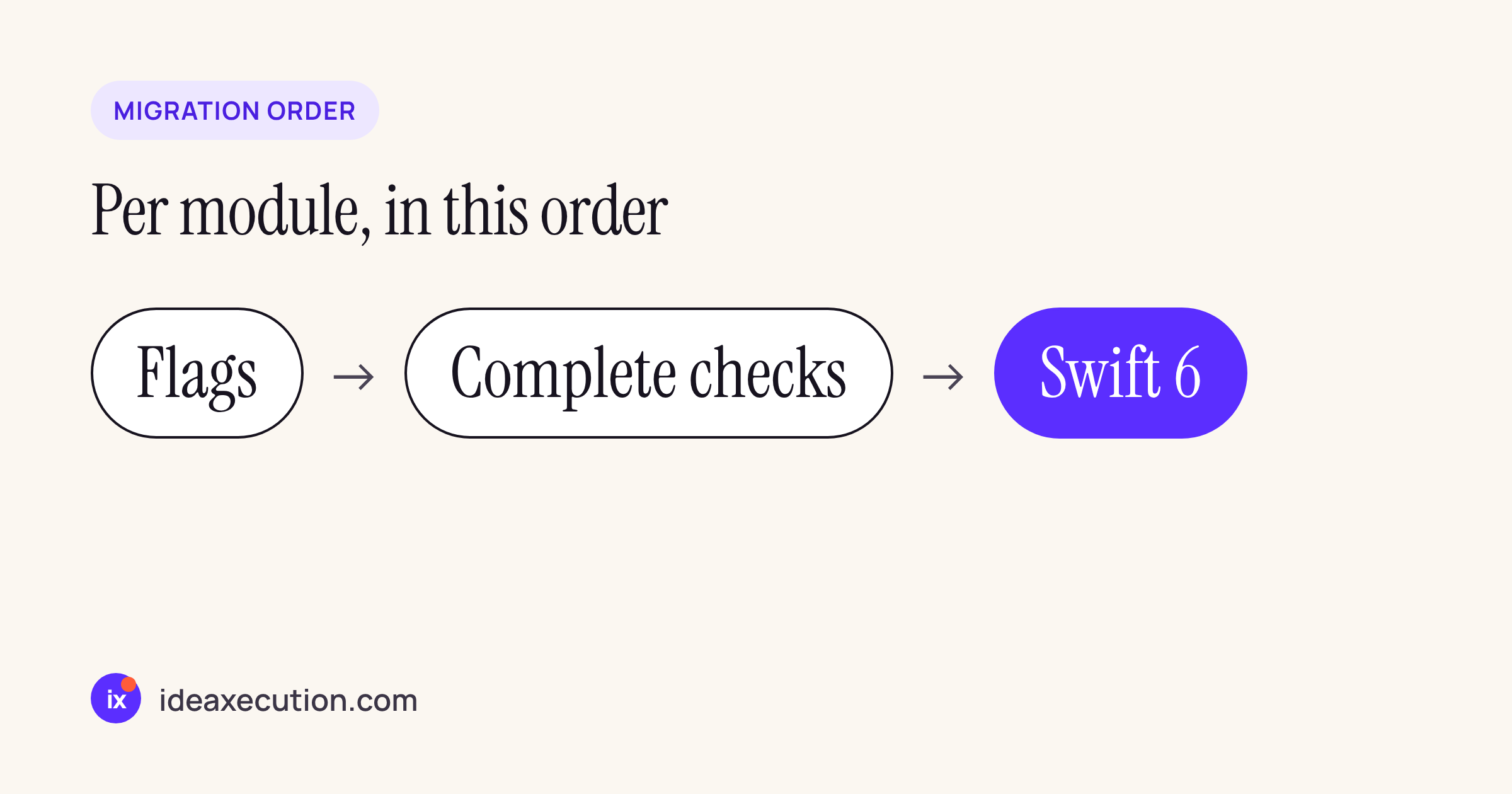
The order the guide recommends, applied per module.
What CocoaPods does with your SWIFT_VERSION
A new React Native 0.88.1 app starts in Swift 5 mode: the HelloWorld.xcodeproj in @react-native-community/template 0.88.1 sets SWIFT_VERSION = 5.0 on the app target. Changing that one value does more than change your own files, because of how CocoaPods picks the Swift version for a pod. We read the CocoaPods source (master after the 1.17.0 release). target_inspector.rb reads SWIFT_VERSION from your user targets into the target definition, and analyzer.rb then does this:
def determine_swift_version(spec, target_definitions)
  if spec.swift_versions.empty?
    target_definitions.map(&:swift_version).compact.uniq.first
  else
    spec.swift_versions.sort.reverse_each.find do |swift_version|
      target_definitions.all? do |td|
        td.supports_swift_version?(swift_version)
      end
    end.to_s
  end
end
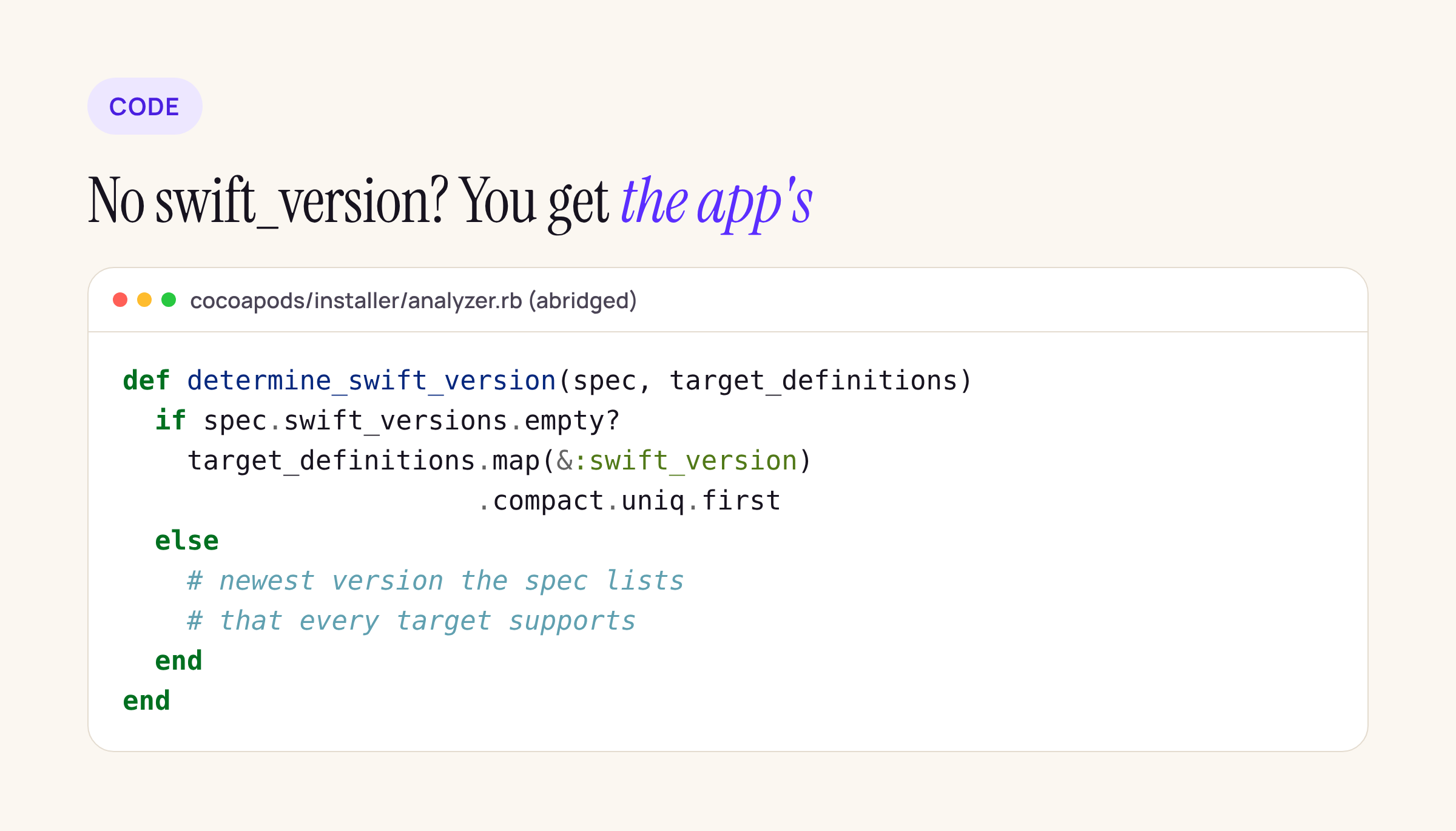
The branch that matters: no swift_versions in the podspec means the pod inherits yours.
So a pod that declares a Swift version keeps it, and a pod that declares none follows the app target. Set the app to 6 and those pods compile in Swift 6 mode after the next pod install, with every data-race diagnostic as an error, in code you cannot edit in place.
16 React Native packages, checked
We ran npm pack on each package, unpacked it, listed the .swift files, and read the Swift settings in every podspec and Package.swift. react-native 0.88.1, react-native-screens 4.30.1 and react-native-safe-area-context 5.11.0 are the versions we track; the others are their latest npm releases on 18 Nov 2026.
| Package | Swift files | Language mode it gets |
|---|---|---|
react- 0.88.1 |
1 (RCTSwift) |
5: the pod’s xcconfig sets SWIFT_ 5.0 |
expo- 58.1.0 |
195 | 6: podspec swift_ 6.0 |
expo- 58.0.3 |
2 | 5: podspec 5.9, manifest swift |
lottie- 7.5.1 |
3 | 5 through CocoaPods (podspec 5.9), 6 through SwiftPM (tools 6.0, no mode set) |
@react- 3.1.1 |
2 | 5: podspec 5.9.2 |
react- 5.2.4 |
355, with generated Nitro bindings | yours: no swift_ declared |
@stripe/ 0.85.1 |
44 | yours: no swift_ declared |
| screens 4.30.1, safe-area-context 5.11.0, reanimated 4.7.2, gesture-handler 3.5.0, svg 15.16.1, keychain 11.0.0, webview 14.0.1, maps 1.29.11, flash-list 2.3.3 | 0 | none: Objective-C and C++ only (some ship a tools 6.0 manifest with no Swift targets) |
Two rows deserve a closer look.
The two that follow your app. VisionCamera and the Stripe SDK wrapper are the ones a banking or KYC app is most likely to have, and neither declares a Swift version. A rough signal of how ready their code is for Swift 6 checks: across their Swift sources we count 0 @MainActor annotations in VisionCamera 5.2.4 and 34 in stripe-react-native 0.85.1, against 47 @MainActor, 125 Sendable and 23 nonisolated in expo-modules-core, which already builds in Swift 6 mode. Counting keywords is not a compile; it only tells you where to look first.
Lottie in two modes. The Package.swift of lottie-react-native 7.5.1 uses swift-tools-version: 6.0 and sets no language mode, and the migration guide says that “A Package.swift file that uses swift-tools-version of 6.0 enables the Swift 6 language mode for all targets.” Its podspec says 5.9. The same three Swift files are compiled in Swift 5 mode when you integrate through CocoaPods and Swift 6 mode when you integrate through SwiftPM.
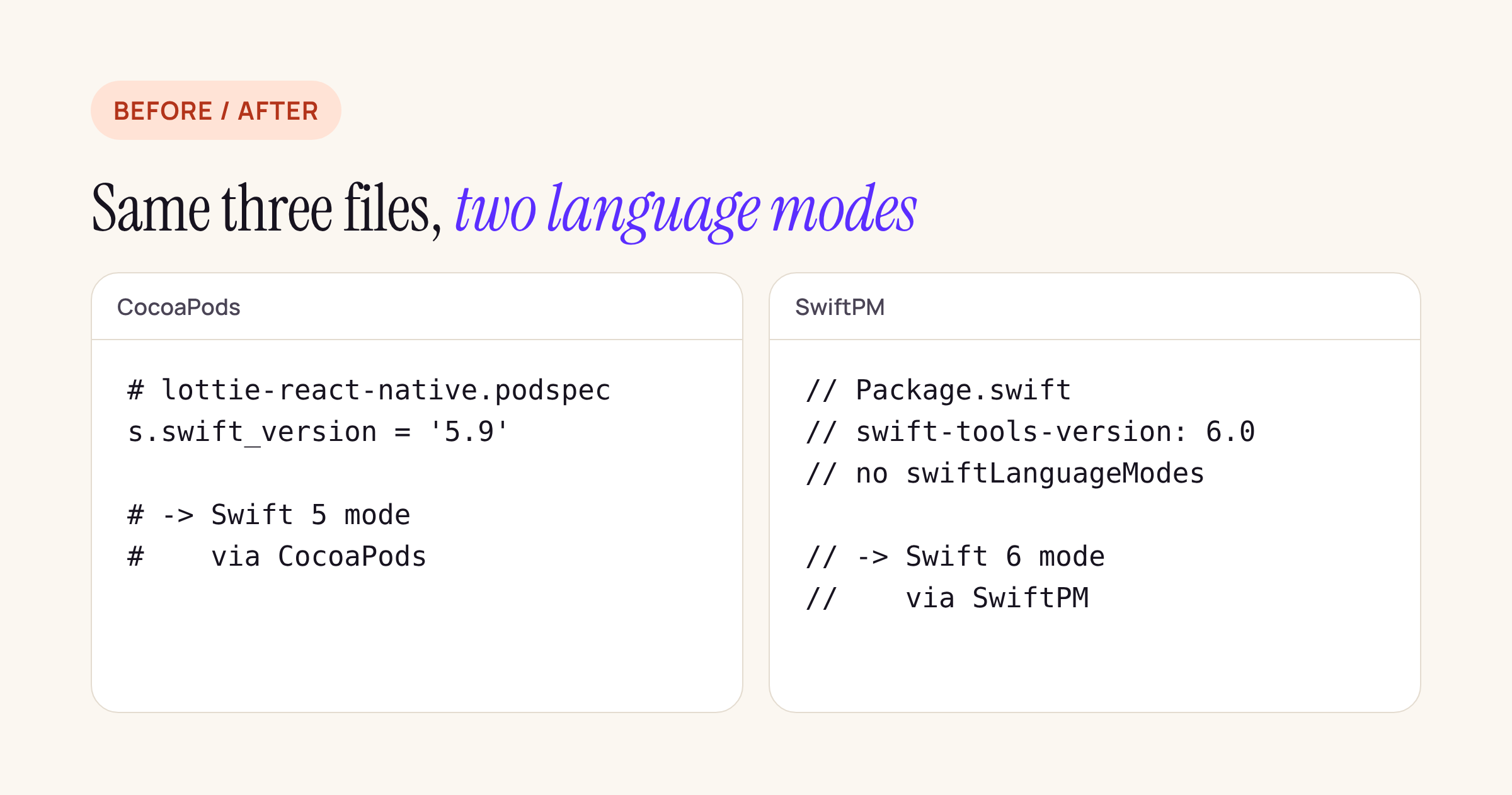
The podspec and the manifest of lottie-react-native 7.5.1 ask for different language modes.
Keep the unready pods on Swift 5
If you want your app target in Swift 6 mode before VisionCamera or Stripe declare a version, pin them in the post_install hook your React Native Podfile already has. Treat this as a starting point and build it against your own Podfile:
post_install do |installer|
  react_native_post_install(
    installer,
    config[:reactNativePath],
    :mac_catalyst_enabled => false,
  )

  # Pods that declare no swift_version inherit the app's SWIFT_VERSION.
  # Keep these on Swift 5 until they declare one.
  swift5_pods = ['VisionCamera', 'stripe-react-native']
  installer.pods_project.targets.each do |target|
    next unless swift5_pods.include?(target.name)
    target.build_configurations.each do |config|
      config.build_settings['SWIFT_VERSION'] = '5.0'
    end
  end
end
The target names are the podspec names: VisionCamera and stripe-react-native. Remove the entry when a library release adds swift_version, so you do not hold it back after it has migrated.
What to check on your own app
- List the pods with Swift sources and no Swift version:
find node_modules -name '*.podspec' -not -path '*/node_modules/*/node_modules/*' | xargs grep -L -i swift_versiongives the podspecs without one; then check which of those packages actually ship.swiftfiles. - For every package that also ships a
Package.swift, read the first line and look forswiftLanguageModes. A tools version of 6.0 with no mode means Swift 6 under SwiftPM. - Set
SWIFT_STRICT_CONCURRENCY = completeon your own native module targets first, in Swift 5 mode, and work through the warnings module by module, from the one nothing depends on. - Add the
post_installpin for the pods from step 1 before you change the app target. - Set
SWIFT_VERSION = 6on one target at a time, runpod install, and diffPods/Pods.xcodeprojbuild settings to confirm which pods moved.
The source of every podspec and manifest above is in the npm tarballs, so the whole check takes a few minutes with npm pack and grep on any machine with Node.






