Jetpack Compose 1.13.0-rc01 shipped on 4 November 2026 for foundation, ui, runtime, animation and material, with Material3 1.5.0-rc01 the same day; the current stable line is still 1.12.1 (9 September 2026). If you move an app from 1.12.1 to 1.13, do three things before you touch any UI code: raise compileSdk to 37.1, make sure the Kotlin compiler is 2.2 or newer, and grep for BasicTextField(value = ...), Slider( and Modifier.border. Those cover most of what will fail to compile, warn, or look different.
This is a porting table we built from the AndroidX release notes for compose-foundation, compose-ui, compose-runtime and compose-material3 (1.13.0-alpha01 to rc01, 12 August to 4 November 2026), then checked against Google’s open-source compose-samples at commit 09aae20 (16 November 2026) to see how much of a real app each change touches.
Why we did this: Peepal and Shopkeeper are Compose apps on the 1.12 line. When 1.13 goes stable we want the upgrade to be a planned afternoon, not a surprise in a dependency bump.
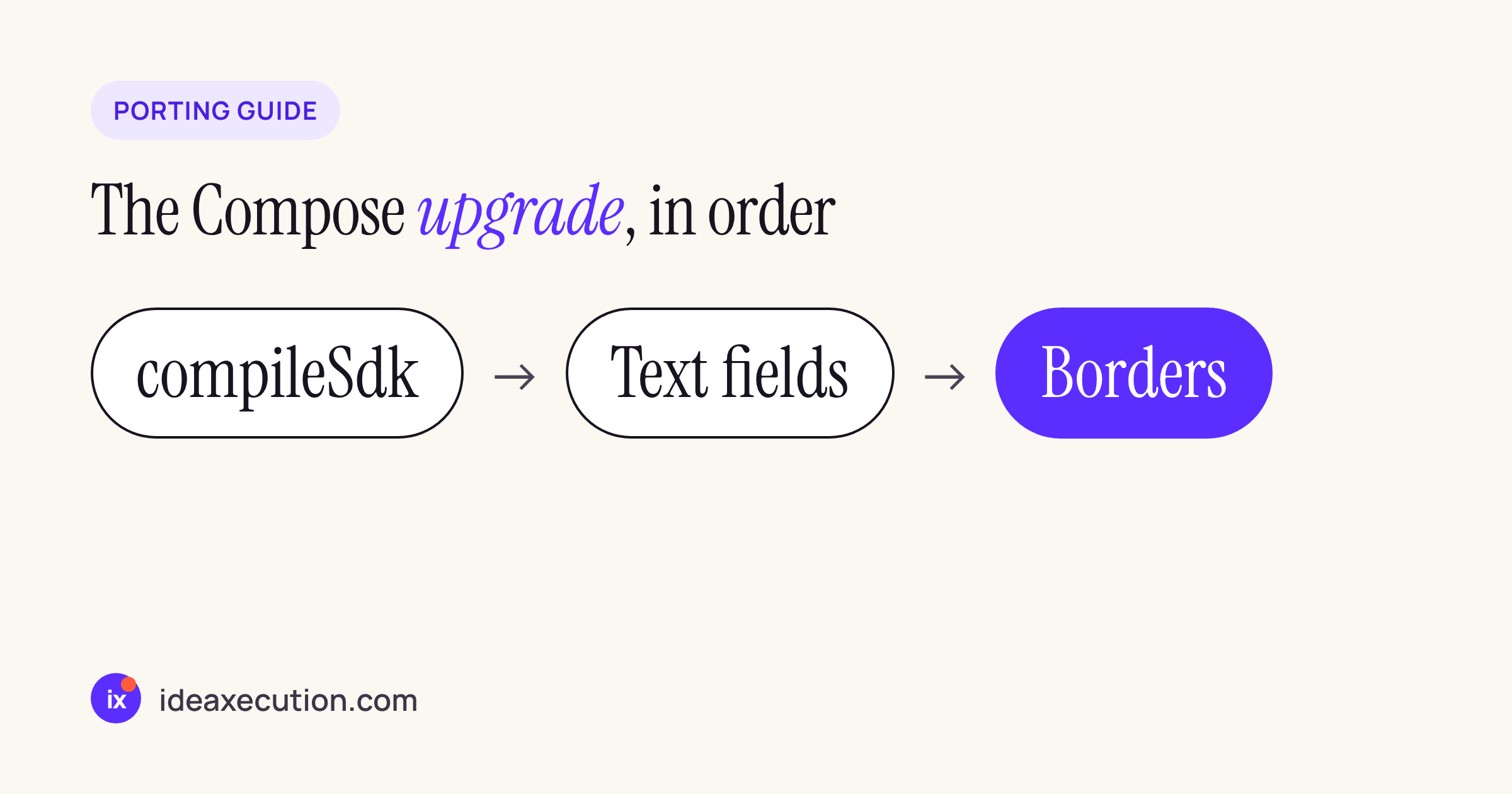
Build settings first, then the deprecations, then visual checks.
Step 1: the build requirements
| Requirement | Release notes, verbatim | Entry |
|---|---|---|
| compileSdk | “compileSdk for Compose libraries updated to 37.1. This will require transitively updating compileSdk for all apps and libraries using Compose.” |
compose-ui 1.13.0-alpha03, 9 Sep |
| Kotlin | “Libraries now target Kotlin 2.2 and require kotlinc 2.2” | compose-runtime 1.13.0-beta01, 7 Oct |
| Lifecycle | “androidx.lifecycle:lifecycle-runtime dependency was updated to 2.10.0″ |
compose-runtime 1.13.0-beta01, 7 Oct |
The compileSdk line is the one that bites first. All six sample apps in compose-samples set compileSdk = "37" in their version catalogs, so each of them would need the bump before 1.13 resolves. Kotlin is already fine there: five apps are on Kotlin 2.4.20 and Jetcaster on 2.3.21, all above the 2.2 floor, with AGP 9.3.1 (Jetcaster 9.2.1).
# gradle/libs.versions.toml
[versions]
compileSdk = "37.1"   # was "37"
kotlin = "2.4.20"     # 2.2 or newer
Step 2: what changes in code
Every row below quotes the release notes. “Deprecated” means it still compiles with a warning; “Source break” means it does not compile until you change it.
| Change | Kind | Release notes, verbatim | Entry |
|---|---|---|---|
BasicTextField(value, onValueChange) |
Deprecated | “Please migrate to the BasicTextField overload that uses TextFieldState to hoist its state.” |
foundation 1.13.0-alpha03 |
VisualTransformation |
Deprecated | “Existing transformations should migrate to OutputTransformation.” |
foundation 1.13.0-alpha03 |
Material 2 text fields with value, onValueChange |
Deprecated | “Please migrate to the overload that uses TextFieldState to hoist its state.” |
ui 1.13.0-alpha03 |
Slider, RangeSlider (Material3) |
Source break | “onValueChange is now a required parameter in Slider and RangeSlider and its order in the parameter list has changed” |
material3 1.5.0-alpha29 |
Stateless Slider overloads |
Deprecated | “Deprecated stateless Slider and RangeSlider overloads in favor of their stateful versions.” |
material3 1.5.0-alpha28 |
PolygonShape |
Source break | “replaced transformed() and scaledToFit() extensions with in-place mutable” APIs; CornerRounding moved to top level |
foundation 1.13.0-beta01 |
computedStateOf |
Behaviour | “Writing to a state inside this block will throw an IllegalStateException.” |
runtime 1.13.0-beta01 |
Modifier.onFocusedBoundsChanged |
Behaviour | “Using this modifier now no-ops. Migrate to using FocusTargetModifierNode.getFocusedRect()“ |
foundation 1.13.0-alpha01 |
LazyListPrefetchStrategy |
Deprecated | “Prefetching behavior should be configured using LazyLayoutCacheWindow on LazyColumn or LazyRow.” |
foundation 1.13.0-alpha03 |
MediaQuery Posture |
Source break | “The Posture class in MediaQuery has been replaced with WindowPosture“ |
ui 1.13.0-beta01 |
The text field rows are the big ones. In 1.13 the value-and-callback BasicTextField is on its way out, and VisualTransformation goes with it because it only exists on that overload. The replacement pattern:
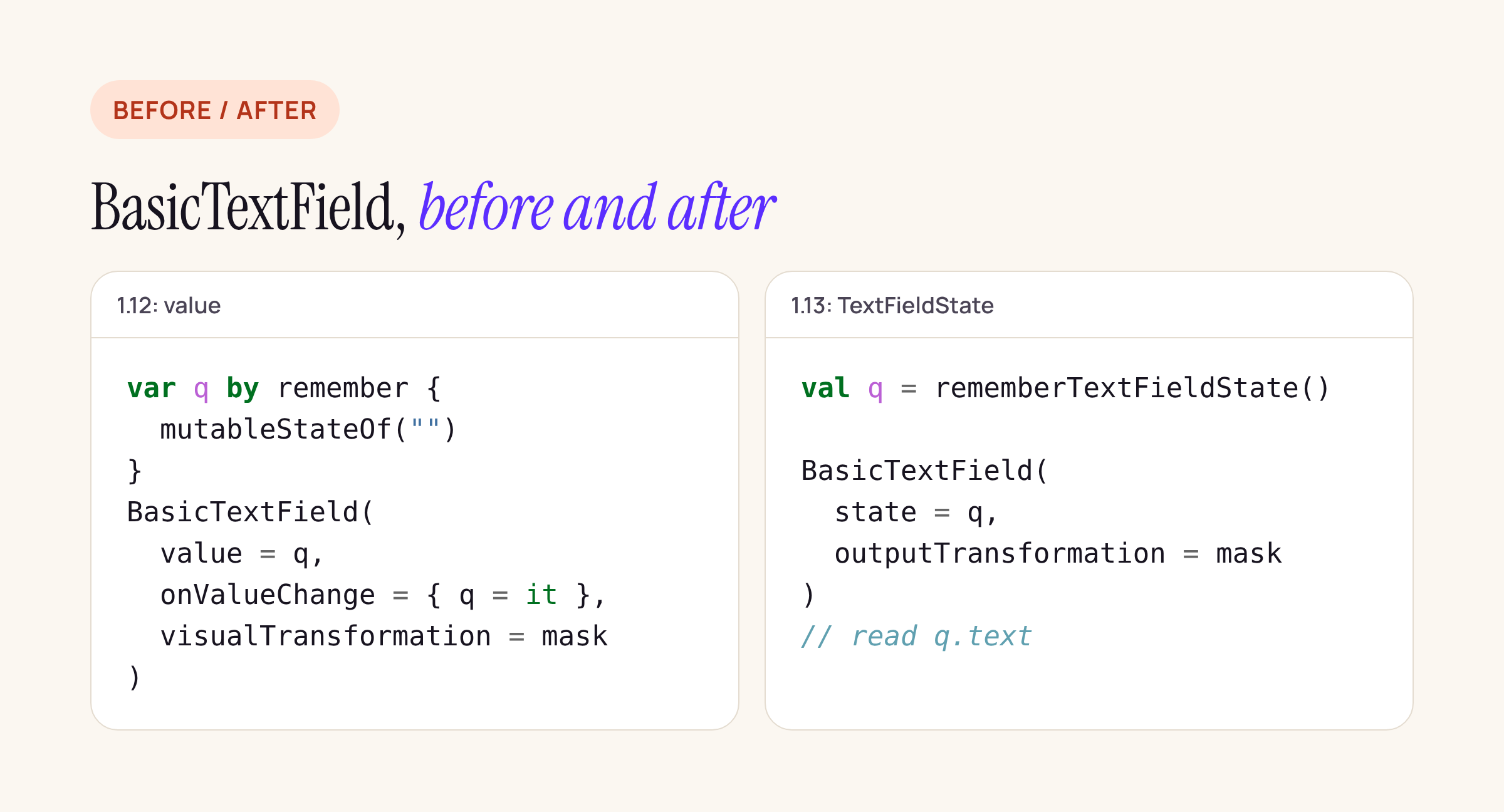
The state lives in a TextFieldState; read state.text where you used the value.
// 1.12: value + callback
var query by remember { mutableStateOf("") }
BasicTextField(value = query, onValueChange = { query = it })

// 1.13: hoisted TextFieldState
val query = rememberTextFieldState()
BasicTextField(state = query)
LaunchedEffect(query) {
    snapshotFlow { query.text.toString() }.collect { onQueryChange(it) }
}
Formatting that used VisualTransformation (card numbers, phone numbers, IBAN grouping in a banking form) moves to an OutputTransformation, and input filtering to an InputTransformation. Treat the snippet as a starting point and compile it against your own screens.
Step 3: changes you will see, not compile errors
These do not stop a build, so they are the easiest to miss in review:
Modifier.border. “Modifier.bordernow uses a new more performant implementation” (foundation 1.13.0-beta02, 21 Oct), and in rc01 it “now consistently uses the outline size when rendering borders” (foundation 1.13.0-rc01, 4 Nov). Both have escape hatches:ComposeFoundationFlags.isNewBorderImplementationEnabledandComposeFoundationFlags.isBorderMatchesOutlineBoundsFixEnabled. Compare bordered cards and inputs in screenshot tests before and after.- Text field focus. “
BasicTextFieldnow waits for the window to gain focus before starting the text input session.” The revert flag isComposeFoundationFlags.isTextFieldWaitWindowFocusForInputSessionEnabled. Screens that request focus and expect the keyboard immediately on open (OTP entry, search) are where to look. - Secure fields.
SecureTextFieldandOutlinedSecureTextFieldnow “useTextObfuscationMode.Systemas the default obfuscation mode instead ofTextObfuscationMode.RevealLastTyped” (material3 1.5.0-alpha28). For a PIN or password field, set the mode explicitly so the behaviour does not depend on a library default. - UI tests. No-argument
createComposeRule()andcreateAndroidComposeRule()“now use a defaultComposeUiTestConfig, which sets the initial input mode toInputMode.Touch” (ui 1.13.0-alpha01). Tests that rely on keyboard input mode needComposeUiTestConfig(inputMode = InputMode.Keyboard).
How much of a real app this touches
We searched the six apps in compose-samples (Jetsnack, Jetcaster, Reply, JetNews, Jetchat, JetLagged) for the APIs in the tables:
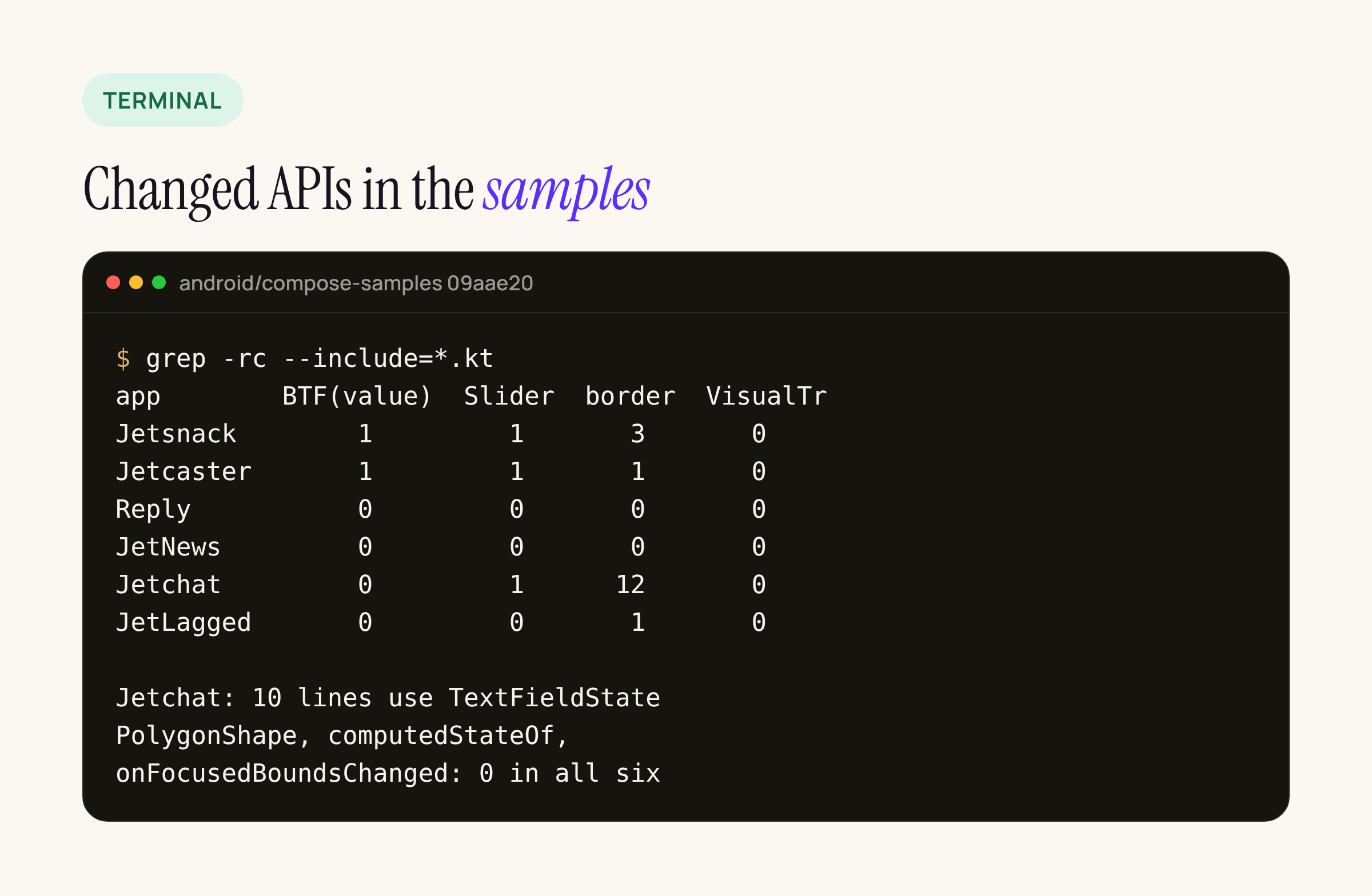
Counts are lines in Kotlin sources; Jetchat already uses TextFieldState.
What that means per change:
- Value-based
BasicTextField: 2 call sites, Jetsnack’s search field (Search.kt:200) and Jetcaster’s TV search (SearchScreen.kt:189). Both passvalue =andonValueChange =, so both pick up the deprecation. Jetchat’sRichTextState.ktalready usesBasicTextField(state = ...)with anInputTransformation: a useful reference for the migration. - Material3
Slider: 3 call sites (Jetsnack’s filter, Jetcaster’s player, Jetchat’s video controls). All three are the statelessvalueoverload, which is now deprecated, and all three passonValueChangeby name, so the parameter reorder does not break them. Code that passes it positionally would. Modifier.border: 17 lines across four apps, 12 of them in Jetchat. None will fail to compile; all are candidates for a screenshot comparison.VisualTransformation,PolygonShapereshaping,onFocusedBoundsChanged,computedStateOf: no hits in any of the six apps.- UI tests: every rule in the samples comes from the
junit4.v2package (6 imports ofcreateAndroidComposeRule, 2 ofcreateComposeRule), and none passes a test config, so all of them now start each test in touch mode.
So for a typical app the compile-level work is small: a version catalog change, a handful of text fields and sliders. The time goes into checking borders, focus and secure fields on screen.
What to check on your own app
- Set
compileSdkto 37.1 and confirm Kotlin 2.2 or newer, then bump the Compose BOM or the 1.13 artifacts. - Grep for
BasicTextField(withvalue =,VisualTransformation,Slider(,RangeSlider(,PolygonShape,computedStateOfandonFocusedBoundsChanged. - Move text fields to
TextFieldState, starting with forms that format input. - Set
TextObfuscationModeexplicitly on every secure field. - Run screenshot tests on bordered components, and open every screen that focuses a field on start.
The 1.13.0 stable release is still listed as upcoming; when it ships we will update this post with the final versions. For the Kotlin side of the same toolchain move, see Kotlin 2.4 to 2.5 RC: what changes in an Android codebase.