
On 12 November 2026 Apple added a line to the App Store Connect release notes: starting in early 2027, App Store Connect will no longer accept uploads containing On-Demand Resources (ODR) from new apps, or from apps that have never used the feature, and Apple recommends migrating to Background Assets. If you are starting an app, or were about to add ODR tags to one, plan for asset packs instead. Apps that already ship ODR are not named in the note, so treat ODR as frozen rather than gone, and plan the move on your own schedule.
Why we did this: Cardigami ships eight pop-up card scenes with heavy art, and the Beacon-type banking apps we build ship tutorial media. Both are exactly the kind of payload ODR tags were made for, so we mapped the two APIs side by side before choosing a path for new content.
This post is a docs review: every row in the tables below links the Apple page it comes from, read on 15 November 2026 against the iOS 26 SDK documentation. The Swift is a sketch to adapt; compile it against your own target. Download behaviour on a device is outside this post.
What changes in one paragraph
ODR kept tagged resources inside your app’s build; the App Store split them off and served them when you called NSBundleResourceRequest. Background Assets moves those resources into asset packs that you build and upload separately from the app, described by a manifest with a download policy (essential, prefetch or on demand). With Apple hosting, the App Store serves the packs; your app reads files through AssetPackManager, and a small downloader extension lets the system fetch packs in the background.
The API mapping, row by row
| What you did with ODR | Background Assets equivalent |
|---|---|
Tag resources in Xcode (winter-village) |
An asset pack with an assetPackID and fileSelectors in a manifest (docs) |
| Initial install tags | essential download policy: downloads during installation and counts toward install progress (docs) |
| Prefetched tags | prefetch policy: starts during installation and continues in the background (docs) |
| Download-only-on-request tags | onDemand policy: downloads only when the app asks (docs) |
NSBundleResourceRequest(tags:) |
AssetPackManager.shared (an actor, iOS 26.0+) (docs) |
beginAccessingResources |
ensureLocalAvailability(of: requireLatestVersion:) (docs) |
conditionallyBeginAccessingResources |
assetPackIsAvailableLocally(withID:) (docs) |
progress (a Progress object) |
statusUpdates(forAssetPackWithID:): began, paused, downloading, finished, failed (docs) |
Bundle.main.url(forResource:) |
contents(at:...), descriptor(for:...) or url(for:) on the manager (docs) |
endAccessingResources(), then the system may purge |
An explicit remove(assetPackWithID:) (docs) |
loadingPriority |
No direct equivalent; the download policy decides when packs arrive (docs) |
| Resources shipped inside the build upload | Packs built with xcrun ba-package and uploaded separately (Transporter, altool, iTMSTransporter or the App Store Connect API) (docs) |
Two lifecycle differences matter most. ODR resources could be purged by the system once you ended access, so code had to request them again each time. Asset packs are fetched by the system according to their download policy, and the manager gives your code an explicit remove(assetPackWithID:), so storage housekeeping becomes a decision you make in code.
The code, before and after
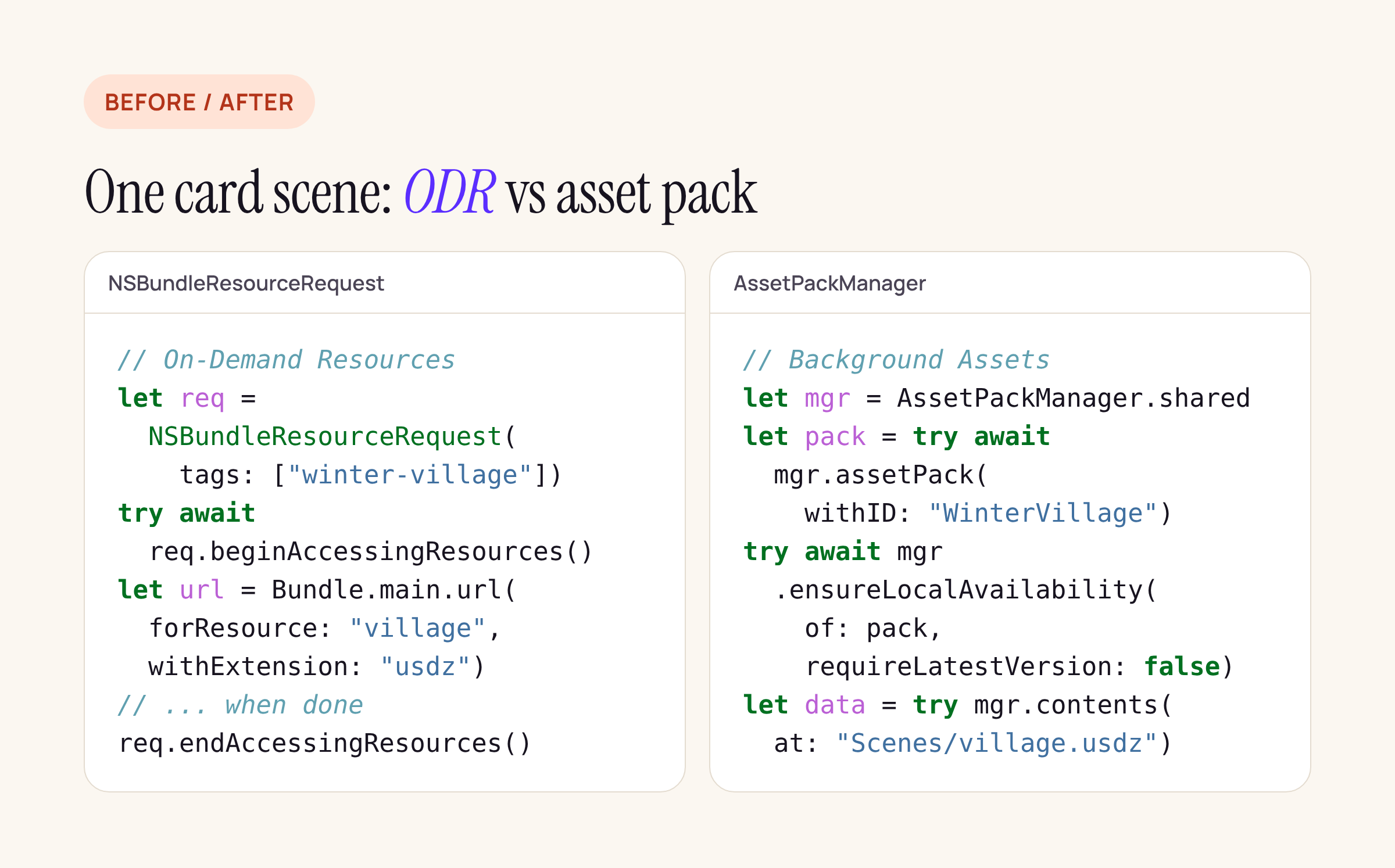
Same card scene, ODR on the left, an asset pack on the right.
import BackgroundAssets

// Sketch: compile against your target and check Xcode's
// deprecation warnings for your SDK version.
func loadVillage() async throws -> Data {
    let manager = AssetPackManager.shared
    let pack = try await manager.assetPack(withID: "WinterVillage")
    try await manager.ensureLocalAvailability(
        of: pack, requireLatestVersion: false)
    return try manager.contents(at: "Scenes/village.usdz")
}
One caution from the reference itself: in the current AssetPackManager reference, assetPack(withID:), allAssetPacks, status(ofAssetPackWithID:) and the one-argument ensureLocalAvailability(of:) are flagged as deprecated, while Apple’s own Downloading Apple-hosted asset packs article still uses them in its examples. The two-argument ensureLocalAvailability(of:requireLatestVersion:) is not deprecated, which is why the sketch uses it. Expect this surface to move between SDK releases and follow the fix-its Xcode offers.
Project changes
These come from Apple’s Downloading Apple-hosted asset packs article and the framework’s Information Property List pages:
- Add a downloader extension. File > New > Target, the Background Download template under Application Extension, and pick the Apple-hosted, managed extension type. The extension implements
shouldDownload(_:), which the system calls for each pack it is about to fetch under its download policy. The AssetPackManager reference notes that an app using the manager must ship such an extension (it namesManagedDownloaderExtension, and StoreKit’sStoreDownloaderExtensionfor Apple-hosted packs); leaving it out is called a programmer error. - Share an app group between the app and the extension (Signing & Capabilities), and set
BAAppGroupIDto that group. - Info.plist keys:
BAHasManagedAssetPacks=YESfor managed packs, andBAUsesAppleHosting=YESfor Apple hosting. For Apple-hosted apps, Apple says to omit the other Background Assets keys (BAManifestURL,BAInitialDownloadRestrictions,BAEssentialMaxInstallSize,BAMaxInstallSize), which belong to the self-hosted path. - Remove the ODR tags from the resources you moved, so the same files do not ship twice.
For a React Native app the same steps apply to the ios/ project: the extension is a native target, and the JavaScript side reaches the files through a small native module that wraps AssetPackManager.
Building and uploading a pack
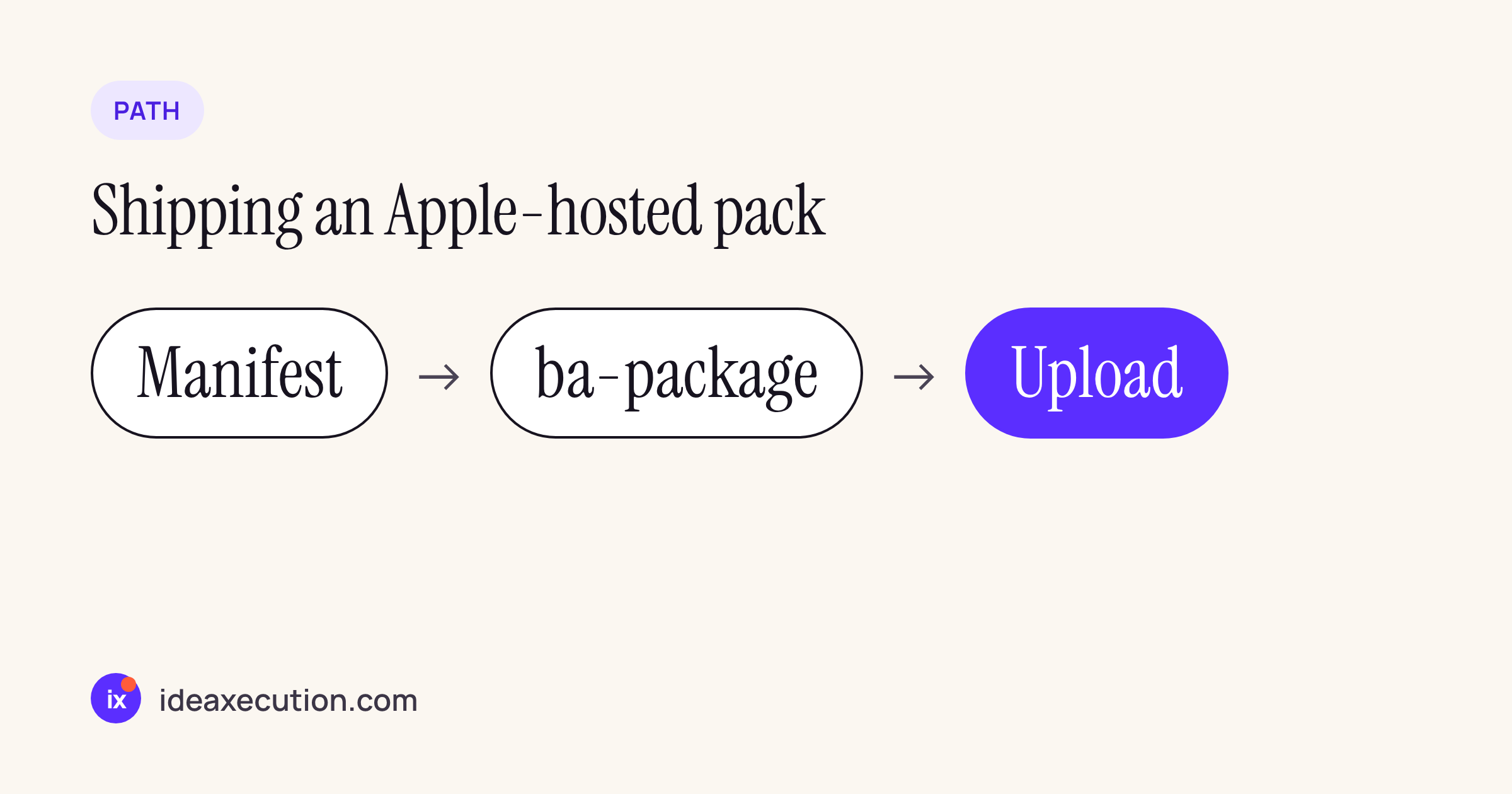
The packaging flow from Creating managed asset packs has three steps.
# 1. start from Apple's template
xcrun ba-package template -o Manifest.json

# 2. edit Manifest.json, then build the pack (run from the asset root)
xcrun ba-package Manifest.json -o WinterVillage.aar

# 3. upload WinterVillage.aar with Transporter or the App Store Connect API
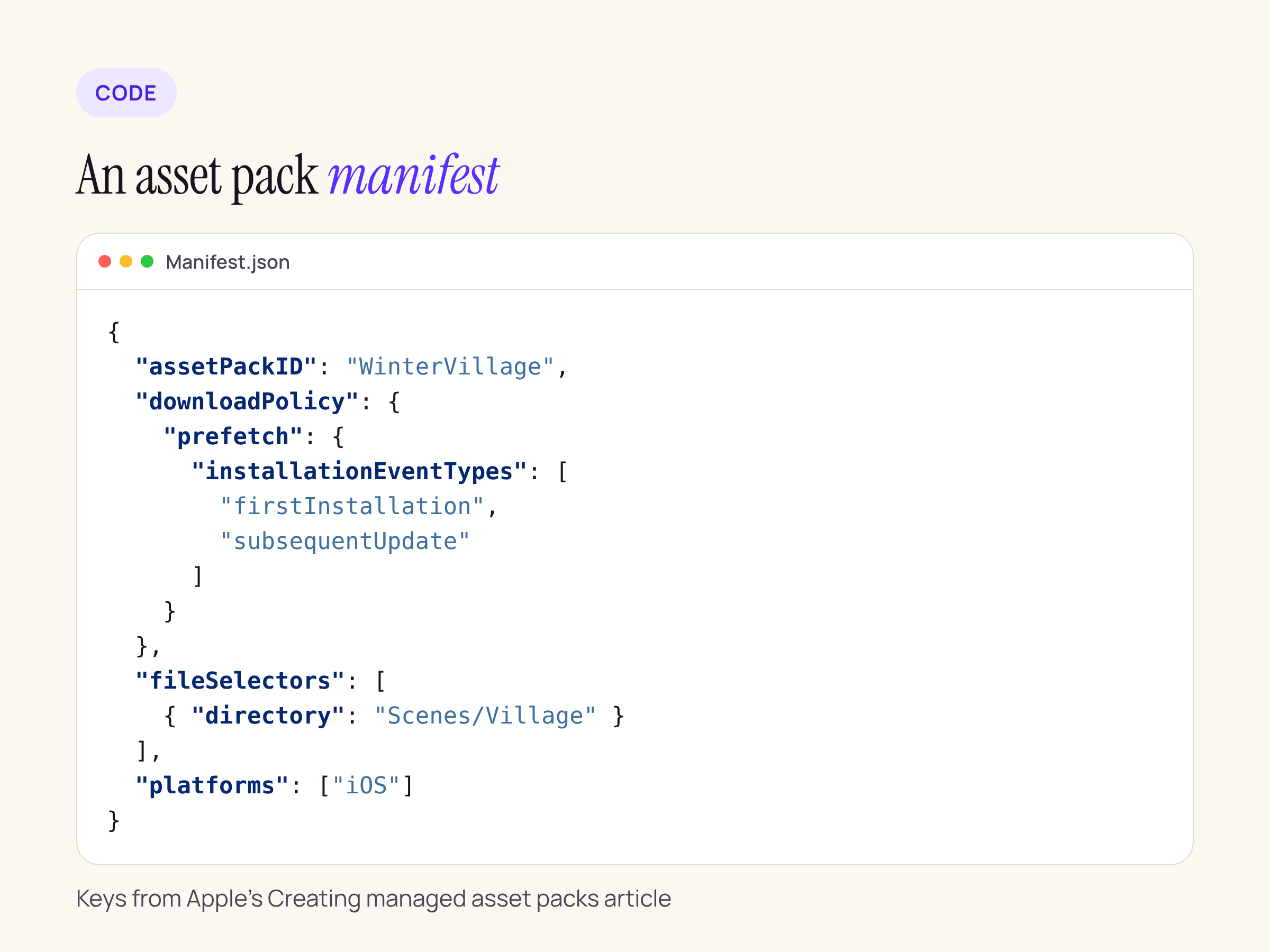
Our example manifest for one card scene, with the keys Apple documents: assetPackID, downloadPolicy, fileSelectors (a file or a directory) and platforms.
Paths in fileSelectors are relative to the directory you run ba-package from. Apple-hosted packs are available to apps on TestFlight and the App Store on every platform except watchOS, with up to 200 GB of packs per app record and up to 200 packs, shared across platforms (size limits).
Testing before TestFlight
Apple documents a local mock server in Testing asset packs locally:
xcrun ba-serve --host localhost WinterVillage.aar
The server only speaks HTTPS, so the test device needs a root certificate you trust (installed with Apple Configurator) and a server certificate whose name matches --host. On the device, enable Developer Mode, then set Settings > Developer > Development Overrides > Background Assets Testing > URL Override to the server’s base URL (or run xcrun ba-serve url-override <base URL>). Builds run from Xcode then fetch packs from the mock server.
Self-hosted, if you cannot use Apple hosting
The framework still has an unmanaged path: your own server, a BAManifestURL, BADownloaderExtension, and BADownloadManager with BAURLDownload for individual files (Background Assets). It is the older API (iOS 16.4 and later, per Apple’s sample) and gives you full control over hosting and CDN costs, in exchange for writing more download code. For a team leaving ODR, Apple hosting is the shorter route because it keeps the “the store serves it” model ODR had.
What to check on your own app
- Search the project for
NSBundleResourceRequestand for ODR tags in the asset catalog and target settings; list every tag and its size. - Map each tag to a policy: initial install tags to
essential, prefetch tags toprefetch, everything else toonDemand. - Decide Apple-hosted or self-hosted, then add the extension, app group and Info.plist keys above.
- Replace each
beginAccessingResourcescall withensureLocalAvailability(of:requireLatestVersion:)and each bundle lookup withcontents(at:)orurl(for:), and add aremove(assetPackWithID:)path for content the user no longer needs. - Test with
ba-servebefore the first TestFlight upload.
If your app is new, or has never used ODR, do this before early 2027; after that, an upload with ODR content will not be accepted.






