The short version: upgrading react-native-safe-area-context from 5.10.1 to 5.11.1 changes nothing on screen until you ask for it. The new corner-adapted insets are opt-in (cornerAdaptation on SafeAreaView, or useSafeAreaInsets({ cornerAdaptation })), they only differ from the regular insets on iOS 26 or later and on Android 12 (API 31) or later, and the one thing that can move existing layouts is on Android: the provider now also reads the insets its parent views dispatch, so a parent that adds insets for its subtree now enlarges your safe area. We diffed the npm tarballs of 5.10.1, 5.11.0 (27 Oct 2026) and 5.11.1 (3 Nov 2026) on 11 Nov 2026; nothing here was run on a device or simulator yet.
Why we did this: every screen in our React Native banking and consumer apps (Peepal, Shopkeeper and the Beacon-type banking apps) sits inside this package’s providers, and new hardware with rounded display corners, iPhone Duo included, is where corner insets start to matter. Our UIScreen.main audit for iPhone Duo included this package among 30 libraries; this post covers the 5.11 line only.
How we checked
We ran npm pack react-native-safe-area-context@5.10.1, @5.11.0 and @5.11.1, unpacked them, and ran diff -ruN over ios/, android/ and src/. Release dates come from the npm registry. Every code line quoted below comes from those tarballs.
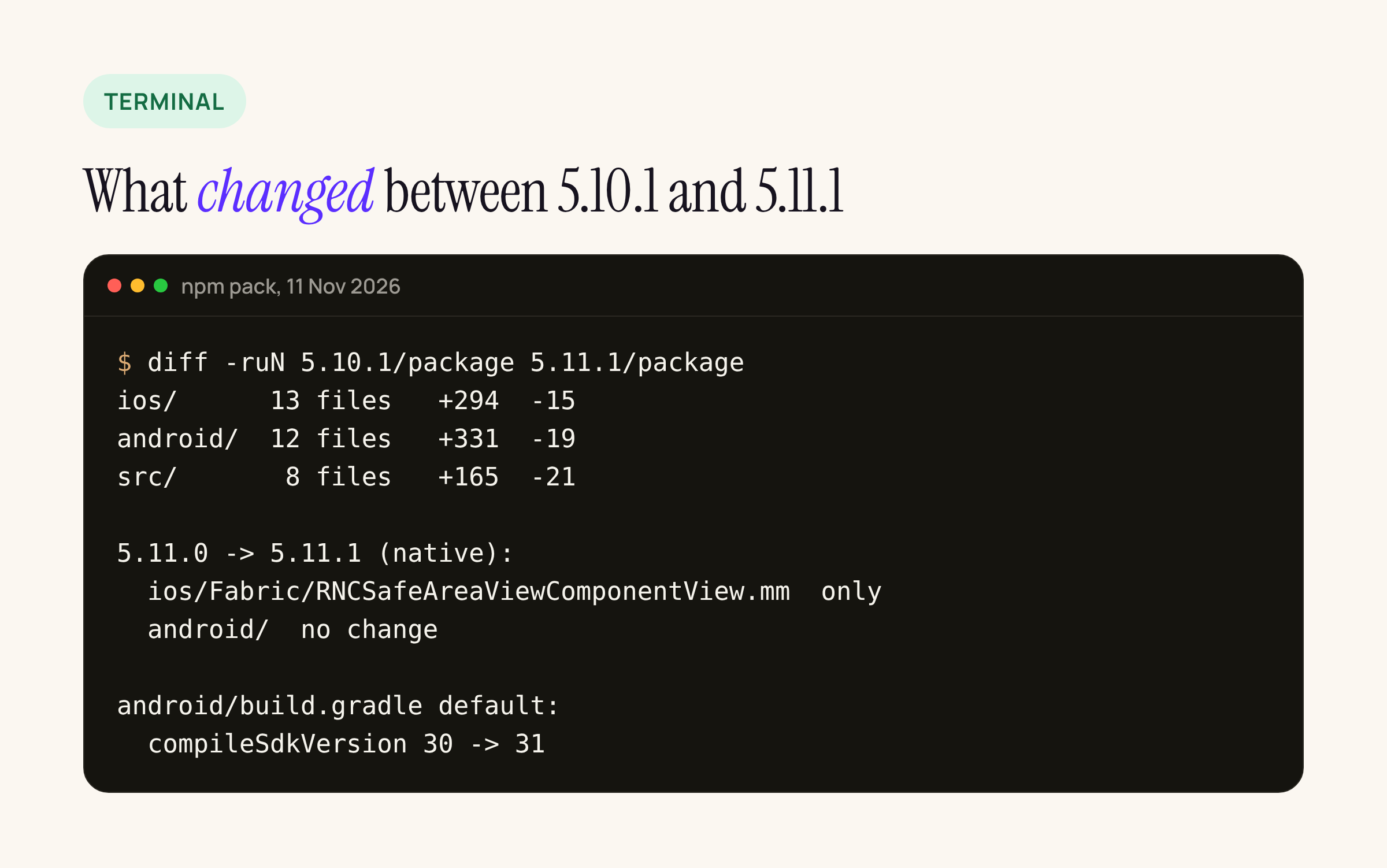
The diff in numbers: 13 iOS files, 12 Android files and 8 TypeScript files changed. 5.11.1 itself touches one native file.
What changed, in one table
| Change | Platform | File | Default | Who needs to act |
|---|---|---|---|---|
Corner-adapted insets via UIKit edgeInsets(for: .safeArea(cornerAdaptation:)) |
iOS, tvOS, visionOS 26+ | ios/RNCSafeAreaUtils.m |
Off | Screens with content in the display corners (tab bars, bottom sheets, floating buttons) |
Corner-adapted insets computed from WindowInsets.getRoundedCorner |
Android 12+ (API 31) | SafeAreaCornerAdaptation.kt |
Off | Same, on phones with rounded displays |
cornerAdaptation prop on SafeAreaView, useSafeAreaInsets({ cornerAdaptation }) option |
JS, both | src/SafeArea.types.ts, src/SafeAreaContext.tsx |
Off | Opt in per screen |
| Provider and view read insets dispatched by parent views, taking the max with the root insets | Android | SafeAreaUtils.kt, SafeAreaProvider.kt, SafeAreaView.kt |
On | Apps with a parent that adjusts insets for its subtree |
Default compileSdkVersion 30 to 31 |
Android | android/build.gradle |
On | Only builds that do not set compileSdkVersion in the root project |
Insets committed in the same layout pass, and a SafeAreaView without a provider follows its own insets |
iOS Fabric | RNCSafeAreaViewComponentView.mm |
On (5.11.1) | Nobody; fixes stale insets after rotation and inside native sheets |
| Web: scrolling no longer grows the insets | Web | NativeSafeAreaProvider.web.tsx |
On | React Native Web users |
iOS: the corner insets come from UIKit
On iOS the package does not compute anything. It asks UIKit for the layout region that iOS 26 added, UIView.LayoutRegion.safeArea(cornerAdaptation:), through edgeInsets(for:). Apple’s docs list both as iOS 26.0 and later. The call is wrapped in a compile-time SDK check and an @available check, so an app built with an older SDK, or running on iOS 18, gets the regular safeAreaInsets back.
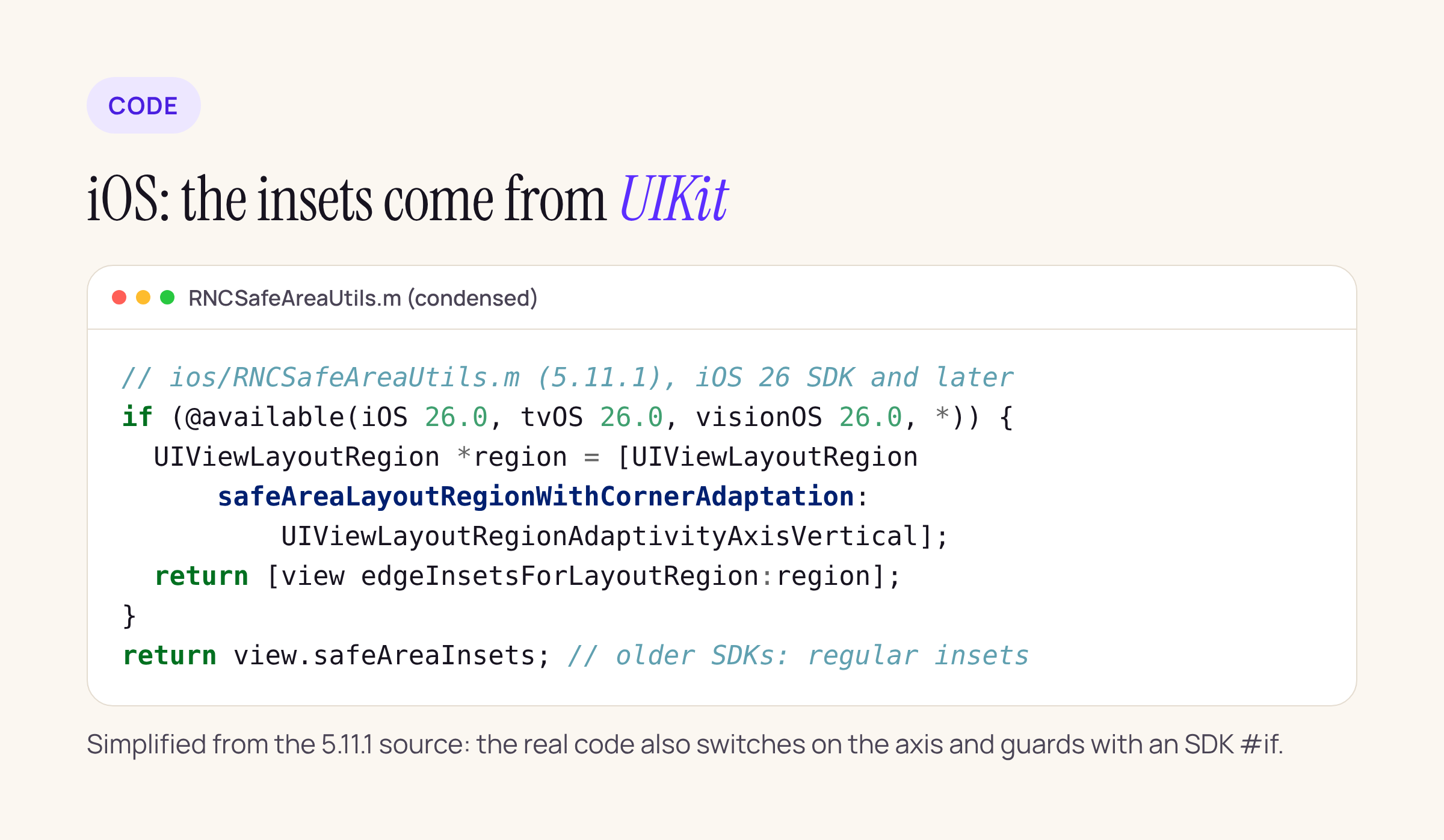
The package’s podspec still declares ios.deployment_target = "12.4", so the upgrade does not raise your minimum iOS version.
The provider now sends three inset sets to JavaScript with every change: insets, verticalCornerAdaptedInsets and horizontalCornerAdaptedInsets. It re-measures the corner sets when the view’s frame in the window, the window frame or the regular insets change, because the corner inset depends on how close the view is to the screen corner.
What 5.11.1 fixed on top of 5.11.0
The only native change in 5.11.1 is in ios/Fabric/RNCSafeAreaViewComponentView.mm:
- Under the New Architecture, inset updates are committed with
EventQueue::UpdateMode::unstable_Immediatewhen the React Native version has it (0.82 and later; the code detects the enum instead of checking a version). The source comment says the old path “leaves stale insets on screen for some frames in a busy app”, for example after a rotation. - A
SafeAreaViewwith no provider above it, such as one inside a native sheet, now overridessafeAreaInsetsDidChangeand updates itself.
If you are on 5.11.0 with Fabric, take 5.11.1.
Android: computed from the rounded corners
Android has no equivalent of the UIKit region, so SafeAreaCornerAdaptation.kt computes one. It reads the four RoundedCorner values from view.rootWindowInsets (API 31+). For each corner it takes an effective radius, min(R - max(dx, dy), width / 2, height / 2), where dx and dy are the view’s distances from the screen edges. It then adds r * (1 - sqrt(2) / 2), the arc’s 45 degree point, and never goes below the regular inset. The source comment says this formula was measured against iOS 26 and 27 simulators to match UIKit. Below API 31, or on a display with square corners, the corner insets equal the regular ones.
This is also why the default compileSdkVersion moved from 30 to 31: android.view.RoundedCorner does not exist in the API 30 SDK. Any React Native 0.7x or 0.8x app already compiles against a much newer SDK, so this only matters for an unusual build that leaves it unset.
The behaviour change that is on by default
The 5.11.0 release notes call it “respect window insets a parent adjusts for its subtree on Android”. In the diff, SafeAreaProvider and SafeAreaView now override dispatchApplyWindowInsets and keep the last insets their parent dispatched. getSafeAreaInsets then takes, edge by edge, the maximum of the root window insets and those dispatched insets:
// android/.../SafeAreaUtils.kt, 5.11.1
// Ancestors also lower the insets they dispatch without making that area safe.
// For example React Native's translucent StatusBar sets the top inset to 0 so
// fitsSystemWindows adds no padding. So dispatched insets can only add to the
// root insets.
private fun maxInsets(rootInsets: EdgeInsets?, dispatchedInsets: EdgeInsets?): EdgeInsets? {
  if (rootInsets == null || dispatchedInsets == null) {
    return rootInsets
  }
  return EdgeInsets(
      top = max(rootInsets.top, dispatchedInsets.top),
      right = max(rootInsets.right, dispatchedInsets.right),
      bottom = max(rootInsets.bottom, dispatchedInsets.bottom),
      left = max(rootInsets.left, dispatchedInsets.left),
  )
}
Two details from the code that limit the impact:
- Insets can only grow. A parent that lowers them, such as a translucent
StatusBar, is ignored. - The bottom inset is still capped at the stable bottom inset, so the keyboard does not leak in. If the root insets change without a new dispatch reaching the view, for example because a parent consumed them, the stale dispatched value is dropped.
So if a native parent view or a host screen (a native-integrated React Native screen, a bottom sheet host, an Android Fragment container with its own inset listener) adds insets for its children, useSafeAreaInsets() returns more padding on 5.11 than on 5.10. If your layout compensated for that by hand, you would now get double padding.
Upgrade steps
- Bump the package:
npm install react-native-safe-area-context@5.11.1(skip 5.11.0 if you use the New Architecture on iOS). - iOS:
cd ios && pod install. No new frameworks or deployment target changes. - Android: check that your root
build.gradlesetscompileSdkVersion(orcompileSdk) to 31 or later. React Native templates do. - Search your Android code for custom
setOnApplyWindowInsetsListenerordispatchApplyWindowInsetson views above the React root, and for hand-added padding nearSafeAreaProvider. Those are the screens to look at after the upgrade. - Opt in to corner insets only where content sits in a screen corner. Leave the rest alone.
What broke, and the code change
Nothing in the public API was removed or renamed between 5.10.1 and 5.11.1; the hook and prop changes are additive. The changes worth a code edit are opt-ins. Before, a floating action button in a corner used the regular bottom inset:
// before (5.10.1)
const insets = useSafeAreaInsets();
<FloatingButton style={{ bottom: insets.bottom + 16, right: insets.right + 16 }} />
After, the same button can ask for insets that clear the rounded display corner on the vertical axis:
// after (5.11.1), not yet checked on a device
const insets = useSafeAreaInsets({ cornerAdaptation: 'vertical' });
<FloatingButton style={{ bottom: insets.bottom + 16, right: insets.right + 16 }} />

// or for a whole bar
<SafeAreaView edges={['bottom']} cornerAdaptation="vertical">
  <TabBar />
</SafeAreaView>
vertical enlarges the top and bottom insets for the corners, horizontal the left and right ones. The initialMetrics you pass to SafeAreaProvider (for example from initialWindowMetrics) can now carry verticalCornerAdaptedInsets and horizontalCornerAdaptedInsets; without them the provider falls back to insets until the first native event.
Not checked yet
We have not run any of this on a device, simulator or emulator. Still open: how many points the corner insets add on iPhone Duo and an Android 17 emulator, and whether any of our Android screens get double padding from the dispatched-insets change. We will add screenshots when SK runs the banking app on both.
Sources: react-native-safe-area-context releases, npm versions, Apple’s UIView.edgeInsets(for:) and UIView.LayoutRegion.