If your Android module still uses kapt and you move to AGP 9, the build stops before it compiles anything: org.jetbrains.kotlin.kapt “is not compatible with built-in Kotlin support”. The fix for Room is two lines: apply com.google.devtools.ksp instead of the kapt plugin and change kapt(...) to ksp(...). We built the same one-entity Room 2.8.5 module three ways with AGP 9.4.0 and Gradle 9.6.0 on our M1 lab Mac (macOS 15.7.3, JDK 17): with the old kapt plugin (fails), with Google’s com.android.legacy-kapt stopgap (builds), and with KSP 2.3.13 (builds). On a module this small, KSP was not dramatically faster; the reason to port now is that kapt has no future on AGP 9 and Room 3.
Why we did this: the Android builds behind Peepal, Shopkeeper and the Android side of our React Native apps all move to AGP 9 this winter, and Room is the annotation processor we meet most often in client code.
What AGP 9 changes for kapt
AGP 9.0 turns on built-in Kotlin by default, which replaces the org.jetbrains.kotlin.android plugin. Google’s built-in Kotlin migration page is direct about kapt: “The org.jetbrains.kotlin.kapt (or kotlin-kapt) plugin is incompatible with built-in Kotlin.” It recommends moving to KSP, and offers one stopgap: replace kotlin-kapt with com.android.legacy-kapt, “using the same version as your Android Gradle plugin”.
The opt-out (android.builtInKotlin=false plus android.newDsl=false in gradle.properties) still exists, but the same page says you “won’t be able to disable built-in Kotlin in AGP 10.0”. And on the KSP migration page Google says “Kapt is now in maintenance mode”.
There is a second clock. Room 3.0 (stable 3.0.3, group androidx.room3) is KSP-only: its release notes say configuring the annotation processor “via KAPT or JavaAP is no longer possible”. Room 2.8.5 (September 2026) is the latest 2.x release and works with both, so it is the version to port on.
The test project
One app module, compileSdk = 37, minSdk = 24, no Compose, with a small ledger table like the ones in our shop apps:
@Entity(tableName = "ledger")
data class LedgerEntry(
    @PrimaryKey(autoGenerate = true) val id: Long = 0,
    val shopId: String,
    val amountPaise: Long,
    val note: String?,
)

@Dao
interface LedgerDao {
    @Insert
    suspend fun insert(entry: LedgerEntry): Long

    @Query("SELECT * FROM ledger WHERE shopId = :shopId ORDER BY id DESC")
    fun forShop(shopId: String): Flow<List<LedgerEntry>>

    @Query("SELECT SUM(amountPaise) FROM ledger WHERE shopId = :shopId")
    suspend fun balance(shopId: String): Long?
}

@Database(entities = [LedgerEntry::class], version = 1, exportSchema = false)
abstract class LedgerDb : RoomDatabase() {
    abstract fun ledger(): LedgerDao
}
We copied the same sources into three Gradle projects that differ only in their plugins and one dependency line. All three use AGP 9.4.0 with built-in Kotlin left on (no android.builtInKotlin flag in gradle.properties).
Step 1: what happens if you change nothing
With id("org.jetbrains.kotlin.kapt") in the module, the build fails while applying plugins, 11 seconds in:
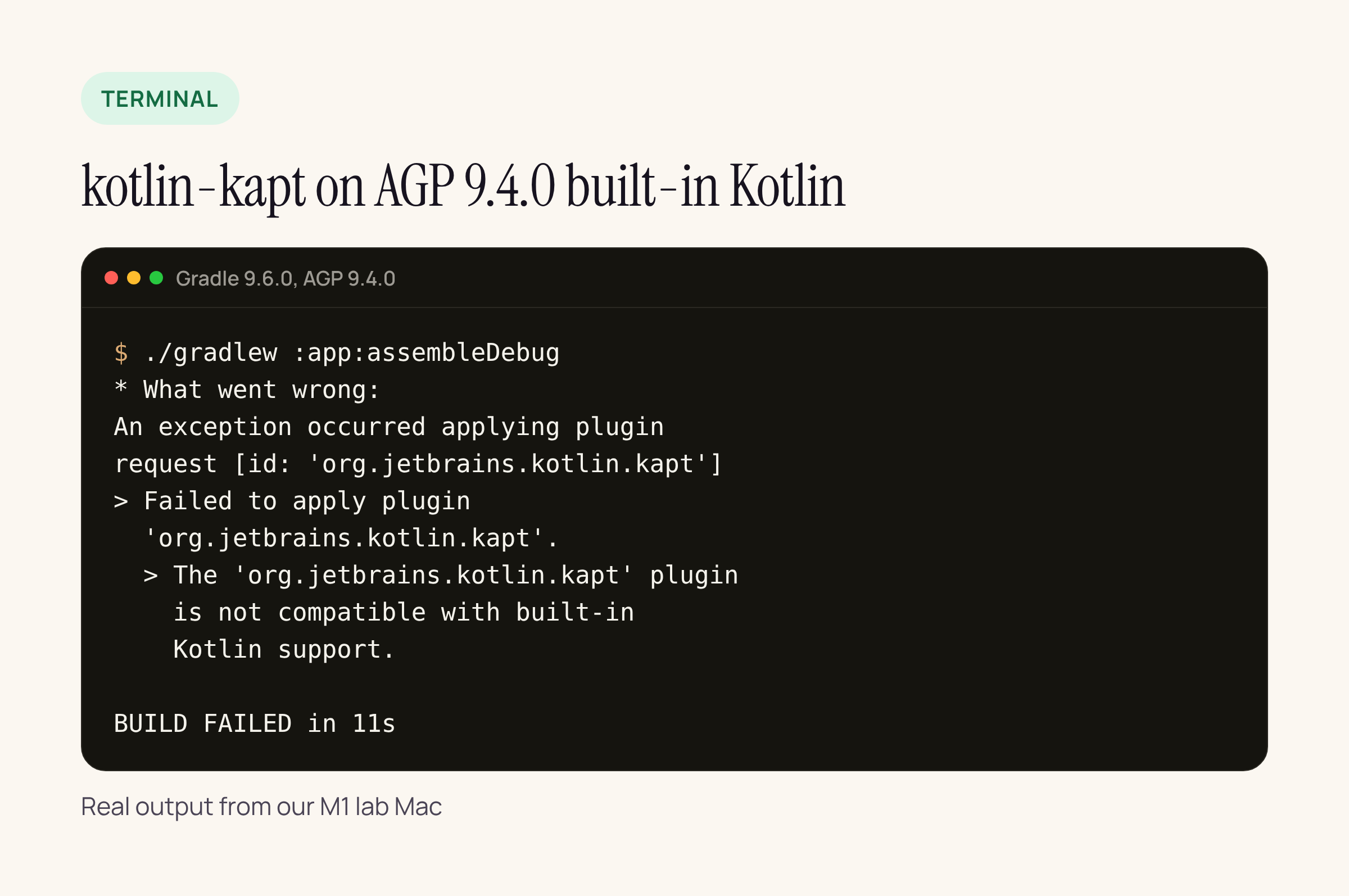
Real output from our M1 lab Mac with AGP 9.4.0 and Gradle 9.6.0.
Gradle’s message offers two ways out: migrate to built-in Kotlin, or set android.builtInKotlin=false and android.newDsl=false “to temporarily bypass this issue”. Both flags are on borrowed time, so we did not take that route.
Step 2 (optional): the legacy-kapt stopgap
If a processor you depend on has no KSP version yet (Data Binding is the common one: Google notes that “in modules where Data Binding is used, kapt can’t be removed”), swap the plugin and keep the kapt(...) lines:
// build.gradle.kts (root)
plugins {
    id("com.android.application") version "9.4.0" apply false
    id("com.android.legacy-kapt") version "9.4.0" apply false
}

// app/build.gradle.kts
plugins {
    id("com.android.application")
    id("com.android.legacy-kapt")
}

dependencies {
    implementation("androidx.room:room-runtime:2.8.5")
    implementation("androidx.room:room-ktx:2.8.5")
    kapt("androidx.room:room-compiler:2.8.5")
}
This built cleanly. The task list shows the familiar kapt pipeline: kaptGenerateStubsDebugKotlin, then kaptDebugKotlin, then compileDebugKotlin and compileDebugJavaWithJavac, because kapt makes Room write Java (LedgerDao_Impl.java, LedgerDb_Impl.java).
Step 3: the KSP port
For Room the real port is two edits plus the root plugin declaration:
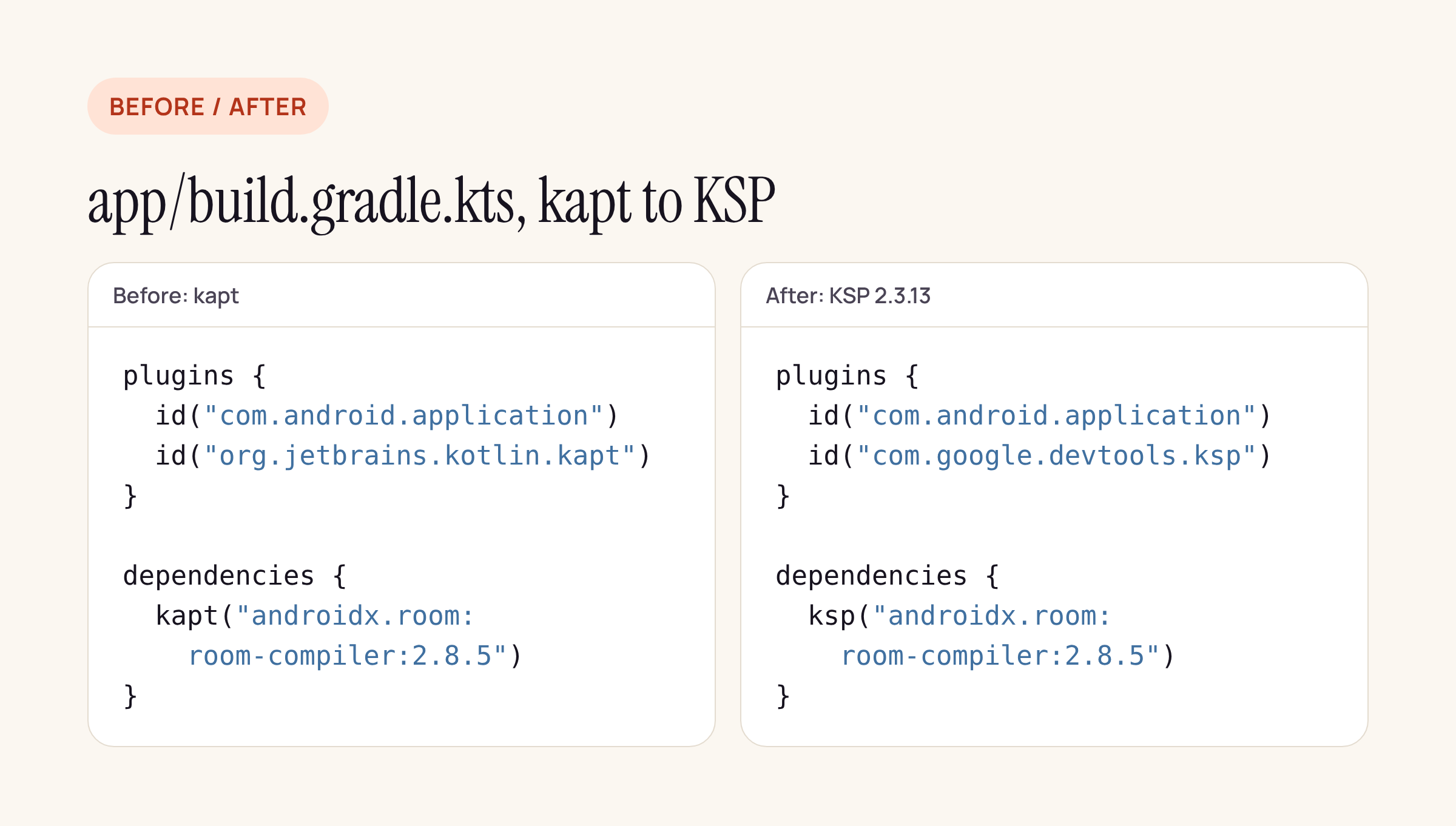
The whole module change for Room 2.8.5.
// build.gradle.kts (root)
plugins {
    id("com.android.application") version "9.4.0" apply false
    id("com.google.devtools.ksp") version "2.3.13" apply false
}
Two version notes:
- Since KSP 2.3.0 the version is no longer tied to your Kotlin version (“you don’t need to choose a KSP version prefixed with your Kotlin version”), so
2.3.13is simply the current KSP release, not something matched to your compiler. - KSP 2.3.10 fixed “R-class resolution in KSP when AGP 9 built-in Kotlin is enabled”, and 2.3.12 raised the minimum AGP to 8.12.0. On AGP 9 with built-in Kotlin, use 2.3.10 or newer.
The build ran kspDebugKotlin, then compileDebugKotlin, and compileDebugJavaWithJavac reported NO-SOURCE: with KSP, Room 2.8 generates Kotlin (LedgerDao_Impl.kt, LedgerDb_Impl.kt), so the module has no Java left to compile. The stub-generation step is gone as well.
The generated DAO reads like Kotlin you would write by hand, with nullability carried through:
protected override fun bind(statement: SQLiteStatement, entity: LedgerEntry) {
  statement.bindLong(1, entity.id)
  statement.bindText(2, entity.shopId)
  statement.bindLong(3, entity.amountPaise)
  val _tmpNote: String? = entity.note
  if (_tmpNote == null) {
    statement.bindNull(4)
  } else {
    statement.bindText(4, _tmpNote)
  }
}
The debug APKs came out almost the same size: 2,071,038 bytes with legacy-kapt and 2,071,822 bytes with KSP.
Timings: one Mac, small module
We ran clean then :app:assembleDebug --no-build-cache --profile several times per variant with a warm Gradle daemon and read the task times from Gradle’s profile report. These are a handful of runs on one Mac, not a benchmark.
| Variant | Processor tasks (kapt stubs + kapt, or ksp) | Whole build |
|---|---|---|
| legacy-kapt, run 1 | 0.80 s + 1.22 s = 2.01 s | 3.25 s |
| legacy-kapt, run 2 | 0.88 s + 1.26 s = 2.14 s | 6.39 s |
| legacy-kapt, run 3 | 0.55 s + 1.08 s = 1.63 s | 2.69 s |
| KSP, run 1 | 1.57 s | 3.14 s |
| KSP, run 2 | 1.87 s | 3.54 s |
| KSP, run 3 | 1.57 s | 3.29 s |
With one entity and one DAO, the difference is a fraction of a second and the results overlap. Google links a figure of “up to 2x faster” for KSP; that gain comes from skipping stub generation, which grows with the size of the module, so expect it on large modules with many annotated classes, not on a toy. The first KSP build in a fresh Gradle daemon took 13.9 s in total (3.7 s in kspDebugKotlin), which is daemon and worker warm-up, not steady state.
One more thing we saw: after five back-to-back builds of the two projects in one daemon with -XX:MaxMetaspaceSize=512m, a later KSP build failed in kspDebugKotlin with Metaspace. Three more KSP builds in a fresh daemon with the same settings passed, so we could not reproduce it on demand. If your CI keeps one daemon alive across many builds and has a tight metaspace cap, give it headroom.
Checklist for your own modules
- Search every module for
kotlin-kapt,org.jetbrains.kotlin.kaptandkapt(. List each processor (Room, Hilt or Dagger, Moshi codegen, Glide, Data Binding). - Check each one for KSP support. Room, Hilt/Dagger and Moshi have KSP artifacts; Data Binding does not.
- Add
com.google.devtools.ksp(2.3.10 or newer) to the rootplugins {}withapply false. - Per module: replace the kapt plugin with the KSP plugin, change
kapt(...)toksp(...), and move anykapt { arguments { ... } }options toksp { arg("key", "value") }. - Modules that must keep kapt (Data Binding): use
com.android.legacy-kaptat your AGP version, not the opt-out flags. - Build, then check
build/generated/ksp/for the new sources and run your tests. - Once Room is on KSP, a later move to Room 3 is a dependency change, not a processor change.
For the wider AGP 9 upgrade, our earlier guide From AGP 8 to 9.5: what to change in Gradle build files covers the rest of the build script.