Short version: the prebuilt React, hermesvm and ReactNativeDependencies frameworks that React Native 0.88.1 embeds in an iOS app still carry their local symbol tables. Running strip -x on the three device (ios-arm64) binaries took them from 19,512,872 bytes to 10,201,968 bytes, 9.3 MB less, without touching a byte of code. In a Release simulator build the whole .app went from 41,488 KB to 23,676 KB, and the stripped app launched normally. We measured this on our M1 lab Mac with Xcode 26.2, React Native 0.88.1 and Hermes 260318099.0.5.
Why we did this: our React Native banking apps are judged on download size, and since 0.88 the React Native core arrives as prebuilt frameworks we do not compile ourselves. A react-native issue (#59772) reported the same numbers on 2 November; we wanted to measure them on our own build and check the app still runs before adding a strip step to a release pipeline.
Where the frameworks come from
A fresh React Native 0.88.1 app (CLI 20.2.0 template) with CocoaPods pulls three prebuilt xcframeworks: React-Core-prebuilt/React.xcframework, ReactNativeDependencies.xcframework and Hermes’s hermesvm.xcframework. The build copies the matching slice of each into YourApp.app/Frameworks/. Nothing in the default build strips them: the React binary inside our Release simulator app was 24,444,256 bytes, exactly the size in the xcframework’s simulator slice (arm64 plus x86_64).
The 0.88.1 release page also publishes separate dSYM archives for the React Native core and Hermes, which matters for crash reports below. The xcframework folders in the pod contain only the .framework; no dSYM sits next to them.
What strip removes
We copied the ios-arm64 (device) slice of each framework and ran Apple’s strip two ways: -S removes debugging symbols only, -x also removes local (non-exported) symbols. Exported symbols stay, so dynamic linking is unaffected.
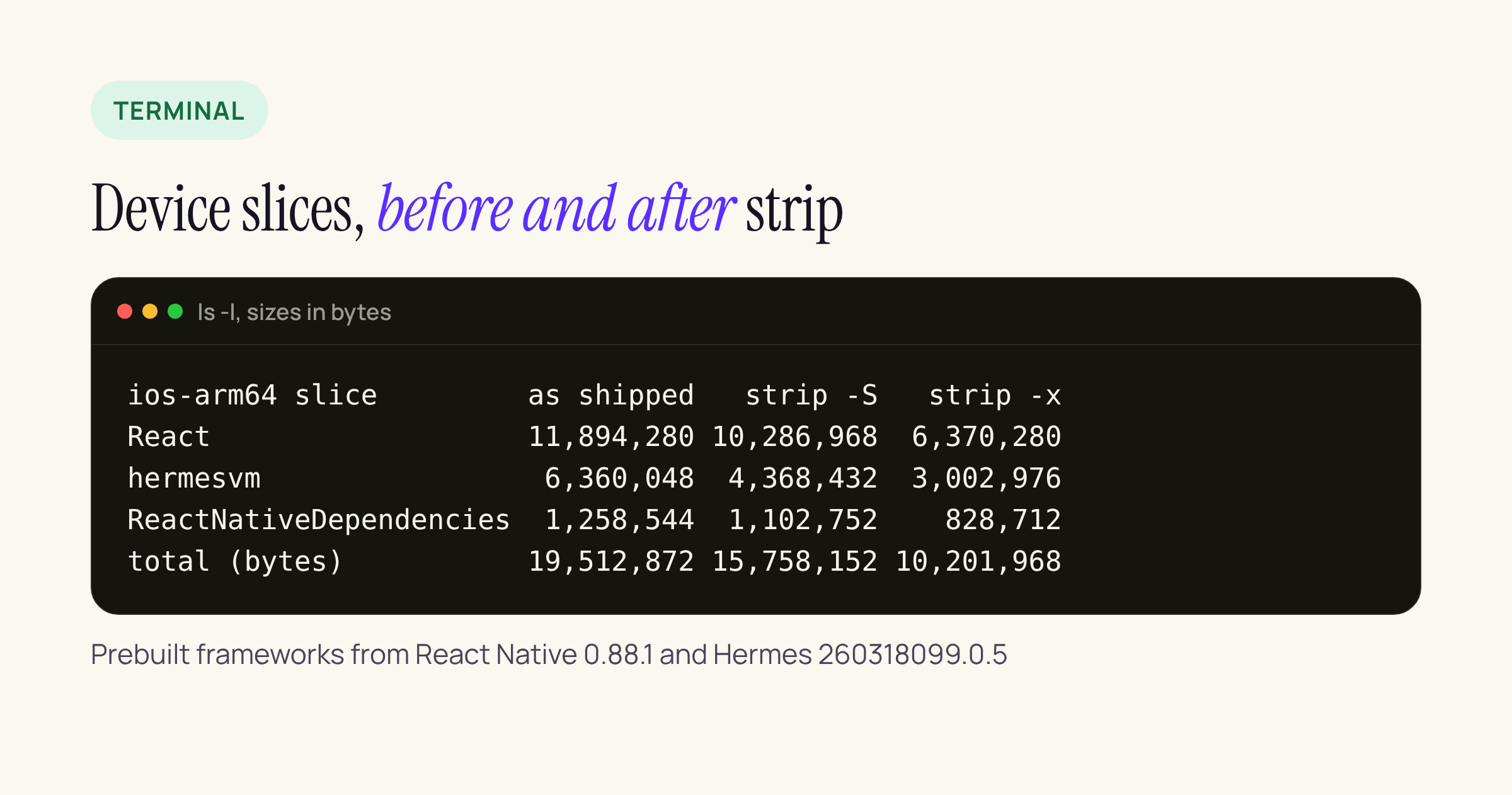
ls -l on our M1 lab Mac. All three are single-architecture arm64 binaries (lipo -info).
size -m on the React slice shows the __TEXT segment at 5,160,960 bytes before and after strip -x, with every section the same size. What goes is the symbol table and string table in __LINKEDIT: names, not code.
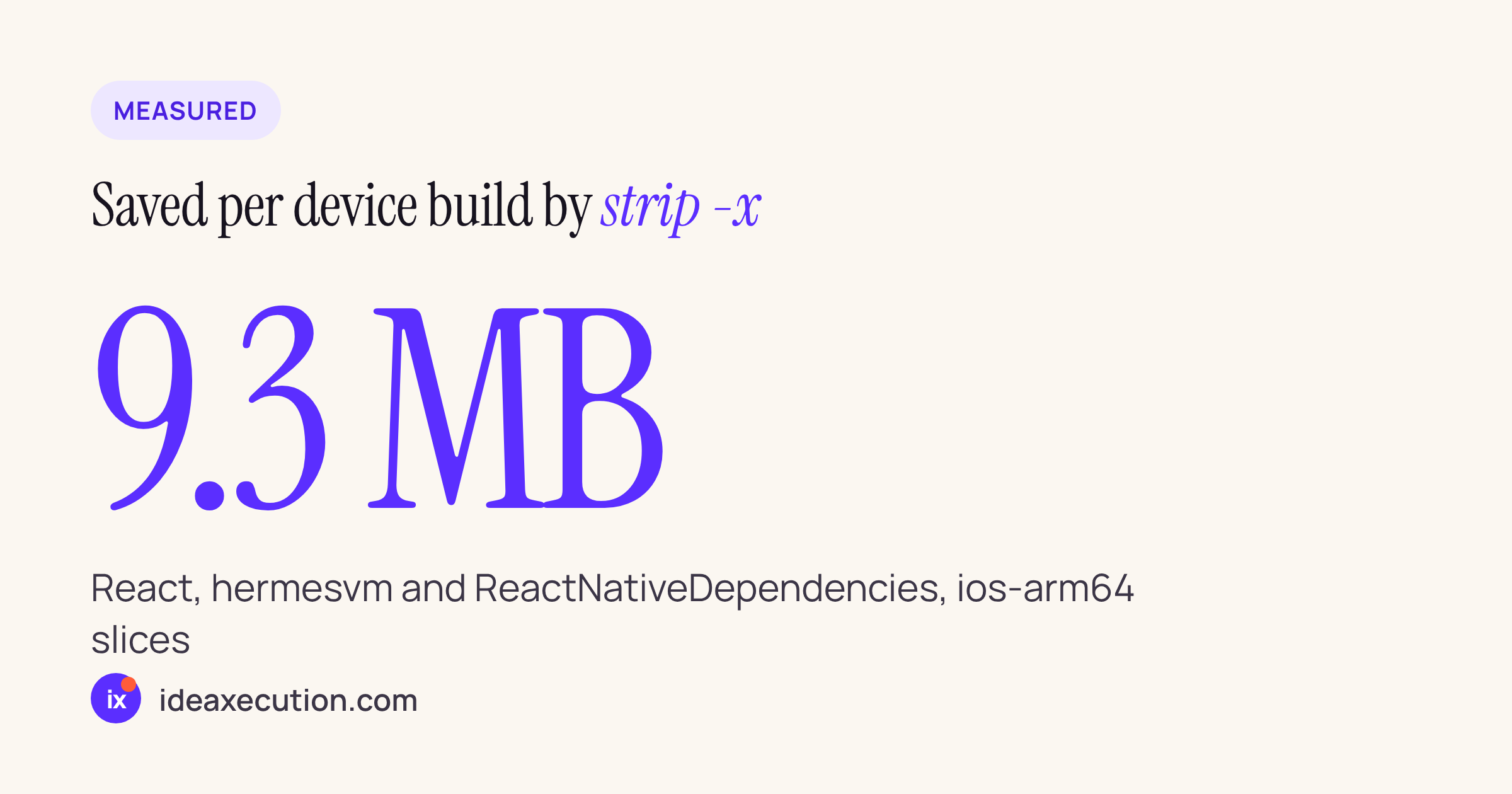
That is 9,310,904 bytes across the three device binaries. It is the uncompressed size inside the app bundle; the download from the App Store is compressed, so the saving a user sees will be smaller. We have not measured the App Store size report for this change.
The simulator check
To make sure a stripped framework still loads, we took the Release simulator build of the same app, ran strip -x on the three framework binaries inside it, re-signed each framework ad hoc (codesign --force --sign -), installed it on an iPhone 17 Pro simulator with iOS 26.3 and launched it.
| Simulator binary | Before | After |
|---|---|---|
| React | 23,871 KB | 13,295 KB |
| hermesvm | 12,505 KB | 6,048 KB |
| RN Dependencies | 2,503 KB | 1,680 KB |
| .app (du -sk) | 41,488 KB | 23,676 KB |
Binary sizes from ls -l (24,444,256 bytes for React before, 13,613,824 after), shown in KB to fit.
The simulator binaries are fat (arm64 and x86_64), which is why the simulator numbers are about twice the device ones.
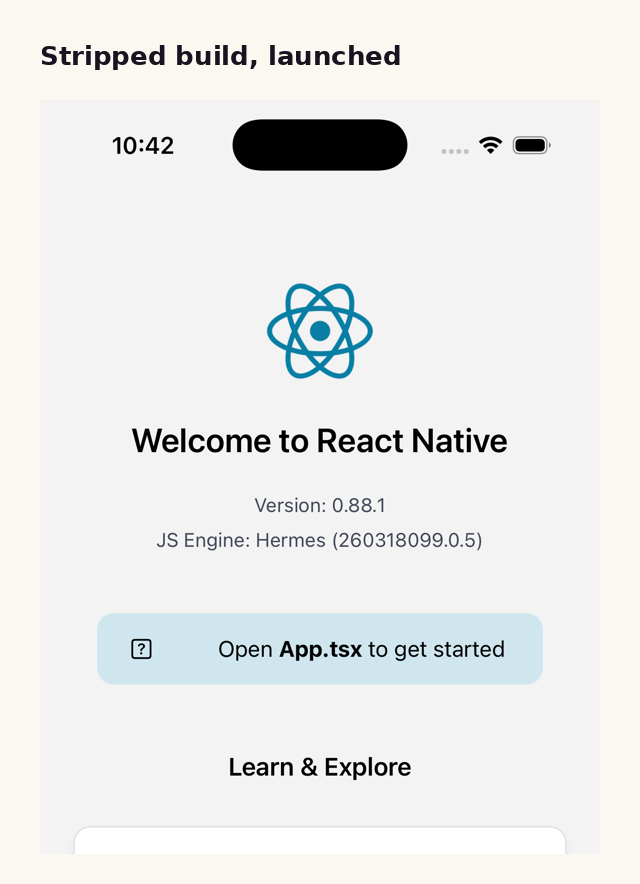
The stripped build on the iOS 26.3 simulator, React Native 0.88.1 with Hermes 260318099.0.5.
Re-signing is not optional: strip rewrites the binary, so its signature no longer matches. On a device build, sign with your real identity.
A build phase you can adapt
Add a Run Script phase to the app target, after the phase that embeds frameworks (“Embed Pods Frameworks” with CocoaPods, “Embed Frameworks” otherwise). Treat this as a starting point and test it with your own signing setup:
# Release only: strip local symbols from React Native's prebuilt frameworks
if [ "$CONFIGURATION" != "Release" ]; then exit 0; fi

IDENTITY="${EXPANDED_CODE_SIGN_IDENTITY:--}"
for name in React ReactNativeDependencies hermesvm; do
  fw="$TARGET_BUILD_DIR/$FRAMEWORKS_FOLDER_PATH/$name.framework"
  [ -f "$fw/$name" ] || continue
  xcrun strip -x "$fw/$name"
  codesign --force --sign "$IDENTITY" --preserve-metadata=identifier "$fw"
done
Two things to set in Xcode for this phase:
- New projects have User Script Sandboxing on (
ENABLE_USER_SCRIPT_SANDBOXING = YES), which blocks writes to files the phase does not declare. List the three framework binaries as input and output files of the phase, or the script fails. - Leave “Based on dependency analysis” on once inputs and outputs are listed, so the phase does not run on every incremental build.
Crash reports after stripping
strip -x keeps the Mach-O UUID, and crash symbolication matches a binary to its dSYM by that UUID (ours was AFCA3B15-76C2-3D0C-B121-5B68A29606D6 for the arm64 React slice). So download the React Native core and Hermes dSYM archives for your exact version from the release page, check that dwarfdump --uuid on the dSYM prints the same UUID as the framework in your archive, and upload them with the app’s own dSYM to your crash reporter. Without them, frames inside React Native show as addresses whether you strip or not; the local symbol names that strip -x removes are only a rough fallback.
What to check on your own app
- Run
ls -lon the three binaries inYourApp.app/Frameworks/of an archive before and after the phase. If your numbers already match the stripped column, something else in your pipeline strips them. - Launch the archived build on a device and exercise a screen that uses Hermes and a native module.
- Confirm the dSYM UUIDs match before you ship, and keep the dSYMs with the build.
- Compare the App Store Connect size report for two builds, with and without the phase; that is the number your users see.
- Remove the phase when React Native ships stripped frameworks; watch issue #59772.