Short version: on a fresh React Native 0.88.1 app, switching from CocoaPods to Swift Package Manager took one command, the app launched the same, and the SwiftPM side was a little faster at every step we timed: 15 s to set up against 37 s for pod install, and clean Release simulator builds of 32 s and 29 s against 49 s and 36 s. The .app came out 1,392 KB larger, because SwiftPM embeds the React framework’s headers and module map. All numbers are from one run each on our M1 lab Mac (macOS 15.7.3, Xcode 26.2, Node 24.22, CocoaPods 1.17), not benchmarks.
Why we did this: our React Native banking and TV apps build their iOS side with CocoaPods today. CocoaPods trunk stops accepting new pods and new pod versions on 2 December 2026, and React Native plans SwiftPM as the default from 0.89, so we wanted real numbers and a clear list of the rough edges before we move a client app.
What changes, and when
The swift.org November 2026 update says CocoaPods will stop taking new pods and pod versions on 2 December 2026. Existing pods stay downloadable in a read-only state, so builds keep working; what stops is updates to the pods you depend on.
On the React Native side, the 0.88 release post keeps SwiftPM “experimental and opt-in”, lists 0.89 as the release that targets SwiftPM as the default with an opt-out to CocoaPods, and plans to remove CocoaPods later. The 0.88.1 release (27 October 2026) moved the generated build settings into ReactNativeSPM/ReactNativeSPM.xcconfig, so a version bump no longer edits project.pbxproj.
The test
We created one app with @react-native-community/cli@20.2.0 init --version 0.88.1 (React 19.3.0, react-native-safe-area-context 5.11.1 from the template) and copied it, so both sides start from the same files:
- CocoaPods copy:
pod install, then two clean Release builds for the iOS Simulator (derived data deleted before each), then a no-change rebuild. - SwiftPM copy: the converter that ships inside the
react-nativepackage, then package resolution, the same two clean builds and the no-change rebuild.
Both apps were installed on an iPhone 17 Pro simulator (iOS 26.3) and launched.
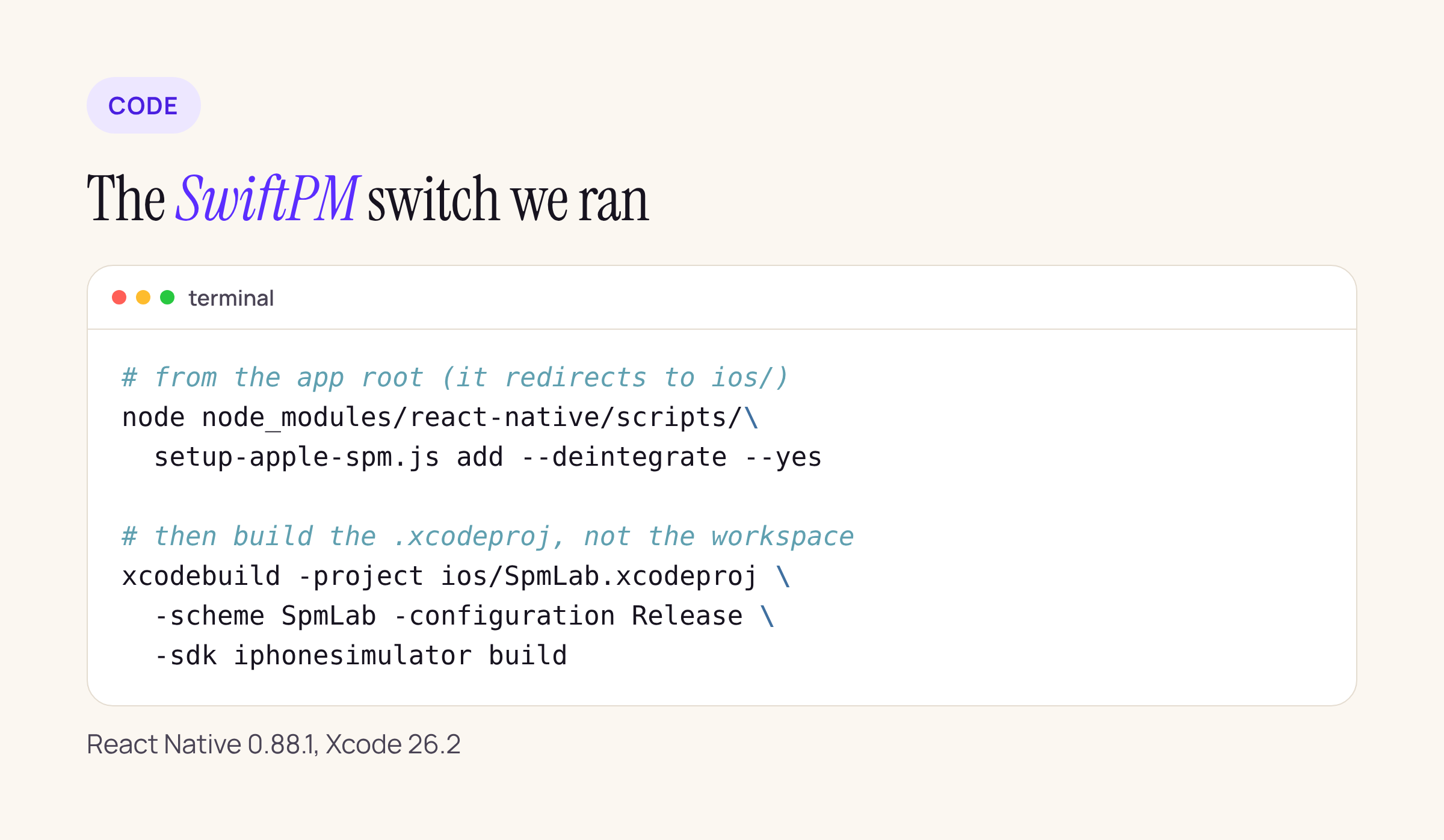
The converter we ran, and the build that follows it.
# from the app root; the script moves itself into ios/
node node_modules/react-native/scripts/setup-apple-spm.js add --deintegrate --yes

# SwiftPM builds the .xcodeproj; there is no .xcworkspace step any more
xcodebuild -project ios/SpmLab.xcodeproj -scheme SpmLab \
  -configuration Release -sdk iphonesimulator \
  -destination "generic/platform=iOS Simulator" \
  -derivedDataPath dd CODE_SIGNING_ALLOWED=NO build
npx react-native spm add --deintegrate is the same thing through the CLI. Without --yes the script asks before it edits a project that is not committed to git, because it makes no backup of its own.
The numbers
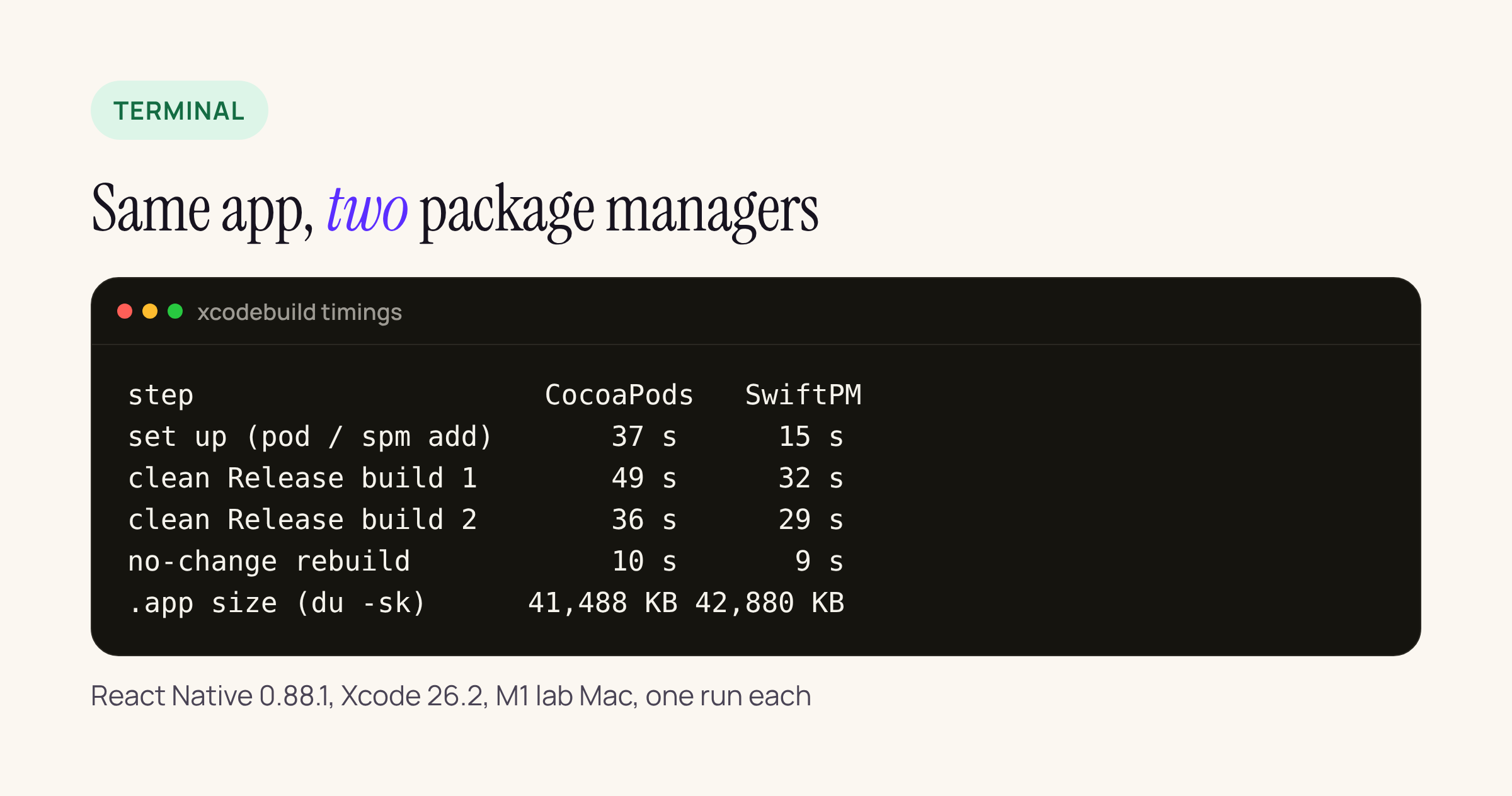
One run each on our M1 lab Mac with Xcode 26.2. Both sides used prebuilt React Native frameworks that were already in the local cache.
| Step | Pods | SwiftPM |
|---|---|---|
| Set up | 37 s | 15 s |
| Resolve packages | n/a | 9 s |
| Clean build 1 | 49 s | 32 s |
| Clean build 2 | 36 s | 29 s |
| No-change rebuild | 10 s | 9 s |
| .app size | 41,488 KB | 42,880 KB |
| Frameworks/ | 39,300 KB | 40,740 KB |
Set up is pod install against spm add --deintegrate; builds are clean Release simulator builds; sizes are du -sk.
Two things keep these numbers small and close. First, React Native 0.88 already ships its core as prebuilt frameworks (React, ReactNativeDependencies, hermesvm) for both CocoaPods and SwiftPM, so neither side compiles React Native from source; the build is mostly the app, codegen output and safe-area-context. Second, the prebuilt archives were already cached from earlier work on this Mac (the converter’s log says “already cached” for all three), so a first run on a clean machine adds download time to both sides. The gap you see is in what is left: the Pods project and its script phases against a handful of local Swift packages.
If your app compiles React Native from source, or has many native libraries, expect larger absolute numbers on both sides; this test does not tell you how that gap scales.
Same app on screen
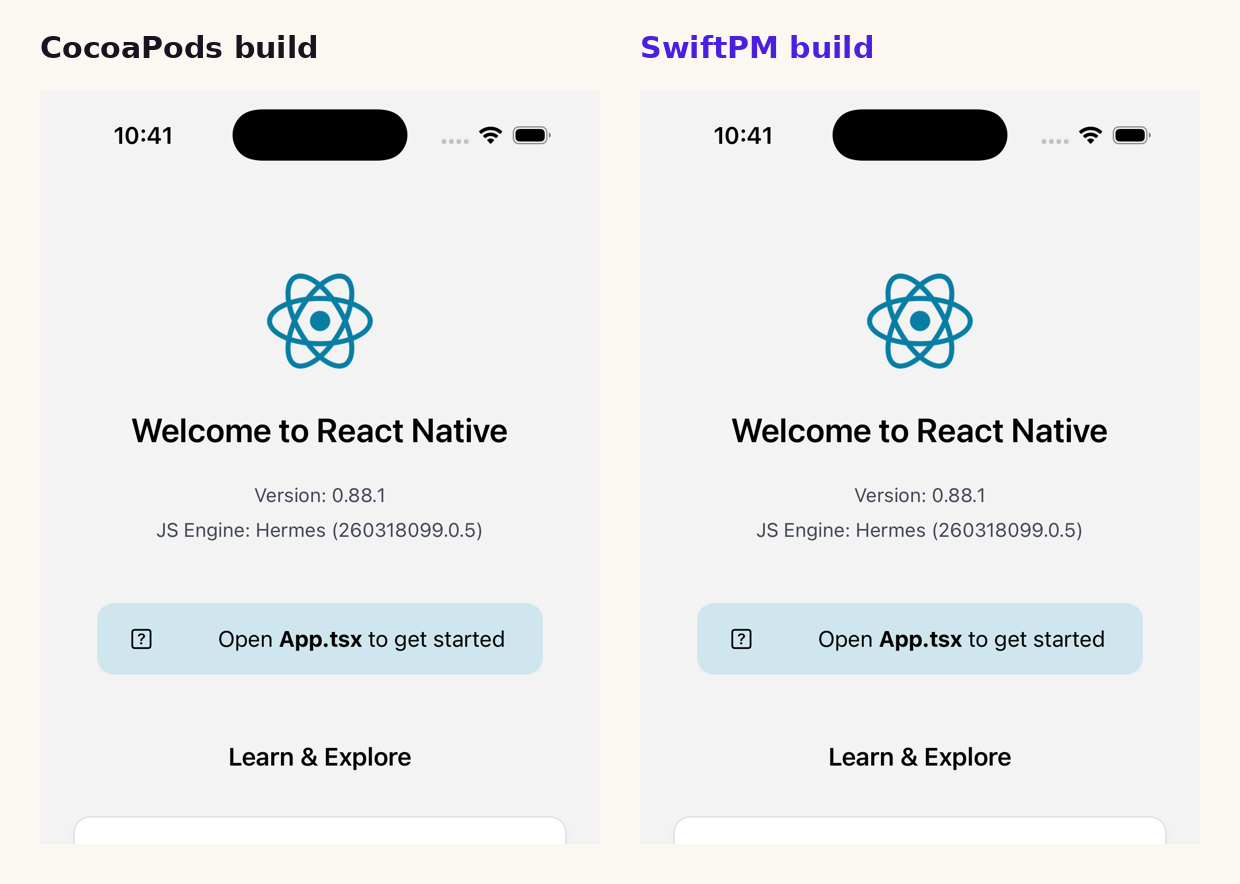
Both builds on an iPhone 17 Pro simulator with iOS 26.3: React Native 0.88.1 with Hermes 260318099.0.5. The two screenshots are byte-identical.
What the converter did to the project
From the converter’s own log, in order:
- Ran codegen and wrote
build/generated/autolinking/Package.swift. It foundreact-native-safe-area-contextand used that library’s ownPackage.swift. - Fetched the debug and release prebuilt archives of React, ReactNativeDependencies and Hermes 260318099.0.5 from
repo.reactnative.devinto a per-version cache in the user’s Library/Caches folder. - Generated
build/xcframeworks/Package.swiftand a per-app header tree (43 headers). - Added
Package.resolved,build/generated/,build/xcframeworks/and.build/toios/.gitignore. - Ran
pod deintegrate: removed the three Pods build phases,libPods-SpmLab.aand the two Pods xcconfigs, and deleted thePodsfolder. - Injected four local packages into
SpmLab.xcodeproj(Autolinked, ReactNative, React-GeneratedCode, ReactNativeSafeAreaContext), wroteReactNativeSPM/ReactNativeSPM.xcconfigplus two scripts, and added a “Sync SPM Autolinking” pre-action to the scheme. - Removed the template’s unused
JavaScriptCore.frameworkreference.
The generated xcconfig is short and readable. It links the three frameworks by path and picks the debug or release flavour from the build configuration:
OTHER_LDFLAGS = $(inherited) -ObjC "$(RN_SPM_REACT_BINARY)" "$(RN_SPM_REACT_NATIVE_DEPENDENCIES_BINARY)" "$(RN_SPM_HERMES_BINARY)"
RN_SPM_FLAVOR[config=Debug] = debug
RN_SPM_FLAVOR[config=Release] = release
Three things to clean up by hand
The Podfile is left half-edited. The converter deletes only the lines that mention use_react_native!, use_native_modules! and prepare_react_native_project!. In the stock template those calls span several lines, so what remains is a Podfile with orphaned arguments like :path => config[:reactNativePath], inside target 'SpmLab' do. It is not valid Ruby any more. If you have no other pods, delete the Podfile; if you do, rewrite the target block by hand. Do not run pod install on the converted app: the converter’s own source warns that it re-breaks the package graph.
The workspace stays. pod deintegrate says so in its output: the .xcworkspace that referenced the Pods project is still there. Delete it, and update CI scripts and Fastlane lanes from -workspace to -project.
The app grows a little. With SwiftPM the embedded React.framework carries Headers/ and Modules/ folders that the CocoaPods build strips, which is where the 1,440 KB of extra Frameworks/ size comes from. The React binary itself is identical on both sides (24,444,256 bytes in the simulator build). Check the size again on a device archive before you ship; App Store processing may treat those folders differently.
What to check on your own app
- Run the converter on a branch with a clean git tree, then
git diffthe.pbxprojand the scheme. - List every native library and check whether it ships a
Package.swift. The converter used safe-area-context’s own manifest; for libraries without one there is aspm scaffoldaction that generates one. - Search CI for
pod install,Podfile.lockcaches and-workspace, and replace them. - Keep
node_modulesinstalled before the first Xcode build: the scheme pre-action runs the autolinking sync from it. - Time your own clean build both ways; with more native libraries the difference may be larger or smaller than ours.
For a small React Native 0.88.1 app the switch cost one command and two manual clean-ups, and nothing got slower. The real work in a production app is the native library list: an app whose biometric, keychain or push libraries have no Swift package yet is the one to move last.