Short version: expo-updates does not need EAS. It speaks an open protocol (version 1), and a server that answers it fits in about 60 lines of Node 22 with no dependencies. The parts that matter for a bank: sign the exact bytes of the manifest part with RSA SHA-256, put the signature in an expo-signature header as a quoted string, and ship the certificate inside the app so it refuses anything you did not sign. We built the server below against expo-updates 58.0.22 (the version Expo SDK 58 recommends), read the client’s Android sources to confirm what it checks, and ran six requests through a verifier that repeats those checks.
Why we did this: the banking apps we build on React Native cannot send code through a third-party update service, because the bank’s security review will not approve one. A server we run, with keys the bank controls, is something that review can approve.
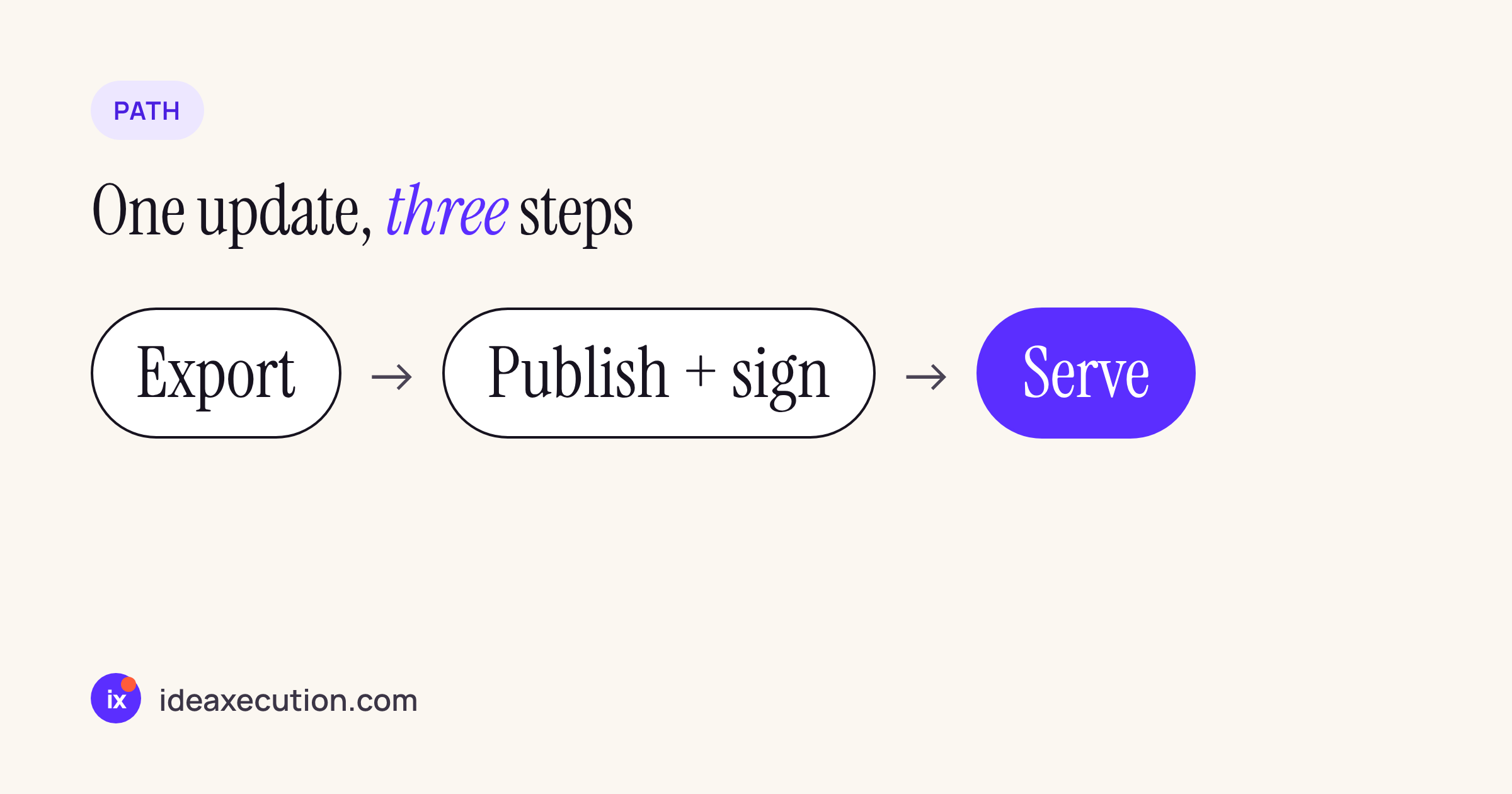
The whole flow: export the JavaScript, publish it with a signed manifest, serve it.
What the client sends and expects
The protocol is in Expo’s expo-updates-1 spec (updated 12 Aug 2026). We checked it against the client code in the expo-updates 58.0.22 npm package (android/src/main/java/expo/modules/updates/loader/FileDownloader.kt), because the two differ in a few places.
| Topic | What we found |
|---|---|
| Request | GET to updates. with Expo-, Expo- (ios or android), Expo-, Accept: multipart/ |
| Extra request headers in the 58 client | Expo-, Expo-, Expo-, Expo-, expo-, plus your updates. |
| Signing requested | expo- when the app has a code signing certificate |
| Response headers | expo-, expo-, a short cache- (the spec suggests private, max-) |
| Response body | multipart/ with a manifest part or a directive part (directives cannot be sent as plain JSON) |
| Asset hash | base64url SHA-256 of the file; the client rejects an asset that does not match |
| Nothing to send | 204 with no body |
| Directives the 58 client parses | noUpdateAvailable and rollBackToEmbedded (with parameters.); anything else throws (RemoteUpdate.) |
Two details are not spelled out in the spec and come from the client source:
- What is signed: the client calls
validateSignature(signature, bodyString.toByteArray(), ...)on the part body, and verifies withSHA256withRSAagainst the embedded certificate. Sign the exact JSON string you send. Pretty-printing it after signing breaks every update. - How
sigis encoded:SignatureHeaderInfo.ktonly acceptssigas a structured-field string (sig="..."), holding standard base64. A byte sequence (sig=:...:) is rejected. Ifkeyidis missing the client assumesroot, and it must match thekeyidin the app’scodeSigningMetadata.
The server
server.mjs reads published updates from a folder: updates/<runtimeVersion>/<platform>/manifest.json, plus rollback.json when a rollback is switched on. Assets live in updates/assets/ under their content key, so a URL never changes content.
// Minimal expo-updates protocol 1 server. Node 22, no dependencies.
import http from 'node:http';
import fs from 'node:fs';
import path from 'node:path';
import crypto from 'node:crypto';

const ROOT = process.env.UPDATES_DIR ?? './updates';
const KEY = fs.readFileSync(process.env.SIGNING_KEY ?? './keys/private-key.pem');
const KEYID = 'main';

function sign(body) {
  const sig = crypto.sign('sha256', Buffer.from(body), KEY).toString('base64');
  return `sig="${sig}", keyid="${KEYID}", alg="rsa-v1_5-sha256"`;
}

function multipart(res, name, json, signed) {
  const body = JSON.stringify(json);
  const b = crypto.randomBytes(12).toString('hex');
  const head = [`content-disposition: form-data; name="${name}"`,
    'content-type: application/json; charset=utf-8'];
  if (signed) head.push(`expo-signature: ${sign(body)}`);
  res.writeHead(200, {
    'expo-protocol-version': '1', 'expo-sfv-version': '0',
    'cache-control': 'private, max-age=0',
    'content-type': `multipart/mixed; boundary=${b}`,
  });
  res.end(`--${b}\r\n${head.join('\r\n')}\r\n\r\n${body}\r\n--${b}--\r\n`);
}

function manifest(req, res) {
  const h = req.headers;
  const platform = h['expo-platform'], rv = h['expo-runtime-version'];
  if (h['expo-protocol-version'] !== '1' || !['ios', 'android'].includes(platform) || !rv)
    return res.writeHead(400).end('bad request');
  const dir = path.join(ROOT, path.basename(rv), platform);
  const signed = Boolean(h['expo-expect-signature']);
  if (fs.existsSync(path.join(dir, 'rollback.json'))) {
    const { commitTime } = JSON.parse(fs.readFileSync(path.join(dir, 'rollback.json')));
    return multipart(res, 'directive', { type: 'rollBackToEmbedded', parameters: { commitTime } }, signed);
  }
  if (!fs.existsSync(path.join(dir, 'manifest.json'))) return res.writeHead(204).end();
  const m = JSON.parse(fs.readFileSync(path.join(dir, 'manifest.json')));
  if (h['expo-current-update-id'] === m.id)
    return multipart(res, 'directive', { type: 'noUpdateAvailable' }, signed);
  multipart(res, 'manifest', m, signed);
}

function asset(req, res) {
  const file = path.join(ROOT, 'assets', path.basename(req.url));
  if (!fs.existsSync(file)) return res.writeHead(404).end();
  res.writeHead(200, { 'cache-control': 'public, max-age=31536000, immutable',
    'content-type': 'application/javascript' });
  fs.createReadStream(file).pipe(res);
}

http.createServer((req, res) => {
  if (req.method === 'GET' && req.url.startsWith('/manifest')) return manifest(req, res);
  if (req.method === 'GET' && req.url.startsWith('/assets/')) return asset(req, res);
  res.writeHead(404).end();
}).listen(process.env.PORT ?? 3007);
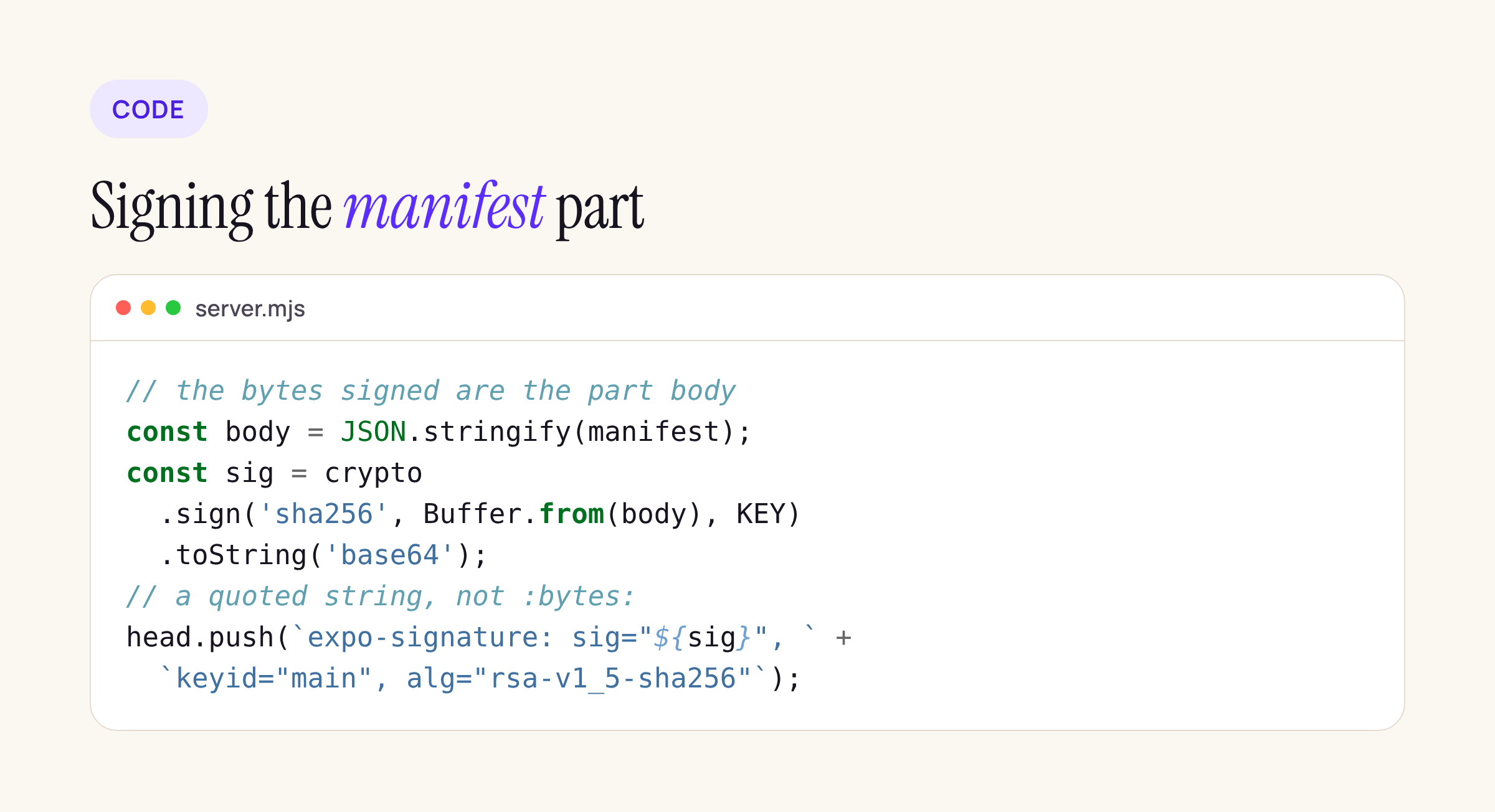
The two lines that decide whether the app accepts an update.
path.basename on the runtime version and the asset name keeps a crafted header from reading outside the updates folder. Put the server behind Nginx or whatever already terminates TLS for your APIs; the app should only ever talk to it over HTTPS.
Publishing an update
publish.mjs copies the bundle into the asset store, hashes it, and writes a new manifest with a fresh UUID. Publishing again replaces the manifest and clears any rollback.
// node publish.mjs <bundle> <runtimeVersion> <platform> <publicUrl>
import fs from 'node:fs';
import path from 'node:path';
import crypto from 'node:crypto';

const [bundle, rv, platform, base] = process.argv.slice(2);
const ROOT = process.env.UPDATES_DIR ?? './updates';
const data = fs.readFileSync(bundle);
const hash = crypto.createHash('sha256').update(data).digest('base64url');
const key = crypto.createHash('md5').update(data).digest('hex');
fs.mkdirSync(path.join(ROOT, 'assets'), { recursive: true });
fs.writeFileSync(path.join(ROOT, 'assets', `${key}.bundle`), data);
const dir = path.join(ROOT, rv, platform);
fs.mkdirSync(dir, { recursive: true });
fs.rmSync(path.join(dir, 'rollback.json'), { force: true });
const manifest = {
  id: crypto.randomUUID(), createdAt: new Date().toISOString(), runtimeVersion: rv,
  launchAsset: { hash, key, contentType: 'application/javascript', fileExtension: '.bundle',
    url: `${base}/assets/${key}.bundle` },
  assets: [], metadata: {}, extra: {},
};
fs.writeFileSync(path.join(dir, 'manifest.json'), JSON.stringify(manifest, null, 2));
console.log(`published ${manifest.id} (${data.length} bytes, sha256 ${hash})`);
This handles the JavaScript bundle only. A real app also ships images and fonts: export with npx expo export --platform android (and ios), then add every file from the export’s metadata to assets with the same hash, key and URL fields. Keep the private key off the update server if you can: sign on the build machine, upload the signed manifest, and let the server only serve files. Our sketch signs on the server to stay short.
Six requests, checked like the client
To test without a device, verify.mjs repeats what the 58 client does with a response: parse the multipart body, verify the signature over the part body with the certificate’s public key, then download the launch asset and compare its base64url SHA-256.
// Checks a response the way expo-updates 58 does: signature over the part body, then the asset hash.
import fs from 'node:fs';
import crypto from 'node:crypto';

const [url, rv, platform, current = ''] = process.argv.slice(2);
const cert = new crypto.X509Certificate(fs.readFileSync('./certs/certificate.pem'));
const res = await fetch(url, { headers: {
  'expo-protocol-version': '1', 'expo-platform': platform, 'expo-runtime-version': rv,
  'expo-current-update-id': current, accept: 'multipart/mixed',
  'expo-expect-signature': 'sig, keyid="main", alg="rsa-v1_5-sha256"' } });
console.log('status', res.status);
if (res.status !== 200) process.exit(0);
const boundary = res.headers.get('content-type').split('boundary=')[1];
const part = (await res.text()).split(`--${boundary}`)[1];
const [head, body] = part.replace(/^\r\n/, '').split('\r\n\r\n');
const name = head.match(/name="(\w+)"/)[1];
const sig = head.match(/sig="([^"]+)"/)[1];
const json = body.replace(/\r\n$/, '');
const ok = crypto.verify('sha256', Buffer.from(json), cert.publicKey, Buffer.from(sig, 'base64'));
console.log(name, 'signature', ok ? 'valid' : 'INVALID');
const doc = JSON.parse(json);
if (name === 'directive') { console.log('directive', doc.type); process.exit(0); }
const a = doc.launchAsset;
const bytes = Buffer.from(await (await fetch(a.url)).arrayBuffer());
const hash = crypto.createHash('sha256').update(bytes).digest('base64url');
console.log('update', doc.id.slice(0, 8), 'launch asset hash', hash === a.hash ? 'matches' : 'MISMATCH');
We published a small test bundle for runtime version 1.4.0 on Android and ran six cases on a Linux test server with Node 22.23.5: a fresh request, a request from an app already on that update, the bundle file replaced on the server, a second server signing with a different key, a rollback switched on, and an unknown runtime version. A request without Expo-Platform got a 400.
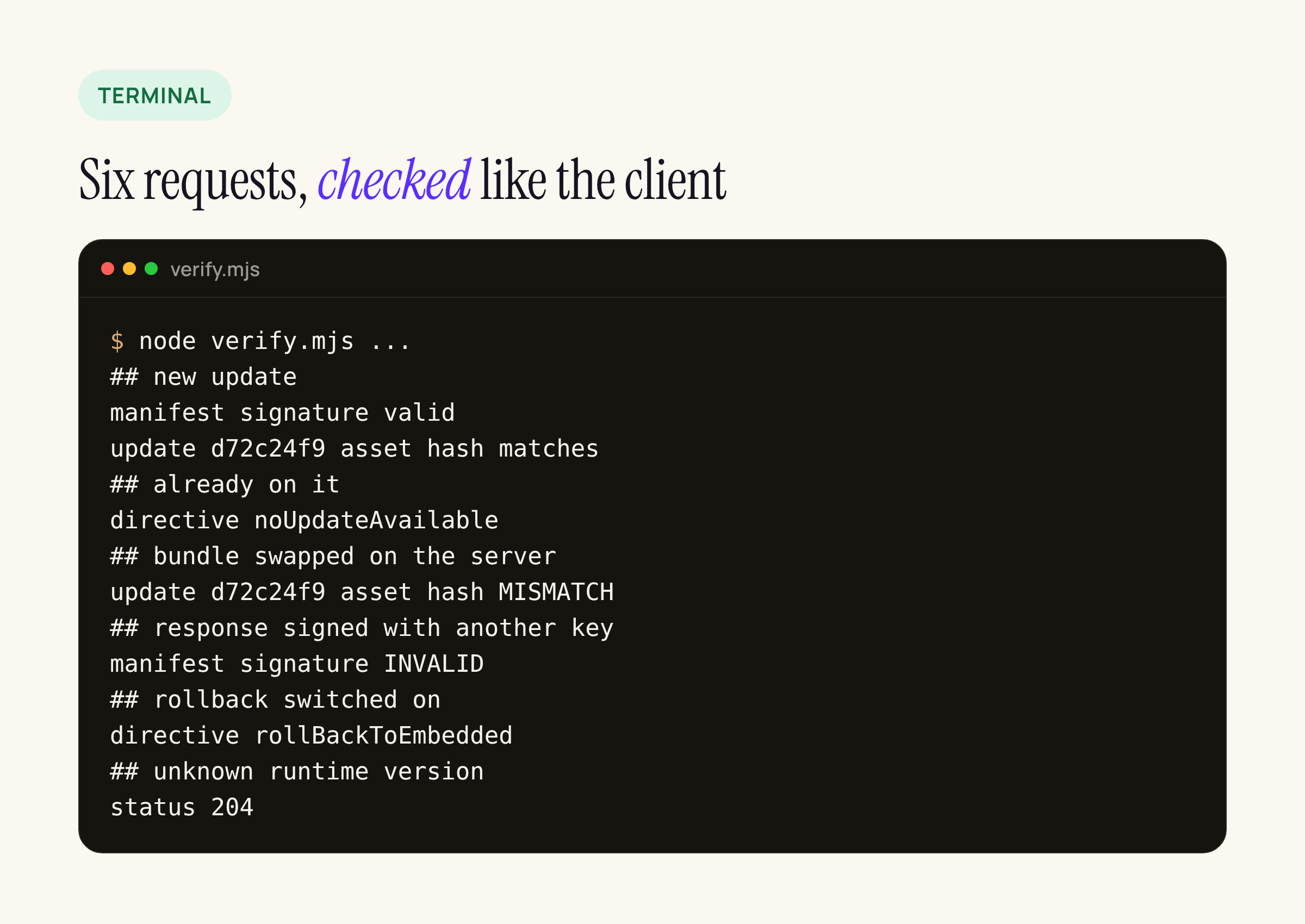
Real output from our test server, condensed to one line per check.
The two failures are the ones a bank cares about. A swapped bundle fails the hash check even though the manifest signature is still valid, because the hash is inside the signed manifest. A server that does not hold your key cannot produce a signature the certificate accepts.
Configuring the app
Generate the key and certificate with Expo’s CLI, as the code signing guide (updated 2 Nov 2026) shows:
npx expo-updates codesigning:generate \
  --key-output-directory ../keys \
  --certificate-output-directory certs \
  --certificate-validity-duration-years 10 \
  --certificate-common-name "Example Bank"
npx expo-updates codesigning:configure \
  --certificate-input-directory certs \
  --key-input-directory ../keys
Keep ../keys out of the repository. Then point the app at your server. In app.json:
{
  "expo": {
    "runtimeVersion": "1.4.0",
    "updates": {
      "url": "https://updates.example-bank.com/manifest",
      "codeSigningCertificate": "./certs/certificate.pem",
      "codeSigningMetadata": { "keyid": "main", "alg": "rsa-v1_5-sha256" }
    }
  }
}
In a bare React Native app without prebuild, the same values go into Expo.plist and AndroidManifest.xml, per the configuration table: EXUpdatesURL and expo.modules.updates.EXPO_UPDATE_URL, EXUpdatesRuntimeVersion and expo.modules.updates.EXPO_RUNTIME_VERSION, EXUpdatesCodeSigningCertificate and expo.modules.updates.CODE_SIGNING_CERTIFICATE, EXUpdatesCodeSigningMetadata and expo.modules.updates.CODE_SIGNING_METADATA. The certificate is stored inline, with line breaks escaped as the code signing guide describes. Use an explicit runtime version string and change it with every native change, so an old binary never receives JavaScript built for new native code.
What the bank’s security review will ask
- Who can sign an update? Only the holder of the private key. The app embeds the certificate and the 58 client throws “Incorrect signature” on anything else. Keep the key in the bank’s HSM or a CI secret with two-person access.
- Can the update host change the code? No: changing the bundle breaks its hash, changing the manifest breaks the signature, as the checks above show.
- Is the channel pinned? Pin the update host like the API host:
NSPinnedDomainsinInfo.pliston iOS, apin-setin the network security config on Android. - How do we stop a bad release? Drop a
rollback.json: every app asking gets a signedrollBackToEmbeddeddirective and runs the JavaScript that shipped in the store build. - What does the server log? The request headers include
Expo-Current-Update-ID,Expo-Recent-Failed-Update-IDsandExpo-Fatal-Error; logging them shows which update failed on launch.
Device behaviour (download timing, launch fallback when the server is unreachable) is outside this post. It covers the protocol, the server and the signature path, checked against the expo-updates 58.0.22 sources.