Short version: iOS 27.2 adds requestTrackingAuthorization(preferExpandedInterface:additionalInformationAction:) to App Tracking Transparency. In France, Germany, Italy, Poland and Romania the system now shows a full-page sheet, and in the EU an answered prompt can be asked again after a year. We unpacked the iOS sources of expo-tracking-transparency 57.0.2 and 58.1.0, react-native-permissions 5.6.3 and react-native-tracking-transparency 0.1.2 (the latest npm releases on 20 Nov 2026), and every one of them still calls only the iOS 14 method. If you want the new sheet or the yearly re-prompt from a React Native app, you patch the module yourself and build with Xcode 27.2.
Why we did this: in the React Native banking apps we build, an app that needs the ATT prompt shows it from JavaScript through one of these modules. Before the next release to EU storefronts we wanted to know what those modules actually call.
What iOS 27.2 changed in App Tracking Transparency
Everything in this section comes from Apple’s page for the new request method, read on 20 Nov 2026.
| What | Detail |
|---|---|
| New method (Swift) | requestTrackingAuthorization(, plus an async form returning the status |
| Availability | iOS 27.2, iPadOS 27.2, Mac Catalyst 27.2 |
| France, Germany, Italy, Poland, Romania | The full-page sheet is shown whatever you pass as preferExpandedInterface |
| Rest of the EU | The sheet only when preferExpandedInterface is true |
| Outside the EU | Both parameters ignored; the standard alert, as before |
| Additional Information button | Shown when you pass an action; tapping it dismisses the sheet, runs your action, and returns notDetermined |
| Re-prompt | In the EU, once a person answers, the prompt cannot show again for a year; after that you may ask again, unless tracking is turned off in Settings |
| Status values | Unchanged: authorized, denied, notDetermined, restricted (enum page) |
| Testing | The Simulator does not show the full-page sheet; Apple points to a device or an internal TestFlight build in a qualifying country |
The Objective-C selector is not printed on Apple’s page. Its symbol identifier is requestTrackingAuthorizationPreferringExpandedInterface:additionalInformationAction:completionHandler:, which is what the sketches below use. Check it against ATTrackingManager.h in the iOS 27.2 SDK before you ship. Third-party beta notes (Blake Crosley’s iOS 27.2 beta log) report that the method was renamed twice during the betas, so code written against beta 1 will not compile against the final SDK. Apple’s releases page lists Xcode 27.2 (27B52) on 29 Oct, which is the first Xcode you can build the new call with.
What the React Native modules call today
We ran npm pack on each package, unpacked the tarballs and searched the ios/ sources with a short script. It counts calls to the old completion-handler method and to the expanded one:
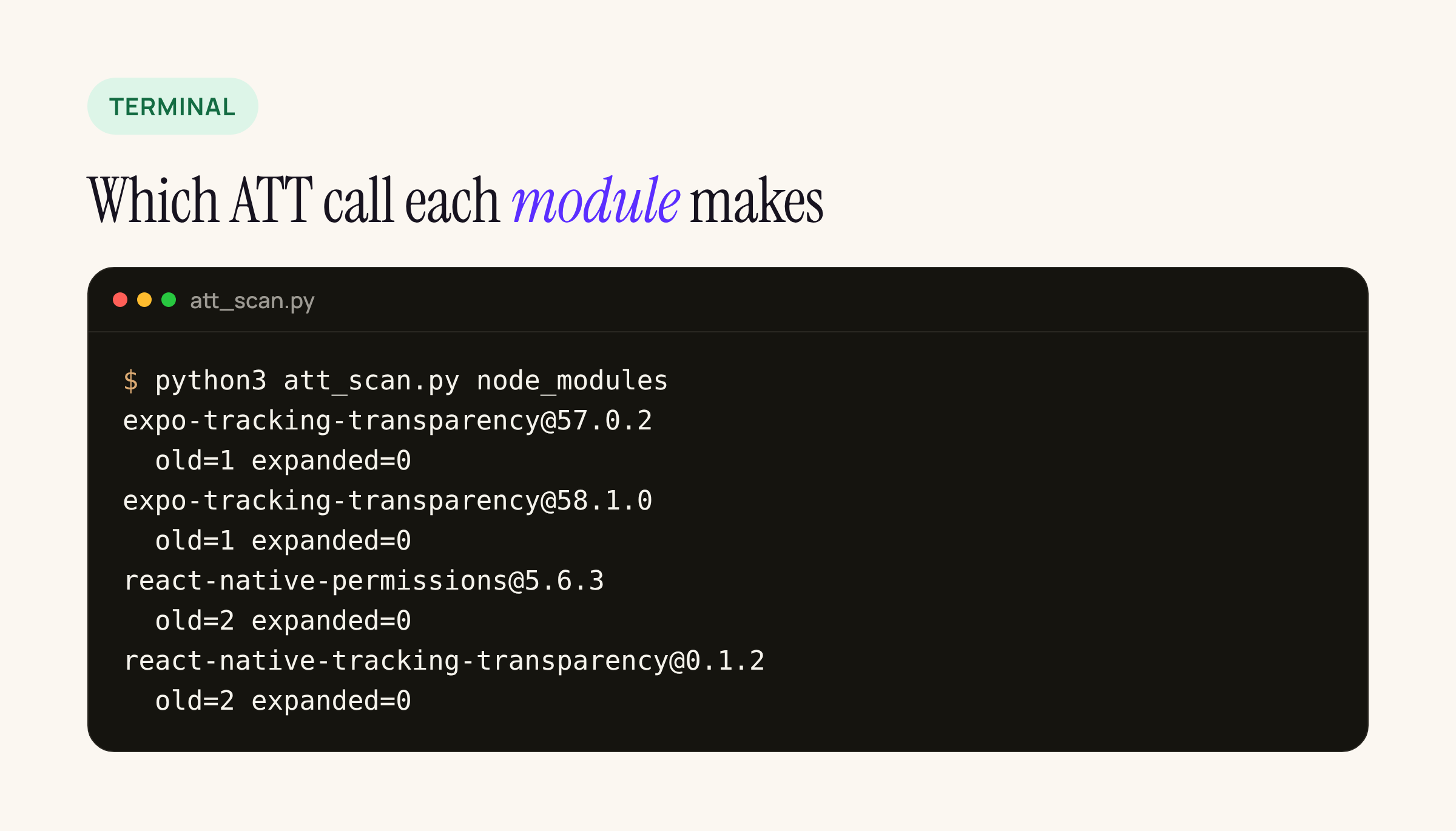
Real output from our test server, run against the packed npm tarballs.
#!/usr/bin/env python3
"""List which ATT request API each iOS dependency calls."""
import pathlib, re, sys
OLD = re.compile(r"requestTrackingAuthorization(WithCompletionHandler|\s*\{|\(completionHandler)")
NEW = re.compile(r"PreferringExpandedInterface|preferExpandedInterface")
root = pathlib.Path(sys.argv[1] if len(sys.argv) > 1 else "node_modules")
for f in sorted(root.rglob("*")):
    if f.suffix not in (".m", ".mm", ".swift") or "/ios/" not in str(f):
        continue
    src = f.read_text(errors="ignore")
    old, new = len(OLD.findall(src)), len(NEW.findall(src))
    if old or new:
        pkg = f.relative_to(root).parts[0]
        print(f"{pkg:<36} old={old} expanded={new}")
Run it from your app root against your own node_modules to see which of your dependencies show the prompt.
What each module does, read from its source:
- expo-tracking-transparency 58.1.0 (published 11 Nov 2026, Expo SDK 58):
TrackingTransparencyPermissionRequester.swiftcallsATTrackingManager.requestTrackingAuthorization { ... }. The diff against 57.0.2 is formatting, an import reorder and a newgetAdvertisingIdAsyncfunction; nothing about the expanded sheet. Themainbranch on GitHub was the same on 20 Nov. - react-native-permissions 5.6.3 (16 Oct 2026):
RNPermissionHandlerAppTrackingTransparency.mmcallsrequestTrackingAuthorizationWithCompletionHandler:in two places (app active, or on the nextdidBecomeActive). It also returns early when the status is anything butNotDetermined, so it never asks again, even after the EU one-year window. - react-native-tracking-transparency 0.1.2 (last release 12 Sep 2022): the same old call, twice. With no release in three years, a patch is the only route.
On iOS 27.2 the old method still works: Apple’s page says that outside the EU both new parameters are ignored and you get the standard alert. What you lose with the old call is the choice of the expanded sheet in the wider EU, the Additional Information button, and, with react-native-permissions, the yearly re-prompt.
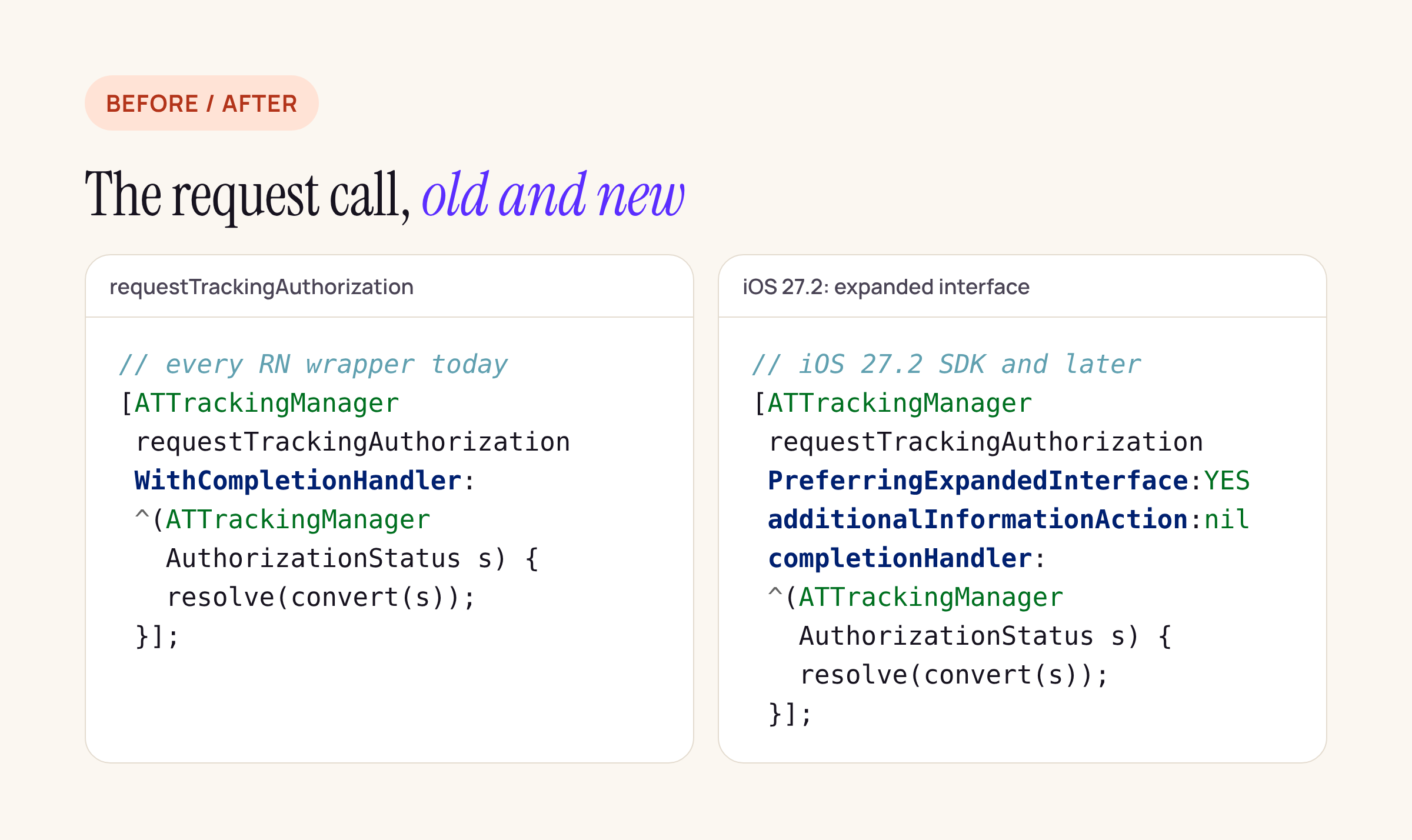
The only change at the call site: two new arguments in front of the completion handler.
Patching react-native-permissions
A patch-package change to RNPermissionHandlerAppTrackingTransparency.mm keeps the module building with older Xcode versions, because the new selector only exists in the 27.2 SDK headers. Treat this as a starting point and compile it against your target:
- (void)askATT:(void (^ _Nonnull)(RNPermissionStatus))resolve {
#if __IPHONE_OS_VERSION_MAX_ALLOWED >= 270200
  if (@available(iOS 27.2, *)) {
    [ATTrackingManager
      requestTrackingAuthorizationPreferringExpandedInterface:YES
      additionalInformationAction:nil
      completionHandler:^(ATTrackingManagerAuthorizationStatus s) {
        resolve([self convertStatus:s]);
      }];
    return;
  }
#endif
  [ATTrackingManager requestTrackingAuthorizationWithCompletionHandler:
    ^(ATTrackingManagerAuthorizationStatus s) {
      resolve([self convertStatus:s]);
    }];
}
Call askATT: from both places that call the old method today. Then decide about the early return in requestWithResolver:rejecter:. If you want the yearly EU re-prompt, the module has to call the request method even when the status is denied or authorized. iOS does not tell you when the year is up, so store the date of the last answer on the JavaScript side and only call request() again once a year has passed. Outside the EU the system simply returns the current status without a prompt.
Passing nil for additionalInformationAction hides the Additional Information button. Pass a block only if your app has a screen that explains its tracking, and remember the side effect: the sheet closes, your block runs, and JavaScript receives “not determined”. Your screen then needs its own “Continue” that calls request() again.
Patching expo-tracking-transparency
In an Expo app the same change goes into TrackingTransparencyPermissionRequester.swift, either as a patch or as a small local module that replaces the requester:
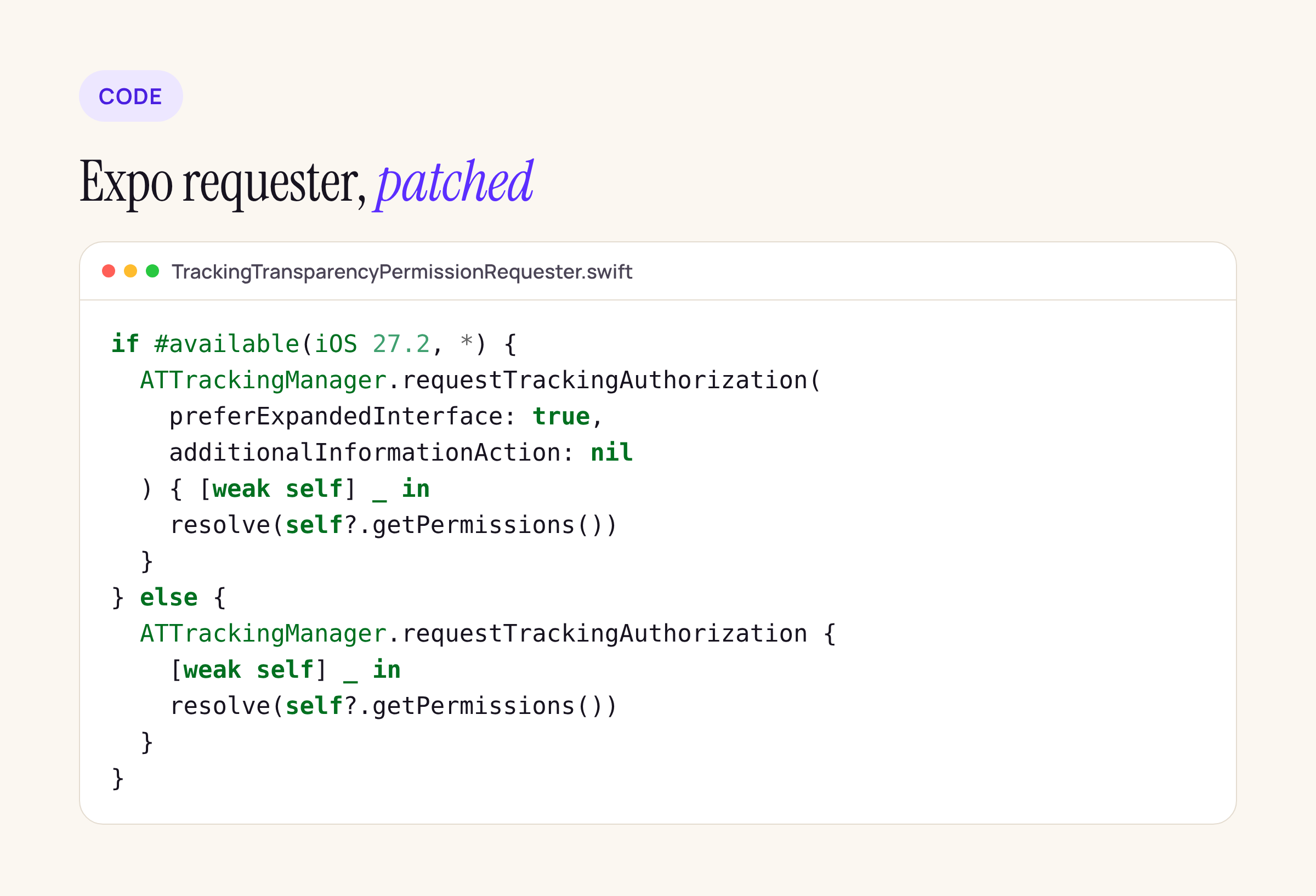
Swift has no check for the SDK version, so this file only builds with Xcode 27.2 or later.
if #available(iOS 27.2, *) {
  ATTrackingManager.requestTrackingAuthorization(
    preferExpandedInterface: true,
    additionalInformationAction: nil
  ) { [weak self] _ in
    resolve(self?.getPermissions())
  }
} else {
  ATTrackingManager.requestTrackingAuthorization { [weak self] _ in
    resolve(self?.getPermissions())
  }
}
If you build on EAS, pin a build image that ships Xcode 27.2 before you apply the patch. The completion handler is @Sendable in the new signature; with Swift 6 language mode, check that what you capture (resolve, self) is fine to send.
Attribution SDKs: ask before you start them
The order matters more than the prompt style. The SDK must not read the IDFA before the person answers.
- react-native-appsflyer 7.x removed the
timeToWaitForATTUserAuthorizationoption. ItsMIGRATION.md(7.0.4, 1 Nov 2026) says: “request ATT yourself beforeinit()“. If you upgraded from 6.x and relied on that option, your app now starts AppsFlyer before the answer unless you moved the ATT request. - With any SDK, the safe pattern is: wait for the app to be active, call the ATT request, then initialise the SDK with the result. On the old method the request does nothing while the app is inactive; both modules above already wait for
didBecomeActive, and Apple’s page says the new method skips the prompt in that state too.
What to check on your own app
- Run the scanner above on
node_modulesand list every module that calls ATT. - Decide whether you want the expanded sheet in the wider EU (
preferExpandedInterface: true) or only where it is forced. - Patch the module, build with Xcode 27.2, and keep the fallback for iOS 26 and earlier.
- If you want the yearly re-prompt, remove the early return and store the answer date in JavaScript.
- Check the order: ATT answer first, attribution SDK after.
- Test the sheet with an internal TestFlight build on a device with an account from one of the five countries. The Simulator only shows the standard alert.
This post is a source review of the four npm packages and Apple’s documentation as of 20 Nov 2026.