
For Mac
A clean Mac, one click away.
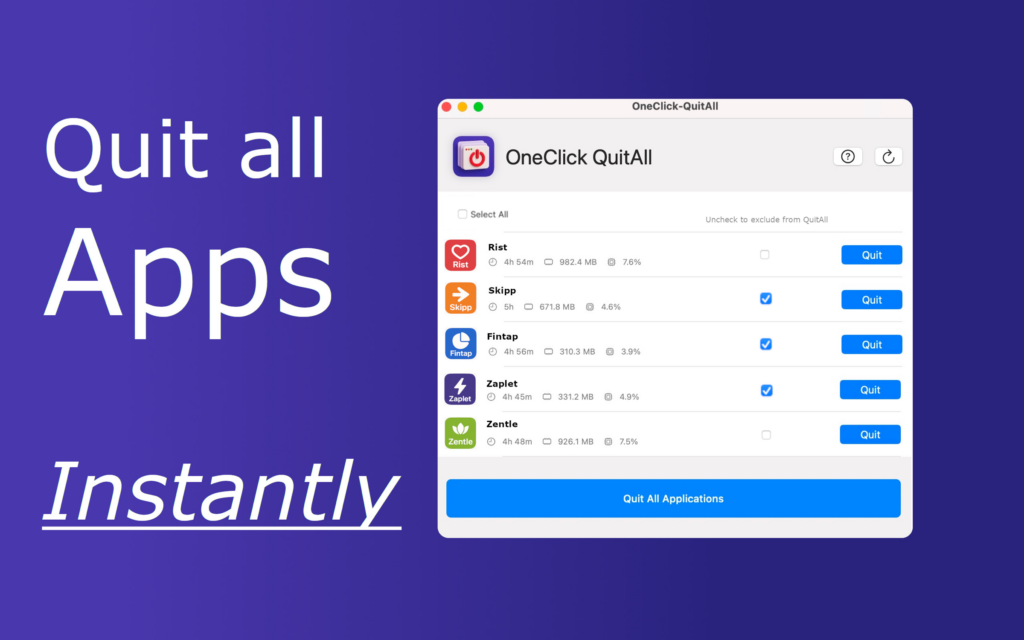
Twenty-three apps open since Monday. The fan spinning, the memory full, the standup in two minutes. QuitAll shows you what every app is costing you and closes the lot in one click, the proper way, with nothing lost. You decide what stays.
Sound familiar?
QuitAll is for every one of these moments. It is the fastest way to get your Mac back.
Monday, 8:58
The standup is in two minutes
Your Mac is still waking up under the weight of the weekend. One click, and Slack and Zoom have the machine to themselves.
Screen share
Forty tabs and a half-written message
Keep the call, quit everything else. Tick Zoom, click Quit all, share with nothing to hide.
The big export
Final Cut needs every byte
See which apps are hoarding memory and CPU, and clear them before the render, not halfway through it.
11% battery
The train, the deadline, the dying battery
Fourteen forgotten apps drain a battery. Close them all in the time it takes to find the charger you did not bring.
Work to life
Six o’clock, laptop closed on work
Quit the work apps in one go and open the evening with a clean desk. Same trick in reverse tomorrow morning.
The shared Mac
Someone else needs the machine
Hand it over clean, with your work closed and saved, in a click instead of a tour of the Dock.
Why it works
You see before you quit
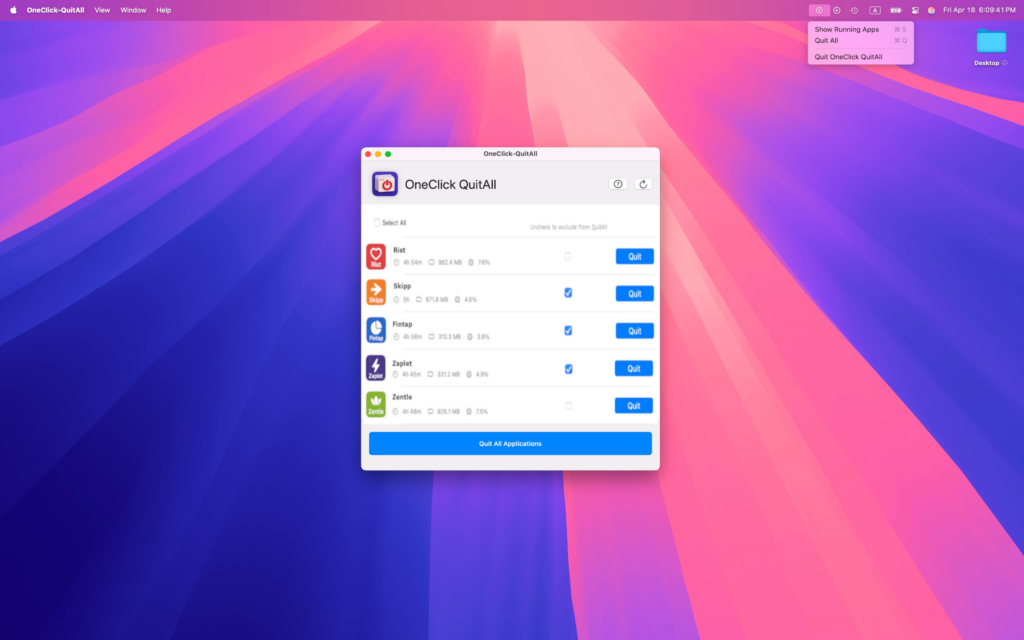
Every running app with its memory, CPU and running time, sorted. No more guessing what is slowing you down.
Nothing is force-killed
QuitAll asks each app to quit the way the Dock does. Unsaved work gets its save dialog. Stubborn apps get a patient retry, not a kill.
It remembers your keepers
Tick the apps that should stay, like your video call or your music, and QuitAll remembers them next time. One click stays one click.
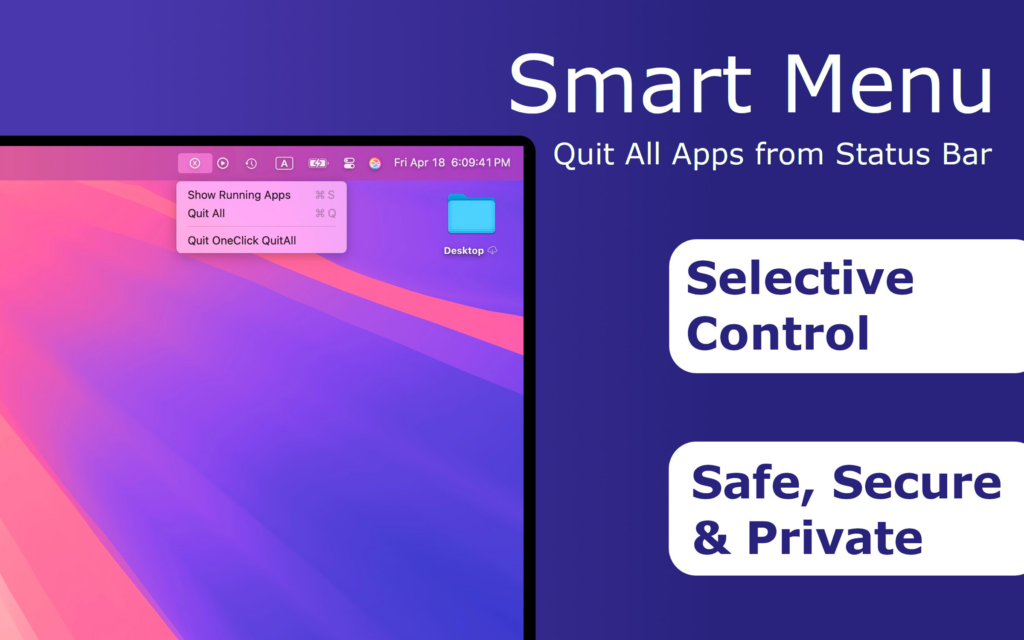
Lives in your menu bar, 2.3 MB, no account, no sign-in. Built by a studio that runs it on every Mac it owns.
See it in action
Set up in a minute
Doubts, answered
Will it close something I have not saved?
No. QuitAll sends the normal quit command, so any app with unsaved work shows its usual save dialog and waits for you.
Will it drop my call or my music?
Not if you tick them. Excluded apps stay open, and QuitAll remembers the list for next time.
Is it safe?
It is on the Mac App Store, which means Apple reviewed it and it runs in the sandbox. It uses macOS’s own quit, not a kill, and it never touches your files.
What about apps that refuse to quit?
Browsers and heavy apps get a few patient retries. If one still will not go, QuitAll tells you instead of forcing it.
Which Macs?
Any Mac on macOS 11.5 or later. Apple silicon and Intel.
Also from us
Nix, the thorough Mac uninstaller
Quit first, then uninstall properly: Nix removes apps along with the caches and support files the Trash leaves behind, and scanning is free. New to this? Read how to completely uninstall apps on Mac.